Online Meeting Improvements
Use improved online meeting attendance processing to manage learner attendance more efficiently by automatically updating learner activity statuses from provider attendance data and downloading clearer and more relevant attendance reports.
Learner activity statuses
You can now configure learner activity statuses for provider-based online meetings when learners don't join or don't meet the minimum attendance requirement. Supported providers include Microsoft Teams, Zoom, and Adobe.
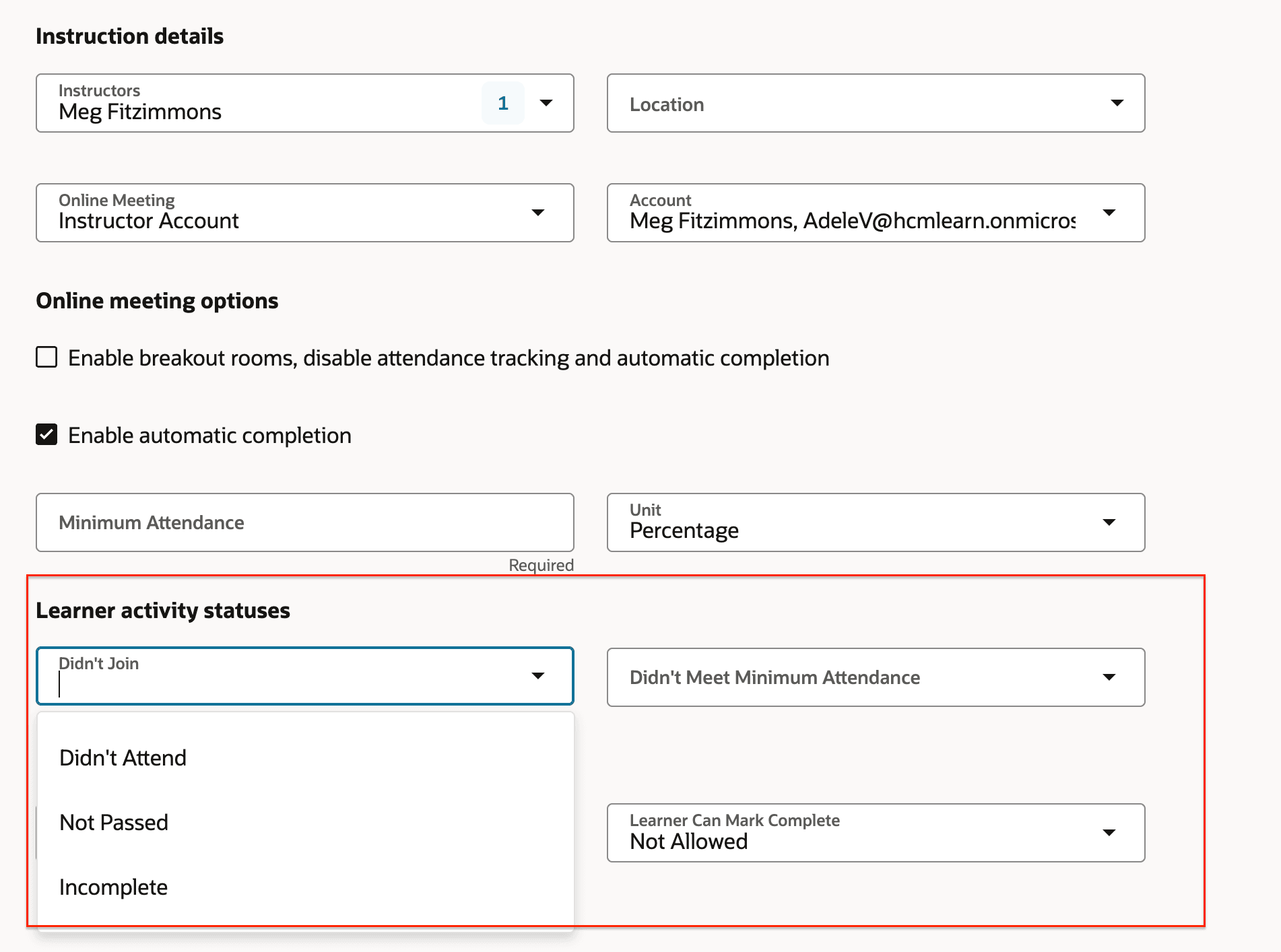
Learner Activity Status Settings
Attendance reports now show join and leave times in the activity time zone, display duration in minutes, and include an Instructor column.

Example Attendance Report
Microsoft Outlook calendar invites created for learners and instructors now include a default 15-minute reminder for new events and for events updated after the feature becomes available.
Help learning teams track attendance more accurately and interpret reports more easily. Support consistent attendance outcomes and meeting reminders without extra setup.
Steps to enable and configure
You don't need to do anything to enable this feature.
Tips and considerations
-
The learner status configuration applies to only event activities, not offering activities.
-
Existing event activities will have blank values for the new learner status options after upgrade.
-
The updated attendance CSV format applies only to attendance files generated after the upgrade for event and offering activities.
-
The 15-minute meeting reminder applies only to new calendar events and to events modified after the feature upgrade.
-
Online meeting URLs no longer appear directly on the learner enrollment page for online meetings. Learners should use the Join button on the page to join the meeting.