Learning Catalog and Assignments Data Extraction
Learning specialists can generate learning catalog and assignment extraction reports by creating extract definitions, selecting business or extraction views, and running full or incremental extracts. They can run extracts on demand or on a schedule and download the generated output from Extract Jobs.
The data extraction tool supports:
- Business and extraction views
- Full and incremental extracts
- On-demand and scheduled extracts
- Extract status monitoring
- CSV and JSON output
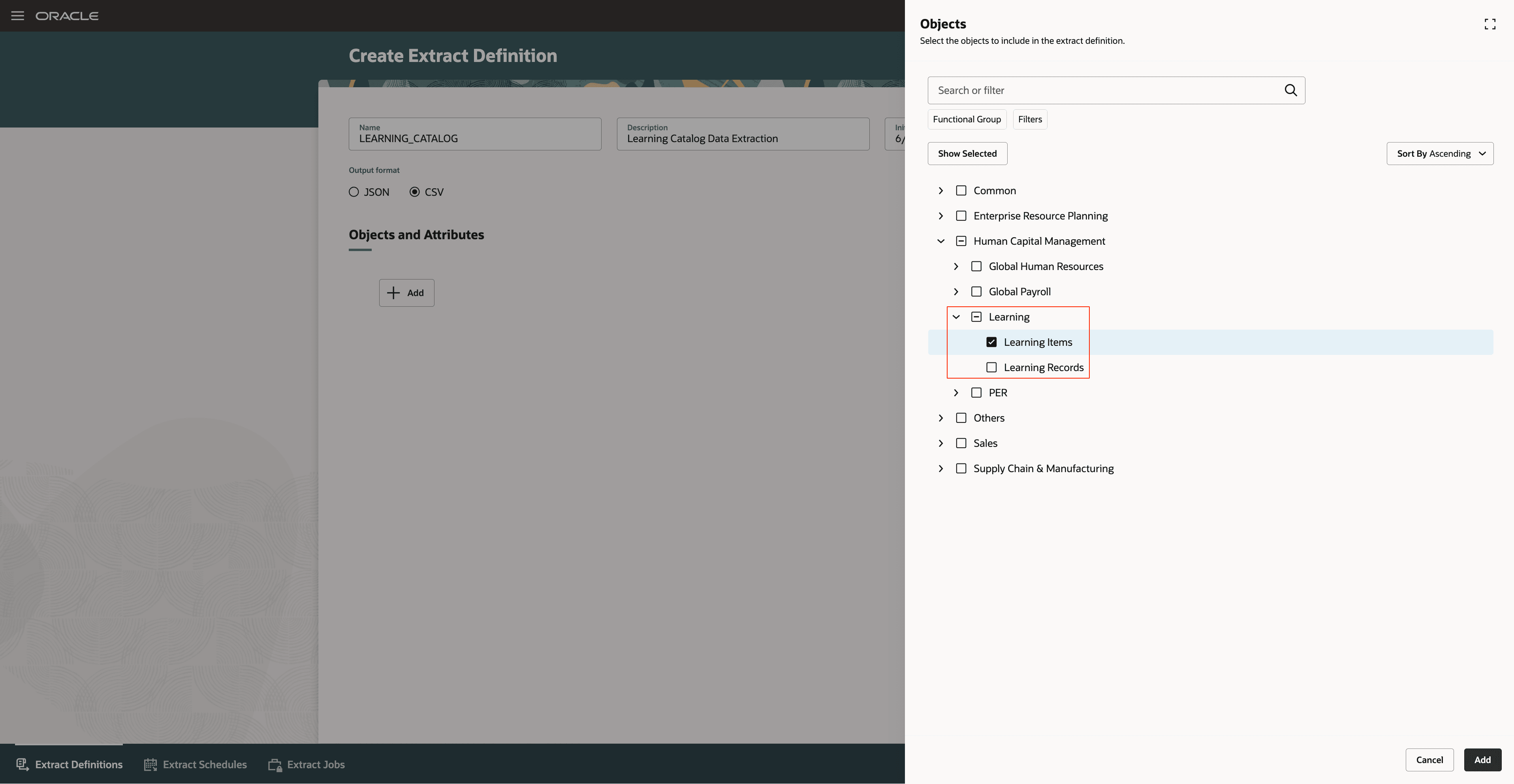
Creating Extract Definition
Business benefit: Improve access to learning catalog and assignment data for reporting, validation, and downstream integrations while reducing the need for custom report development.
Steps to enable and configure
Complete the steps in the Enable Access to Generated Content on Oracle WebCenter Content topic of the Data Extraction Tool guide.
Tips and considerations
- Use CSV when you want to review extract data in spreadsheet apps. Use JSON when another app or service consumes the extract.
- Use a full extract for the initial extraction or a complete data review. Use an incremental extract after the initial extraction to capture changes.
- Extract output is available from Extract Jobs when Oracle Managed Storage is selected.
Key resources
Access requirements
To generate learning catalog and assignment extraction reports, specialists need these roles:
| Role Name | Code | Description |
|---|---|---|
| Upload and download data from on-premise system to cloud system | OBIA_EXTRACTTRANSFORMLOAD_RWD | Allows to upload and download data file from on-premise system to cloud system. |
| ESS Administrator Role | ESSAdmin | Full privilege for performing any operations including security related. |
| Supply Chain Integration Specialist | ORA_RCS_SUPPLY_CHAIN_INTEGRATION_SPECIALIST_JOB | Individual responsible for planning, coordinating, and supervising all activities related to the integration of supply chain management information systems. |