Redwood Experience: Custom Questions for Employee Events
Event owners can now configure custom questions in the Employee Events registration flow, allowing them to collect additional information from participants during the registration flow. For example, perhaps you want to know the registrant's T-shirt size, or their meal preference. Questions can be configured to be answered as text, multiple choice, or single choice, and they can also be set as required.
When employees register for the event, they'll be presented with a question form.
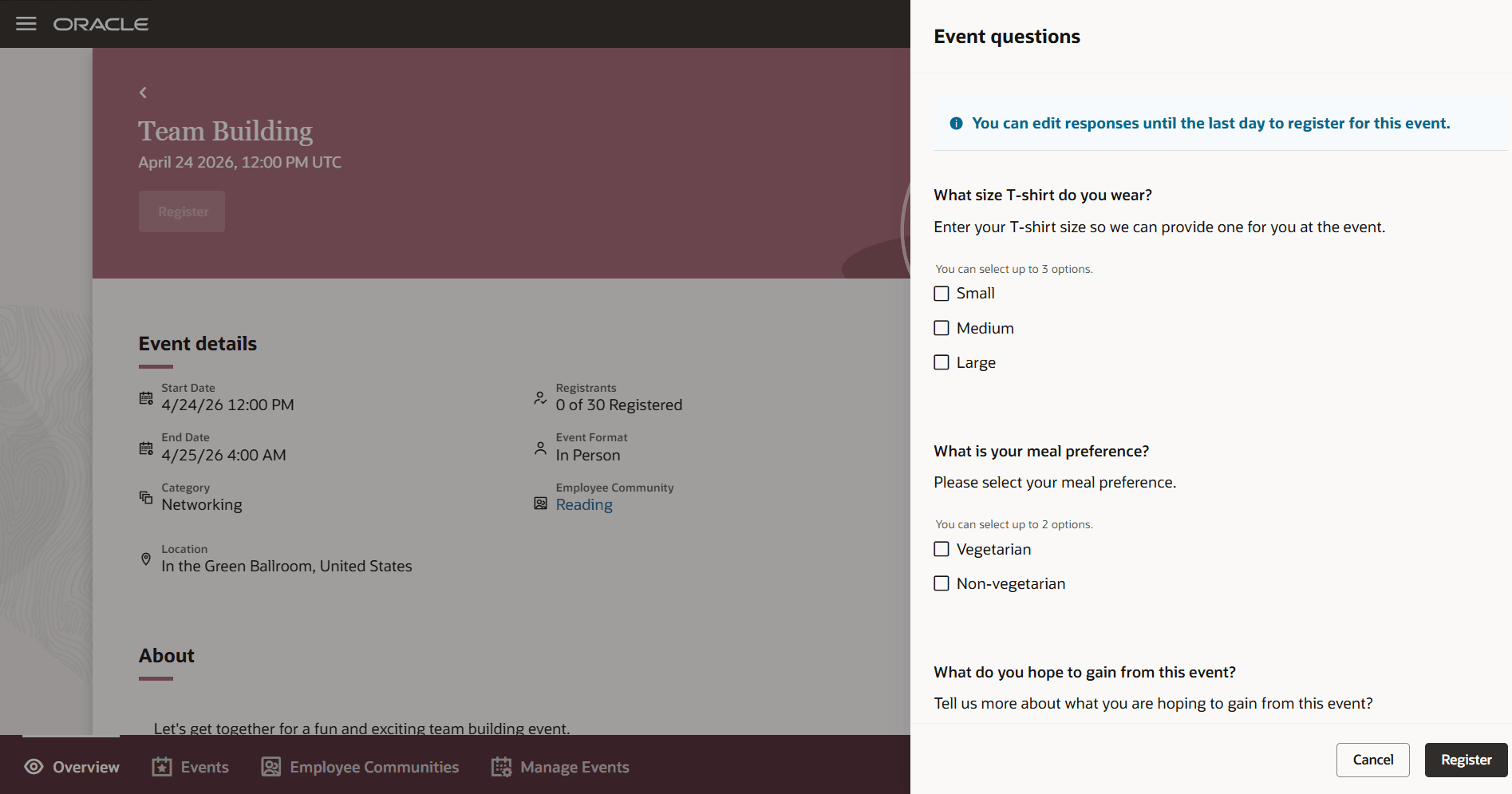
Registrant is presented with event questions
They're able to make changes to their answers until the last day to register for the event.
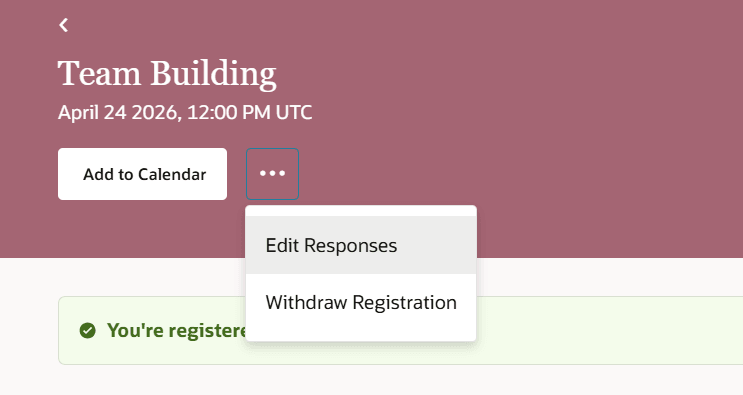
Registrant can edit their responses
Event owners can later view the answers to the question on the Registrants page.
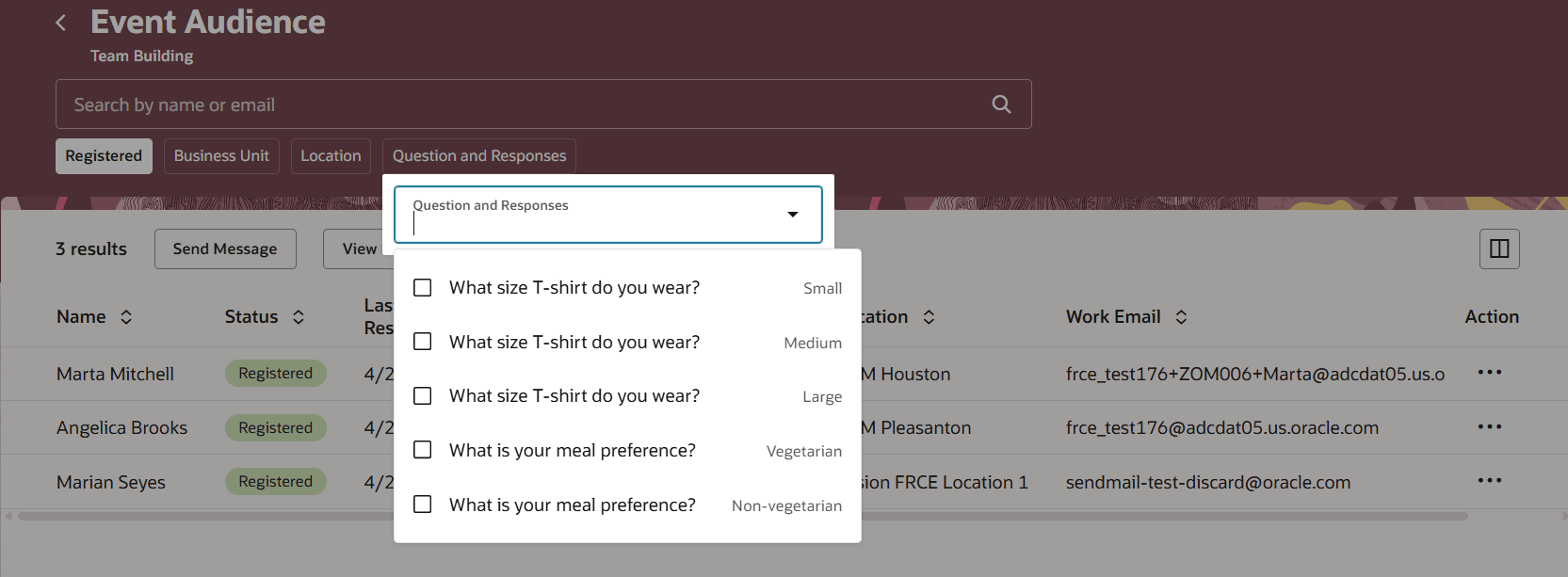
Filter by questions and responses
They can view individual candidate responses. They can view how many responses were received for a certain question (for example, how many people responded that they preferred a vegetarian meal) by selecting the Questions and Responses tab, and selecting the appropriate answer. They can also download responses.
There's also a new Questions section on the Metrics tab for an event.
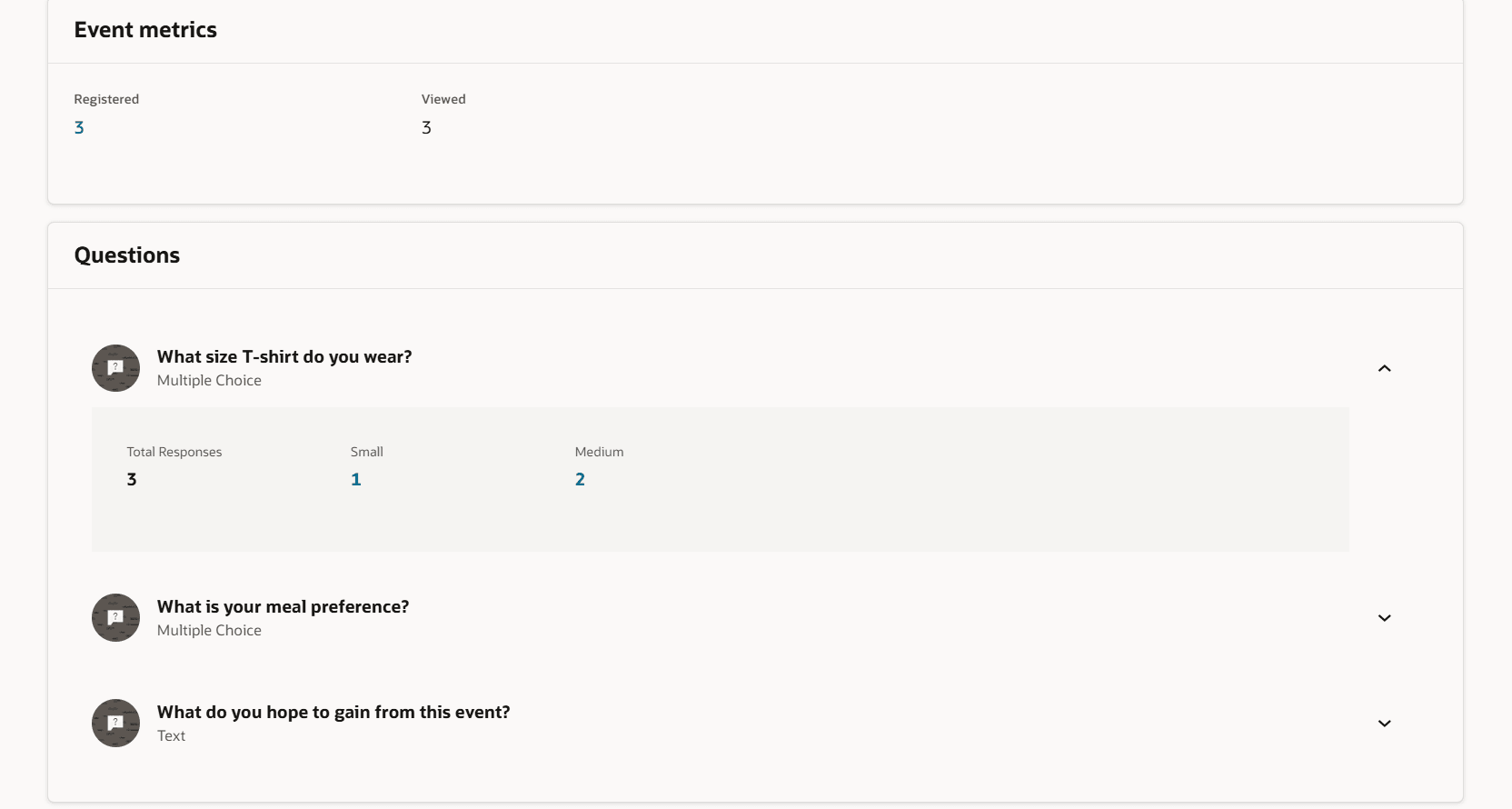
Questions and responses are available on the Metrics tab
Business benefit: This enhancement streamlines employee event question workflows by enabling creation, editing, and response within a unified process. It improves inclusivity by supporting keyboard-only and screen reader users in question management.
Steps to enable and configure
For privileges, see the Access Requirements section.
Tips and considerations
The questions are specific to each event, and can't be added to other events.
Access requirements
To see the Manage Events tab, users need this privilege: IRC_MANAGE_EMPLOYEE_EVENT_PRIV.