Redwood Experience: Express Communication Template for Employee Event Invitations
Use the Express Communication templates to send invitations to employee event teams. This template lets you quickly select a preconfigured list of people who will work on an event, and simplifies event promotion creation by automatically including a sender profile, HCM list and eligibility profile configured for the team, and predefined email template/content. This bundled setup ensures faster and more consistent communication configuration.
Business benefit: This feature lets event owners efficiently send standardized event notifications to employees. without having to manually configure multiple components.
Steps to enable and configure
-
Set up an Express Email Template and Communication Team. For details see Express Communication Teams.
-
While creating an event, select an Express Communication Template.
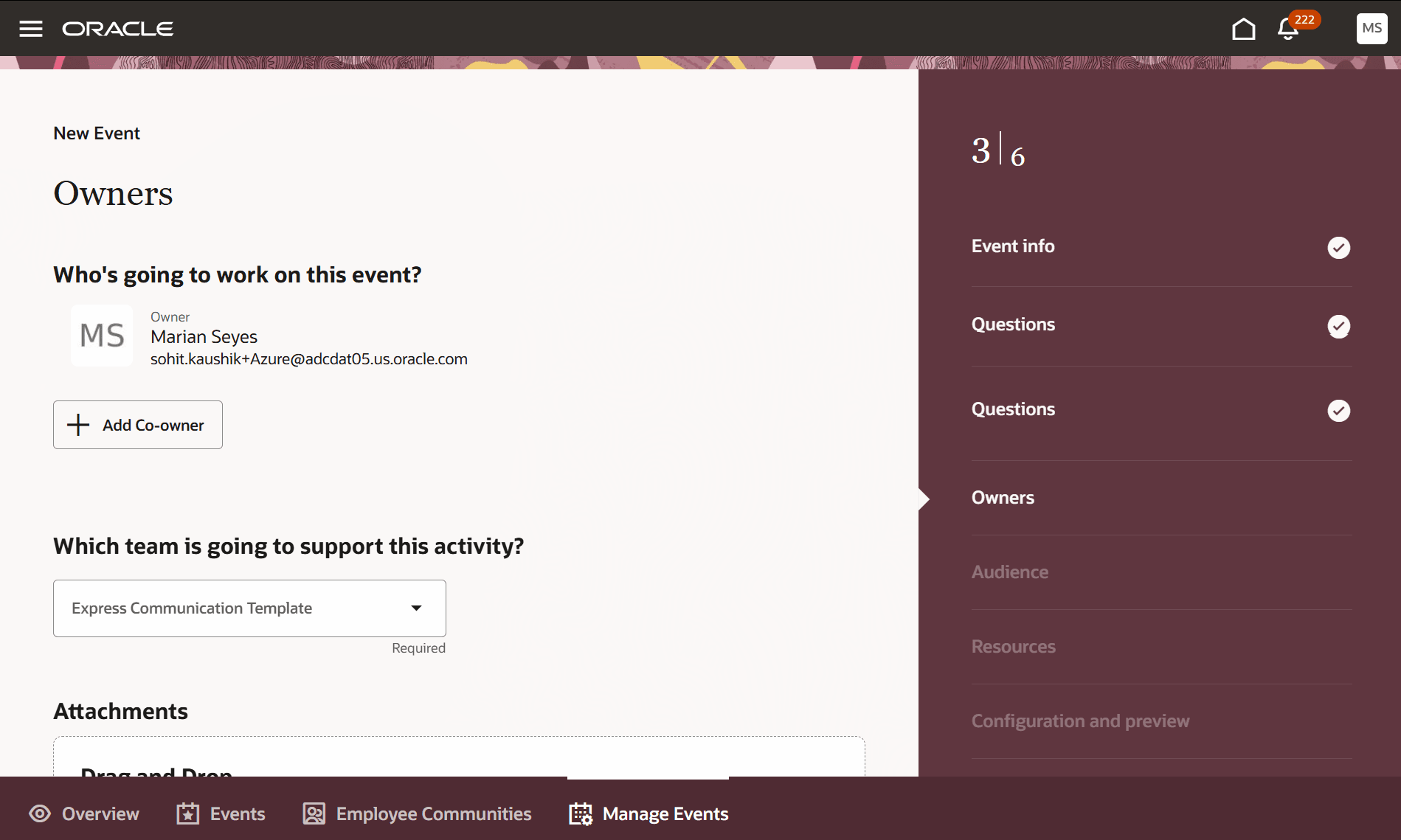
Select an Express Communication Template
For privileges, see the Access Requirements section.
Access requirements
To see the Manage Events tab, users need this privilege: IRC_MANAGE_EMPLOYEE_EVENT_PRIV.