Enhancements for Flexible Benefits Plan
The Flexible Benefits Plan (FBP) is enhanced to help streamline the administrative workflows and improve the user experience when setting up their flexible benefits plan.
Lookup Values for Component Choice
Using the Manage Values Task in Setup and Maintenance, create individual value sets that accept only numeric values for the components.
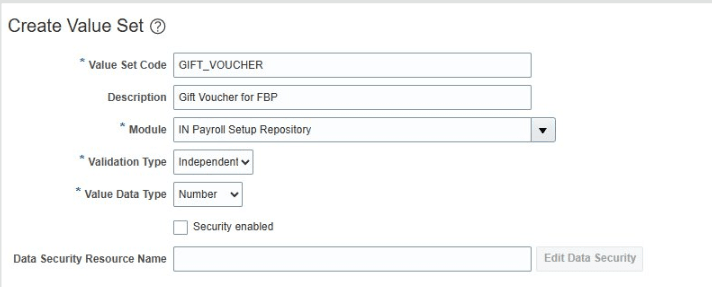
Create Value Set
When the employee views their Flexible Benefit Plan in ESS, they can select the component value from the LOV.
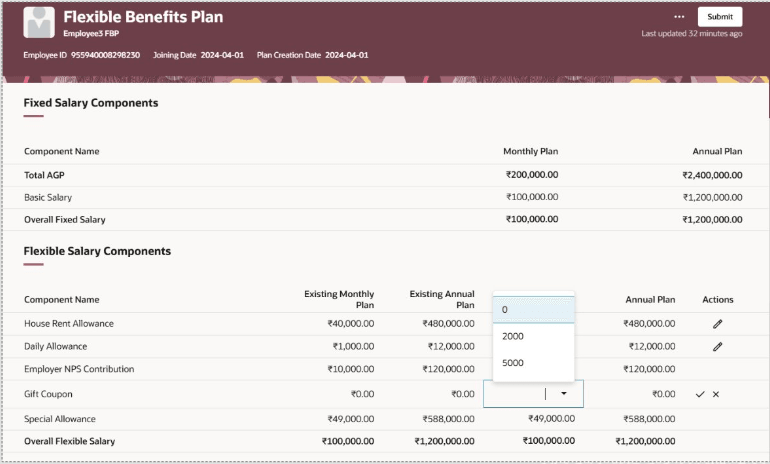
Flexible Benefits Plan ESS View - Component Choice
Hide 0 Value Components:
You can now hide the 0 value components from the FBP Plan in the self-service view using the Suppress option.
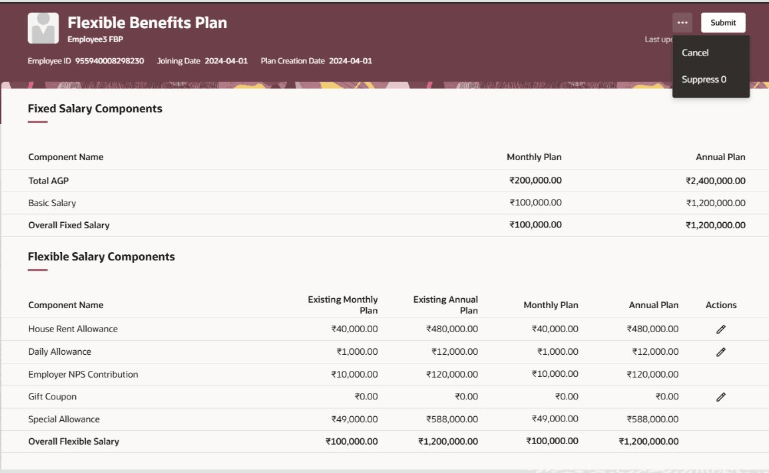
Suppress Zero Value Components in ESS View
Suppress Warning Message for Element Eligibility Check and Component Value Change:
You can now suppress the display of warning messages generated for element eligibility check and component value change in the FBP Process flow. Configure the parameters in the Payroll Flow Patterns and also check if they are disabled when you run the flow Run India Flexible Benefit Process for Employees.
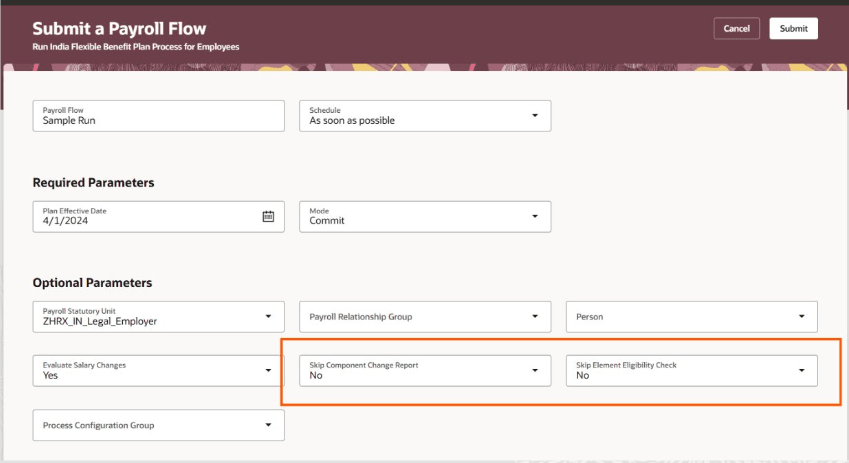
Suppress Warning Messages in Flow Report
In addition, here are some more enhancements included in the FBP module:
- Allowance payment based on Bills Submission
- Automate the creation and update of element entries
- Configure read-only access to Payroll administrators to view the FBP calculation card
- Accommodate plan changes based on any HR action
These updates provide greater configuration flexibility, improve system automation, and deliver a cleaner, more intuitive interface for both employees and payroll administrators.
Steps to enable and configure
See How do I set up flexible benefit plans for India? to set up the flexible benefits plans in your organization.
Tips and considerations