Redwood Experience: Additional Person Types Considered as Candidates
Global Human Resources (GHR) currently supports several system person types such as contacts, non-workers, volunteers, beneficiaries. For Recruiting to support additional person types available in GHR, new person types were added in Recruiting.
After new person types are enabled and migrated into Recruiting, these new person types are all considered as external candidates in Recruiting. You’ll be able to see them in different areas in Recruiting such as application flows (apply, request information, talent community), sourcing (campaigns, pools, events), candidate search, offers, candidate duplicate check and merge, filters.
Note that you can refer to new person types using their existing person number. You don’t need to assign a new person number.
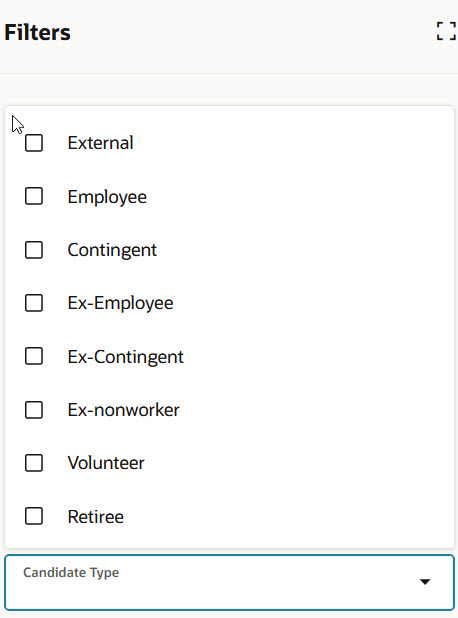
Filters with Additional Person Types
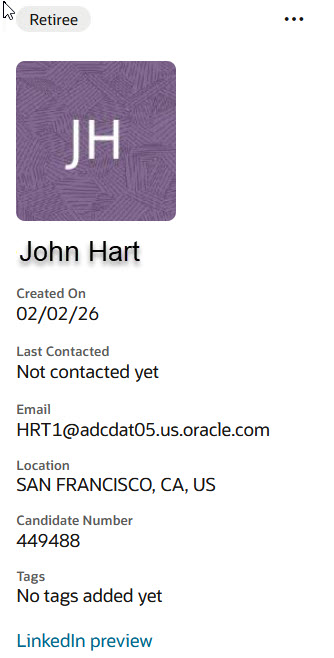
Retiree Person Type Considered a External Candidate
Business benefits:
- Broaden talent pool: Extend recruiting beyond employees and ex-employees to include additional person types, unlocking new and diverse talent sources.
- Eliminate duplicate profiles: Enable candidates to apply and be hired using existing profiles and person numbers, ensuring a single source of truth.
- Accelerate hiring: Reduce time-to-hire by leveraging pre-existing person records instead of creating new candidate profiles.
- Improve recruiter efficiency: Manage all candidate types in one system with unified search, filtering, and workflow capabilities.
- Enhance candidate experience: Allow individuals to apply using their existing contact details, creating a seamless application process.
Steps to enable and configure
Step 1: Set up the ORA_IRC_PERSON_TYPE LOOKUP lookup
These person types are supported and enabled by default in Recruiting:
- ORA_CANDIDATE
- EMP
- CWK
- EX_EMP
- EX_CWK
Note: You can’t disable nor change the sequence of standard person types used in Recruiting.
All person types supported in GHR have been added as lookup codes. These person types are considered as external candidates in Recruiting. You can enable the person types you want. For details, see How do I enable person types in Recruiting?
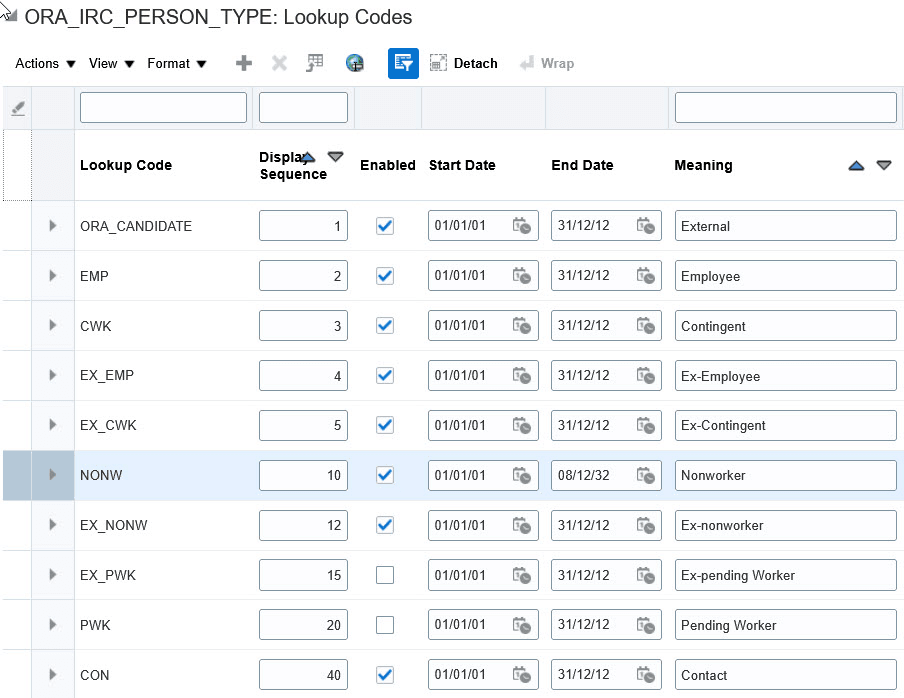
Additional Person Types in the Lookup
Step 2: Run the Load Workers into the Candidate Table scheduled process
After you’ve enabled new person types, run the Load Workers into the Candidate Table scheduled process to migrate all the person types you enabled. Only new person types added after the scheduled process was last run are loaded into Recruiting. (Navigator > Tools > Scheduled Process)
When the scheduled process is run, candidate records for the Recruiting enabled person types are created in the IRC_CANDIDATES table during migration.
Step 3: Enable Redwood experience
You need to enable the Recruiting Redwood profile options to import additional person types from GHR. Note that the Load Workers into the Candidate Table scheduled process won’t add additional person types if these profile options aren’t enabled. For details, see Set profile options for Redwood pages.
For details on enabling and customizing Redwood for HCM, see How do I adopt Redwood for HCM? and Extending Redwood Applications for HCM and SCM Using Visual Builder Studio