Redwood Experience: Associate Requisitions with Events
Hiring events now supports the ability to associate one or more requisitions with events. As an event owner, you can use this functionality to to align candidate pools with specific job requirements efficiently.
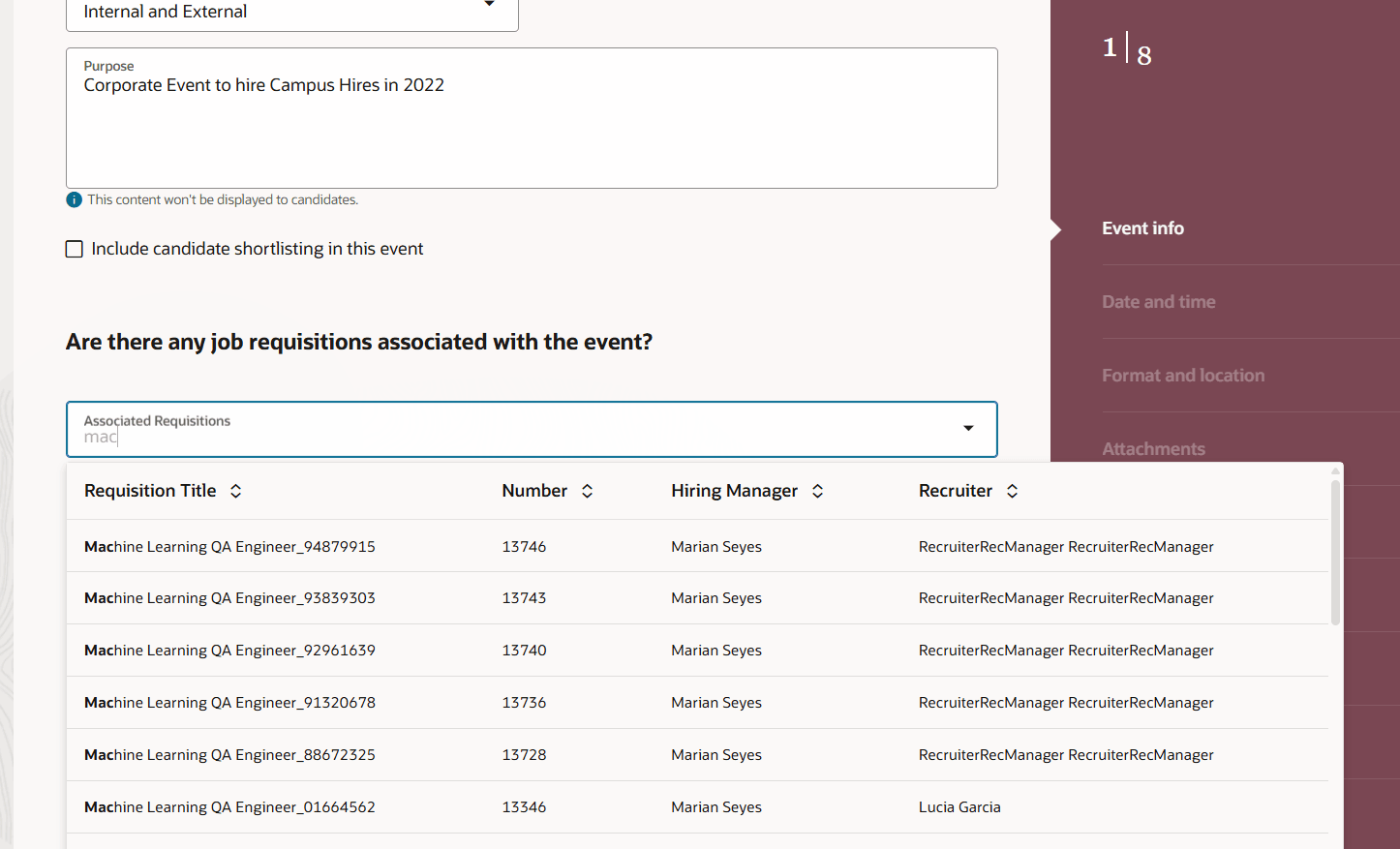
Associate Requisition with Event
You can also move seamlessly from Events to Requisitions by clicking on the requisition on the Event Details page.
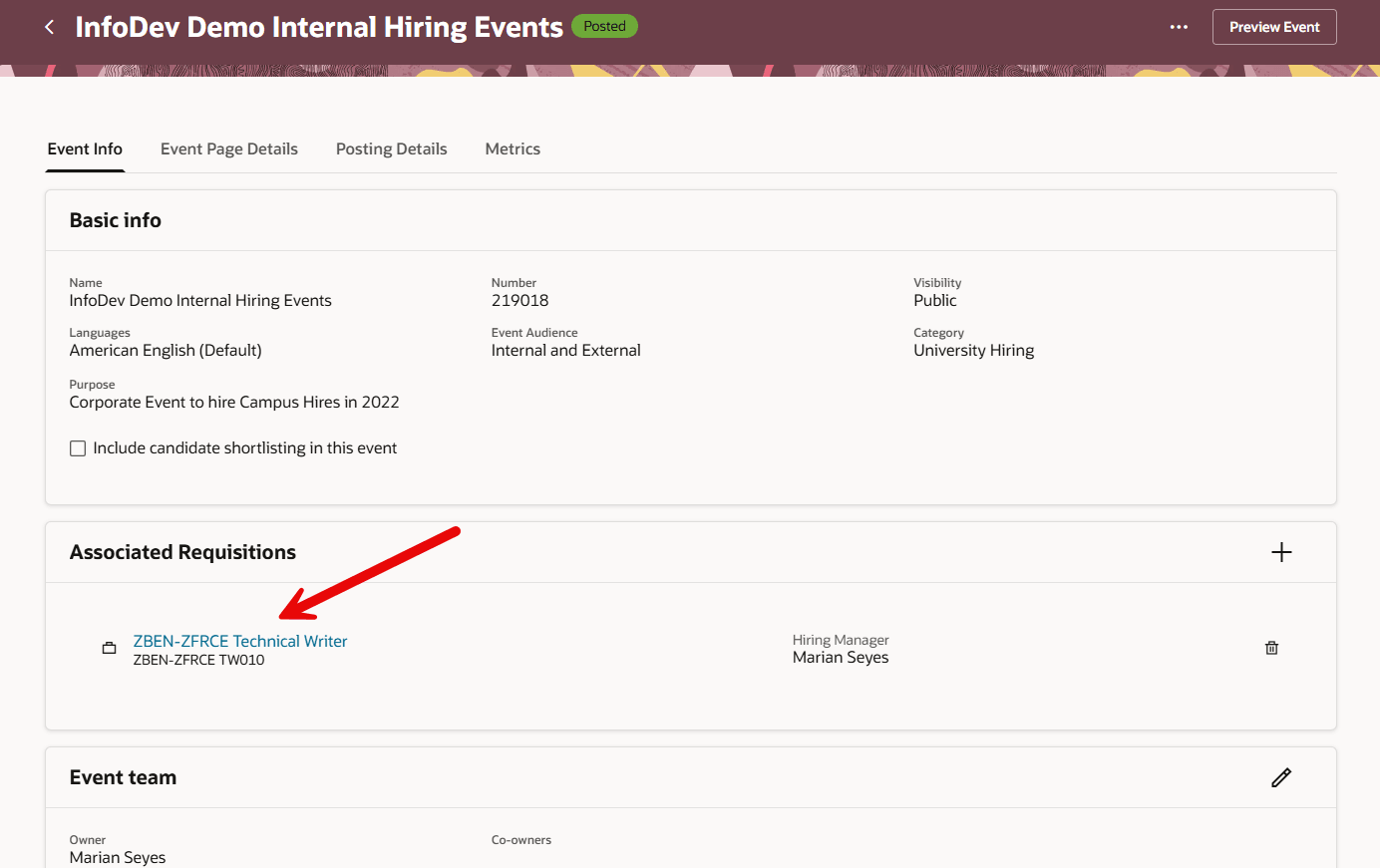
Open Requisition Details from Event Info tab
Event owners can also view information about the requisitions associated with an event on the Metrics tab.
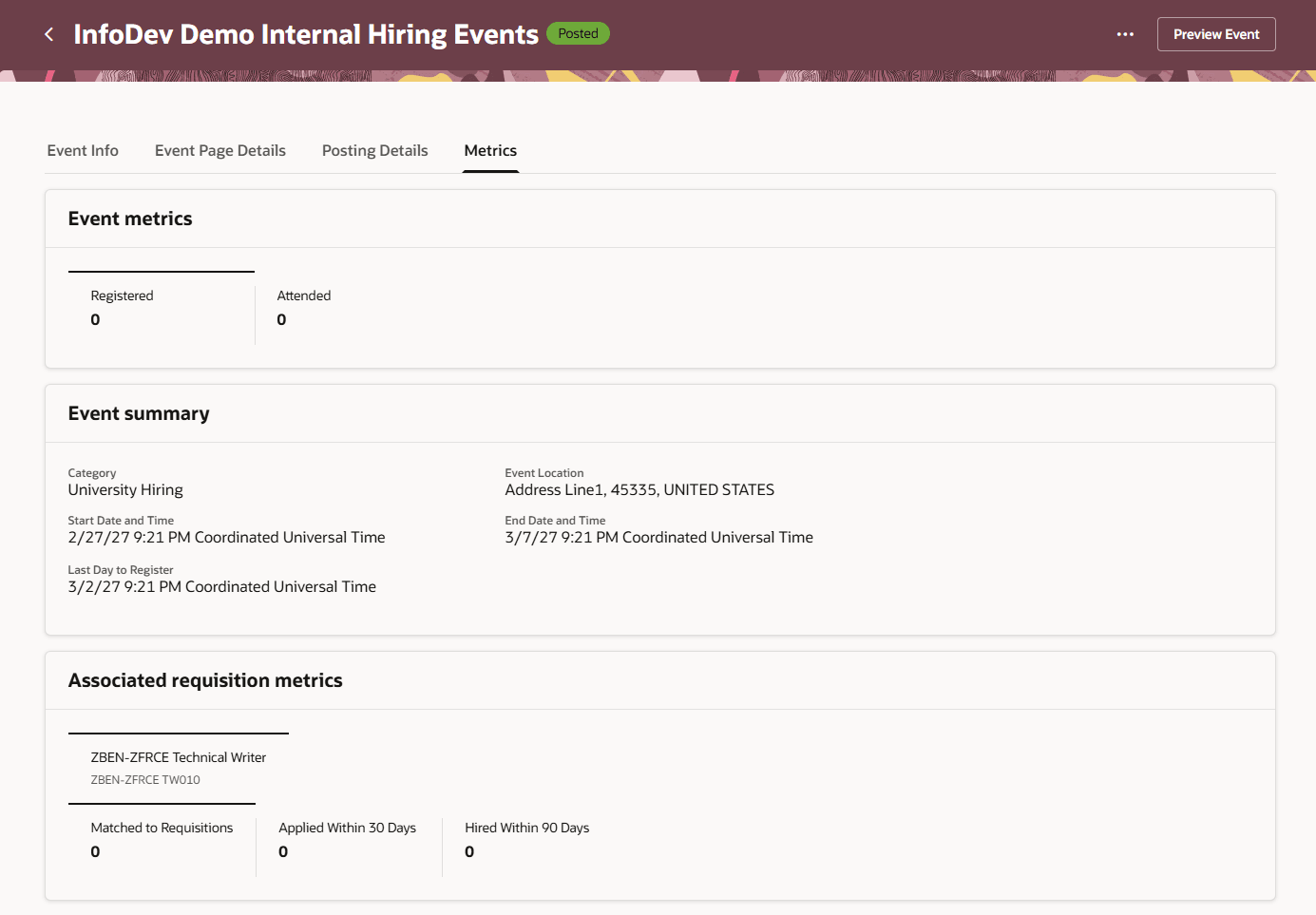
Associated requisition metrics section on the Metrics tab
Business benefit: This enhancement streamlines candidate matching with relevant jobs and increases recruitment efficiency. It improves job visibility for event participants to attract relevant candidates, and enhances the navigation between hiring events and requisitions on both internal and external career sites, while updating related metrics for better event insights.
Steps to enable and configure
For privileges, see the Access Requirements section.
Access requirements
Users must have the event manager role to associate requisitions with hiring events. This role grants the permission to perform requisition associations during the event creation flow.