Send Email Alerts for Communication Failures
Send notifications to administrators when connection errors occur in incoming or outgoing SMS, WhatsApp, and email messages. Connectivity issues could occur if the messaging provider configuration is incorrect, the client certificate has expired, or there’s a connection failure due to network or other errors.
A new alert notification has been introduced for this purpose:
- Alert Name: IRC Communication Channel Error Notification
- Alert Code: IRC_COMM_CHANNEL_ERRORS
Whenever the Recruiting Inbound Process Messages scheduled process runs, it sends this alert notification as needed.
Business Benefit: Leverage this feature to quickly notify administrators when connection errors occur, facilitating timely resolution and uninterrupted candidate communications.
Steps to enable and configure
To send notifications, you can use the same email address that’s used to notify administrators for SMS and WhatsApp threshold limits using the Recruiting Messaging Configuration task. The Email for notifications field has now been moved from the Daily Limits for SMS and WhatsApp Messages section to a new section called Administrator Settings. Here, you can specify a common email address for connection errors as well as threshold limits.
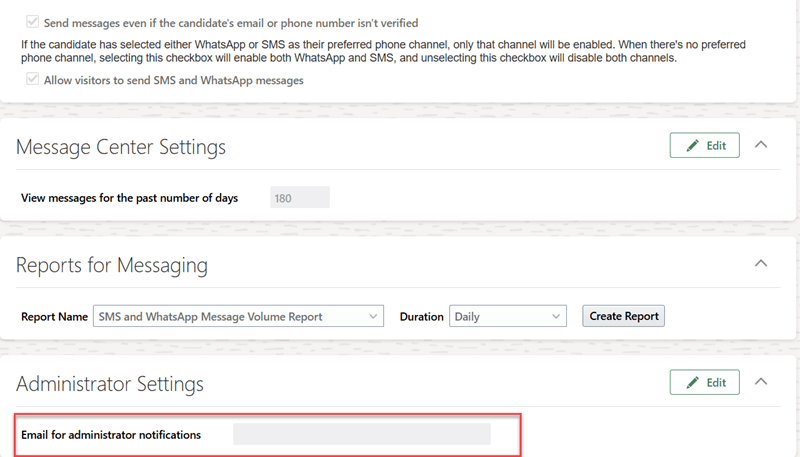
Administrator Settings
To access the Recruiting Messaging Configuration task:
- In the Setup and Maintenance work area, go to:
- Offering: Recruiting and Candidate Experience
- Functional Area: Recruiting and Candidate Experience Management
- Task: Recruiting Messaging Configuration