Candidate Selection Process: Automatically Launch AI Agents
You can configure a candidate selection process automated action so that it launches a published HCM workflow agent automatically when a selected process event or state occurs and defined conditions are met.
Business benefit: This feature helps organizations automate follow-up actions in the candidate selection process, reducing manual effort for recruiters, and accelerating candidate progression. It also improves consistency by ensuring AI-driven actions are triggered automatically when defined events, states, and conditions are met.
Steps to enable and configure
- Add the new Initiate Workflow Agent action to an event or state in a candidate selection process, then select the agent. Note that you can only select published workflow agents in the HCM family. For details, see How can I automatically launch a workflow agent in a candidate selection process?
When the action launches the agent, it passes the submission ID to the agent (the unique identifier of the job application that triggered the action). To receive this value, the workflow agent must have a webhook trigger named submissionId, configured with the Number type. The submission ID is the only attribute passed to the agent. If the agent needs additional context, it can use the submission ID to retrieve it—for example, to derive the requisition ID.

Webhook info in the Workflow Settings page
2. Run the Initiate Recruiting Candidate Selection Process Agents scheduled process. (Navigator > Tools > Scheduled Process)
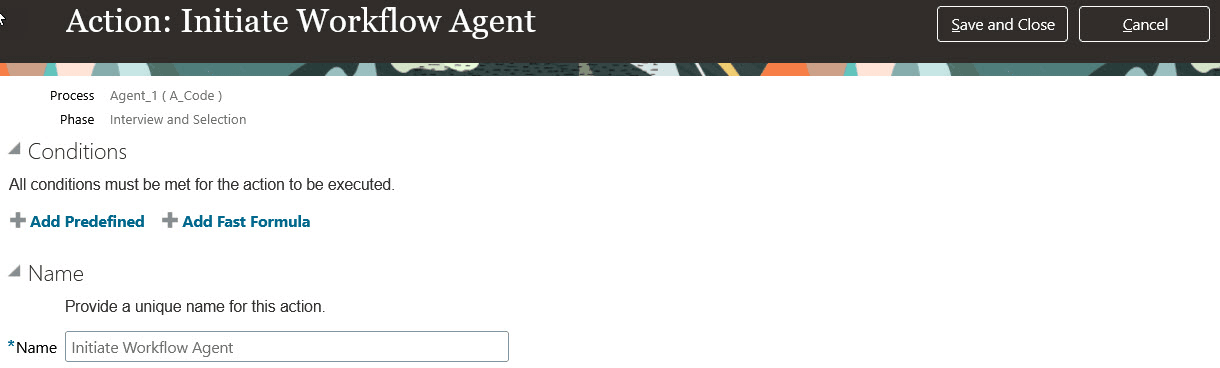
Initiate Workflow Agent Action in a Candidate Selection Process
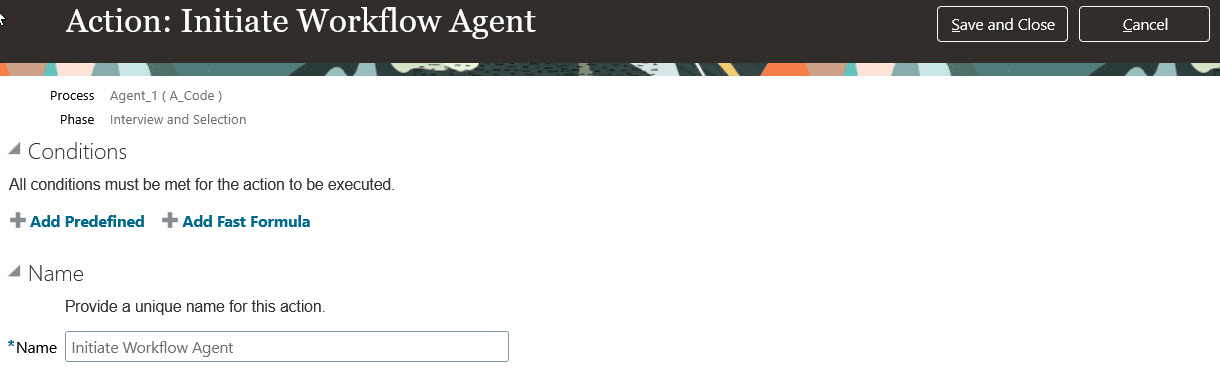
Conditions for the Initiate Workflow Agent Action
Key resources
- Create a Candidate Selection Process
- Create AI Agents Using Preconfigured Agent Team Templates
- Explore AI Agents for Oracle Fusion Cloud Applications
- How do I use AI Agent Studio?
- How can I give users access to AI agents
- Access Requirements for AI Agent Studio