Redwood: Upload and View AI-Generated Talent Review Meeting Summaries
You can now upload meeting transcript files and generate AI-powered summaries for completed Talent Review meetings. The transcript files need to be smaller than 25MB and in 1 of these supported formats: .txt, .json, .csv, .srt, and, .vtt. Use the Upload Transcript action to do this.
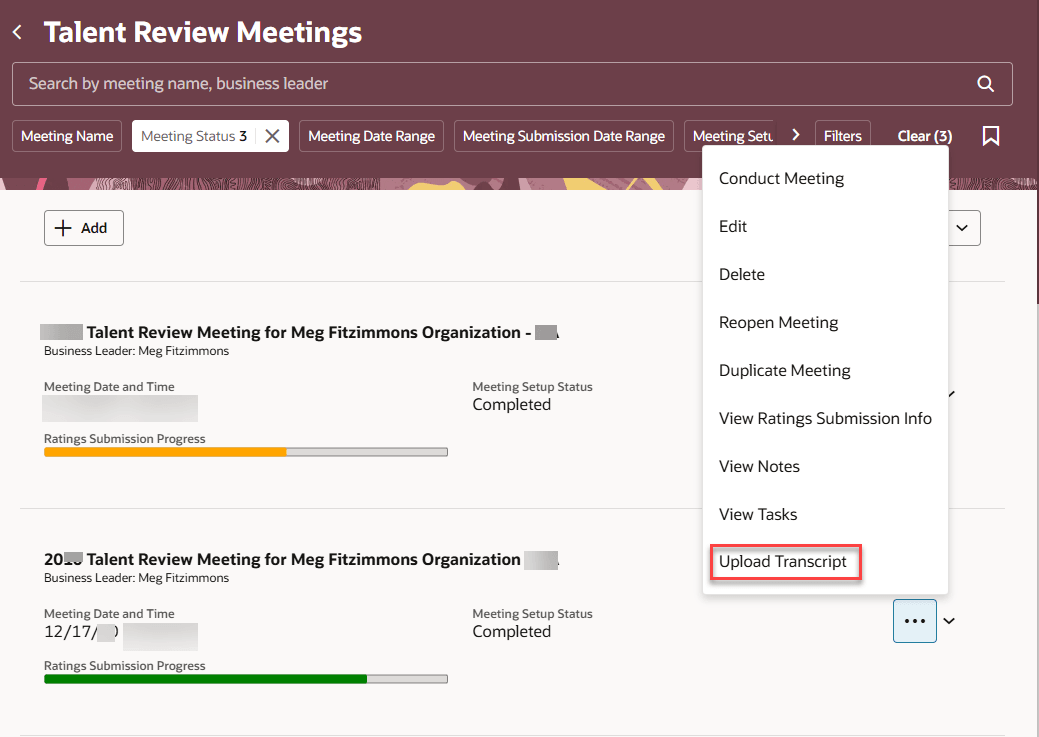
Upload Transcript action for a completed meeting
Upload the transcript in the Upload transcript panel. The summary is generated after the upload is complete. Note that the transcript file that you upload isn’t saved and stored.
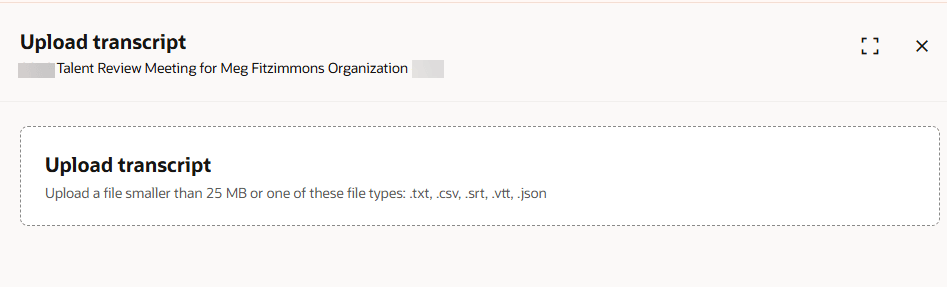
Upload transcript panel
The transcript summaries are persistent and can be viewed after they are generated using the View Transcript Summary action.
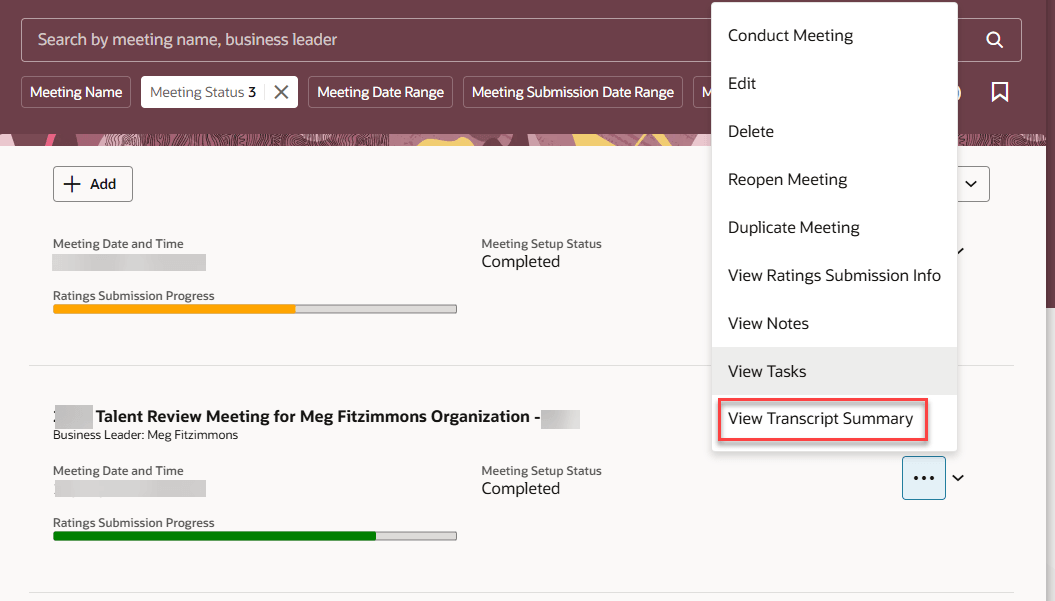
View Transcript Summary action for a completed Talent Review meeting
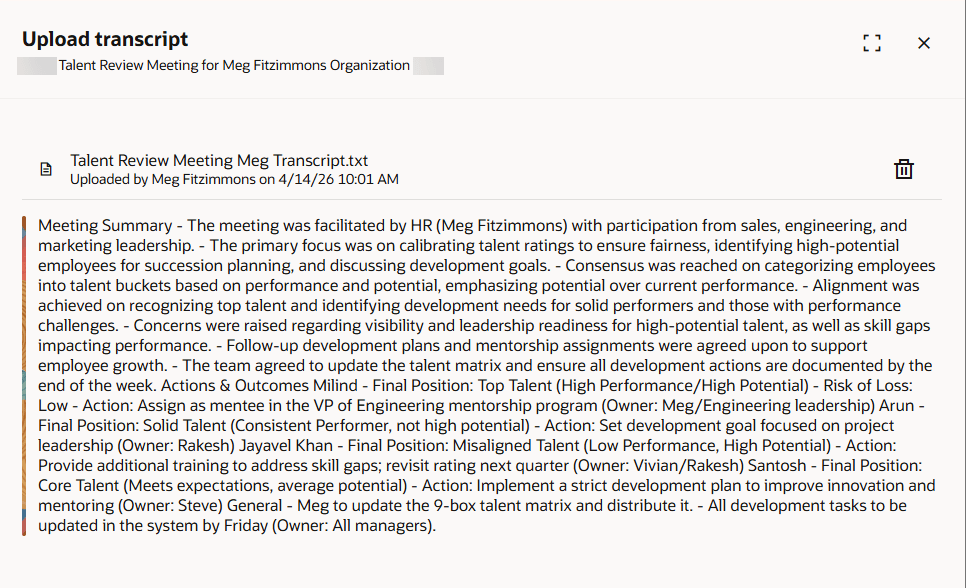
Transcript summary
You can delete these generated summaries and upload new Talent Review meeting transcripts.
Business Benefit
Increase facilitators’ ability to understand talent review decisions by providing AI-generated meeting summaries and outcomes from uploaded transcripts. Improve meeting follow-up by enabling persistent access to summaries.
Steps to enable and configure
To view the Redwood redesigned Talent Review meeting pages, you need to enable the profile options indicated in the table.
|
Profile Option Code |
Profile Option Display Name |
Value |
|---|---|---|
|
ORA_HCM_VBCS_PWA_ENABLED |
Enable VBCS Progressive Web Application User Interface |
Y |
| ORA_HRR_TALENT_REVIEW_SETUP_REDWOOD_ENABLED | Redwood Talent Review Setup Enabled | Yes |
| ORA_HRR_TALENT_REVIEW_REDWOOD_ENABLED | Redwood Talent Review Enabled | Yes |
For more information, see How do I enable a profile option?.
To enable facilitators to upload the meeting transcript and view the summary:
- Go to Tools > AI Agent Studio.
- On the Agent Teams tab, locate and select the Talent Review Transcript Summary Generator agent team.
- View the details and note the agent code.
- You can configure the prompt according to the requirements of your organization.
Note: You can also create your own transcript summary generator agent in AI Agent Studio.
Then edit the Talent Review Meetings facilitator overview page in Visual Builder Studio and do these actions:
- Set the agent code in the Transcript Summary Generator Agent Code page property. By default, the agent code is set to ORA_TALENT_REVIEW_TRANSCRIPT_ASSISTANT. So, the summary of the Talent Review meeting transcript is generated even if you don’t explicitly specify the agent code.
- Set the Show Transcript Actions page property to true.
For more information on how to do this, see How do I control the display of a UI element in Visual Builder Studio?.
Key resources
For more information on extending Redwood pages in HCM, refer to this guide on the Oracle Help Center: