Redwood: Enhanced Rating Display Options in Talent Review Dashboard
From this release, the Talent Review dashboard supports additional standard and custom talent ratings as display options in addition to the mobility, risk of loss, and impact of loss ratings. This enhancement enables highlighting the review population using dimensions that your organization needs and thereby improves talent analysis.
Facilitators and reviewers can select 2 display options that they want to highlight. 1 is highlighted with a color legend and the other with a shapes legend.
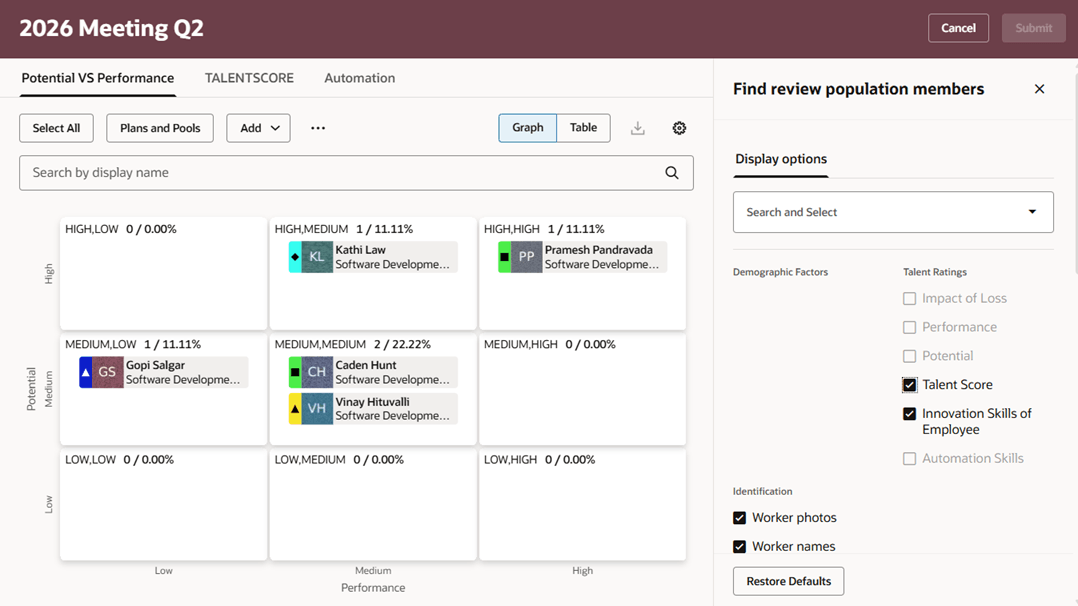
Display options with additional talent rating and custom rating
Business benefits
Improve talent analysis by enabling review population to be highlighted using additional standard and custom ratings on the Talent Review meeting dashboard. Simplify talent review to better meet diverse organizational rating needs.
Steps to enable and configure
To view the Redwood redesigned Talent Review meeting pages, you need to enable the profile options indicated in the table.
|
Profile Option Code |
Profile Option Display Name |
Value |
|---|---|---|
|
ORA_HCM_VBCS_PWA_ENABLED |
Enable VBCS Progressive Web Application User Interface |
Y |
| ORA_HRR_TALENT_REVIEW_SETUP_REDWOOD_ENABLED | Redwood Talent Review Setup Enabled | Yes |
| ORA_HRR_TALENT_REVIEW_REDWOOD_ENABLED | Redwood Talent Review Enabled | Yes |
| ORA_HRR_REDWOOD_DASHBOARD_ENABLED | Redwood Talent Review Meeting Dashboard Enabled | Y |
For more information, see How do I enable a profile option?.
To configure display options:
- Use the Configure Talent Review Dashboard Options task in the Setup and Maintenance work area or the Talent Review Templates quick action in My Client Groups.
- Open the talent review template to edit display options or create a template.
- On the Display options step, select the ratings that you want to configure. You can select custom ratings. Ratings used as the x-axis or y-axis on the box chart are excluded from the display options.
- Configure the preferred color and shapes for these display options.
- Submit the changes to the talent review template.
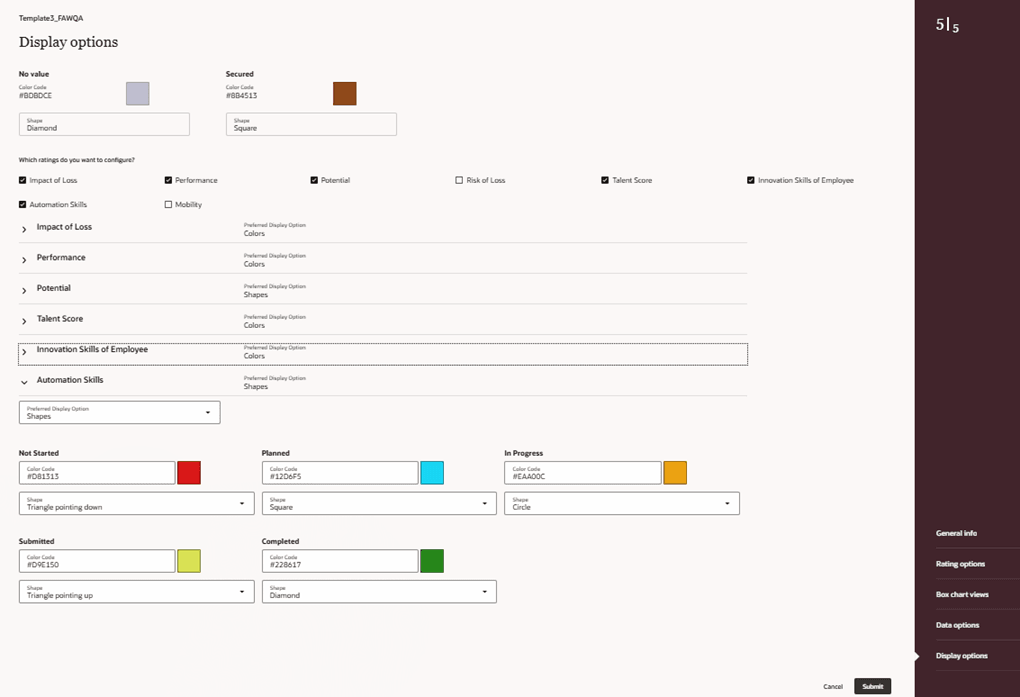
Display Options tab of the meeting template