Redwood: Consolidated View of Talent Review Tasks for Managers
As managers, you can now view all tasks that are assigned to you in different Talent Review meetings on the Tasks tab of your Talent Review Meetings overview page if your administrator has enabled this feature.
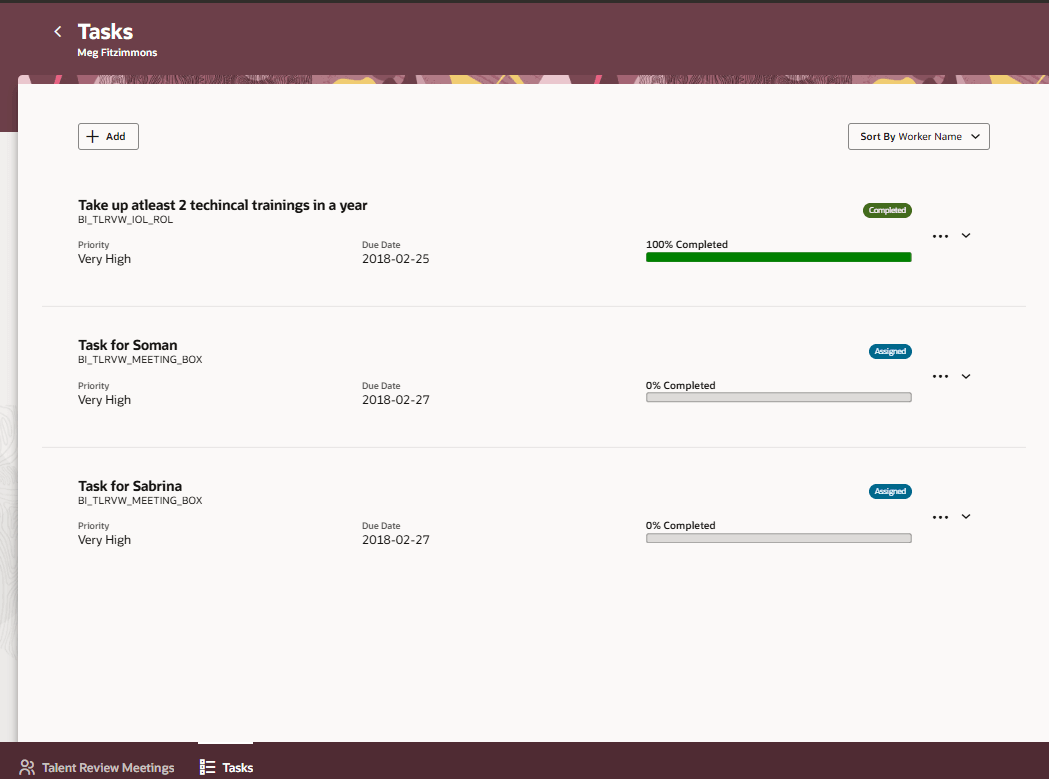
Tasks Tab for Managers
The tasks are by default sorted by the name of the associated worker in the ascending alphabetical order, but you can also sort them by these attributes:
- Status
- Ascending alphabetical order of the assignee’s name
- Task type
- Due date
- Completion percentage
You can add new tasks, edit tasks, and delete tasks on this tab.
Business Benefit
Manage all tasks assigned to you across different Talent Review meetings easily and ensure that they are completed on time.
Steps to enable and configure
To view the Redwood redesigned Talent Review meeting pages, you need to enable the profile options indicated in the table.
|
Profile Option Code |
Profile Option Display Name |
Value |
|---|---|---|
|
ORA_HCM_VBCS_PWA_ENABLED |
Enable VBCS Progressive Web Application User Interface |
Y |
| ORA_HRR_TALENT_REVIEW_REDWOOD_ENABLED | Redwood Talent Review Enabled | Yes |
For more information, see How do I enable a profile option?.
To enable managers to view the Tasks tab on their Talent Review Meeting overview page, edit this page in Visual Builder Studio and set the Show Tasks Tab page property to true.
For more information on how to do this, see How do I control the display of a UI element in Visual Builder Studio?.
Key resources
For more information on extending Redwood pages in HCM, refer to this guide on the Oracle Help Center: