Enhancements to Team Sync Agent
Team Sync Agent empowers managers to oversee their teams with greater visibility, coordination, and efficiency. The Team Sync template helps to standardize recurring manager-team status discussions while reducing confusion between Team Sync discussions and check-in discussions in Touchpoints and Performance Management.
A manager can now use a specific template to collect recurring status updates from your team members, track ongoing work discussions, and address workplace issues in a timely manner. This template is specific for Team Sync and is different from the standard Touchpoints and Performance check-in templates.
Configure a Team Sync Template
To configure a check-in template, choose the Use in team sync option.
Note: Only one Team Sync template can exist at a time.
When creating a Team Sync Template, you can specify a questionnaire for the employee, discussion topics, and eligibility profiles.
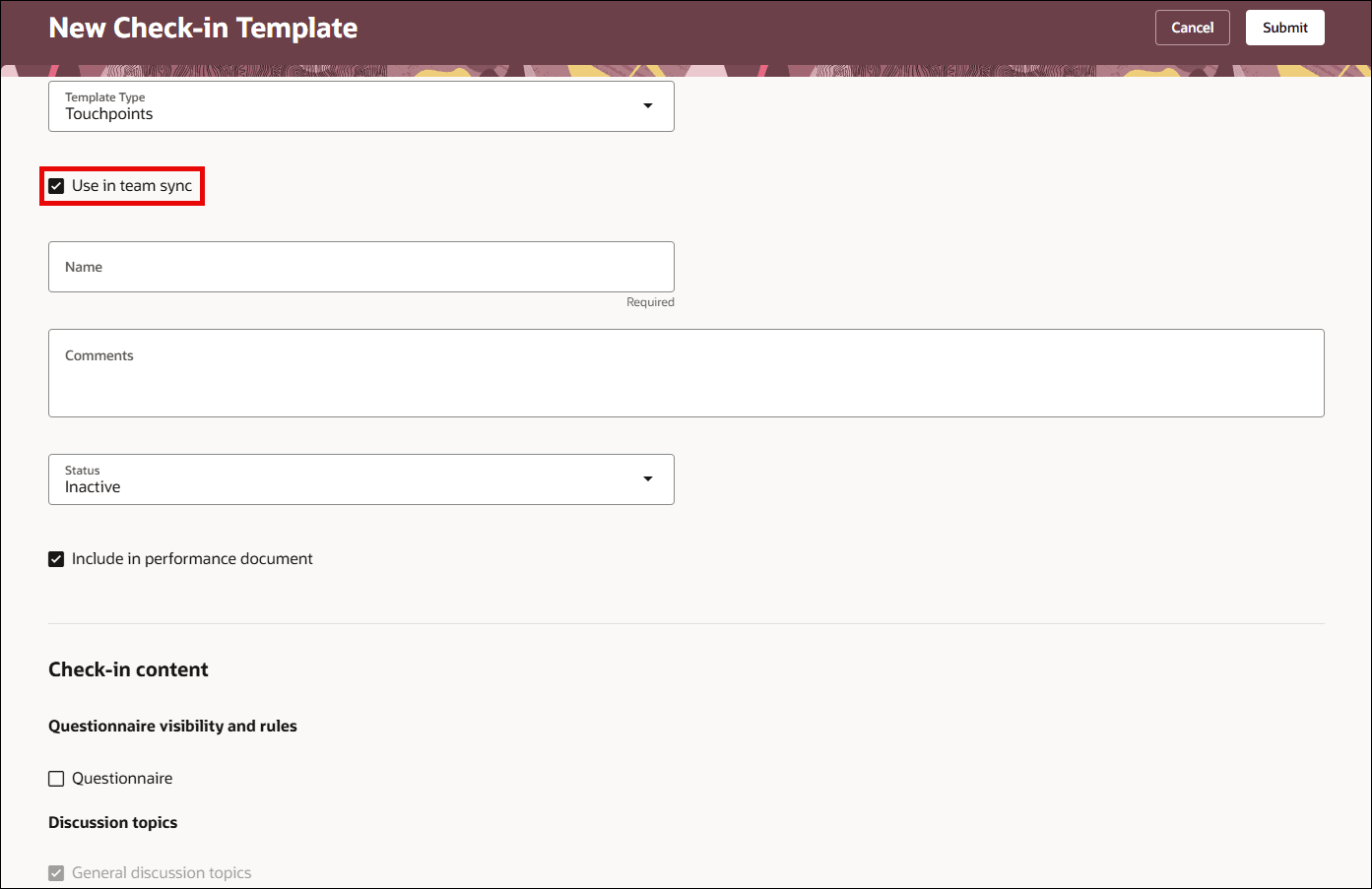
Team Sync Check-In Template
Note: Employees can only provide status updates in Team Sync check-ins. They can't create Team Sync check-in documents.
HR Specialists and Team Sync Check-In Documents
HR Specialists can create bulk team Team Sync check-in documents for managers through the Mass Action Processes for Check-in Documents page for scheduling and managing team sync check-ins. HR specialists can also search and do mass actions on Team Sync documents.
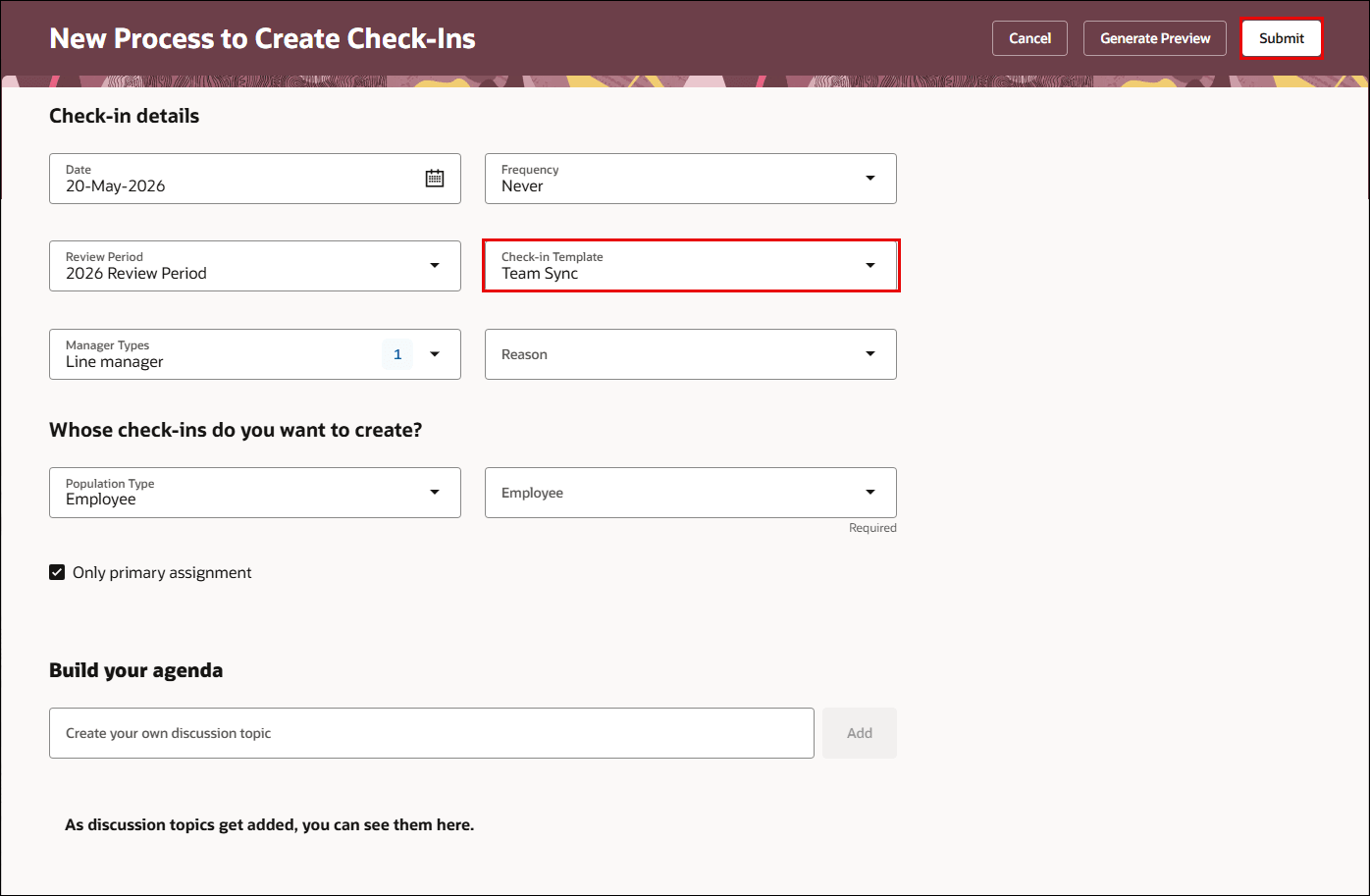
HR Creates Mass Team Sync Check-In Documents
Team Sync Documents Exclusions
Team Sync documents are excluded from the following pages:
- Talent tab of Team Activity Center.
- Performance Spotlight.
Upgrade to Team Sync Agent
Team Sync Agent now retrieves data from questionnaire responses from employee and manager and conversation summary associated with the team sync or check-in document.
To use team sync agent, you must enter the agent code in the page properties as shown below.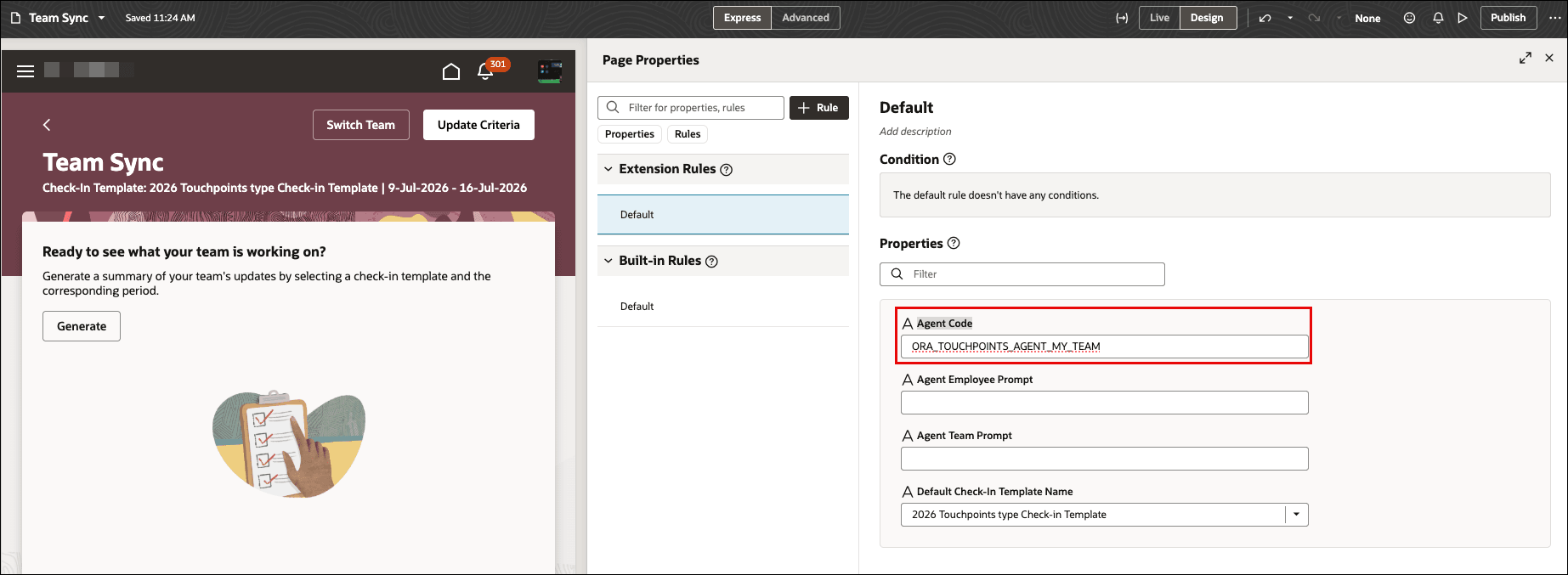
Team Sync Agent Update
Business Benefit
- Standardize recurring manager-led status update conversations
- Improve visibility into ongoing employee work discussions
- Separate operational Team Sync conversations from performance evaluations
- Simplify administration of recurring check-ins
- Support large-scale management of Team Sync documents through mass actions
Steps to enable and configure
For details on how a manager creates Team Sync template, see: How do I create a Team Sync template?
For details on how HR Specialist creates Team Sync template, see: How HR Specialist creates bulk check-in documents?
Tips and considerations
- Only one Team Sync template can exist at a given time.
- Team Sync documents are excluded from Performance Spotlight and Talent-focused pages.
- Employees can update Team Sync check-ins but can’t create Team Sync check-in documents.
- Prior discussion topics in Touchpoints check-ins aren’t included in Team Sync discussions.
Key resources
Access requirements
If you are using the seeded HR Specialist role (ORA_PER_HUMAN_RESOURCE_SPECIALIST_JOB), both Check-in Documents and Mass Action Process for Check-in Documents administration tasks are available automatically. However, if you are using a custom HR Specialist role, you must explicitly include the following roles:
- ORA_HRA_MANAGE_CHECK_IN_DOCUMENT_BY_HR to access Check-in Documents administration task
- ORA_HRA_PROCESS_MASS_ACTIONS_FOR_CHECK_INS to access Mass Action Processes for Check-in Documents administration task