Time Card Approval Enhancements
Mass Approve Time Cards Enhancement
Mass approval from the Redwood Team Time Cards page is now processed inline, when managers select and approve one or several time cards for approval. An in-progress indicator still appears in the status column during processing, with the final status reflected upon completion and a page refresh.
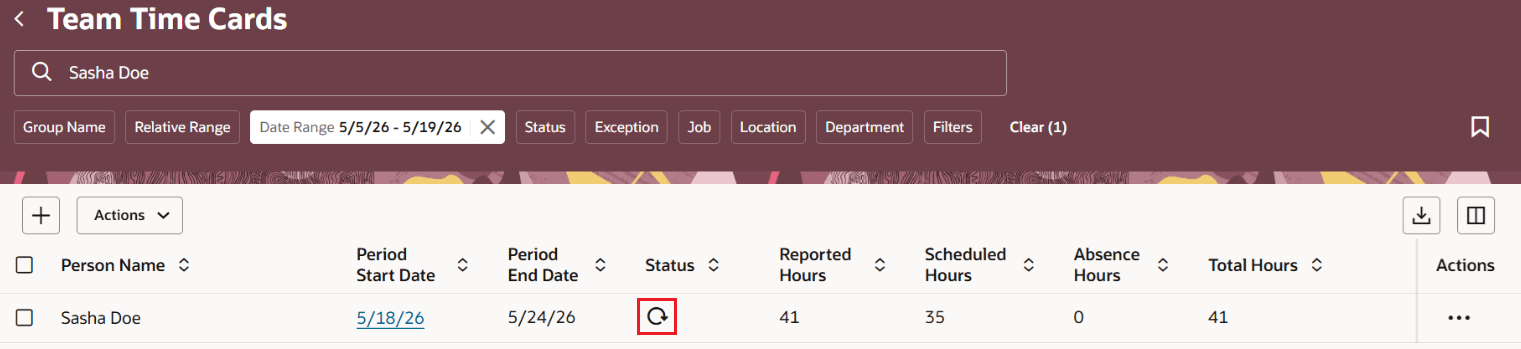
In-progress status indicator
Approval History Enhancement
Approval history information is improved by eliminating misleading contents such as Withdrawn by Application. The approval history now reflects a clear sequence of approval actions, including approver assignment, reassignment to Time and Labor manager in case of approval overrides, where applicable, and the final approval.
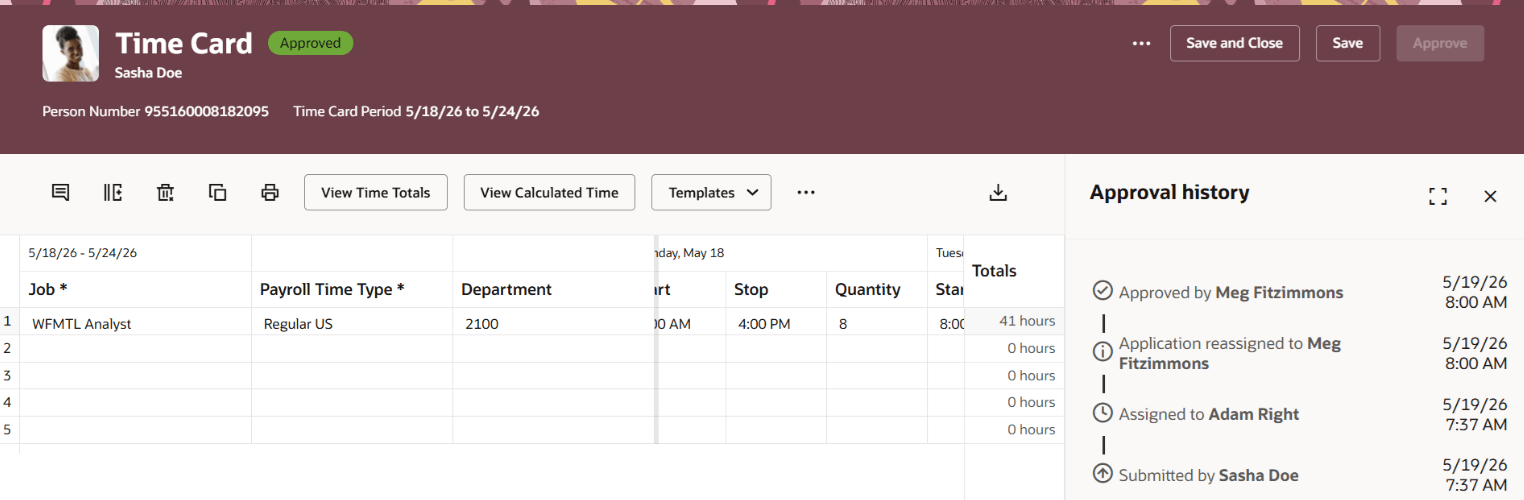
Time card approval history
Improved approval experience with enriched approval history enables mass approval and increased auditability for Time and Labor managers.
Steps to enable and configure
You don't need to do anything to enable this feature.
Tips and considerations
- The approval history improvement is aligned whether the approval is done from the Team Time Cards page or the Mass Submit and Approve Time Cards process.
-
Continue using Task Configuration in the Oracle BPM Worklist application to create or modify OTL approval tasks. The ability to edit OTL approval tasks using the Redwood Transaction Console will be introduced in a future release.