New Worker Time Card Approval
Enable worker's approval (or acceptance) of time cards submitted on their behalf. These timecards may be submitted by their managers or a time submission rule or the Mass Submit time cards process.
When worker approval is enabled, their approval becomes the first step in the time card approval flow, before the timecard is submitted to their manager for approval.
Example: If a manager submits a time card on a worker's behalf and the worker approval is required, the worker gets the first Action Required notification for approving the time card and manager approval waits.
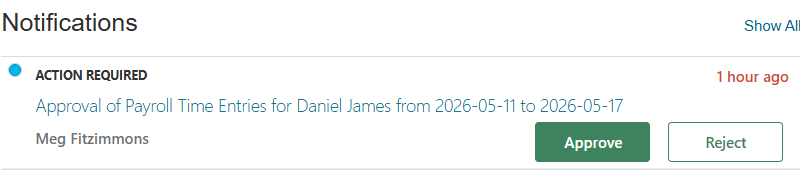
Worker's approval notification
The worker can add comments during the time card approval (or rejection). Once the worker approves, the timecard is assigned to the next approver or manager. The timecard is still in Submitted status after a worker's approval / acceptance. If a worker rejects the timecard, the manager or the submitter of the timecard is notified, with the status of the timecard set to Rejected status.
The approval history shows all submitter, assignment and approver info, including the worker's assignment and approval/rejection if their approval is required.
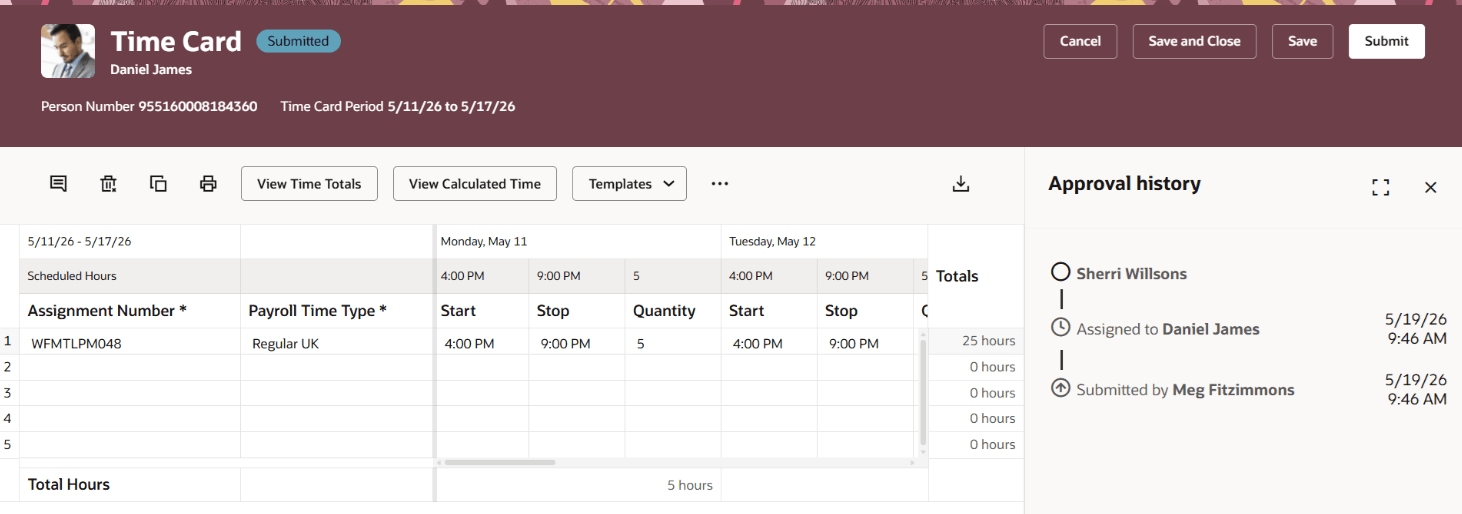
Time card approval history
When the worker approval is disabled, manager approval proceeds directly and the worker only receives a FYI notification.
For example, if the worker approval isn't required, manager approval starts immediately and worker is informed without the approval by the manager being blocked.
- Enables workers to acknowledge timecards prepared by the system or by time keepers; improves worker participation and compliance.
- Enables record keeping of transactions ensuring auditability of time card transactions.
Steps to enable and configure
Use the Opt In UI to enable this feature. For instructions, refer to the Optional Uptake of New Features section of this document.
Offering: Workforce Deployment
To enable the new worker approval feature:
- Go to Offerings under Workforce Deployment
- Click Opt-in features
- Select Edit Features
- Enable the following option:
Time card worker approval opt-in option
Name Time Card Worker Approval Code ORA_HXT_TIME_CARD_WORKER_APPROVAL Description When a time card is entered on a worker’s behalf, require the worker's approval first. Only after the worker approved the time card, it will be routed to other approvers for final approval.

Time card worker approval opt-in option
- Enable Approval Workflow for Workers attribute in the Time Consumer Sets definition to enable worker approval of timecards.
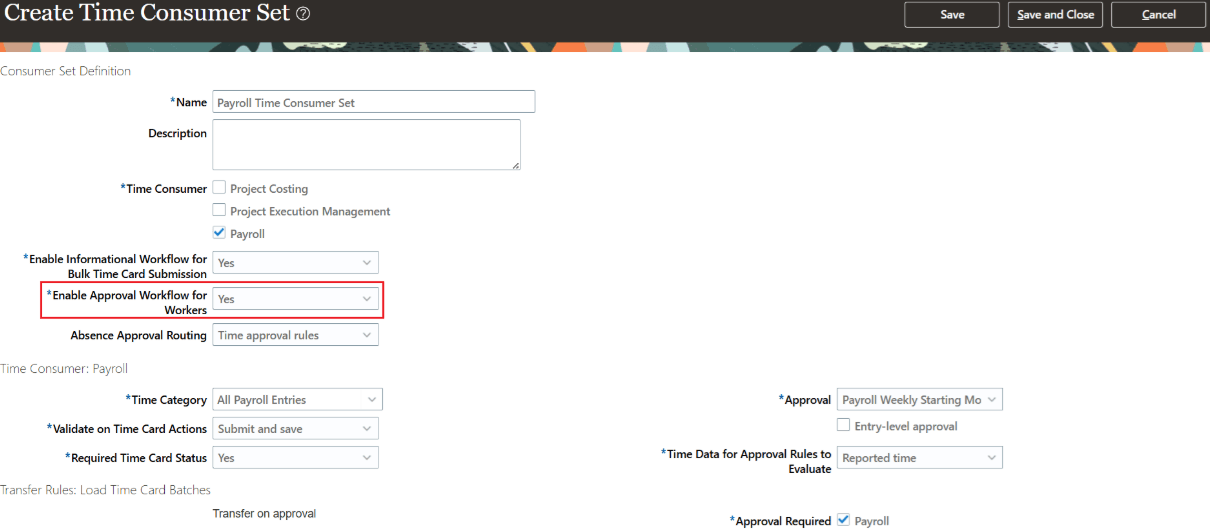
Worker approval enablement on the time consumer set