Build Draft Schedule during Self-Scheduling
Self-scheduling can now start with a draft schedule already built for eligible workers. When a self-scheduling access window opens, the application claims suitable open shifts for workers using the same scheduling rules and conflict checks that apply today.
Workers can review the draft schedule from the self-scheduling notification or from the self-scheduling page. Auto-claimed shifts are identified so workers can decide whether to keep the draft schedule as-is, withdraw an auto-claimed shift, or claim additional open shifts before the self-scheduling window closes.
Schedule managers can review workers whose draft schedules remain incomplete because enough eligible shifts weren’t available.
Example Scenarios
- A hospital opens self-scheduling by rotation group. Each group receives draft schedules when its access window opens, preserving the existing rotation order.
- A worker already has manager-assigned shifts in the schedule. The draft schedule fills around those shifts and only claims additional shifts needed to meet scheduling requirements.
- The open shift pool isn't large enough to complete every worker's schedule. The available eligible shifts are still claimed, and the schedule manager can follow up on the remaining gaps.
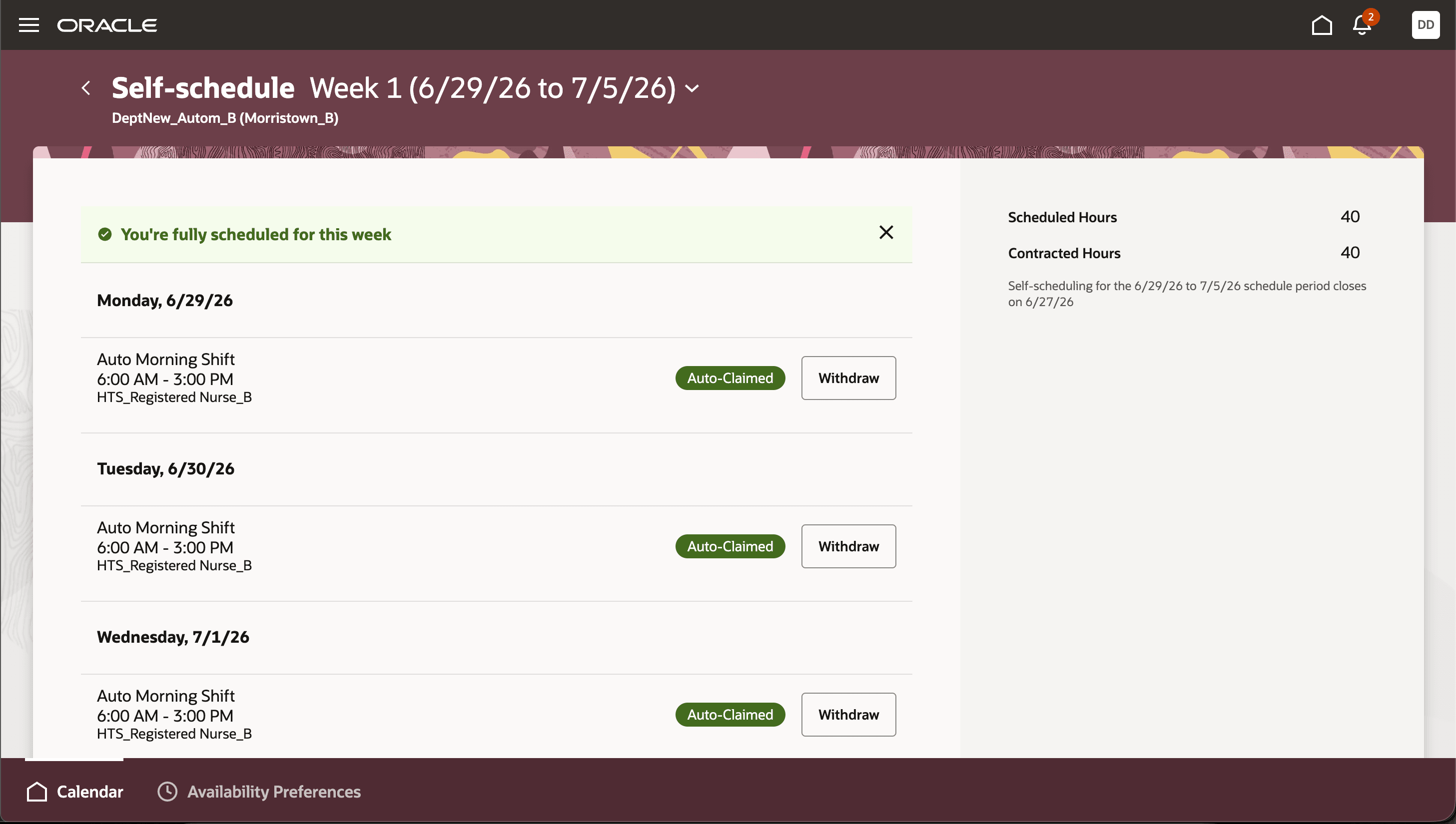
Draft schedule prepopulated
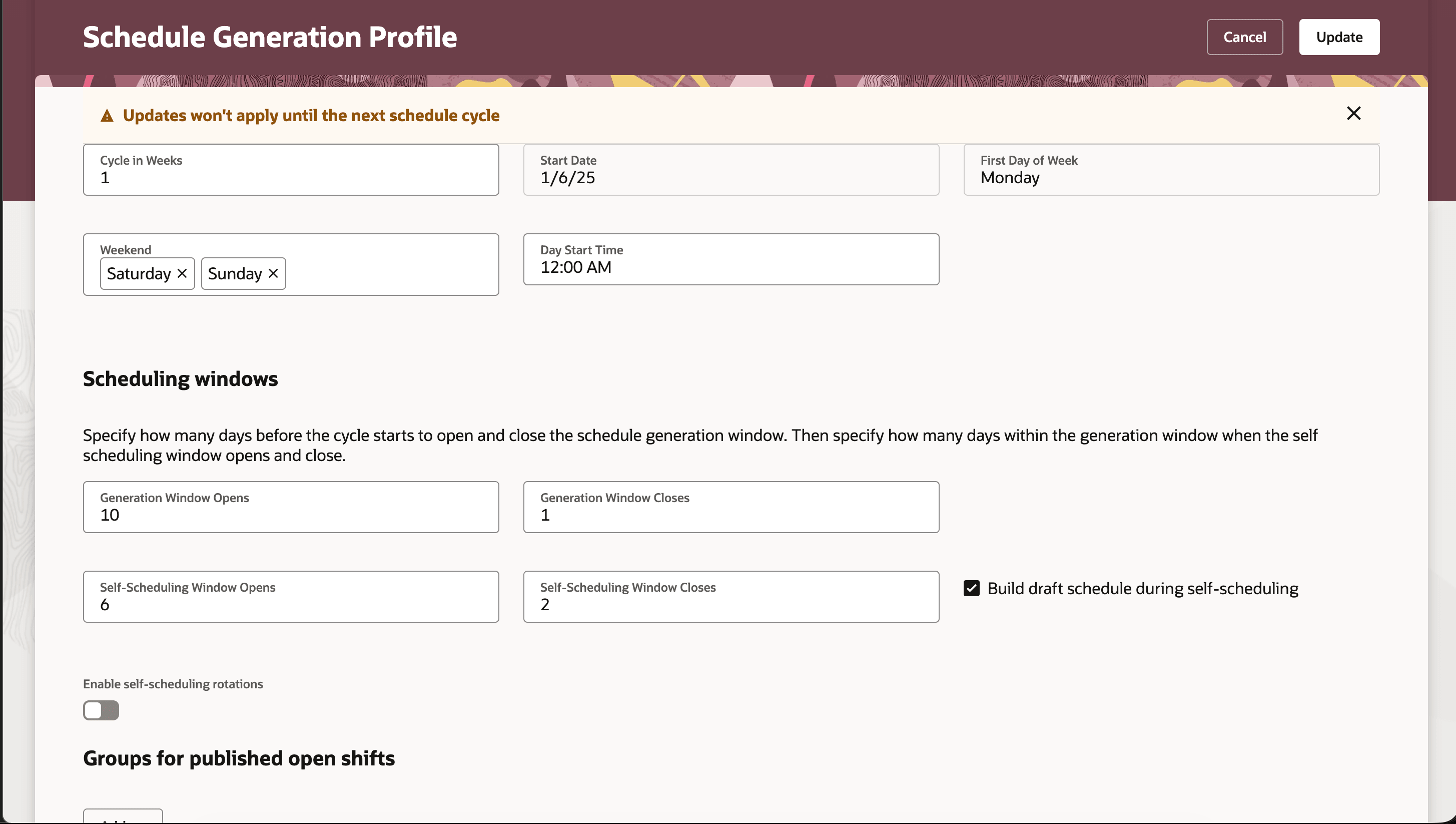
Schedule generation profile showing build draft schedule option
Reduce the manual effort required to complete self-scheduling periods by giving workers a complete or best-available starting point instead of an empty schedule. Organizations can reduce coverage gaps, lower the number of last-minute manager corrections, and improve schedule quality before publication while workers retain flexibility to adjust their schedule during the access window.
Steps to enable and configure
- In the Scheduling Windows section of the Schedule Generation Profile, select Build draft schedule during self-scheduling for the profiles that should automatically create draft schedules. This option is available only when self-scheduling dates are populated and is off by default.
- Schedule the Process Workforce Scheduling Alerts process so it can process the self-scheduling windows. The process creates draft schedules before the applicable access window opens and evaluates each rotation group according to its own window open date.
- Confirm that eligible workers have self-scheduling access.
- Confirm that self-scheduling notifications are enabled if workers should receive the draft schedule notification.
Tips and considerations
- This feature requires subscription to Labor Optimization
- Manager-assigned and automatically assigned shifts already in the schedule are treated as fixed. The draft schedule fills around those shifts and counts them toward the worker's scheduled hours.
Key resources
For more information about workforce scheduling, see these resources:
Access requirements
No new privileges are required for this feature. Admins and workers need these existing privileges for self-scheduling.
| Privilege Name | Privilege Code | Description |
|---|---|---|
| Run Global HR Processes | PER_RUN_HR_PROCESSES_PRIV | Allows administrators to schedule and monitor the Process Workforce Scheduling Alerts process. |
| Claim Shifts | HTS_CLAIM_SHIFTS | Governs whether a worker can claim shifts during self-scheduling. The pre-population process includes only eligible workers with this privilege. |