Review Payroll Element Details on the Redwood Benefits Summary Page
Review payroll-related details from the Redwood Benefits Summary page without navigating to separate payroll pages.
Use this feature to:
-
Select a linked rate name to view related element entry details in a panel drawer.
-
Select View Payroll Info to review CIR element details when CIR information exists for an enrollment.
- Review element values, attributes, costing, and processing history in the panel drawer.
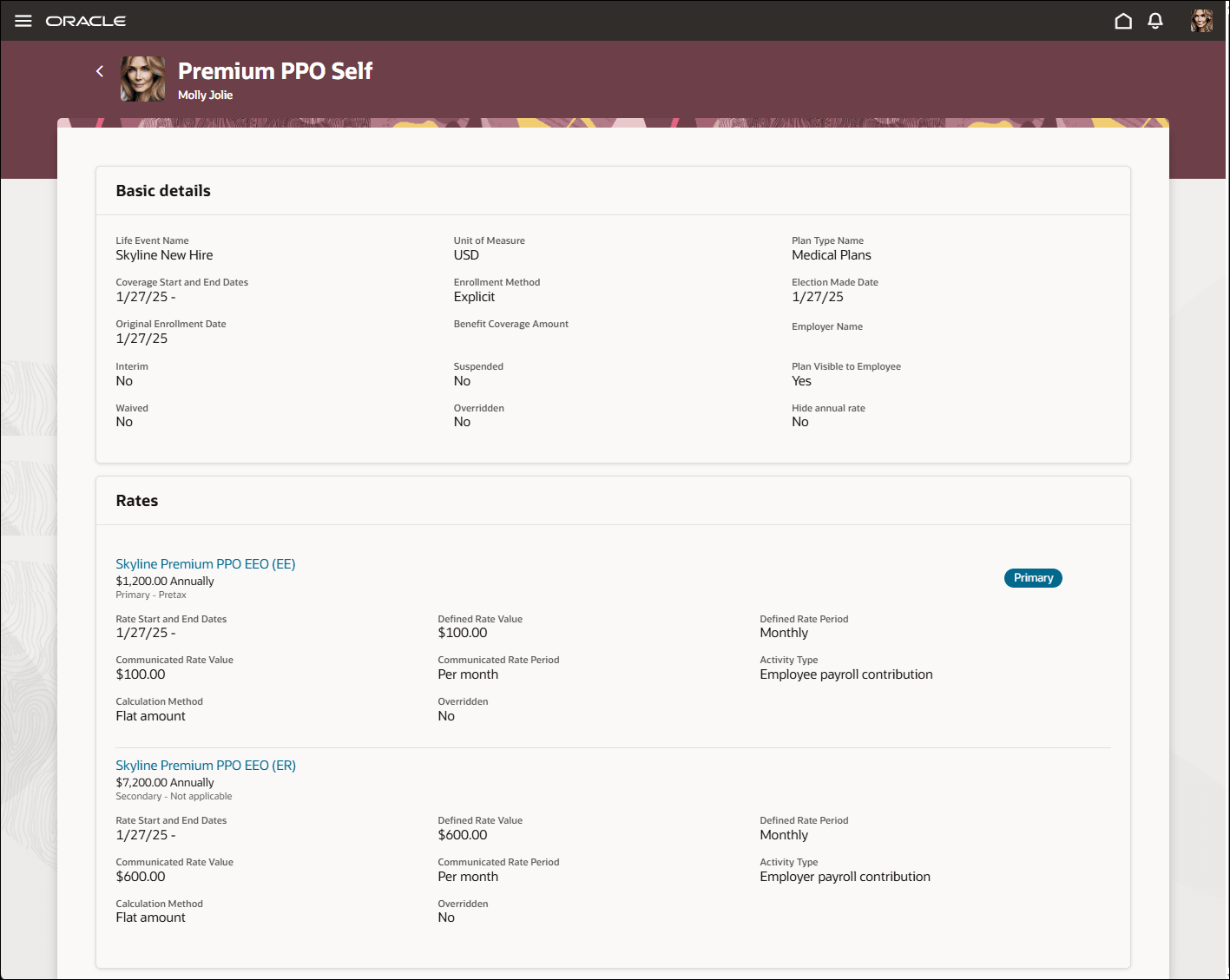
Rates Links
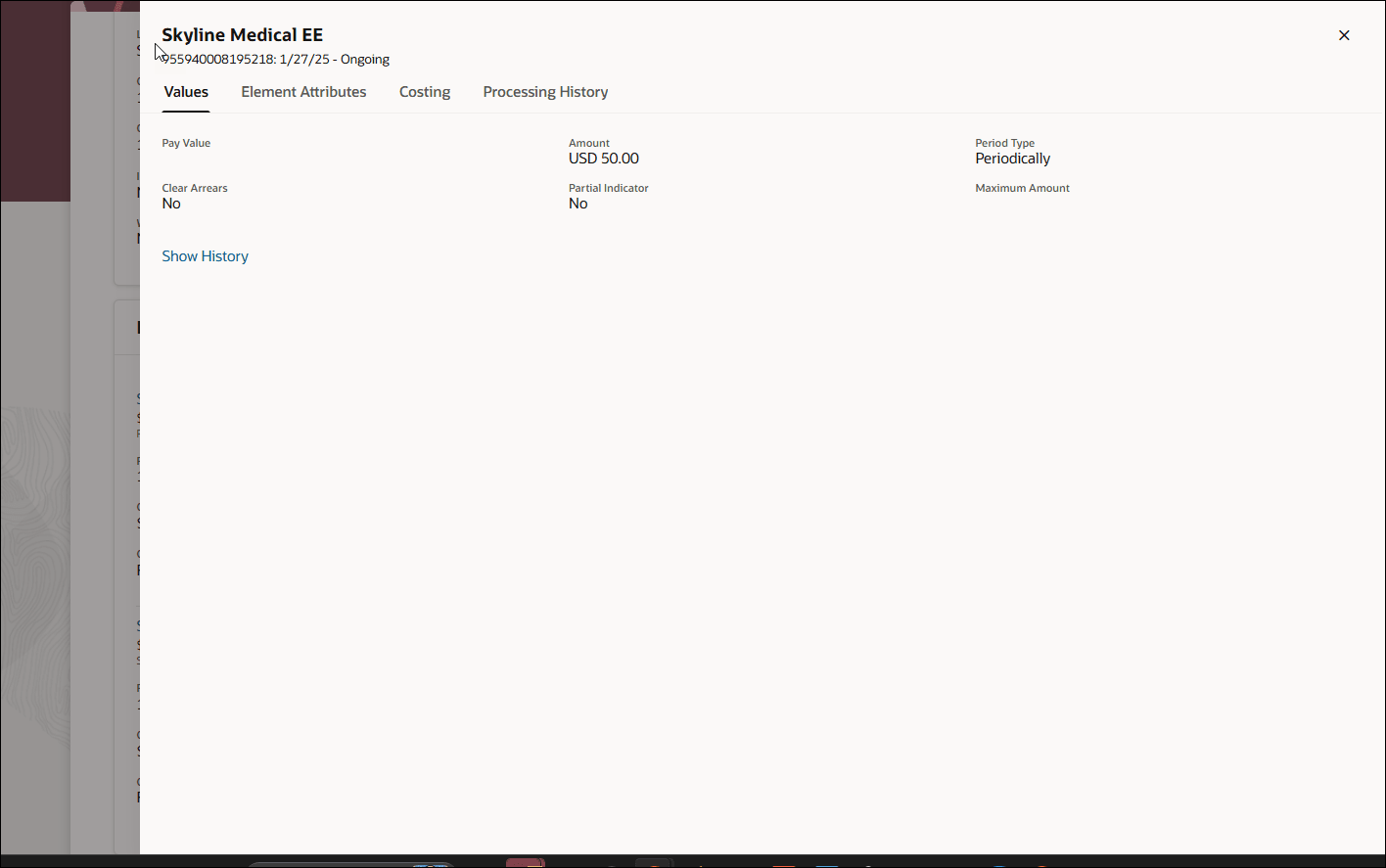
Element Entry Details: Values
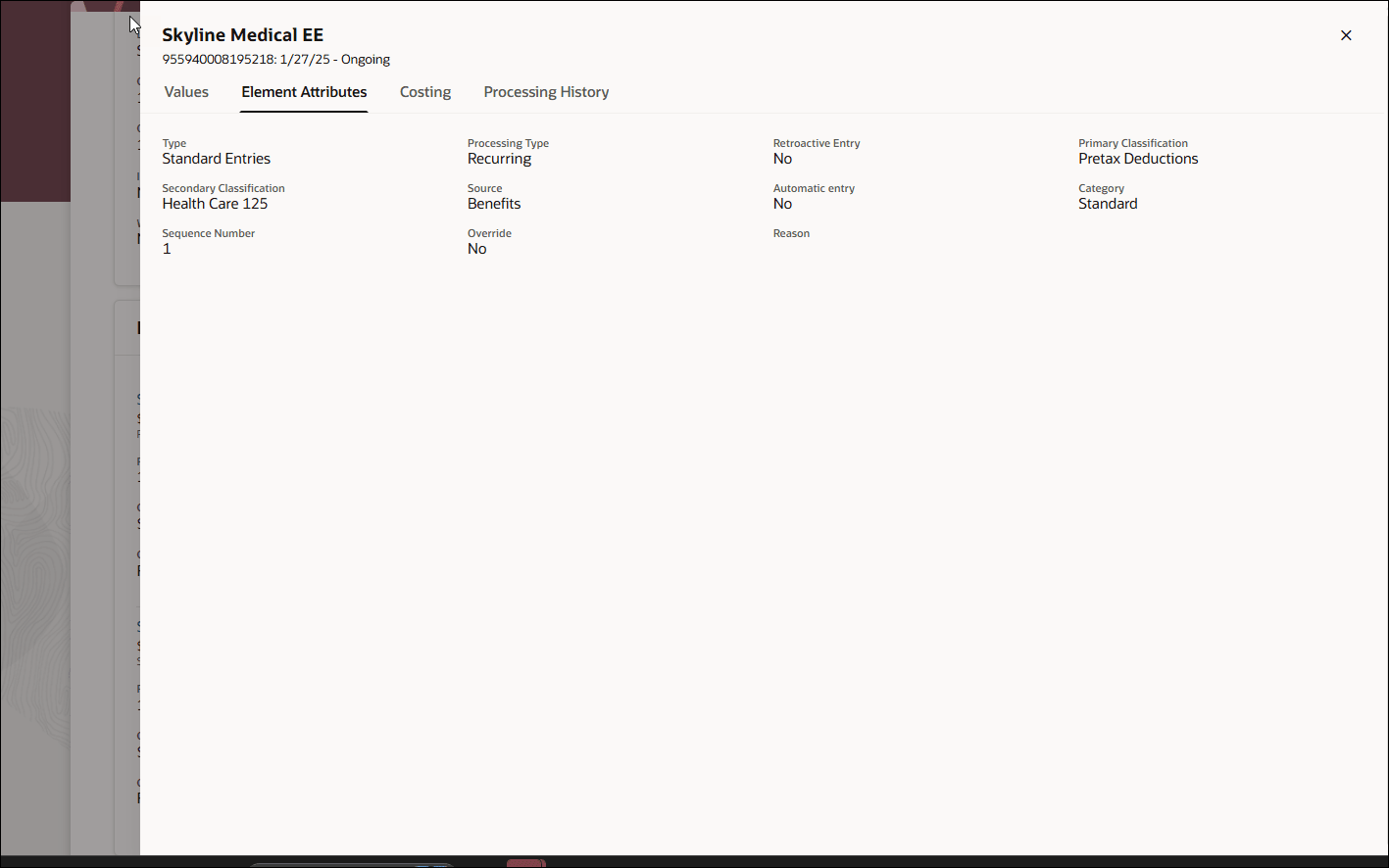
Element Entry Details: Element Attributes
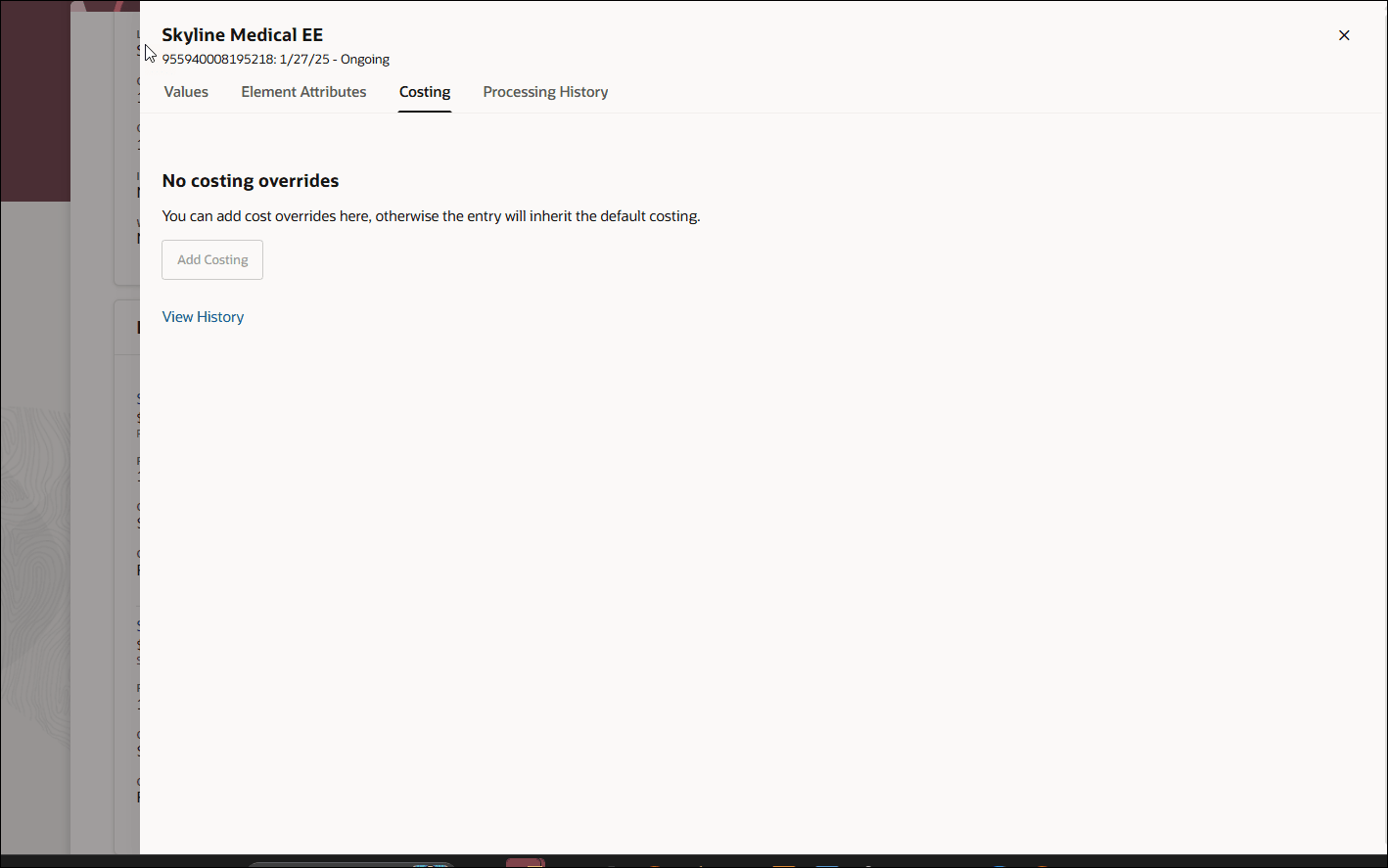
Element Entry Details: Costing
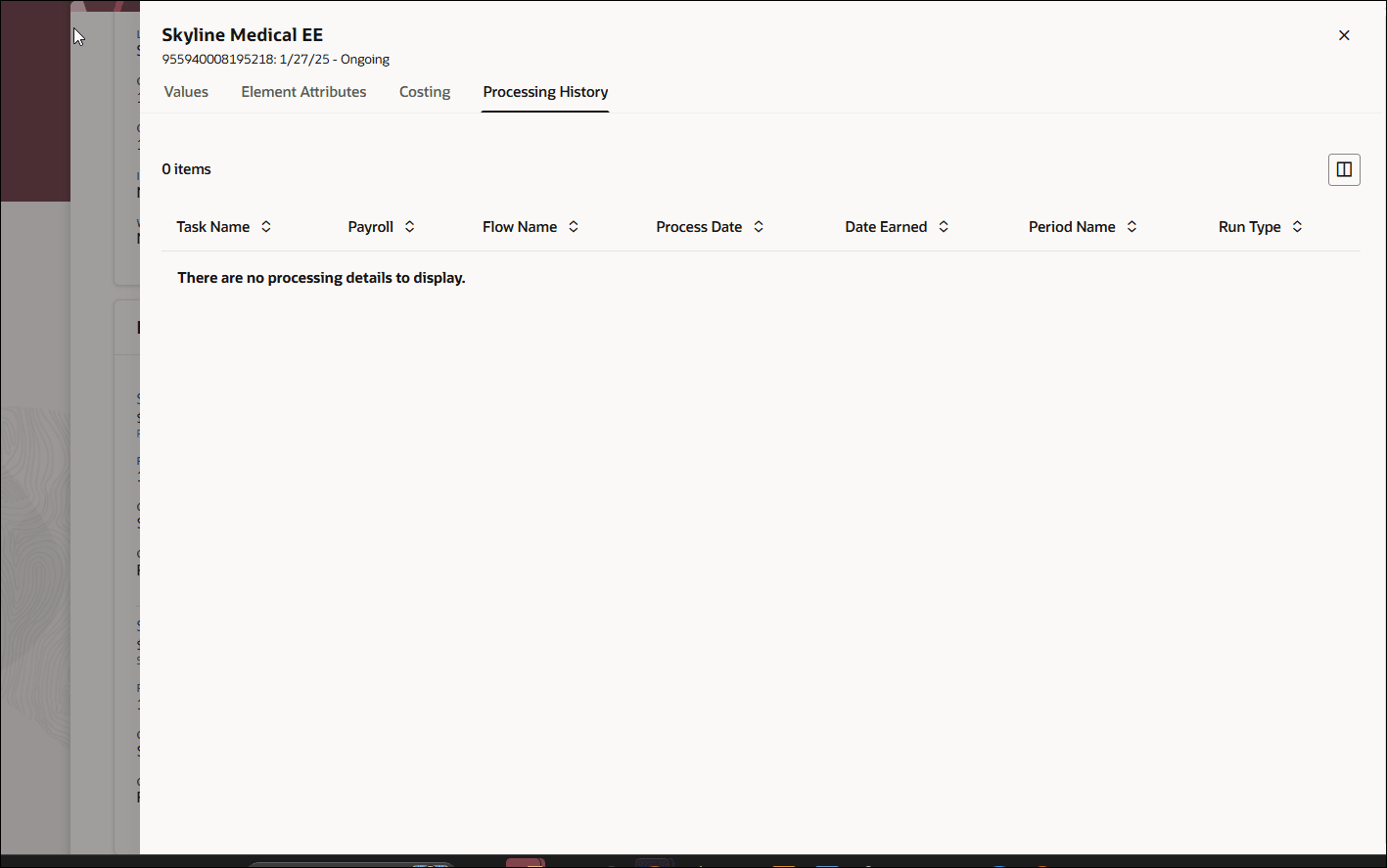
Element Entry Details: Processing History
Try it out:
- Go to Benefits Administration > Benefits Activity Center.
- Search for and select an employee.
- In the enrollments region, select and open a plan.
- In the rates region, select the rate name. A rate name is linked only when the related rate has an element entry ID; otherwise, it remains plain text.
View Payroll Info is available only when CIR information exists for the enrollment.
This enhancement helps administrators investigate enrollment rates and CIR information more efficiently by providing the related payroll element details within the Redwood Benefits Summary page.
Steps to enable and configure
No action is required. Rate links appear when the related rate has an element entry ID and View Payroll Info is available when CIR information exists for the enrollment.