Conditional Display of Enrollment Summary Regions Based on Enrollment Data
Benefits administrators can focus on relevant enrollment information when reviewing enrollment details in Benefits Activity Center. The Enrollment Summary automatically hides optional regions without applicable enrollment records, reducing clutter and confusion across different benefits configurations.
Benefits administrators can review enrollment information with these display behaviors:
Enrollment Summary Region Display Behavior
| Area | Display Behavior |
|---|---|
| Relevant regions | Rates, Dependents, Beneficiaries, Certifications, Action Items and Primary Care Physicians appear when applicable enrollment records exist. Empty regions and their headings are hidden, while Basic Details remains visible. |
| Interim information | Dependents and Beneficiaries consider both regular and interim enrollment records, preserving relevant interim information. |
| Action items | Action Items can appear for a pending dependent designation even when Dependents is hidden because no dependent record exists. Completed action items continue to appear. |
| Enrollment-specific results | Region visibility reflects the selected enrollment’s transaction data, rather than setup configuration alone and applies to both past and current enrollment records. |
| Scope | The enhancement changes the administrator enrollment details display without changing enrollment data, setup or transaction outcomes. The employee self-service Enrollment Overview remains unchanged. |
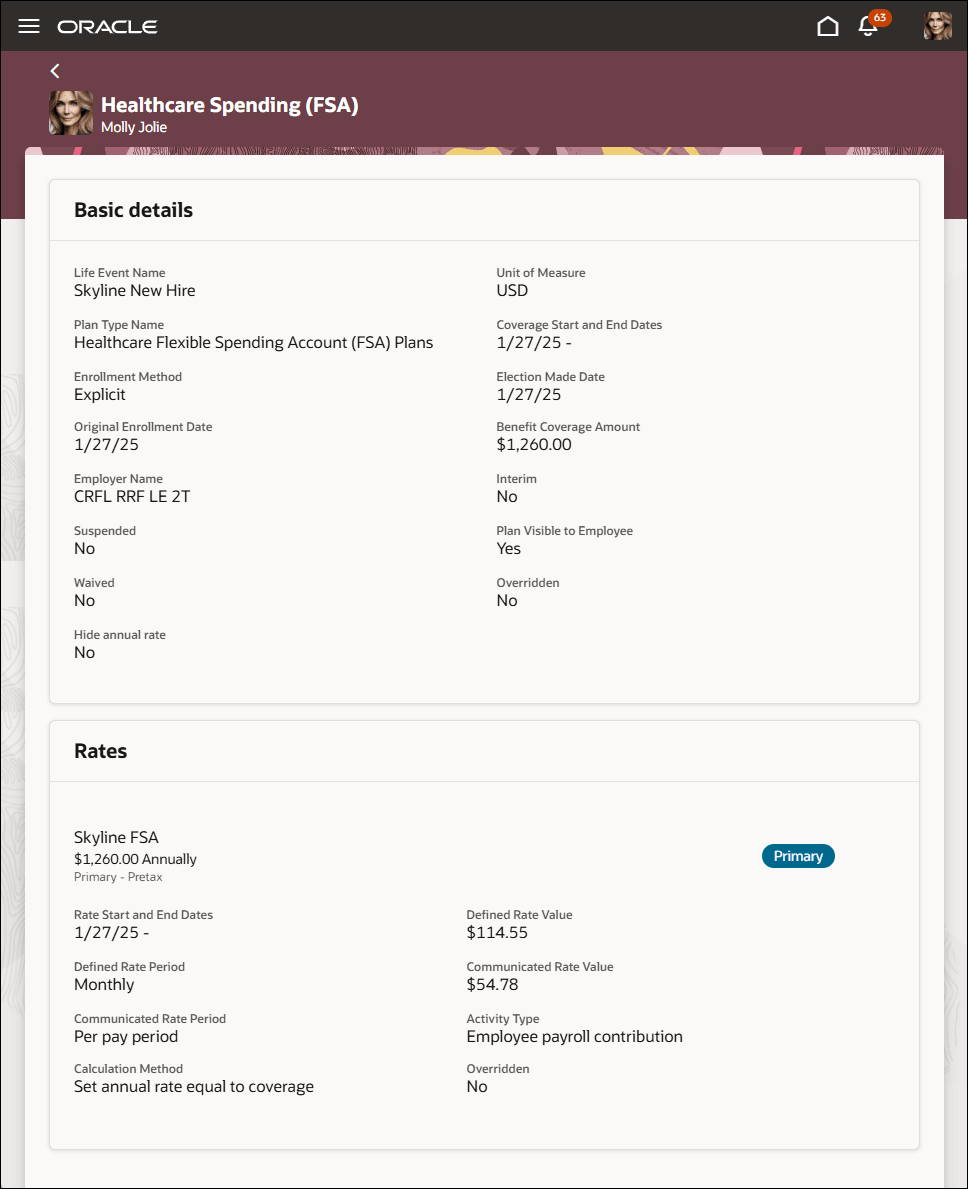
Benefits Enrollment Summary Only Details and Rates
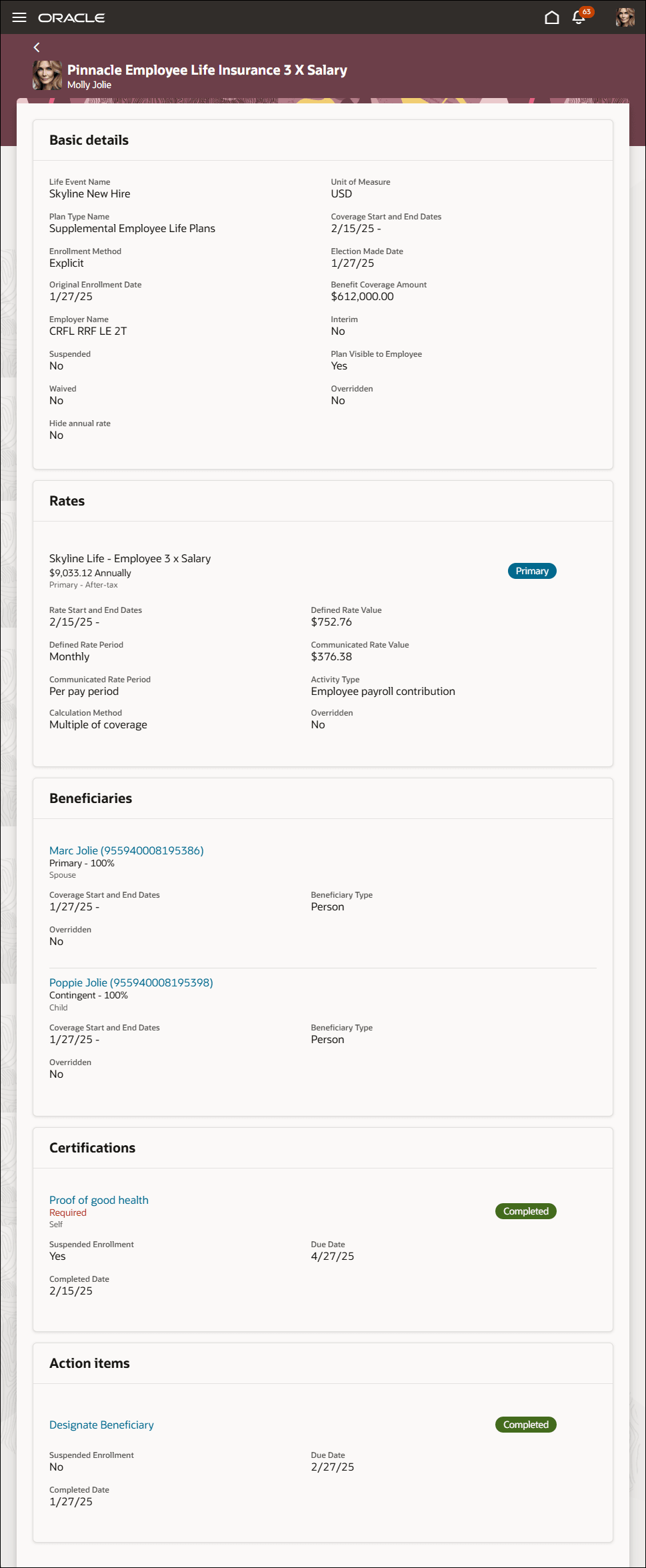
Benefits Enrollment Summary no Primary Care Provider
Try it out
- Go to Benefits Administration > Benefits Activity Center.
- Search for the employee and open Benefits Summary.
- In Enrollments, select a plan name to open its enrollment details.
- Review Basic Details and the optional regions that contain applicable enrollment information.
Business Benefit
Improve consistency in benefits administration by presenting enrollment information relevant to each employee's selected enrollment.
Steps to enable and configure
You don't need to do anything to enable this feature.
Access requirements
Existing access and security requirements for the enrollment details page continue to apply. This enhancement introduces no security changes.