Bulk Approve Progressions and Salary Updates
You can now approve all unprocessed proposals for a grade ladder that uses manual confirmation on the Redwood Review Proposed Progressions and Salary Updates page. The action applies to Grade Step Progression and Rate Synchronization proposals, including proposals beyond the rows currently displayed.
After you submit the action, the page submits a process behind the scenes and displays the process ID. You can monitor the process in Scheduled Processes. Then return to the review page to see the updated "Accepted" and "Not Processed" counts and review the results.
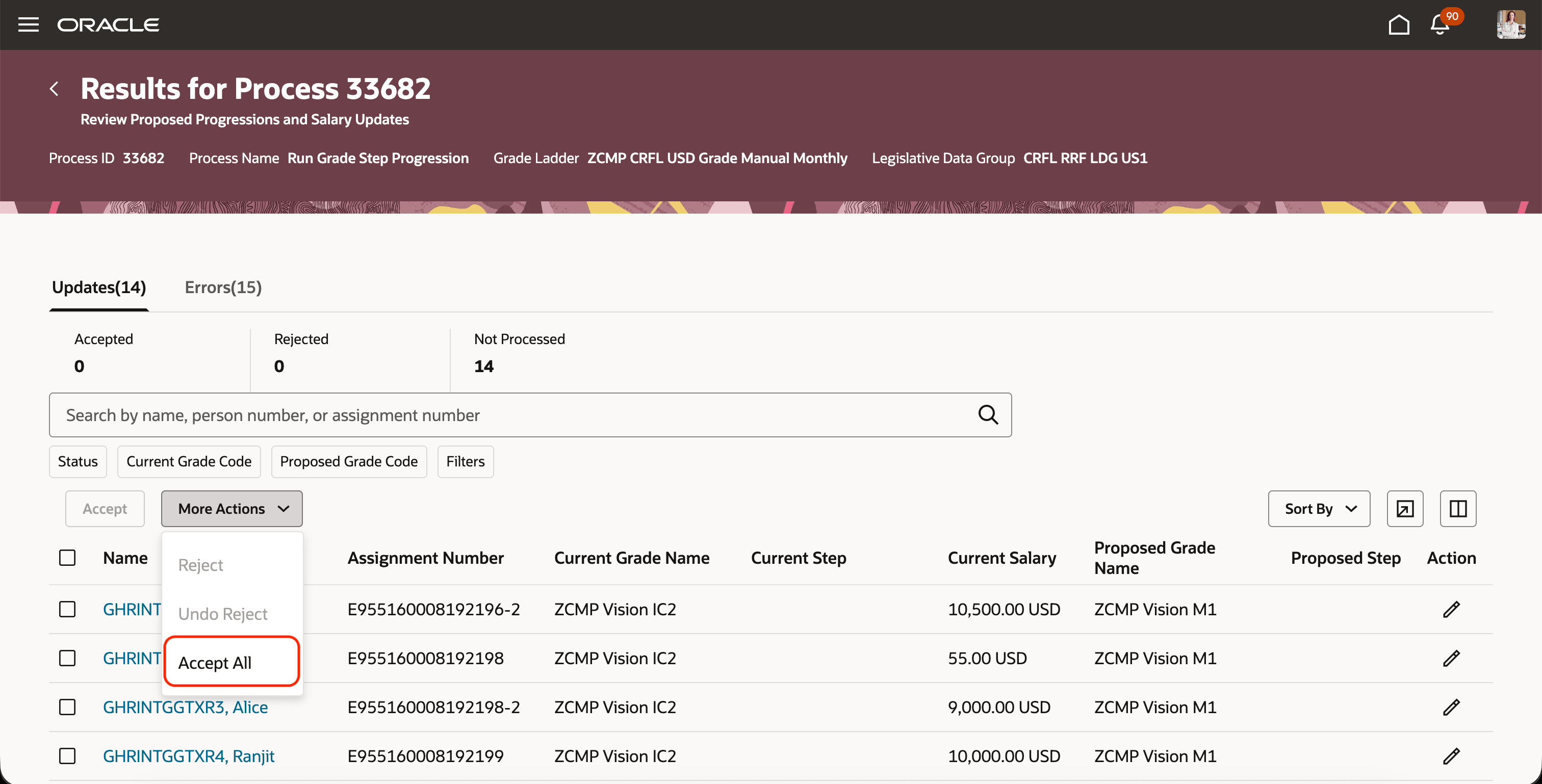
Accept All the Unprocessed Proposals
Reduce repeated scrolling, filtering, and submission cycles for large proposal populations while preserving review before salary and assignment updates are posted.
Steps to enable and configure
Define the page constant Accept All Unprocessed as true, for the Redwood Review Proposed Progressions and Salary Updates - Search page.
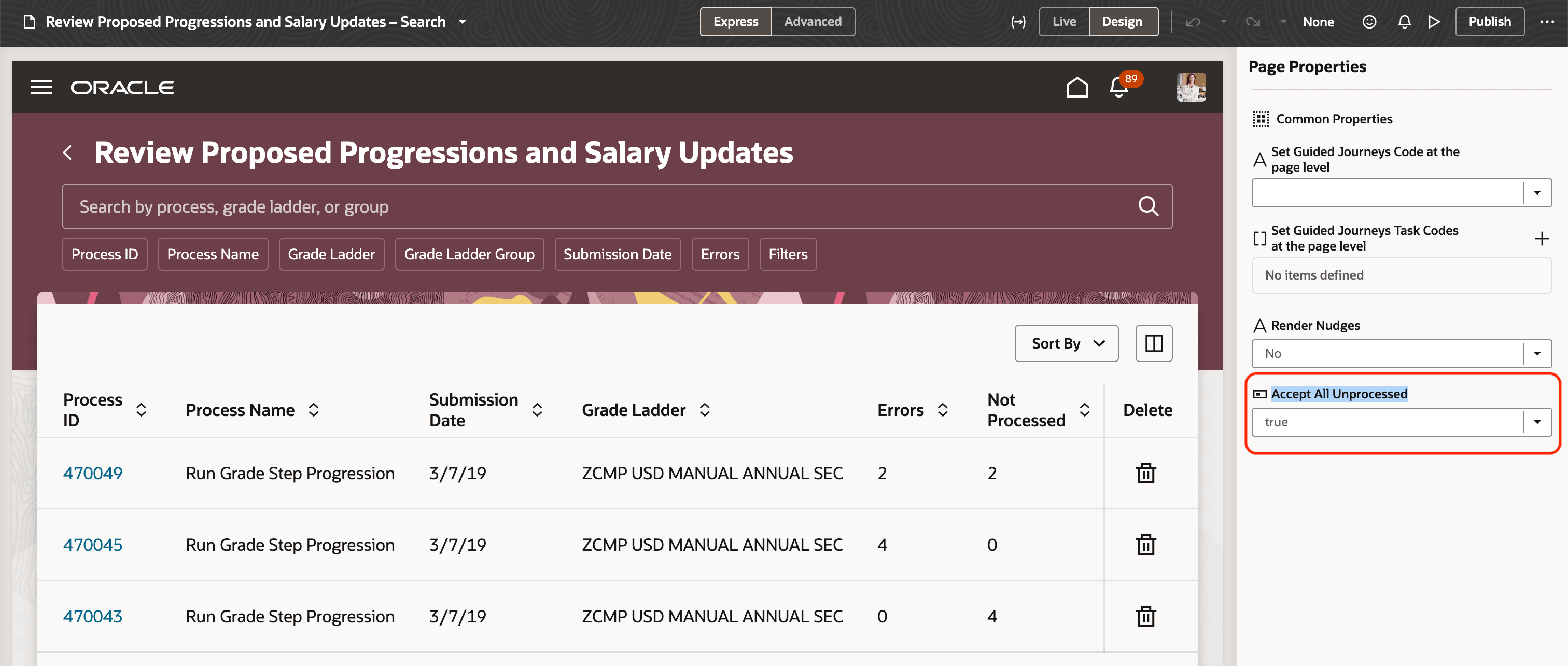
Make Accept All Unprocessed Button Visible
Tips and considerations
- "Accept All" is available only for grade ladders that use manual confirmation and have unprocessed proposals.
- "Accept All" is unavailable for automatically confirmed grade ladders because their proposals are already accepted.
- Review the process status in Scheduled Processes before returning to the review page to validate the results.