Configure HCM Search Views for Redwood Positions Search Page
You can now customize and streamline the Redwood Positions search experience by configuring HCM Search Views for the Redwood Positions search page.
For more information, see the Steps to Enable and Configure section of this What’s New.
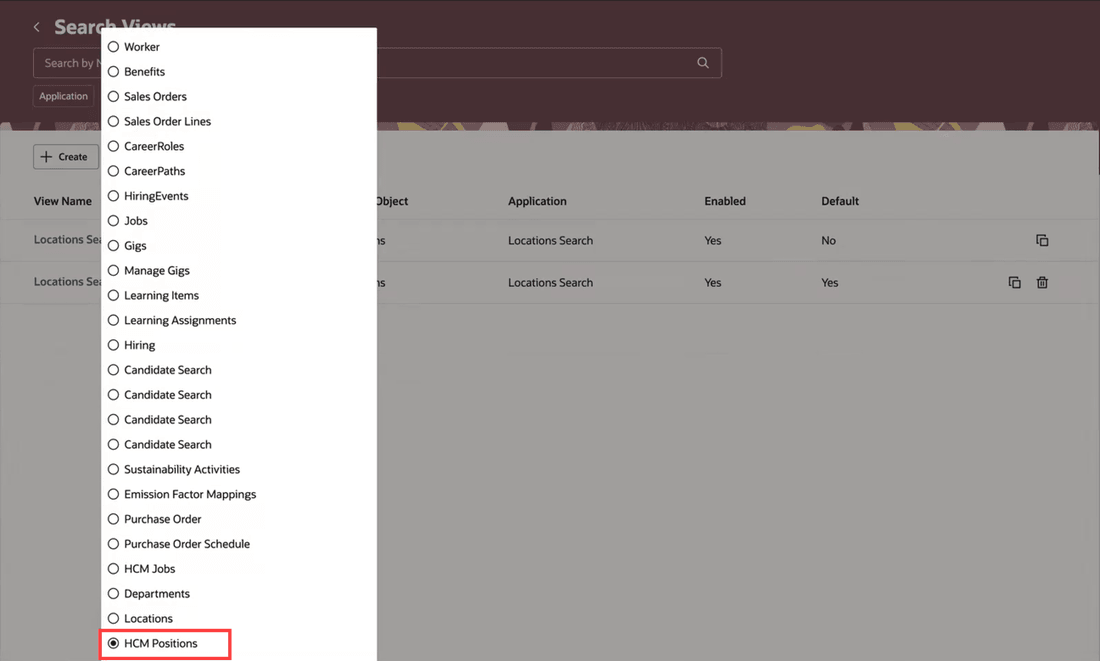
Search Object filter showing the HCM Positions option on the Redwood Search Views page
The seeded search view record is listed on the page. This has a default configuration.
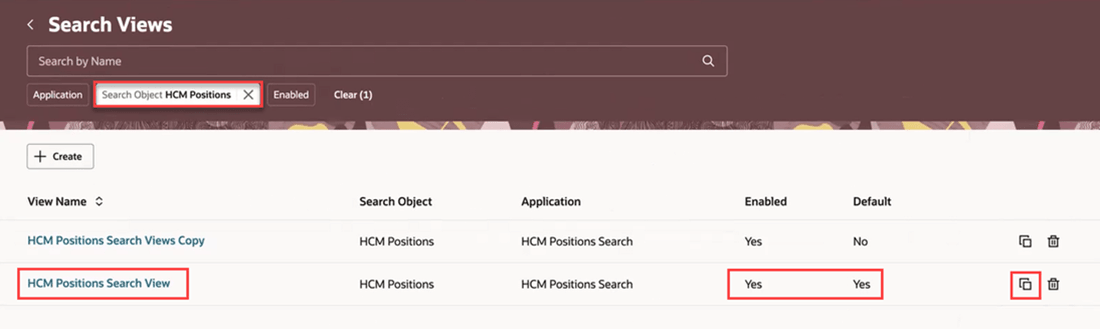
HCM Positions Search View: seeded search view on the Search Views page
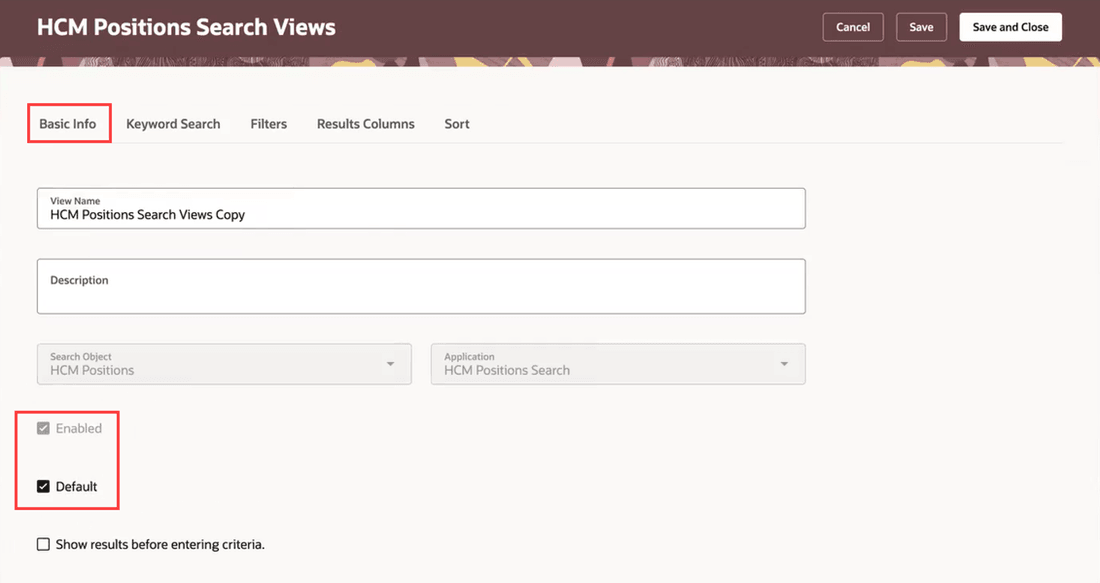
Basic Info tab of the HCM Positions Search View page
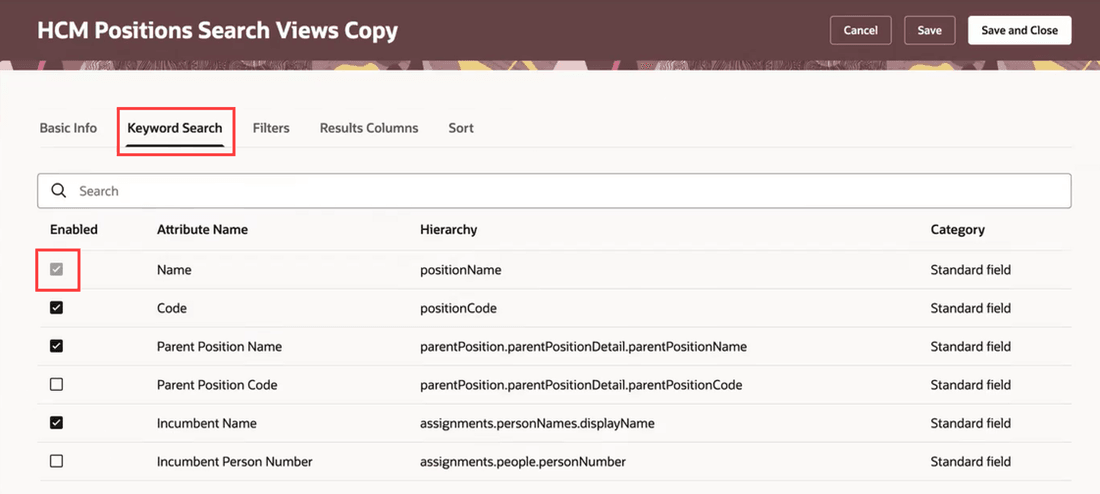
Keyword Search tab of the HCM Positions Search View page
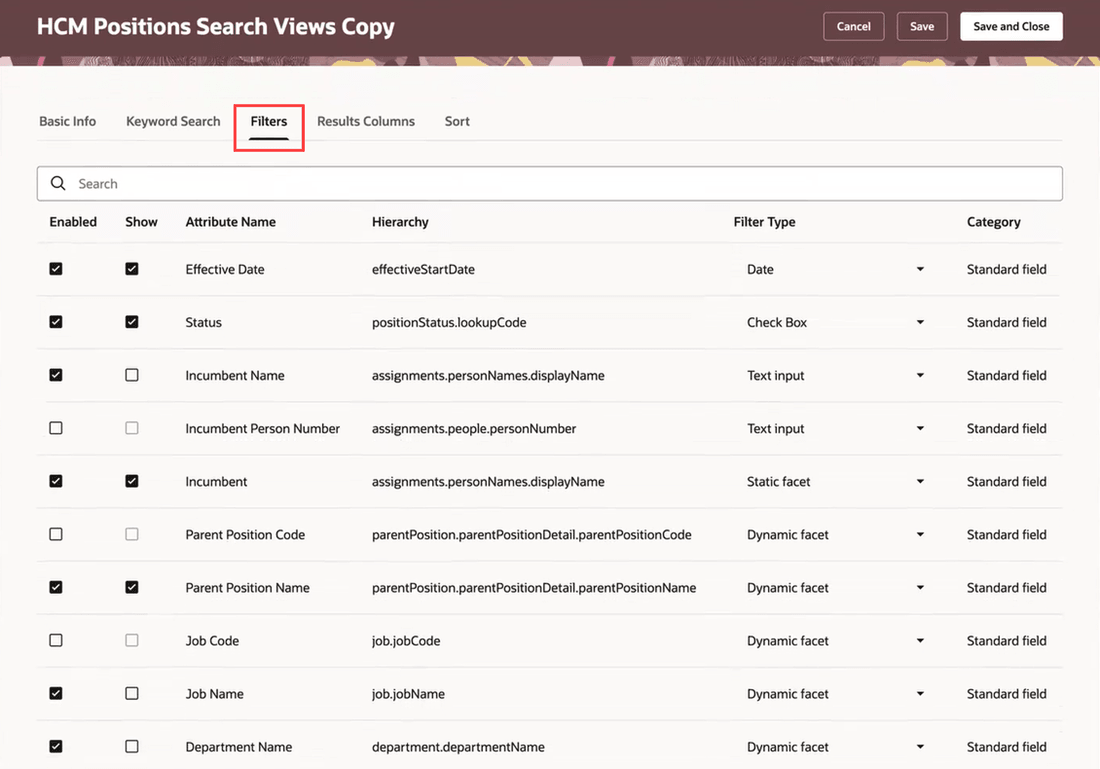
Filters tab of the HCM Positions Search View page
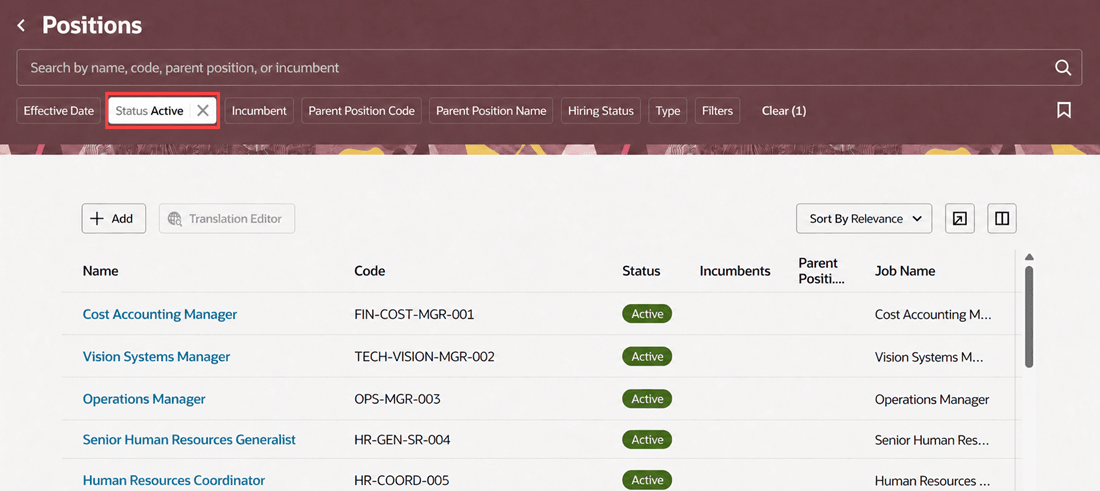
Positions filtered by Active status
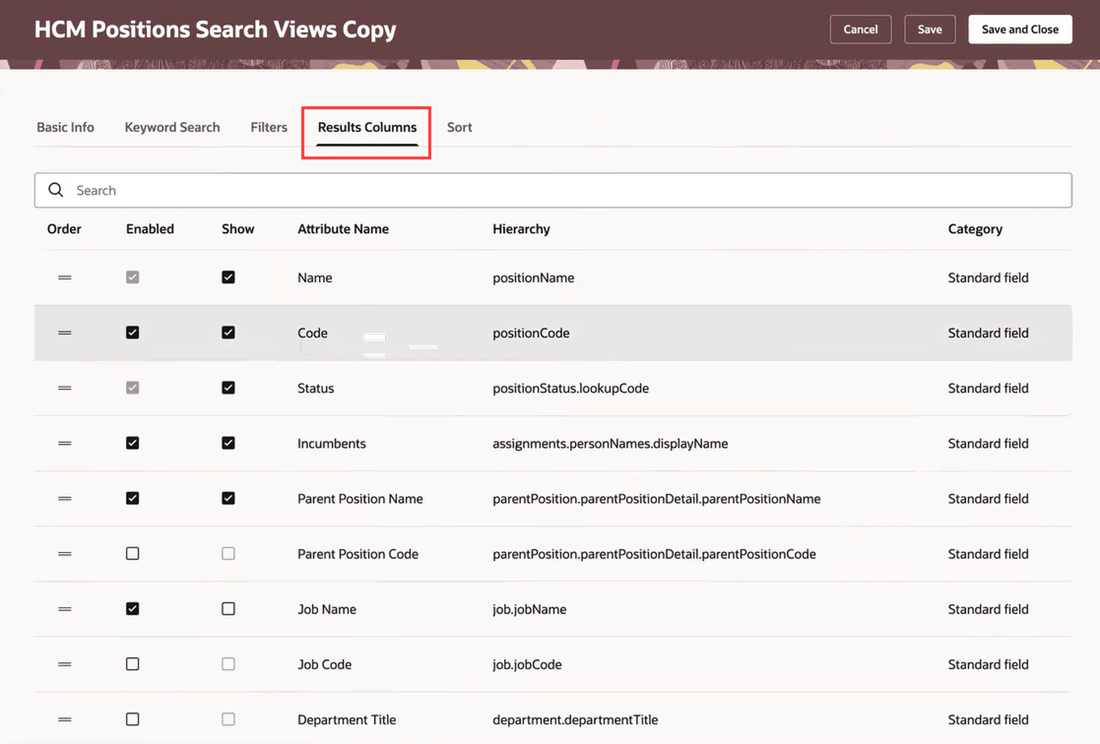
Results Columns tab of the HCM Positions Search View page
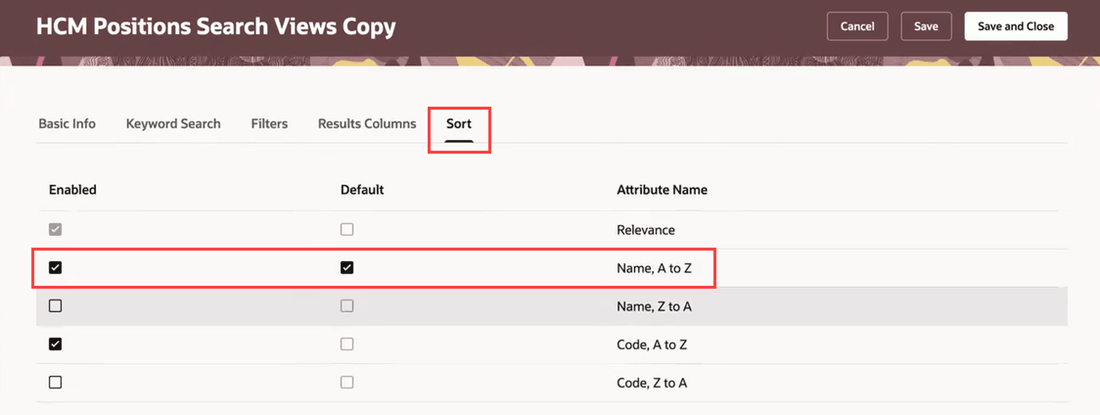
Sort tab of the HCM Positions Search View page
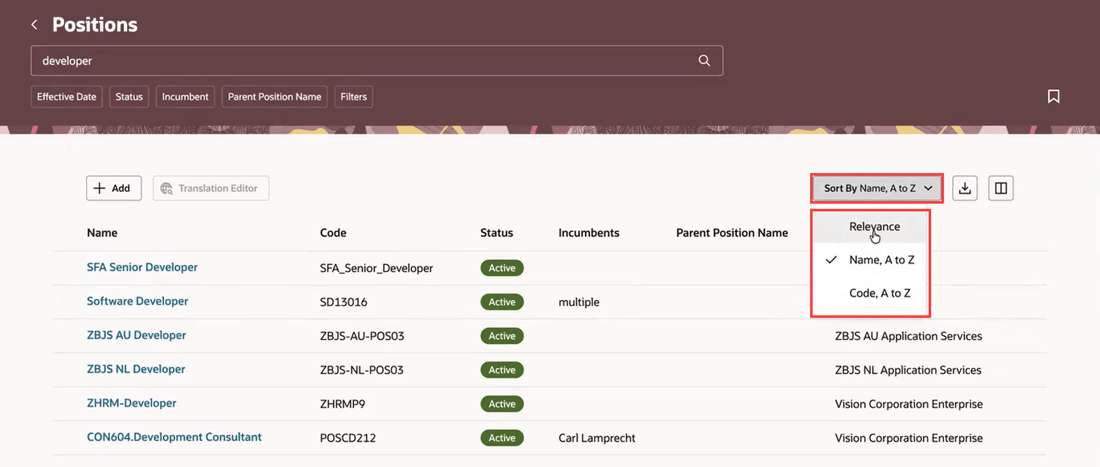
Deselected sort options don’t appear on Positions search page
Deselected sort options don’t appear on Positions search page
This feature enables you to customize and configure available sets of fields on the Redwood Positions search page based on your business requirements. This helps you control the keyword search fields, filters, and display fields based on the seeded set of standard fields.
Steps to enable and configure
See Configure HCM Search Views for Redwood Workforce Structures Search Pages.
Key resources
For more information, refer to these resources on the Oracle Help Center:
-
Jobs and Positions chapter in the Implementing Global Human Resources guide
Access requirements
You can configure HCM Search Views for the Redwood Positions search page if your role has this privilege: Manage Search Views (HRC_MANAGE_SEARCH_VIEWS).