Priority and Tags Available for Collection Tasks
Administrators can assign priorities and tags to collection tasks, enabling users to sort and filter tasks more effectively. For example, HR administrators can organize manager responsibilities using priority and tags so that managers can quickly identify high-priority activities during performance reviews or compensation cycles.
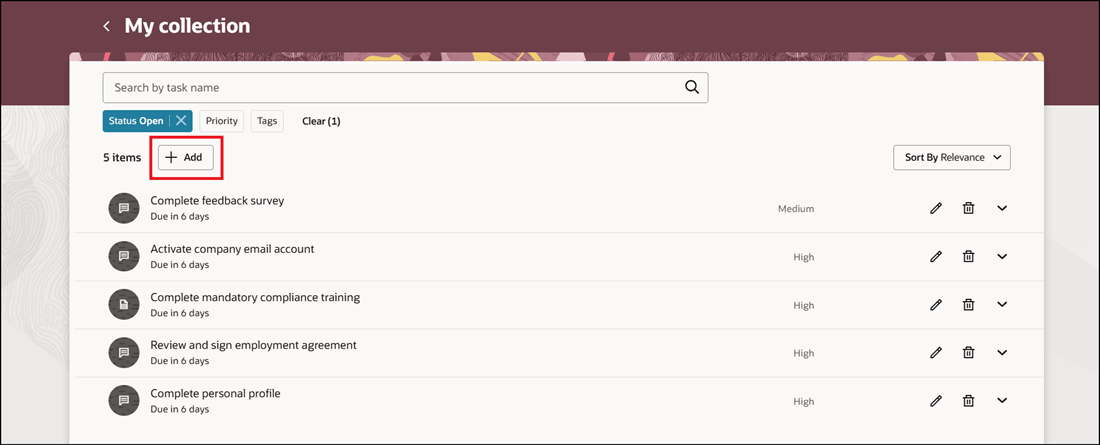
Add Collection Task from My Collection
You can set the priority based on your order of precedence for tasks.
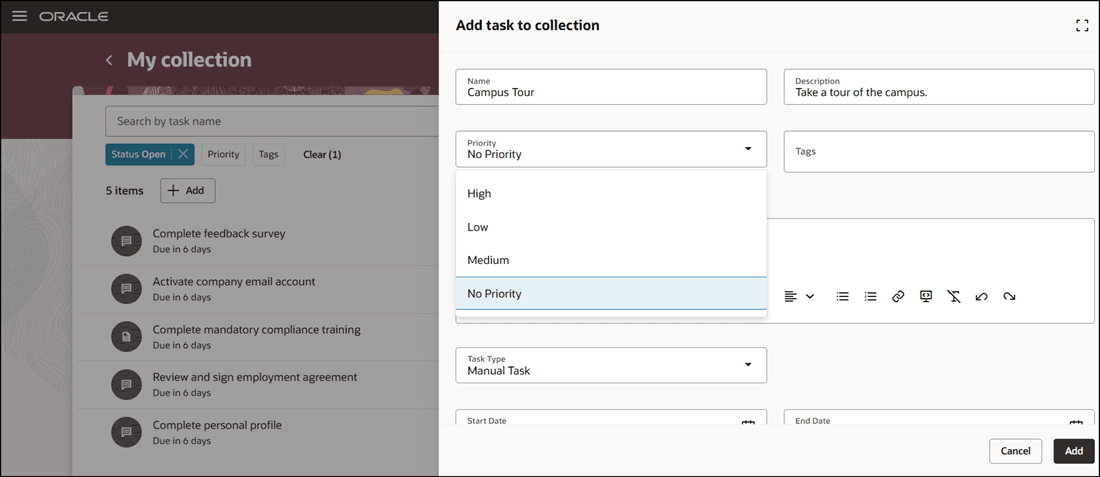
Set Priority for Collection Task
Create custom tags based on the task you are creating.
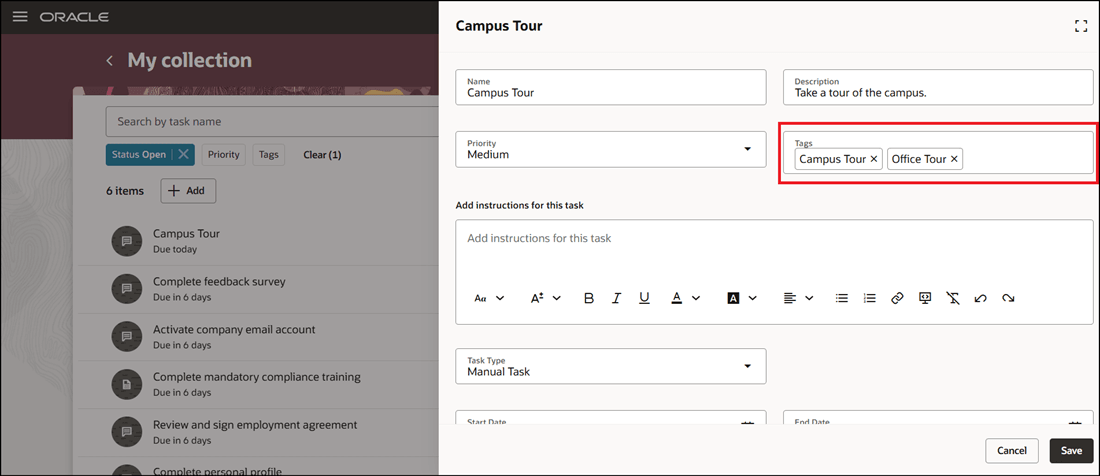
Create Custom Tag for Collection Task
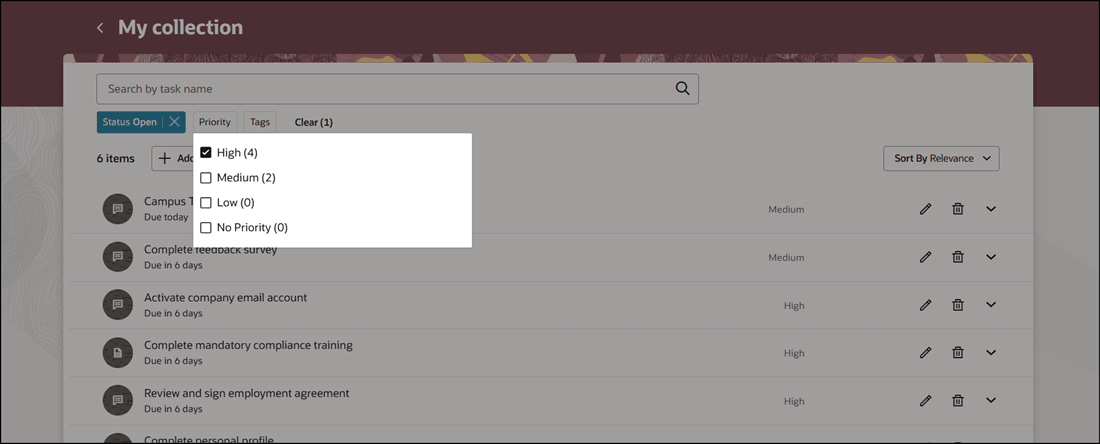
Filter Task by Priority
Filter your tasks based on the custom tags you created.
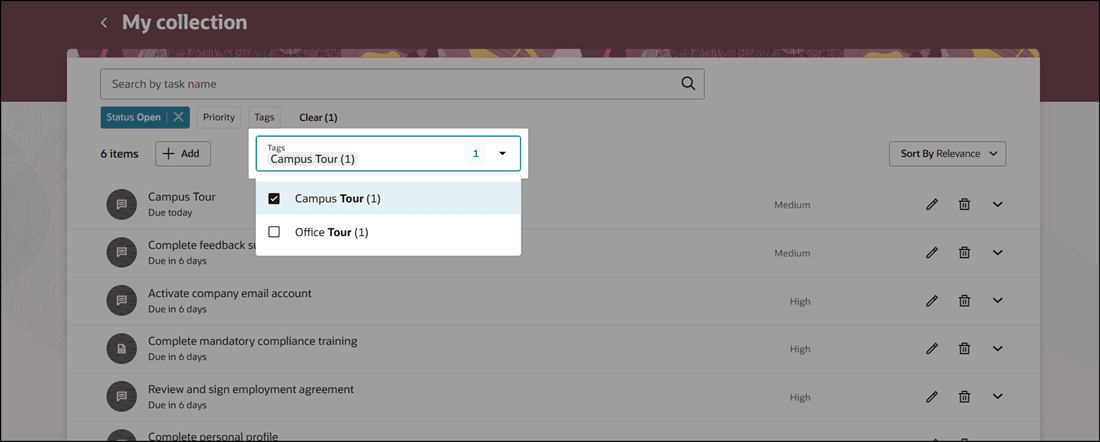
Search and Filter Task by Tag
When you sort by priority in the list, tasks are sorted in the order of high, medium, and low.
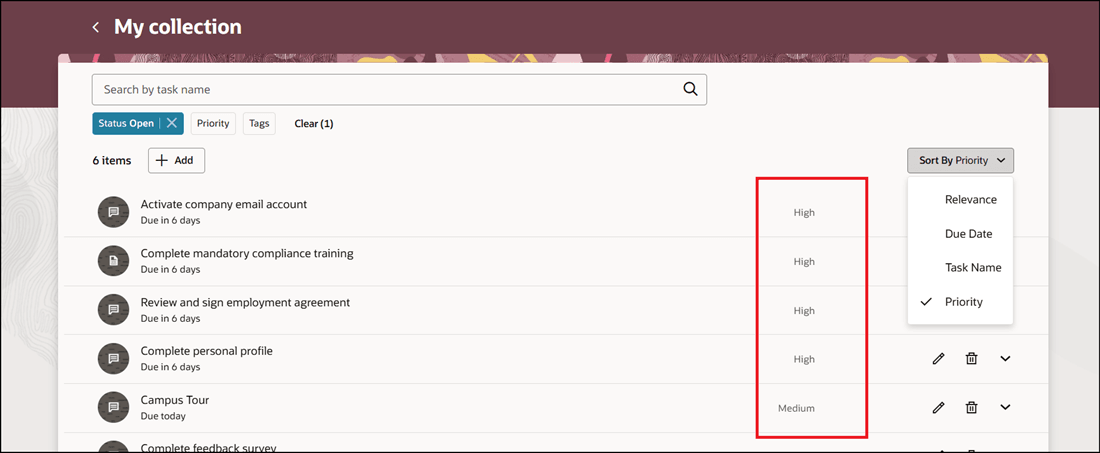
Sort by Priority
This feature helps users prioritize work using task priorities and tags. Priority and tags improve task organization and allow users to sort and filter collection tasks more efficiently.
Steps to enable and configure
You don't need to do anything to enable this feature.
Tips and considerations
- By default, the priority for a collection task is set to No Priority.
Key resources
For more information, refer to the Implementing and Using Journeys guide.