Application-Wide Read-Only Mode Supported on Redwood Workforce Structures Pages
You can enable the read-only mode for editable components on the Redwood workforce structures pages for some users by using a profile option. This prevents unnecessary edits and supports controlled-access scenarios.
When the FND_READ_ONLY_MODE profile option is enabled for a user, they see these changes:
- A banner message appears at the top of the page indicating that the application is in the read-only mode.
- If the user tries to perform any of these actions, an error message is displayed, and the action isn’t allowed.
- Create a new workforce structure record
- Update an existing workforce structure record
- Delete a workforce structure record
This feature applies to these Redwood workforce structures pages:
Enable the read-only mode for editable components on the below Redwood Workforce Structure pages by using a profile option. This prevents unnecessary edits and supports controlled-access scenarios.
- Departments
- Disability Organizations
- Divisions
- Grades
- Grade Ladders
- Grade Rates
- Jobs
- Job Families
- Legislative Data Groups
- Locations
- Positions
- Request a New Position
- Request a Position Change
- Reporting Establishments
- Worker Unions
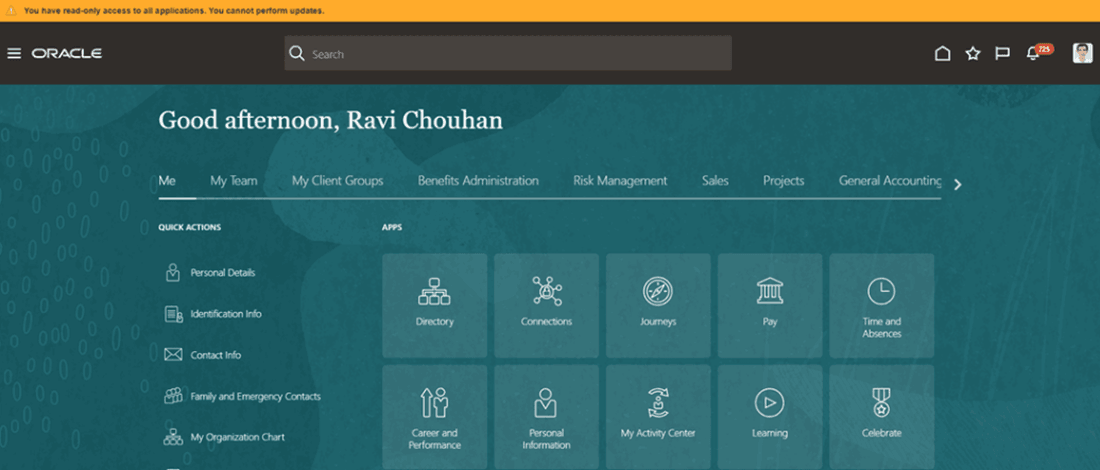
Message displayed during login when the read-only mode is turned on
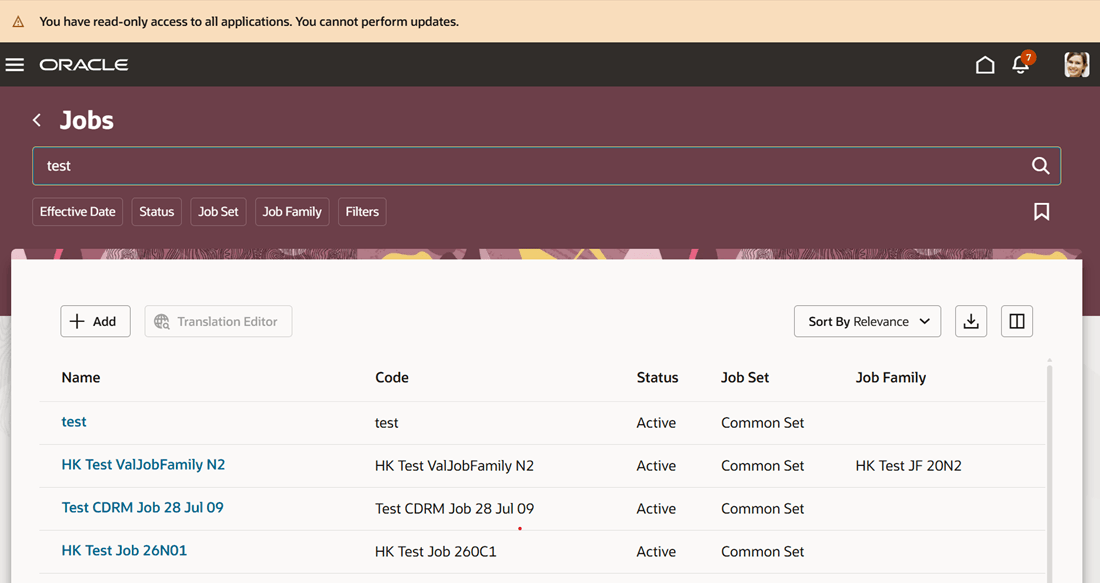
Message displayed on the Jobs search page when the read-only mode is turned on
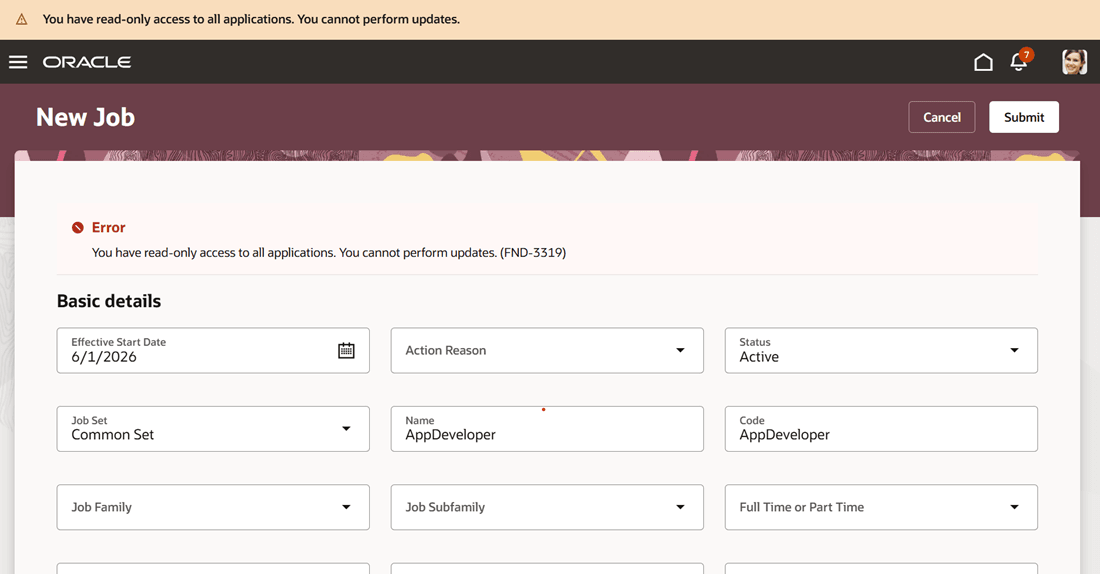
Message displayed when the user tries to create and submit a new job
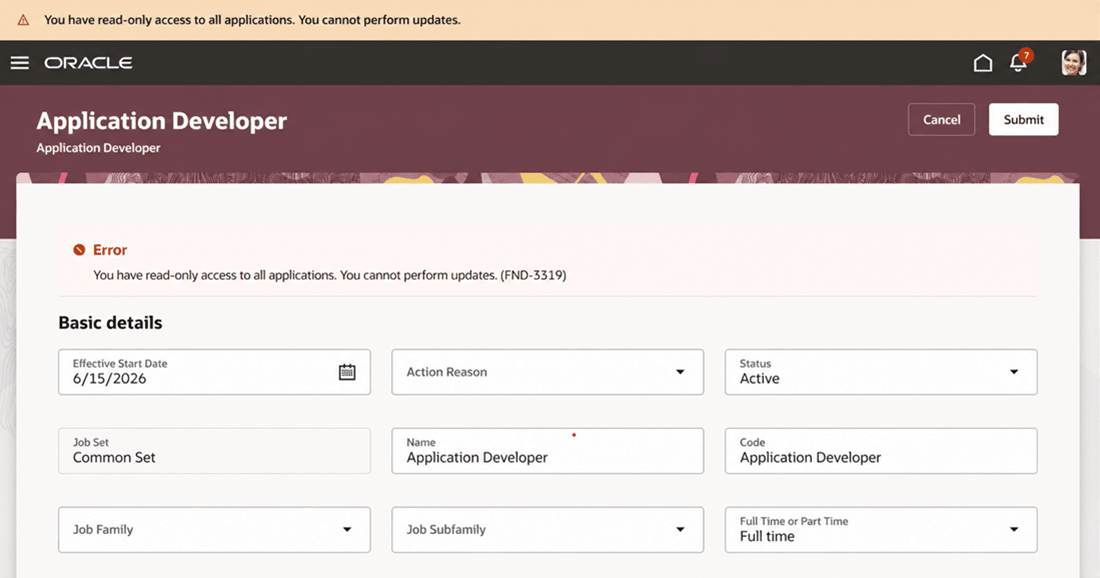
Message displayed when the user tries to edit and submit the changes for a job record
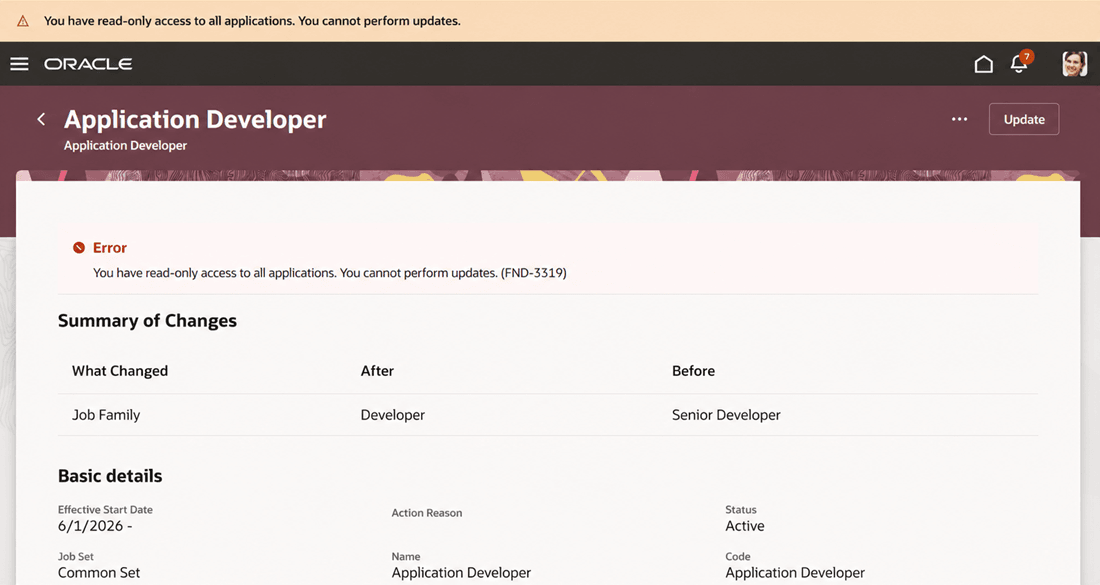
Message displayed when the user tries to delete a job record
Provides tighter administrative control by allowing organizations to restrict changes without removing the user access entirely. It’s especially useful during audits, system reviews, or transition periods where view-only access is required.
Steps to enable and configure
You don't need to do anything to enable this feature.
Key resources
For more information, refer to these chapters in the Implementing Global Human Resources guide on the Oracle Help Center: