Translation Editor with Generative AI on Redwood Departments, Job Families, Locations, and Positions Pages
You can now use the Redwood Translation Editor to seamlessly translate the translatable attributes for departments, job families, locations, and positions directly on the Redwood search page. This enhancement eliminates the need to sign out and sign back in with a different language to enter translations, thereby streamlining the translation process. This tool provides an inline, language-aware interface for managing translations, allowing real-time entry and updates of multilingual content.
Generative AI in the Translation Editor
You can also use Generative AI in the Translation Editor. It enhances the translation experience by leveraging artificial intelligence to help you generate and refine localized content directly within the editor.
Administrators and content authors can quickly produce accurate translations for Redwood workforce structures attributes across multiple languages, reducing the need for manual translation efforts. This helps improve consistency, speed, and quality of localized content while allowing you to review and edit translations before publishing.
Translate Attributes for Positions
Let’s look at an example where the position name is translated into the Arabic language.
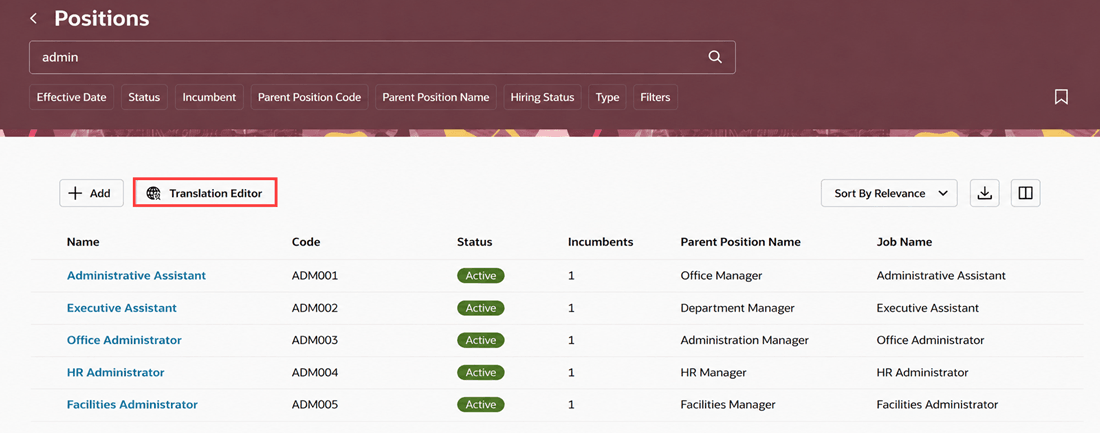
Translation Editor on the Redwood Positions page
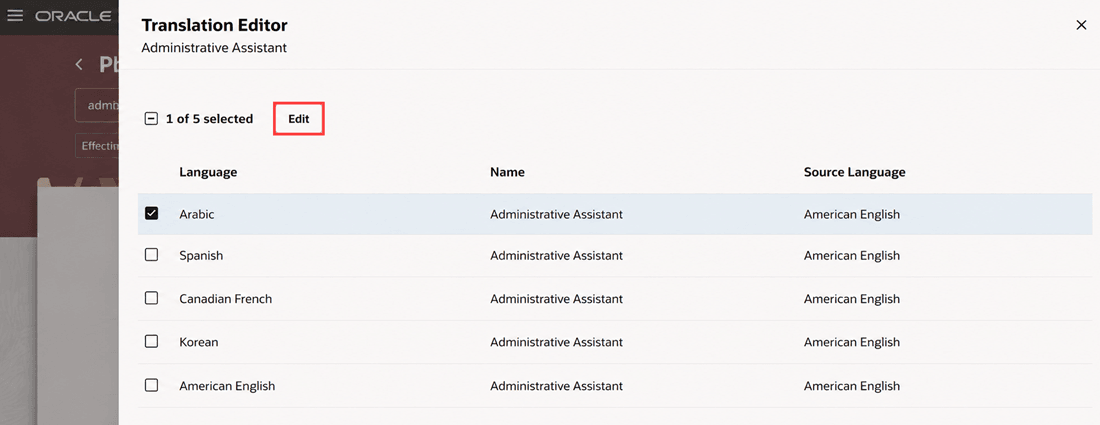
Select required languages
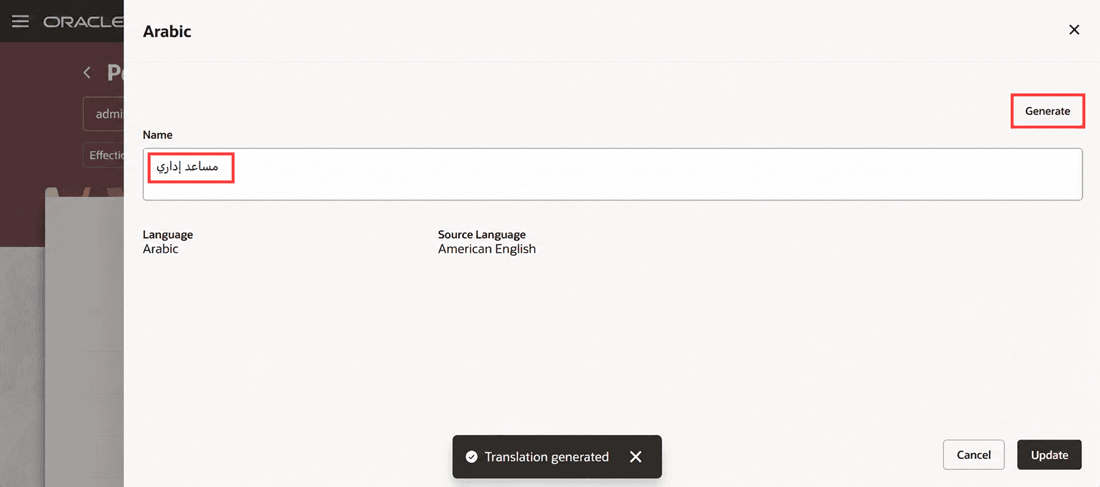
Enter the translated value for the position name
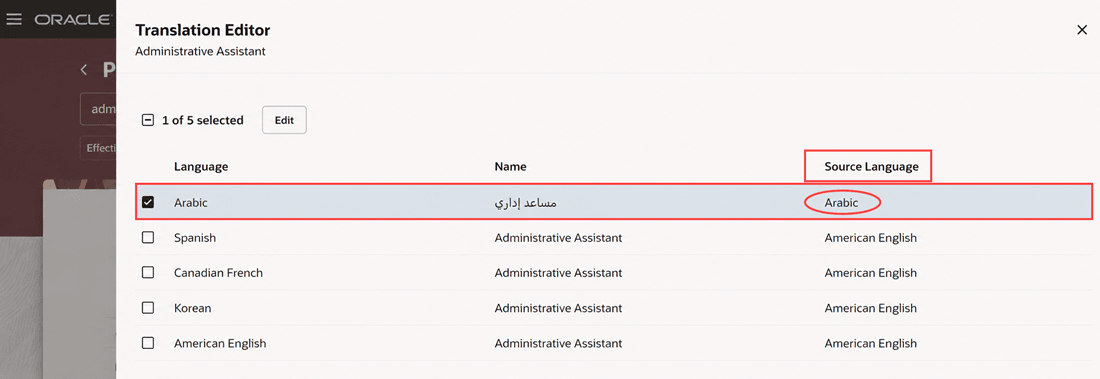
Source language changes to the translated language
Translate Attributes for Departments
Let’s look at an example where the department name and title is translated into the Arabic language.
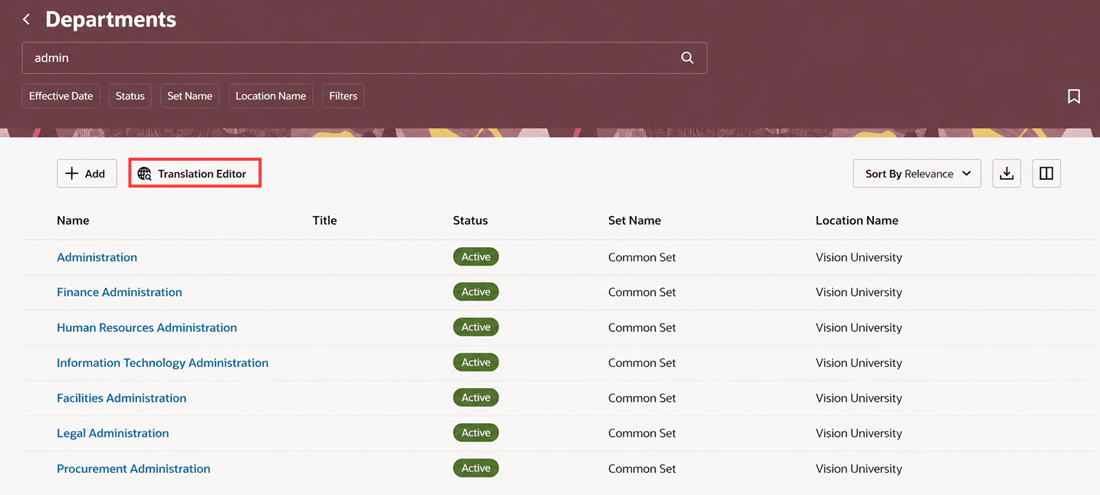
Translation Editor on the Redwood Departments page
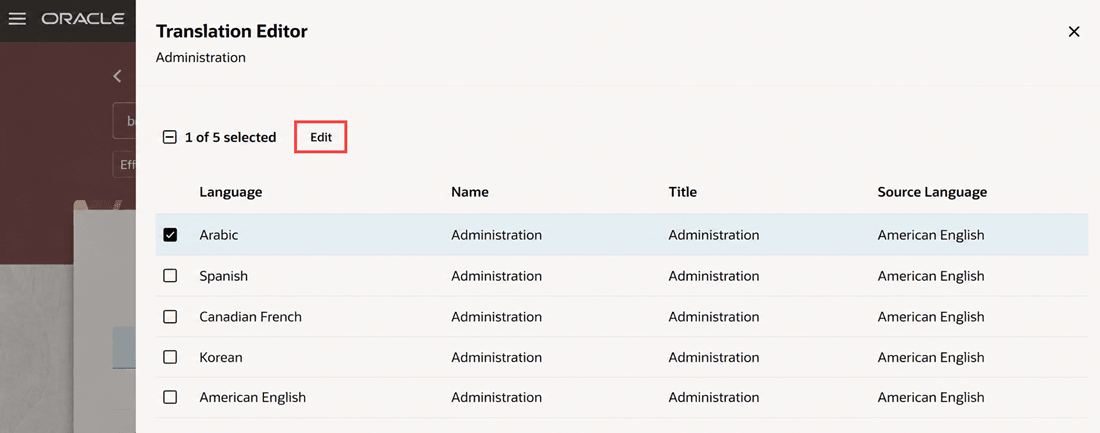
Select required languages
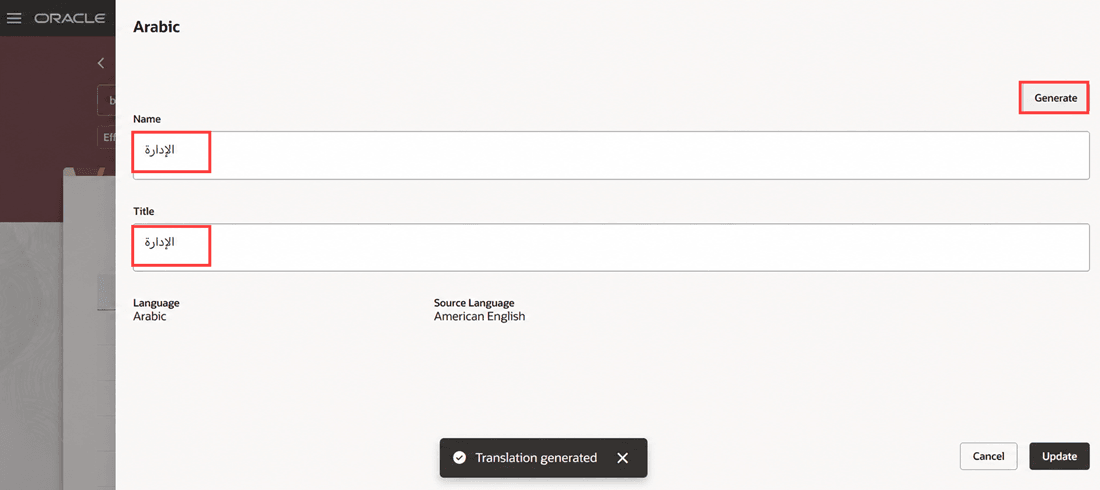
Enter translated values for the department name and title
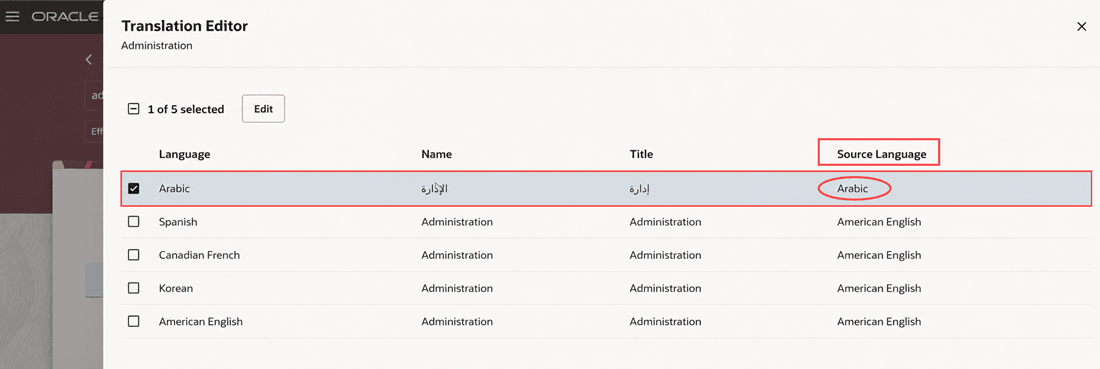
Source language changes to the translated language
Improves translation efficiency by allowing users to manage translations in a single session without switching the session language. With the additional feature of Generative AI, it also helps to reduce the time and effort required to translate the workforce structures attributes into multiple languages while improving translation consistency.
Steps to enable and configure
See Translate Workforce Structures Fields in Multiple Installed Languages in Redwood.
Tips and considerations
- The Translation Editor button remains disabled by default, and it’s enabled only when you select a record.
- Only those text attributes that have a value and are translatable will appear in the translation panel drawer.
- Updates done in the Translation Editor aren’t routed for approvals.
- Translation Editor isn’t available for records that have pending transactions.
- The Generate button is displayed by default.
- The translations that you generate using Generative AI may contain inaccuracies. You need to review them before you update them.
Key resources
For more information, refer to these resources on the Oracle Help Center:
- Jobs and Positions chapter, Implementing Global Human Resources guide.
- Departments, Implementing Global Human Resources guide.
- Locations, Implementing Global Human Resources guide.
- Extending HCM Redwood Applications Using Visual Builder Studio guide
Access requirements
You can see the Translation Editor button on these Redwood workforce structures pages only if you have the corresponding update privileges.
| Redwood search page | Privilege required |
|---|---|
| Positions |
Manage Position (ORA_PER_MANAGE_POSITION_DATA) |
| Departments |
Manage Department (ORA_PER_MANAGE_DEPARTMENT_DATA) |
| Locations |
Manage Location (ORA_PER_MANAGE_LOCATION_DATA) |