View consolidated applications and quick actions in HCM Professional Activity Center
Org-level applications and quick actions are consolidated into one list under the Quick actions section.
Administrators can also select a default set of pinned quick actions decided at an organization level for all users. If users don’t select their own pinned quick actions, these default pins will be available for them.
Navigation to a future hire's person activity center from search results is disabled.
Try it out
- Select View More in the Quick actions section. You’ll see a list of pinned quick actions first, followed by other quick actions and then the list of applications.
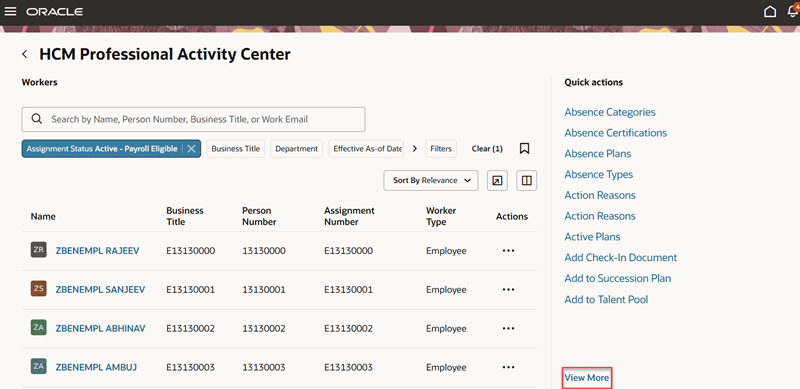
Access applications using the View More link
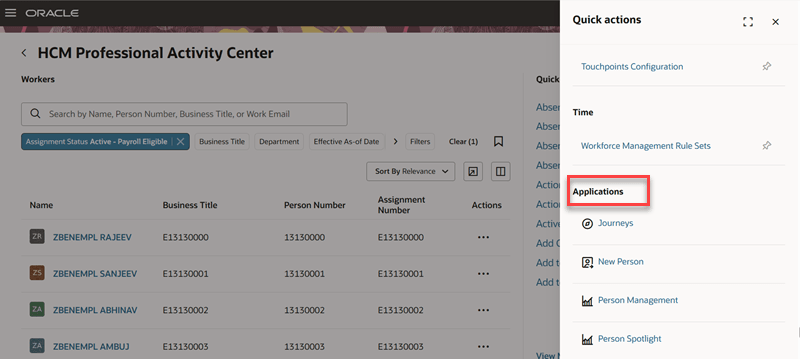
Applications appear after the list of quick actions
- Unpin all quick actions and refresh the page. If your administrator has set a default list of pinned quick actions, you’ll see them. If you’ve already set some pinned quick actions, they remain as is and won’t be replaced by the default pins.
Business benefit: Consolidating applications and quick actions makes frequently used actions easier to find, with less navigation.
Steps to enable and configure
To set the default set of pinned actions for all users, use the Structure tool. For details, see Manage the Display of Quick Actions in Activity Centers.