View consolidated actions and page properties in My Activity Center
HR users can find quick actions and applications in one location in My Activity Center.
Administrators can find and configure page properties more easily in Visual Builder Studio, while users can browse page-level banners with a dotted carousel.
Administrators can also select a default set of pinned quick actions decided at an organization level for all users. If users haven’t selected their own pinned quick actions, these default pins will be available for them.
Try it out:
- In My Activity Center, select View More in the Quick actions section. Find pinned quick actions first, followed by other quick actions and then the list of applications. This feature isn’t applicable to Person Activity Center because applications appear only when the Activity Center runs in the signed-in user's context.
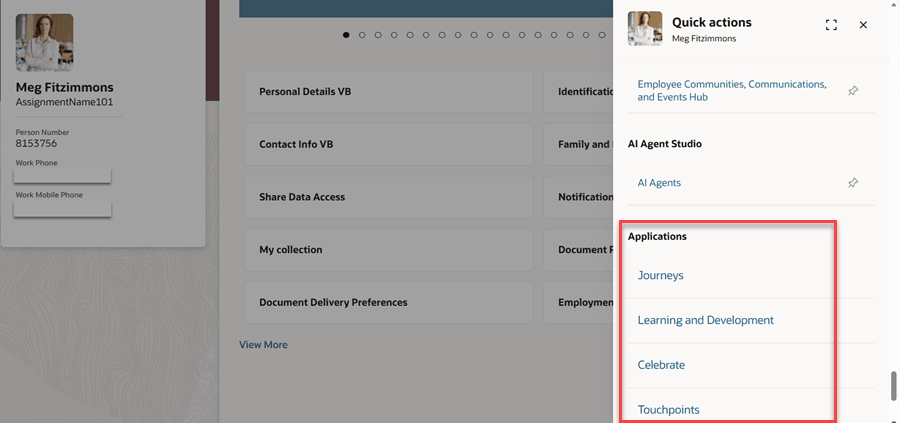
Applications included as part of the Quick actions list
- Browse page-level banners using a dotted carousel instead of the Previous and Next arrows in both My and Person Activity Center.
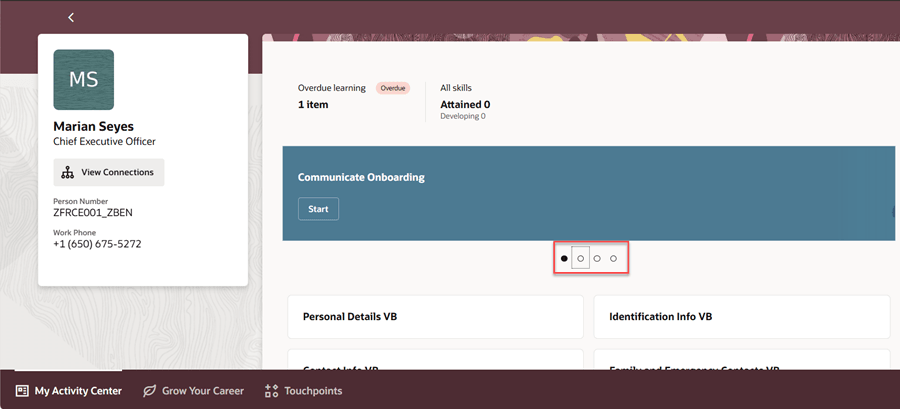
Browse through banners using a dotted indicator
- Open Oracle Visual Builder Studio and select Configure Page Properties.
- Note that the page properties are now grouped into section heads such as Common Properties, Analytic Cards, Communication, Quick Actions, and Events, in both My and Person Activity Center. Create conditional rules as required for page properties as needed.
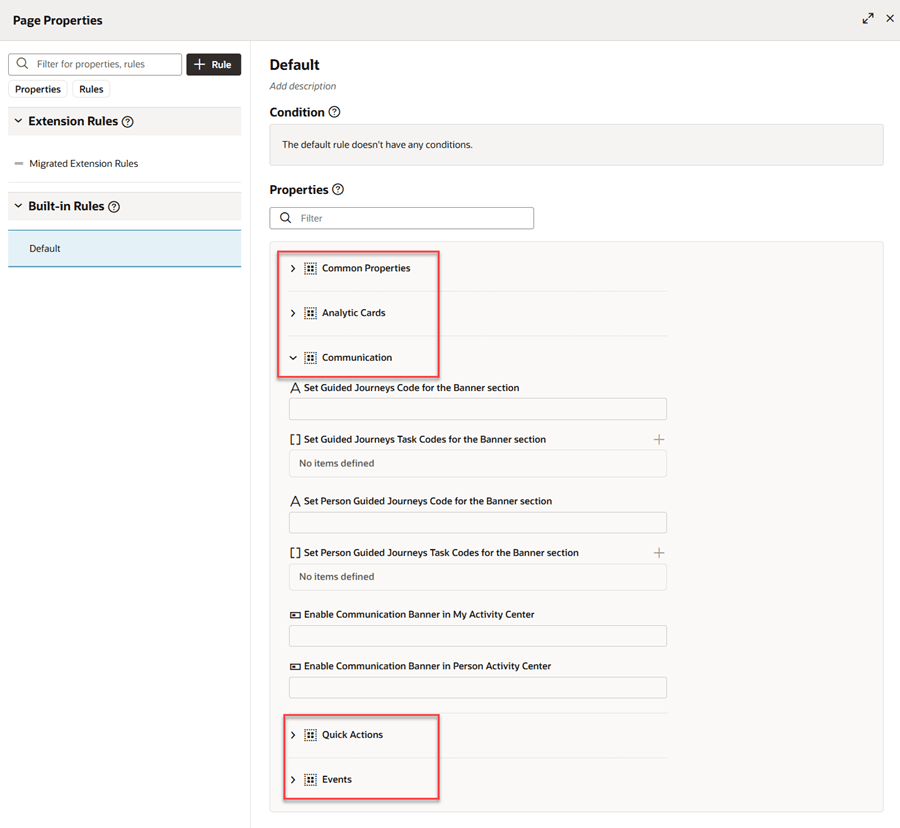
Page properties grouped into sections
- Unpin all quick actions in My Activity Center or Person Activity Center and refresh the page. If your administrator has set a default list of pinned quick actions, you’ll see them. If you’ve already set some pinned quick actions, they remain as is and won’t be replaced by the default pins.
Business benefit: Consolidated quick actions and applications make it easier for users to find what they need with less navigation. Organized page properties simplify page configuration and extensibility, while the new banner navigation provides a more intuitive user experience.
Steps to enable and configure
To set the default set of pinned actions for all users, use the Structure tool. For details, see Manage the Display of Quick Actions in Activity Centers.
The remaining features are delivered by default.