Enhanced Action List in Redwood Change Assignment
In Redwood Change Assignment, the Actions list now removes three previous action availability restrictions. This change does not add new action types. It makes existing applicable actions available in the Actions list when their configured action types apply.
- Suspend Assignment: Actions associated with the Suspend Assignment action type are available even when the assignment is already suspended.
- End Probation: The End Probation action is available even when there is no prior Start Probation record.
- Start Probation: The Start Probation action is available even when a prior Start Probation action has not been ended.
Example Uses
- For a suspended assignment, select an applicable action associated with the Suspend Assignment action type.
- For a probation-related assignment change, select Start Probation or End Probation when the action is applicable to the transaction.
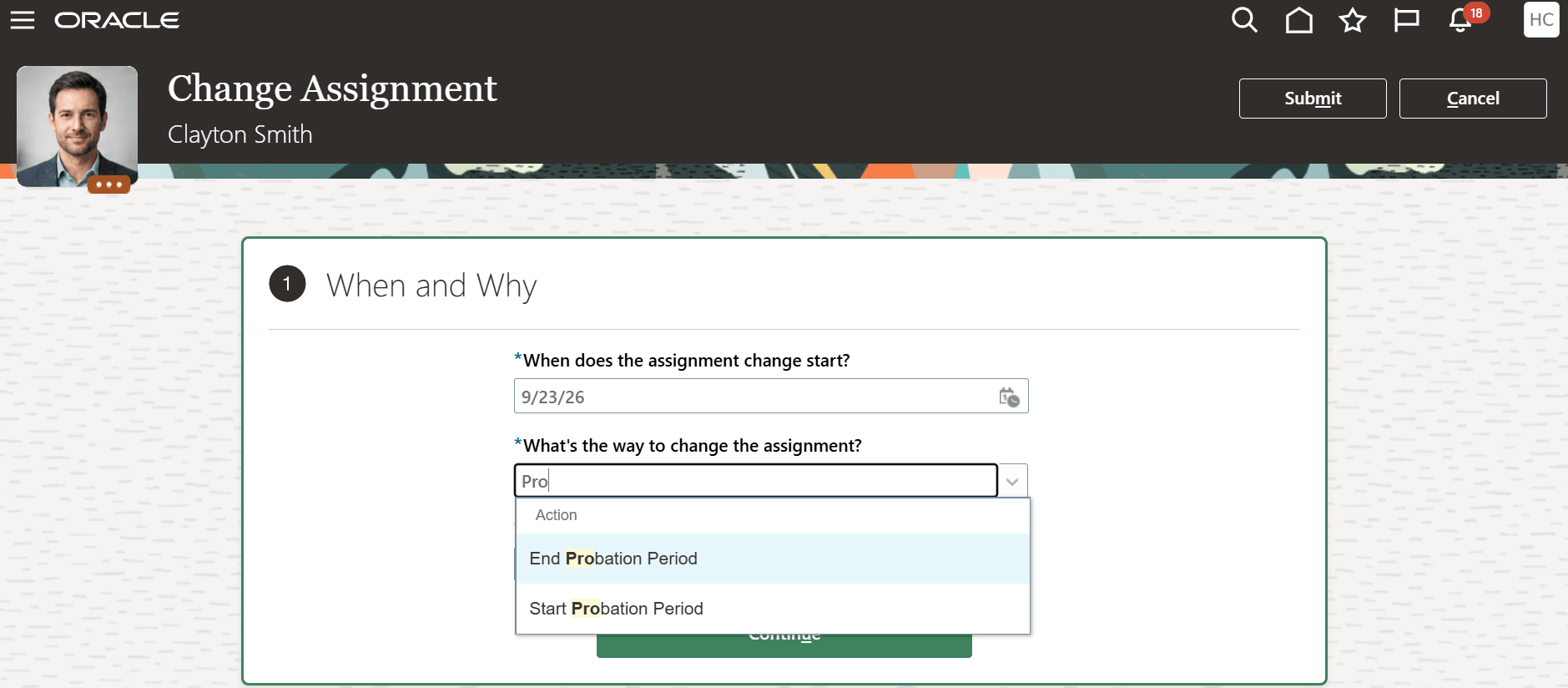
Probation assignment actions in the Change Assignment process
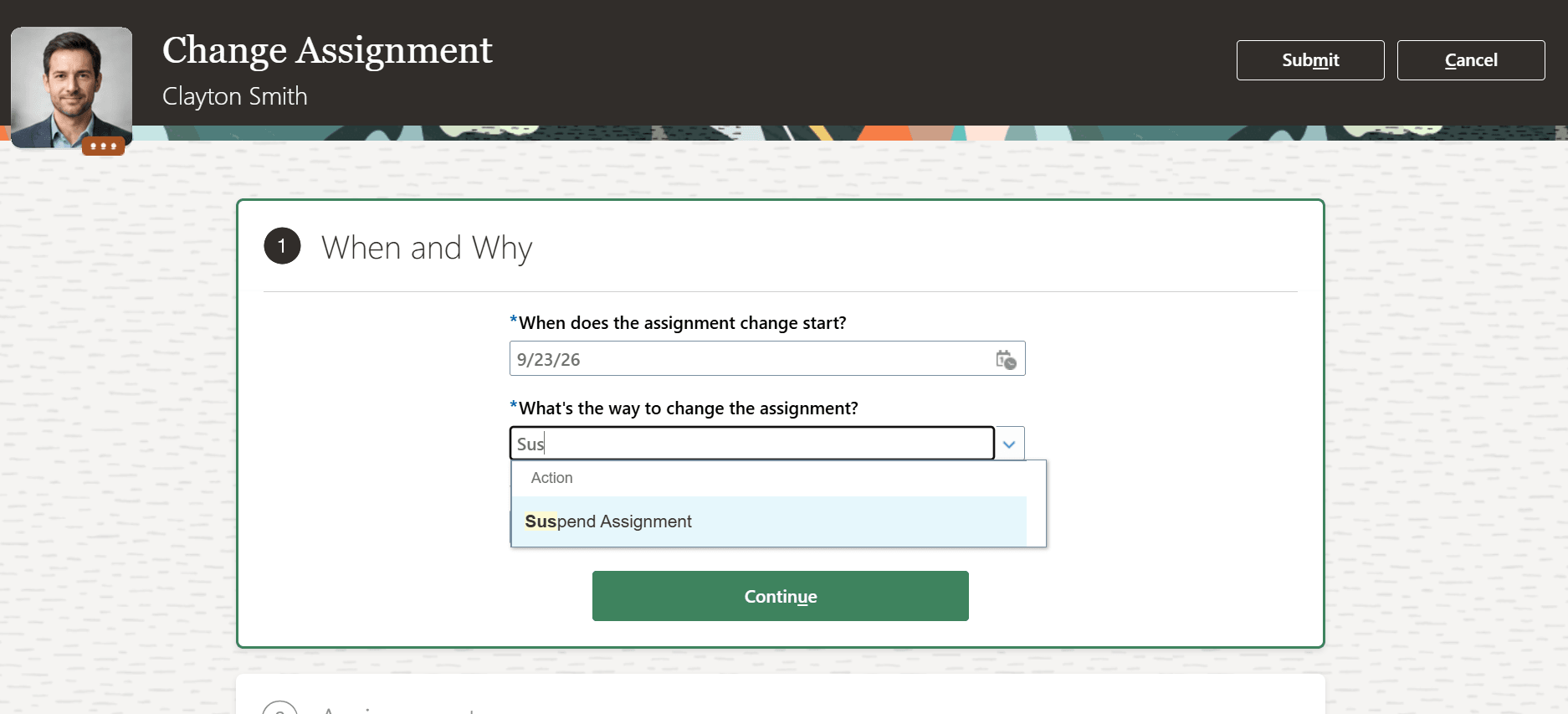
Suspend assignment action in the Change Assignment process
You can use applicable configured actions in Redwood Change Assignment without changing the assignment status or prior probation action history solely to make those actions visible. This provides a more consistent action-selection experience.
Steps to enable and configure
You don't need to do anything to enable this feature.
Tips and considerations
- This change affects action availability in the Actions list. Actions continue to depend on their existing configuration and transaction applicability.
- The change applies to the Suspend Assignment, Start Probation, and End Probation action types in Redwood Change Assignment.