Reorder Fields in Redwood Employment Processes Using Business Rules
You can now use Business Rules to arrange fields in supported Redwood Employment processes, helping present employment information in an order that reflects organizational needs and improves readability. You can place the most relevant information where users need it, helping create a more streamlined experience when performing employment related transactions. This gives you greater flexibility to arrange the information shown on the page based on your business requirements.
Use Reorder fields on Redwood Employment processes to:
- Reorder standard fields in the Assignment section or equivalent Assignment sections in supported Employment processes.
- Reposition flexfields with delivered reordering support.
- Drag fields into the preferred sequence.
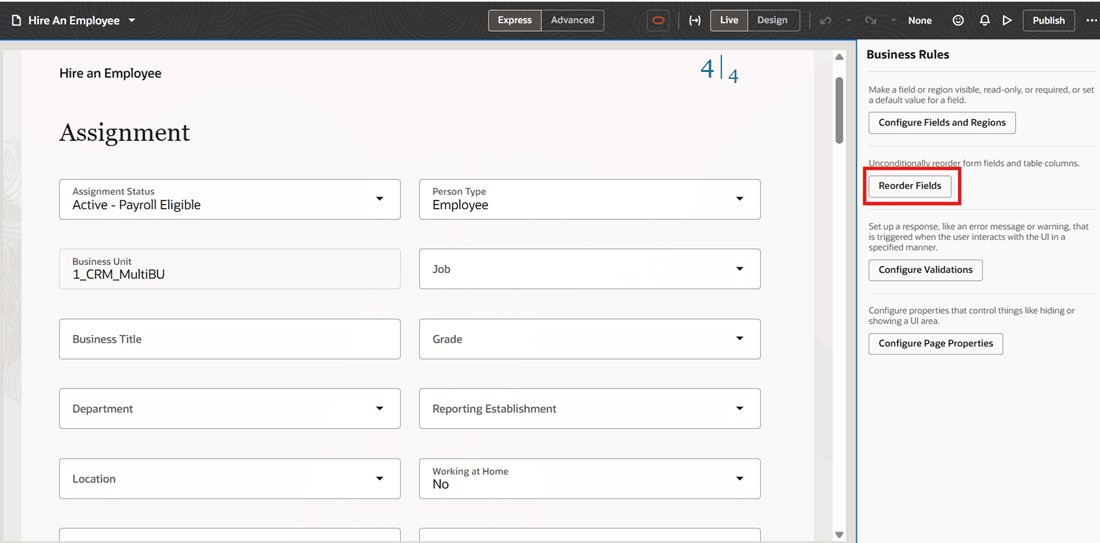
Business Rule to Reorder Fields
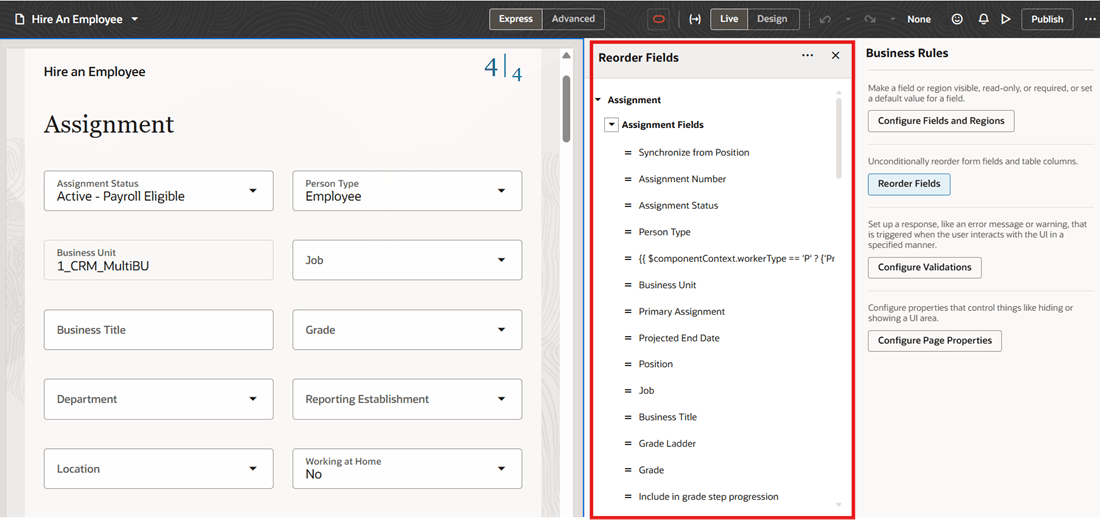
List of Fields Available to Reorder
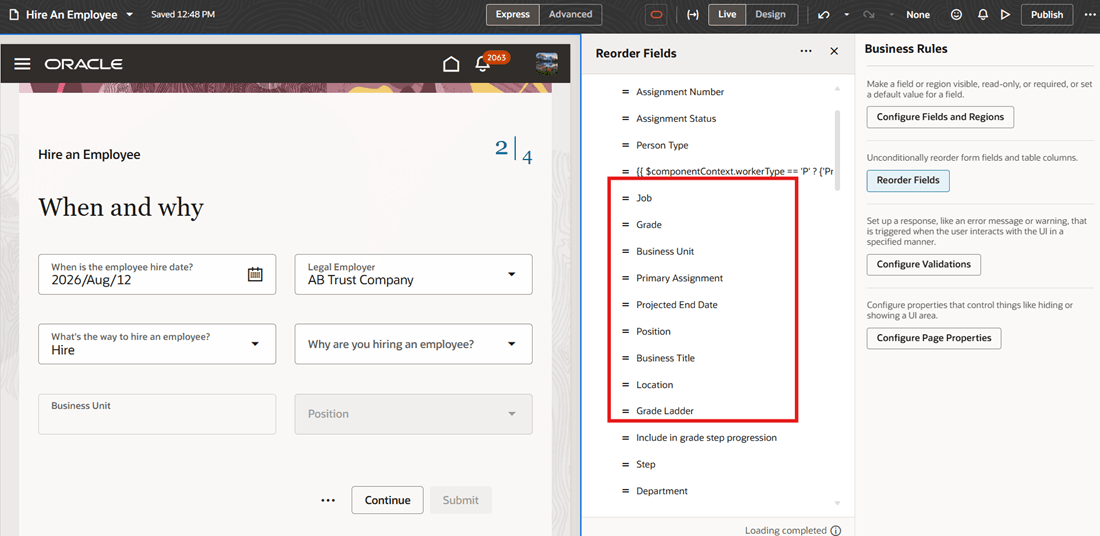
Few Fields Reordered
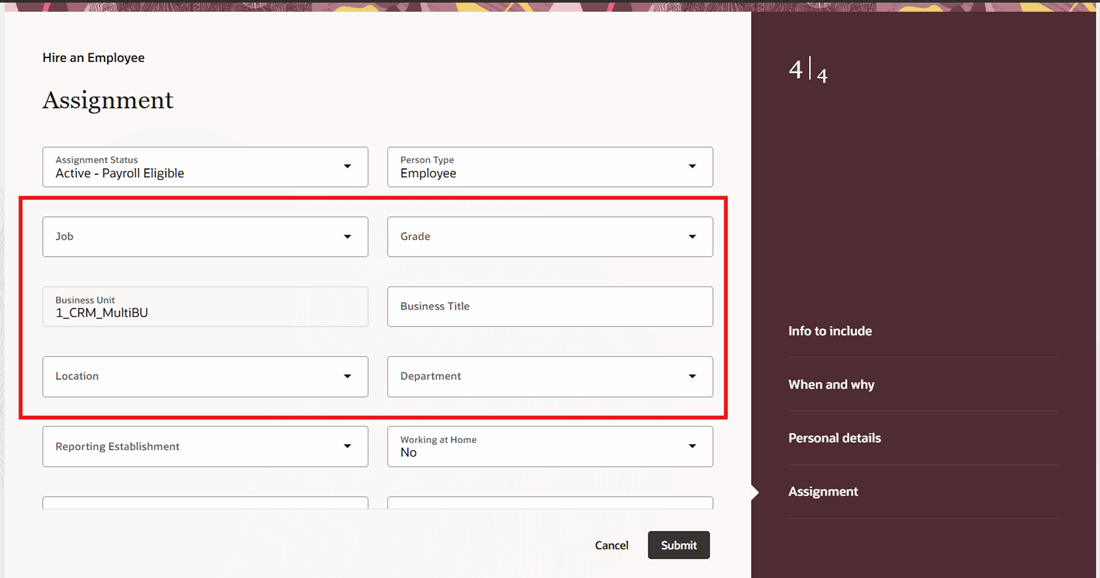
Fields Displayed on UI in New Order
Improve the usability of employment pages by arranging fields in an order that aligns with your organization's business processes.
Steps to enable and configure
For more information, see this topic: Reorder Fields in Regions
Tips and considerations
-
You can't apply conditional reordering.
-
If a field is configured as Hidden in Business Rules, it will still appear on the Reorder page; however, it will remain hidden on the UI even if its position is changed.
-
Additionally, some fields may appear as duplicates or as extra fields with technical labels on the Reorder page, even though they aren't displayed in the UI.
-
If you're on release 26C, the feature will be available in the September 18 Cumulative Weekly Bundle (CWB).
Key resources
For more information, refer to this topic on the Oracle Help Center
- Employment Processes in the Using Global Human Resources guide.