Improved Approval Routing for Document Records Based on Assignment Context
Document Records approval routing now identifies approvers based on a worker’s selected assignment for person level document records. Previously, when a worker had multiple assignments, approval routing would derive the approver from the primary assignment, causing approval notifications to be sent to the approver of the primary assignment.
With this enhancement, Document Records transactions evaluate the worker’s assignment context and route approvals to the appropriate individuals associated with the selected assignment. This applies to workers accessed through My Team > Document Records and My Client Groups > Document Records. It ensures that approval notifications are sent to the relevant approvers and aligns approval routing with the worker’s selected employment relationship.
The approval notification has also been enhanced to show assignment-related details for the submitted Document Record. When the approver opens the notification, the details section includes the selected assignment context, helping the approver verify that the approval request is for the correct assignment of the worker.
Consider this example:
A worker has two assignments. Each assignment is associated with a different manager and a different Area of Responsibility, and therefore a different approver.
Multiple Assignments for Worker
| Person | Assignment | Line Manager | Area of Responsibility |
|---|---|---|---|
| Pramesh Soman | 10020.Software Development Manager | Vivian Hamm | Alex Green |
| Pramesh Soman | Job 10030.Software Development Snr Manager | Meg Fitzimmons | Adam Gill |
Refer this approval rule configuration:
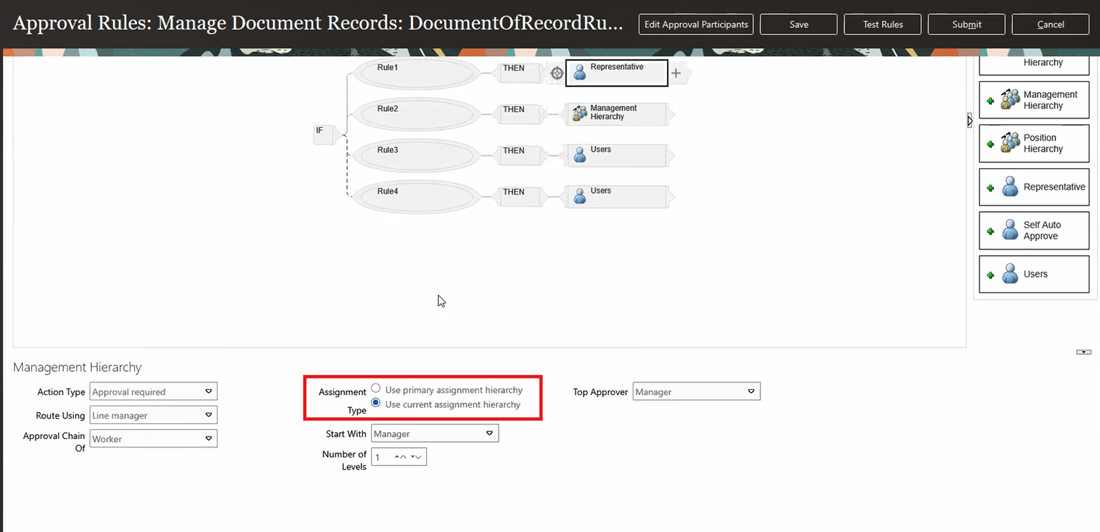
Approval Rule Configuration
With this enhancement, based on the approval rule configuration, when the user creates a person level document record for Pramesh Soman, the selected assignment is now considered during approval routing.
- If the user selects 10020.Software Development Manager assignment, the approval is routed to Vivian and Alex.
- If the user selects Job 10030.Software Development Snr Manager assignment, the approval is routed to Meg and Adam.
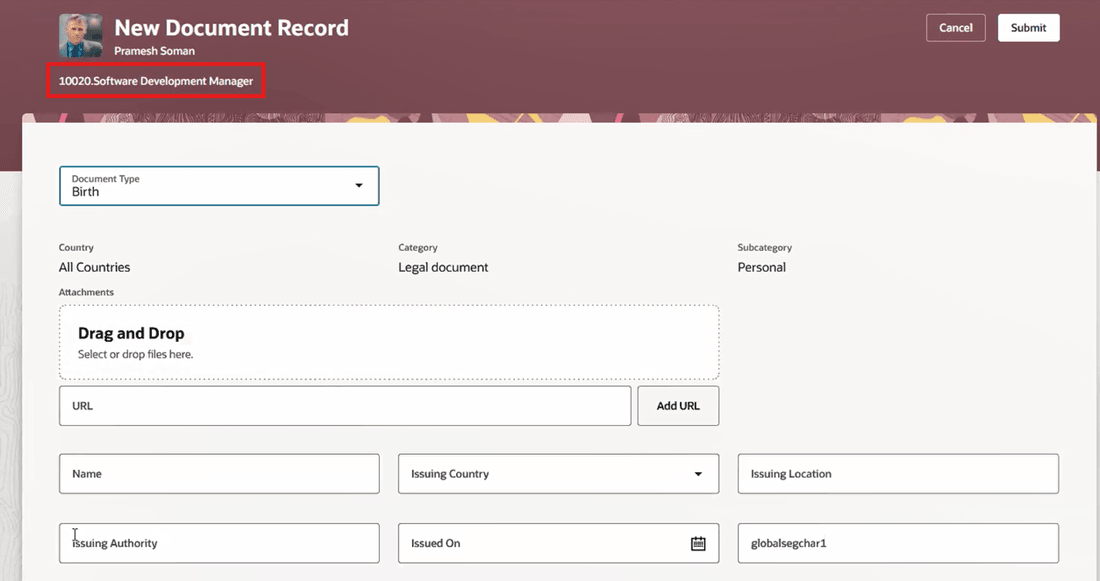
Creating Document Record for Employee with Multiple Assignments
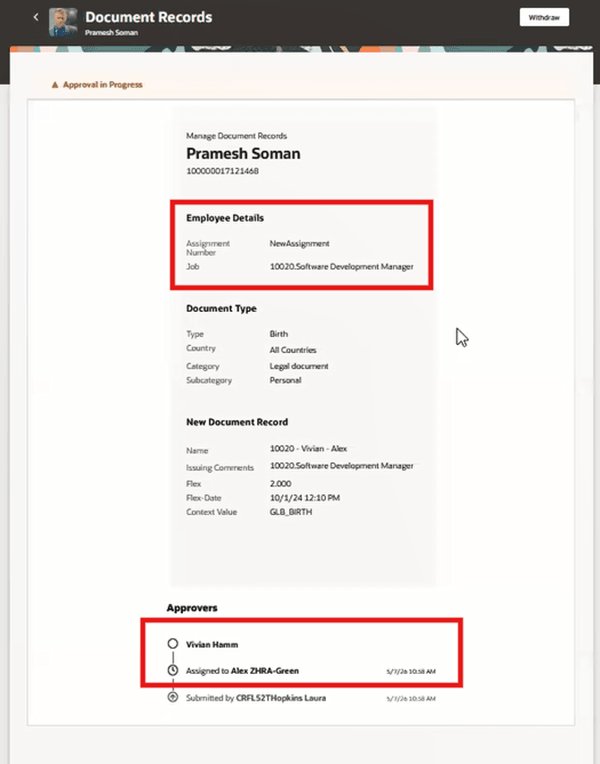
Enhanced Notification Displaying Selected Assignment and Associated Approvers
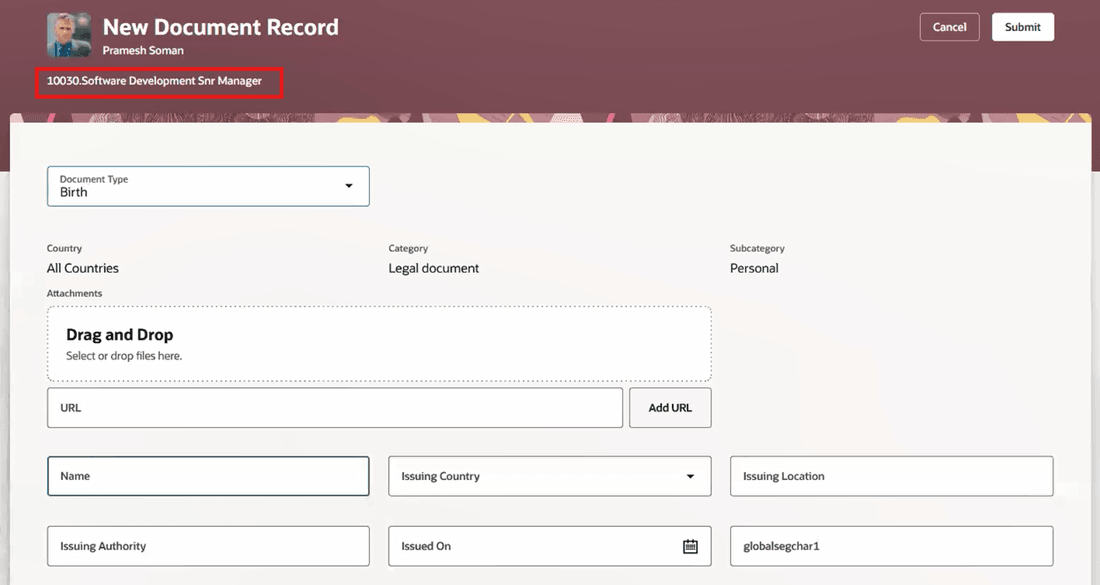
Creating Document Record for Same Employee for Another Assignment
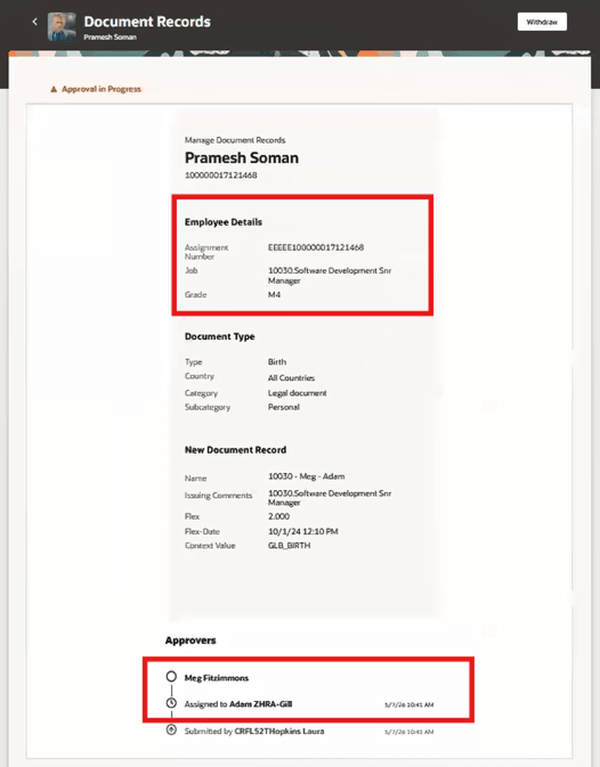
Enhanced Notification Displaying Selected Assignment and Associated Approvers
This ensures that Document Records approvals are routed based on the assignment selected in the transaction, rather than being derived only from the person-level context or from another assignment for the same worker.
Improves the accuracy and reliability of Document Records approval routing. This ensures approvals are directed to the appropriate approvers based on the worker’s selected assignment when the worker has multiple assignments.
Steps to enable and configure
You don't need to do anything to enable this feature.
Key resources
For more information about document records, refer to the Using Global Human Resources guide.