Generate Document Records from Uploaded Attachments with AI Assistance
You can now use the Document Records Management Assistant to create document records from attachments you upload in the agent chat interface. The assistant reviews the uploaded files, extracts relevant document information, identifies the appropriate document types and document attributes, and presents the extracted details for user validation before creating the document records.
After the user confirms the extracted information, the assistant creates the applicable document records and submits them for approval, if enabled. This supports more efficient document record creation when users need to process one or more files as part of a document records transaction.
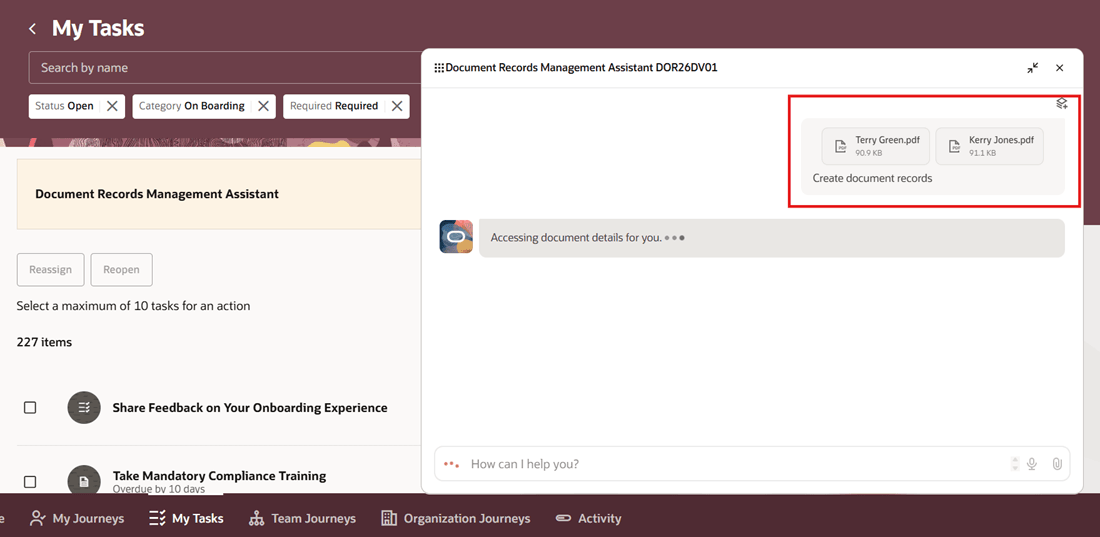
Upload Multiple Attachments in AI Agent Chat Interface
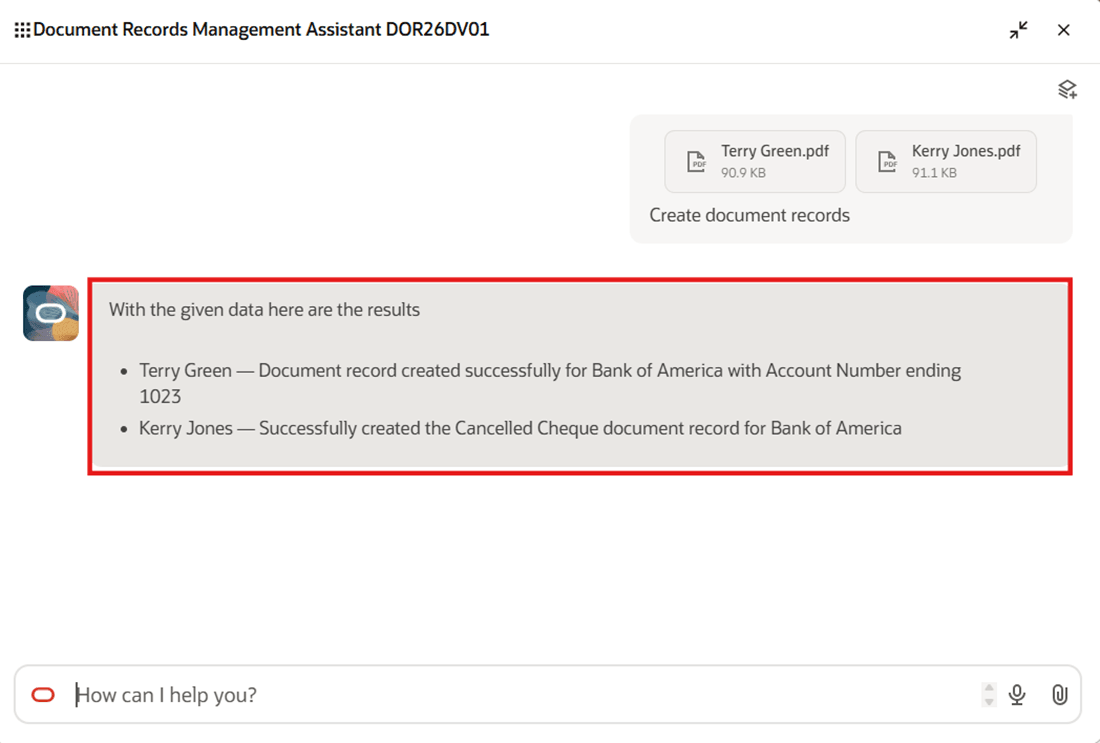
Confirmation Message Displayed by Agent on Document Records Creation
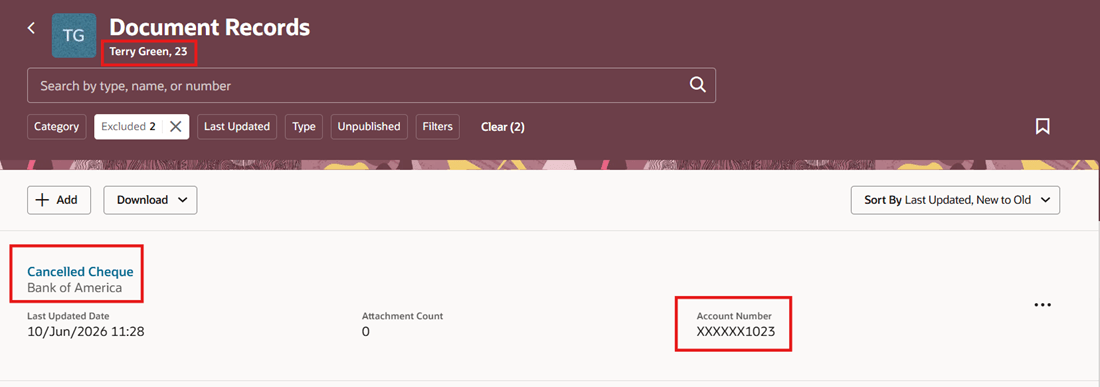
Document Record Created by AI Agent Visible on Redwood Page
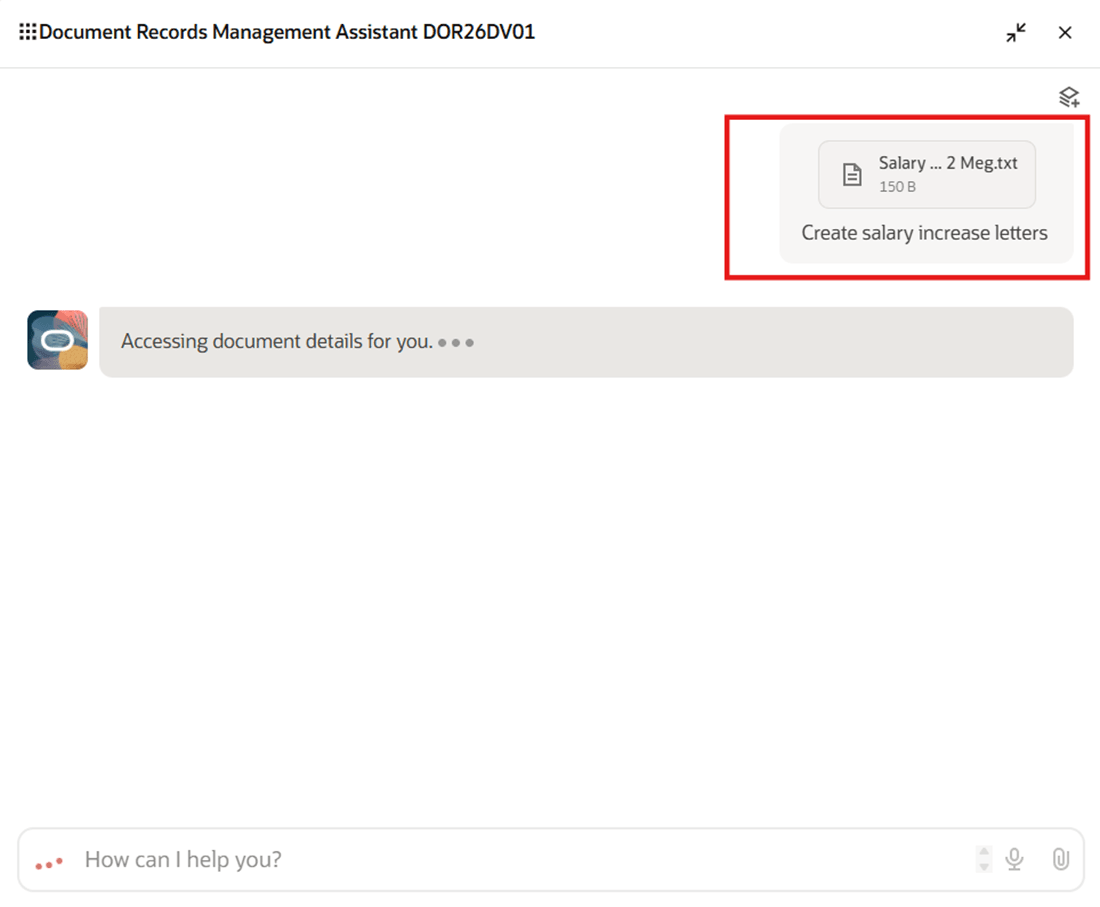
Upload Single File with Multiple Rows in AI Agent Chat Interface
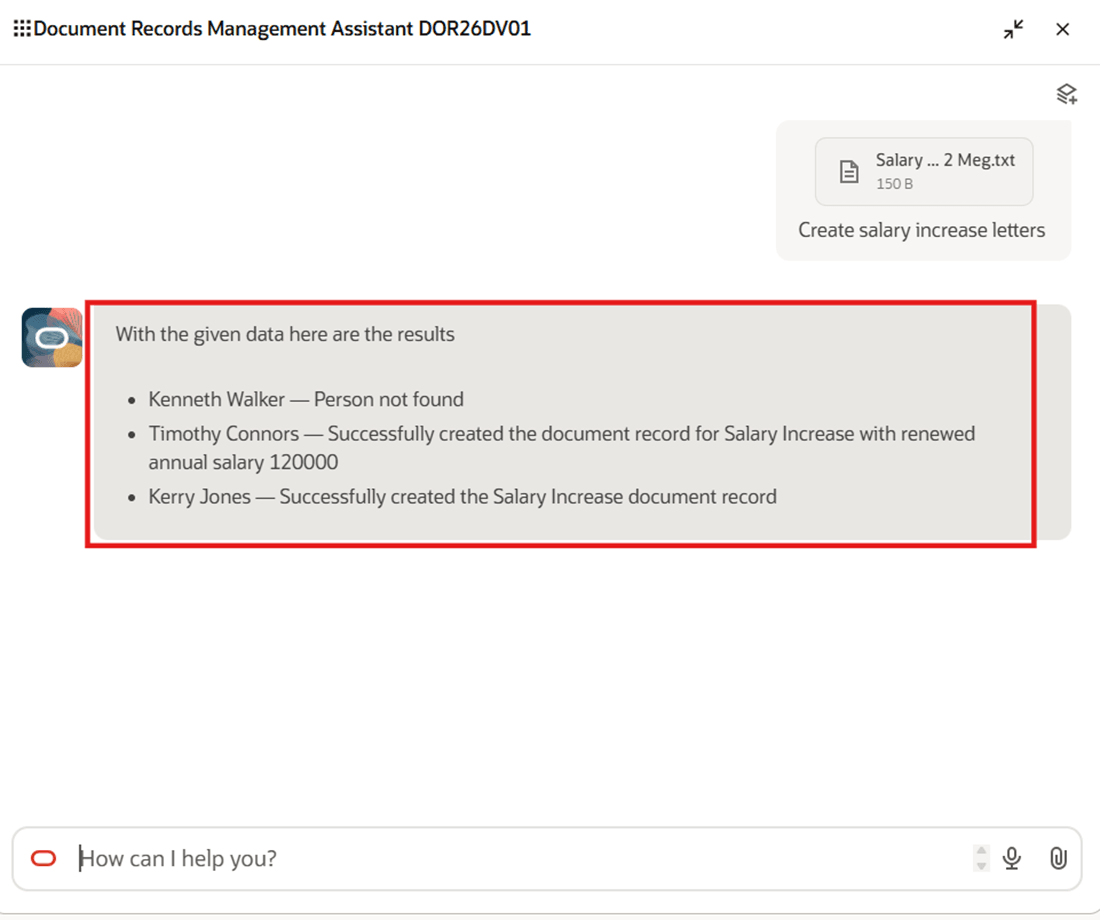
Confirmation Message Displayed by Agent on Document Records Creation
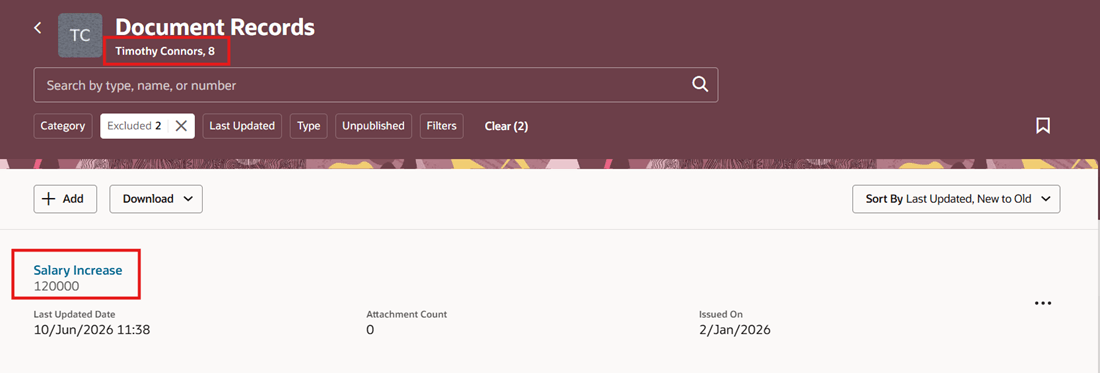
Created Document Record Visible on Redwood Page
This enhancement reduces the manual effort required to create document records from uploaded attachments. It helps users quickly convert uploaded files into document records by using the assistant to identify the correct document type and attributes, while still keeping the user in control through validation before record creation.
Steps to enable and configure
-
Your environment must have certain necessary configurations. Ask your help desk to contact Oracle Support, who can verify what your environment has and address any gaps. For more information, see FAQ2521 on My Oracle Cloud Support.
-
Set the Enable Security Console External Application Integration (ORA_ASE_SAS_INTEGRATION_ENABLED) profile option to Yes and enable permission groups for the appropriate roles. See Access Requirements for AI Agent Studio.
-
The Document Records Administration Assistant is a preconfigured template. You need to create your own agent using the preconfigured template.
-
To learn how to set up AI agents, see Create AI Agents Using Preconfigured Templates.
-
Tips and considerations
-
You can upload a maximum of 10 attachments or records in one session. If you upload more than 10, an error message is displayed.
-
If the person or document type doesn't exist, the AI agent will display an appropriate response.
-
You can’t extract data from an attachment to prefill document record attributes while editing an existing document record.
-
You can’t extract data from an attachment to prefill document record descriptive flexfields or legislative flexfields.
-
If you customize the Create Document Record page to make a field read-only, the customization doesn’t prevent the extracted value from being prefilled. The value selected for the document record field during extraction is mapped and displayed on the Create Document Record page, even if the field is read-only.
-
If a business rule is configured to automatically default a value for an attribute, the agent’s extracted value takes precedence and replaces the defaulted value when the agent runs.
-
Password-protected documents can’t be used to prefill document record attributes.
-
The supported file formats are PNG, JPEG, DOCX, PDF and TXT.
Key resources
For more information about document records, refer to the Using Global Human Resources guide on Oracle Help Center.
For more information on Agents, see these topics:
Access requirements
The agents you can view depend on the roles and privileges assigned to you. To access this agent, your role must be explicitly granted access to it by an AI Studio Administrator. See How can I give users access to AI agents? and Access Requirements for AI Agent Studio.
This table shows the roles for extracting and generating document records. To use this feature, you need these roles available under Roles and Permission Group.
| Aggregate Privilege | Assigned to Role |
|---|---|
|
Manage Person Documentation by Worker ORA_PER_WORKER_DOCUMENT_MANAGEMENT_DUTY |
Employee |
|
Manage Person Documentation by Manager ORA_PER_MANAGE_PERSON_DOCUMENTATION_BY_MANAGER |
Line Manager |
| Manage Person Documentation ORA_PER_DOCUMENT_MANAGEMENT_DUTY | Human Resource Specialist |