Learning Audience Management with AI Assistance
Create worker-based learning audiences from the new, dedicated Learning Audience Criteria page by defining audience criteria yourself or describing the audience you want in natural language to an AI assistant. When using the assistant, you can request sample criteria, review available attributes, preview matching workers, and review exact or similar existing audiences to help you reuse existing audiences and avoid creating redundant audience definitions.
You can provide the audience name and details or have the assistant derive them from the criteria within supported limits. When you're satisfied with the audience criteria, you can approve it.
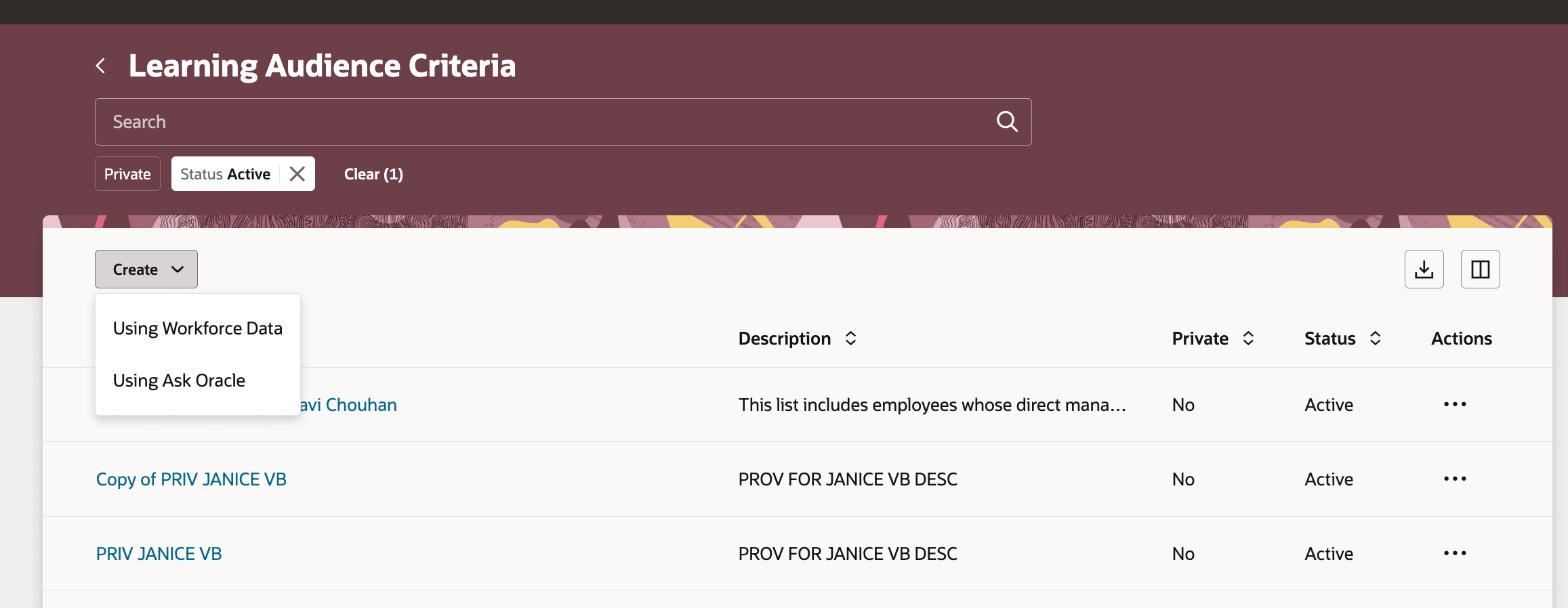
Learning Audience Criteria Page Showing the Create Options
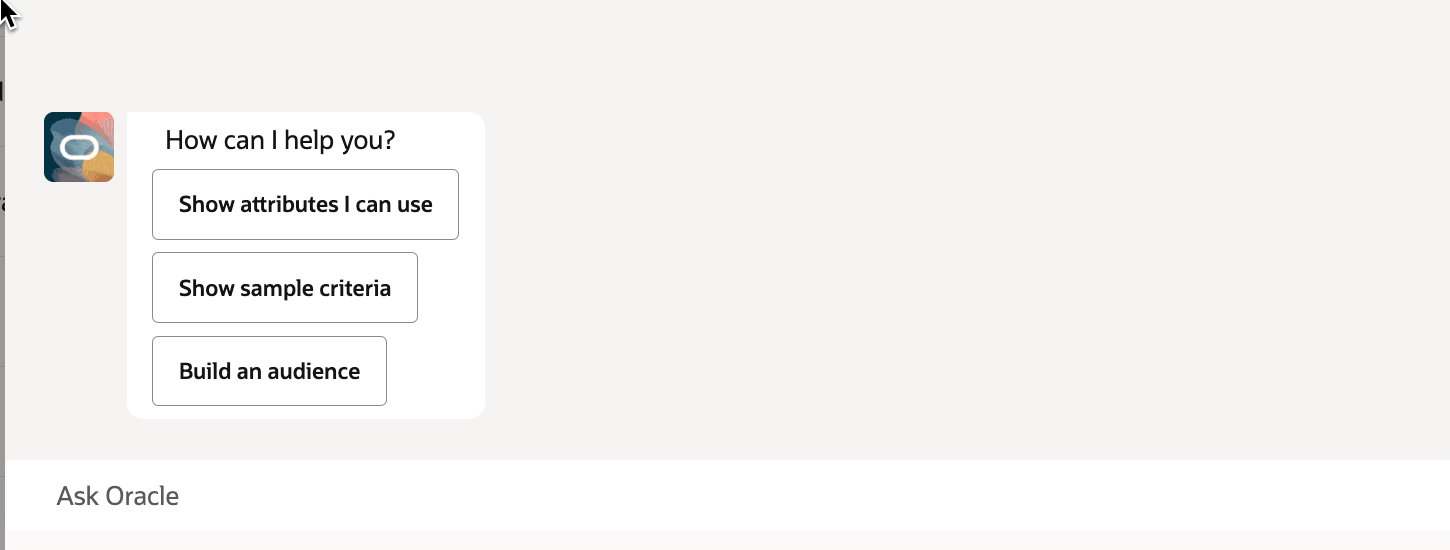
Creating Learning Audience Criteria with Ask Oracle
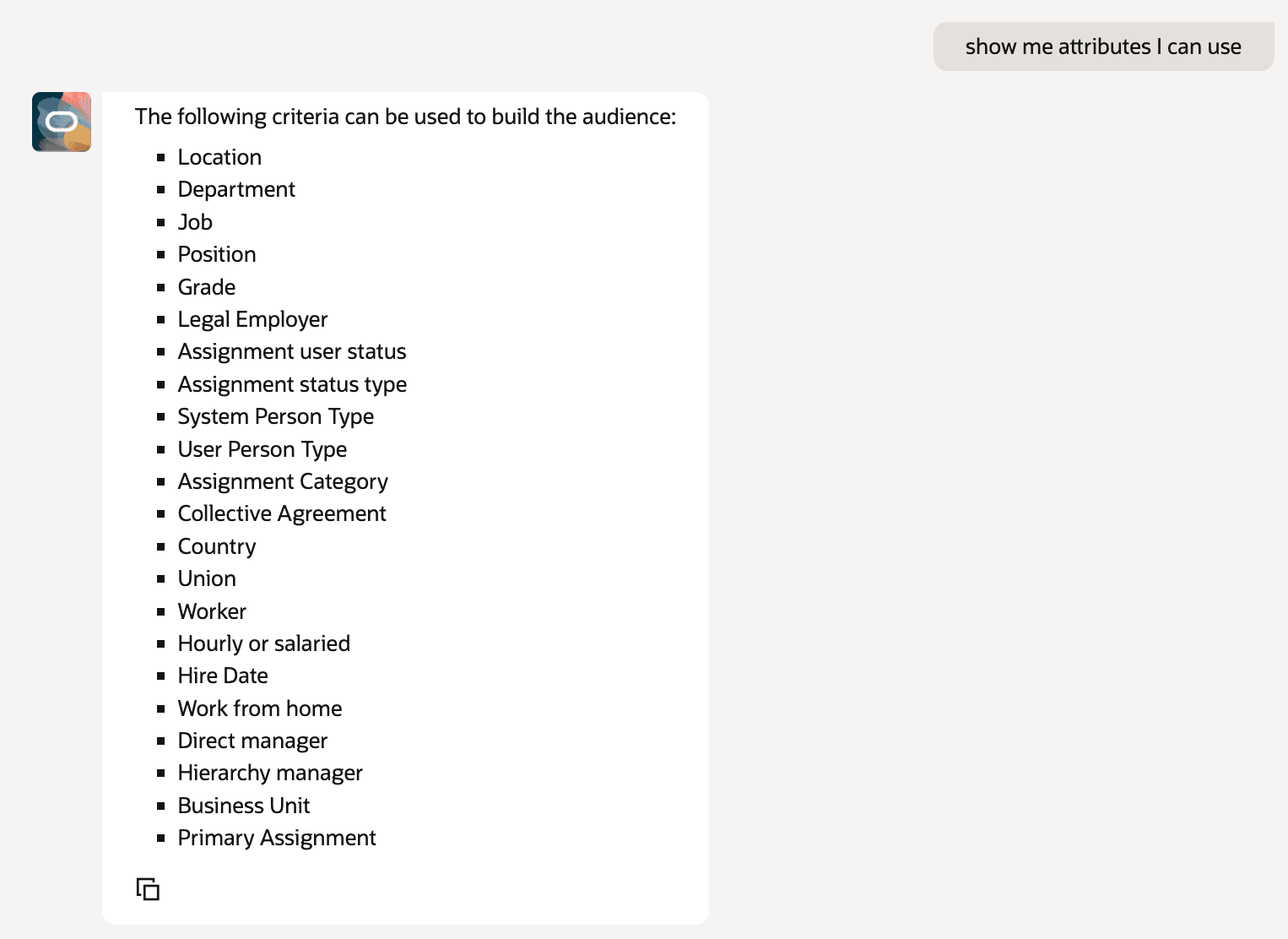
Worker Attributes Available to Use in Learning Audience Criteria
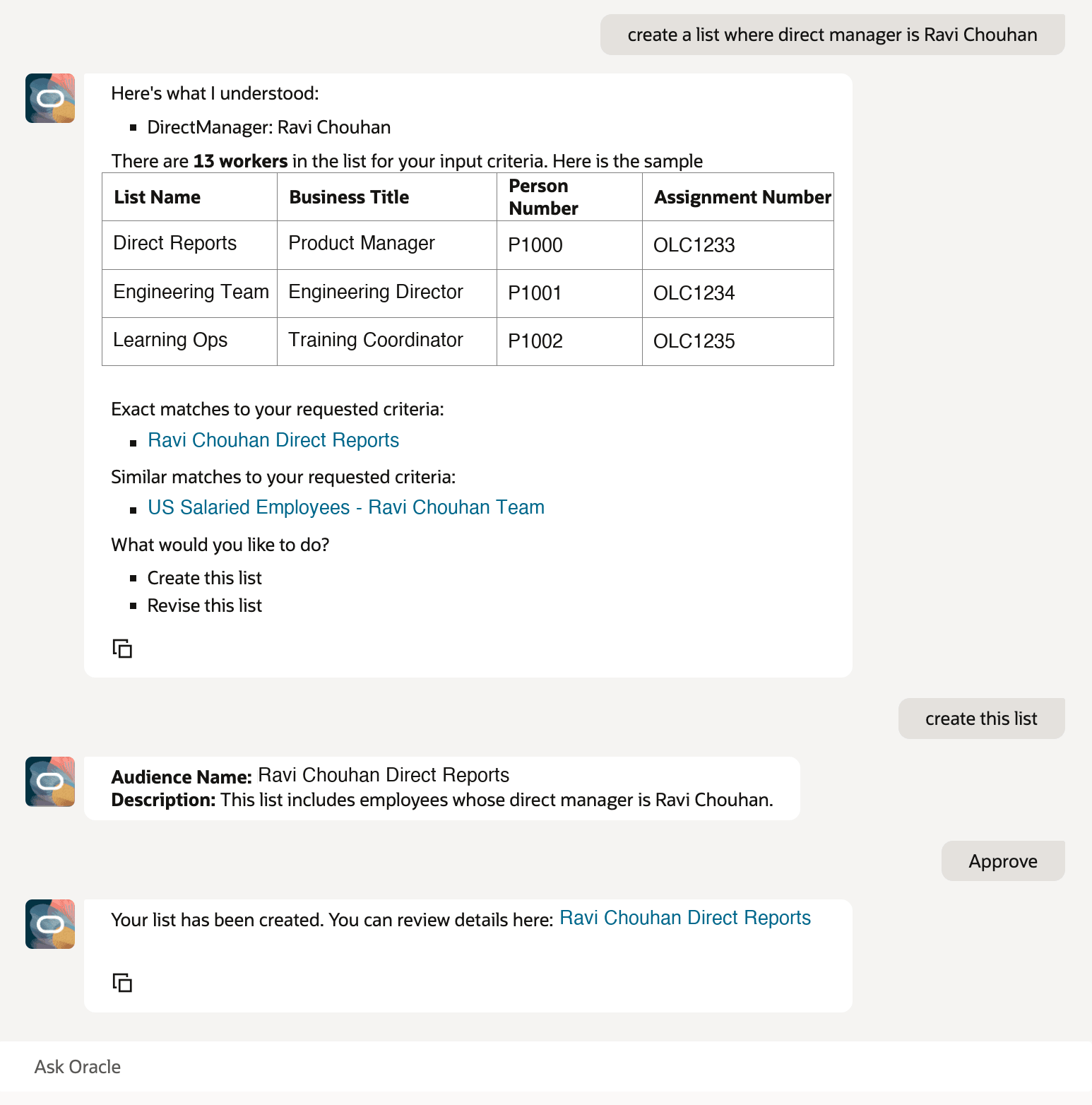
Example of an AI-Assisted Audience List Creation
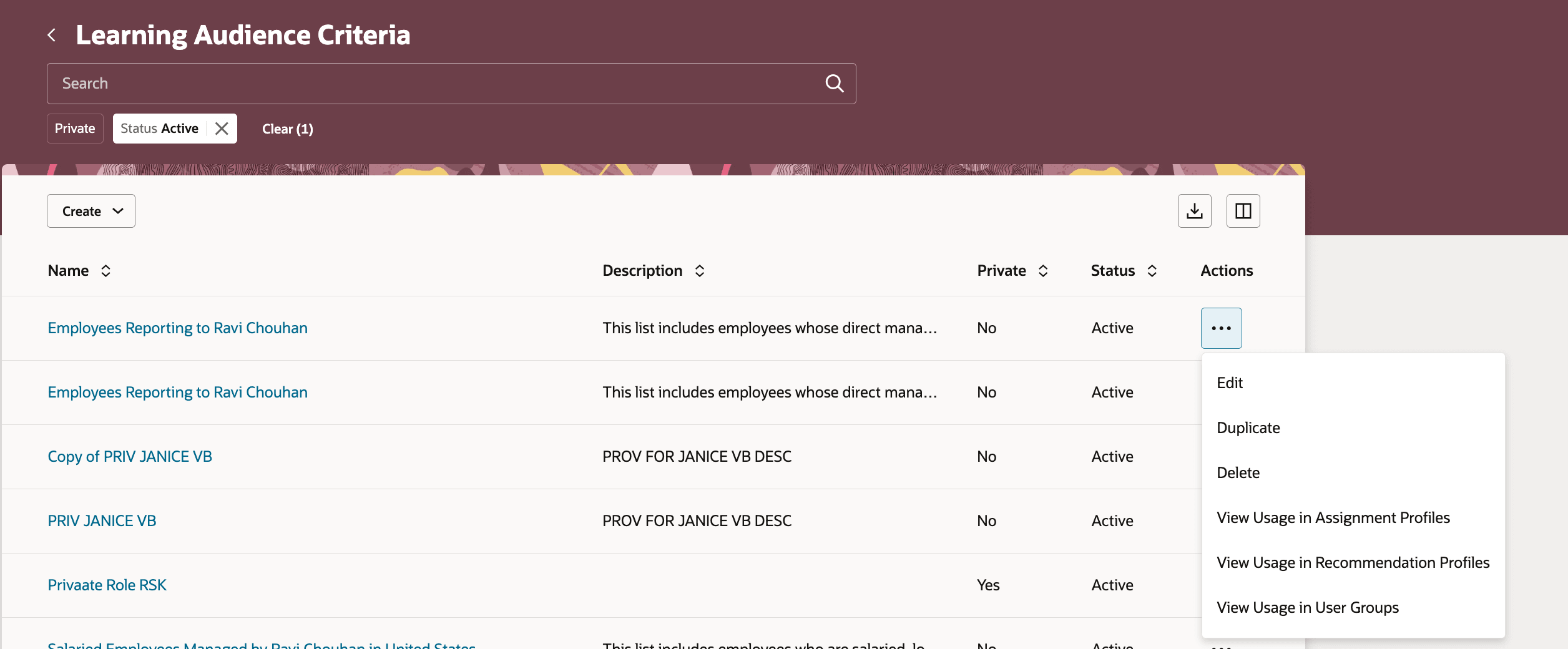
Learning Audience Criteria Page Showing the More Actions Options, Including Viewing Usages
Business benefit: Create and manage learning audiences more efficiently while improving confidence in audience definitions and reducing duplicate audiences.
Steps to enable and configure
Update the setLearningAudienceWorkFlowAgent page property value with the agent code that identifies the Learning Audience Assistant agent to use to create learning audience lists.
Tips and considerations
- The assistant works only with worker-based audience criteria.
- Audiences based on AI-generated criteria aren't created automatically. Learning specialists need to approve the generated criteria first.
- Exact and similar matches contain only active learning audiences that the learning specialist has permission to access. Similar matches show only the top 10 results.
Key resources
Learning Assignment Administration
Access requirements
This duty role gives learning specialists complete permissions for accessing and managing learning audience criteria.
| Duty role name | Code | Description |
|---|---|---|
| Learning Audience Management | ORA_WLF_LEARNING_AUDIENCE_MANAGEMENT_DUTY | Allows the user to manage learning audiences and their criteria |
Learning specialists who manage assignment profiles, recommendation profiles, and user groups need these roles.
| Role name | Code | Description |
|---|---|---|
| View Learning Assignment Profiles | ORA_WLF_VIEW_LEARNING_ASSIGNMENT_PROFILES | Allows the user to view learning assignment profiles. |
| Manage Recommendation Profiles by Administrator | ORA_WLF_MANAGE_RECOMMENDATION_PROFILES_BY_ADMIN | Allows the user to create and manage recommendation profiles as an administrator |
| Manage All Learning User Groups | ORA_WLF_MANAGE_ALL_LEARNING_ORGANIZATIONS | Allows the user to view and manage all learning user groups. |
| Manage Learning User Groups | ORA_WLF_MANAGE_LEARNING_ORGANIZATIONS | Allows the user to view open learning user groups, or view and manage private ones they are named managers of. |
You can also use these delivered privileges for more focused permissions:
| Privilege name | Code | Description |
|---|---|---|
| View Learning Audiences | WLF_VIEW_LEARNING_AUDIENCES_PRIV | Allows access to view learning audiences |
| Manage Learning Audiences | WLF_MANAGE_LEARNING_AUDIENCES_PRIV | Allows access to manage learning audiences the user created |