Create Task-Based Self-Paced Learning Using Rich Text Instructions
Use task-based self-paced learning for activities that require learners to complete a task rather than consume learning content. Learners review the instructions on the enrollment details page and complete the activity according to the configured completion rule.
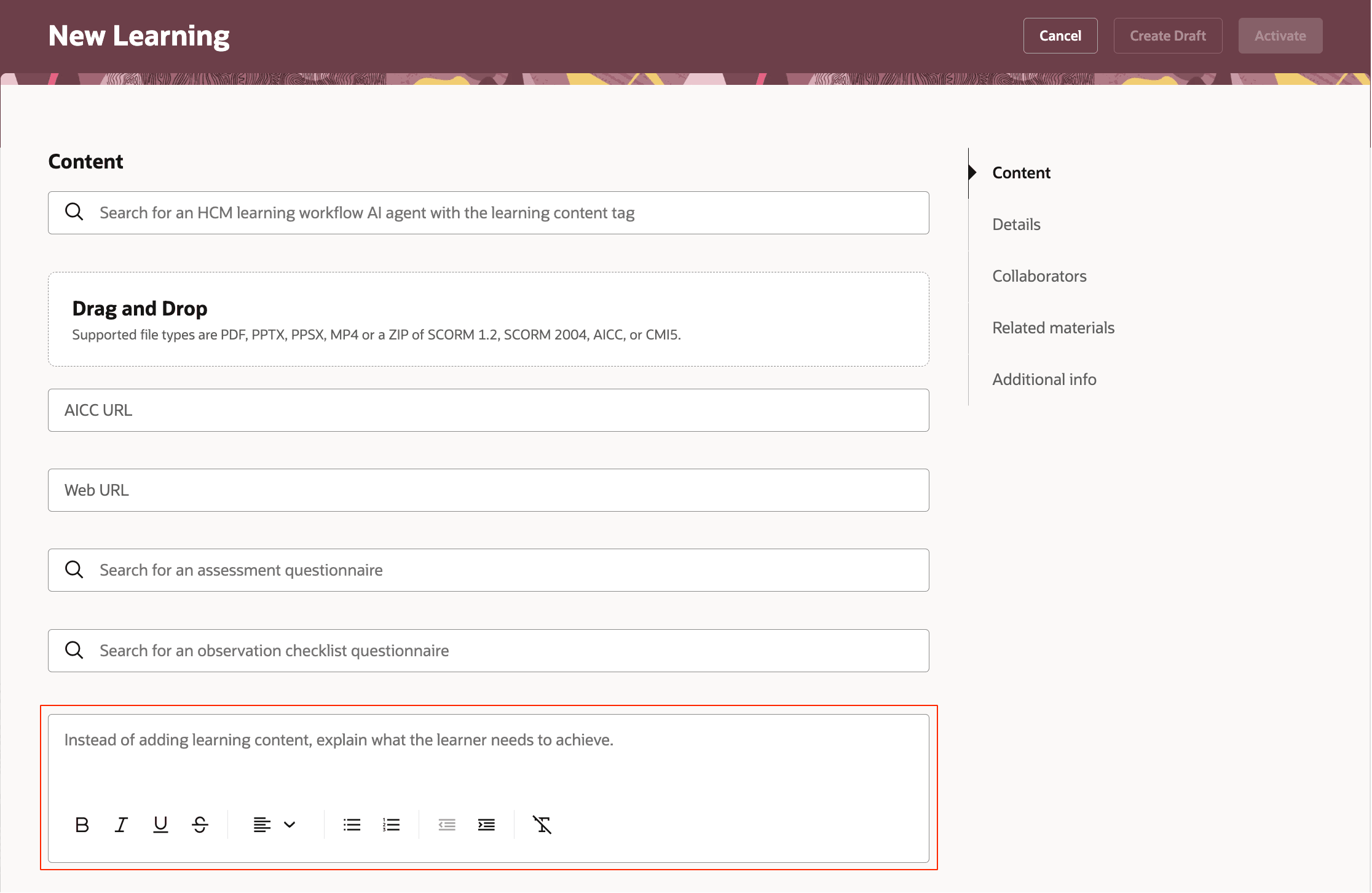
New Learning Page Where Specialists Enter Task Instructions in a Rich Text Field When Creating Task-Based Self-Paced Learning
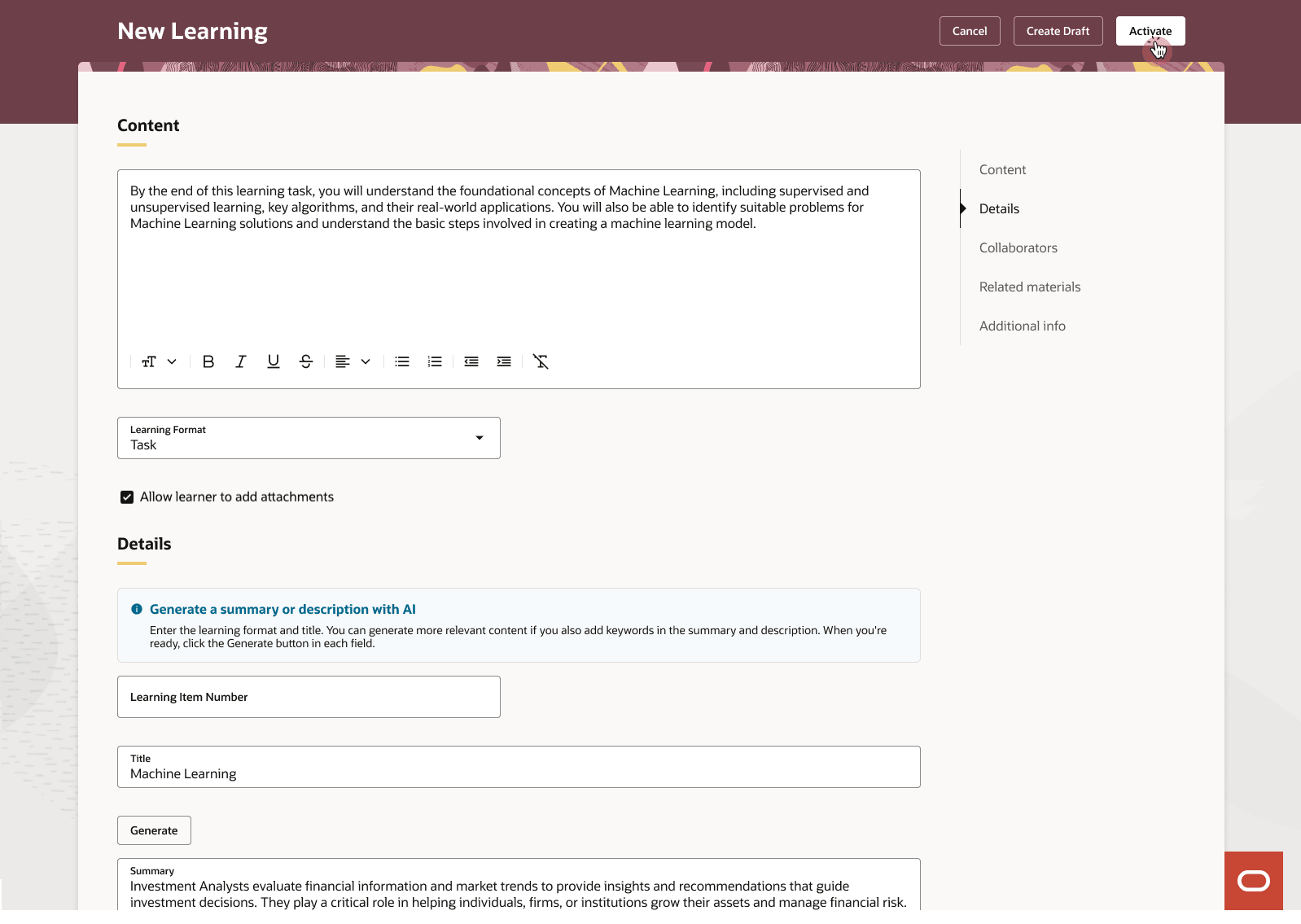
New Learning Page with Sample Values
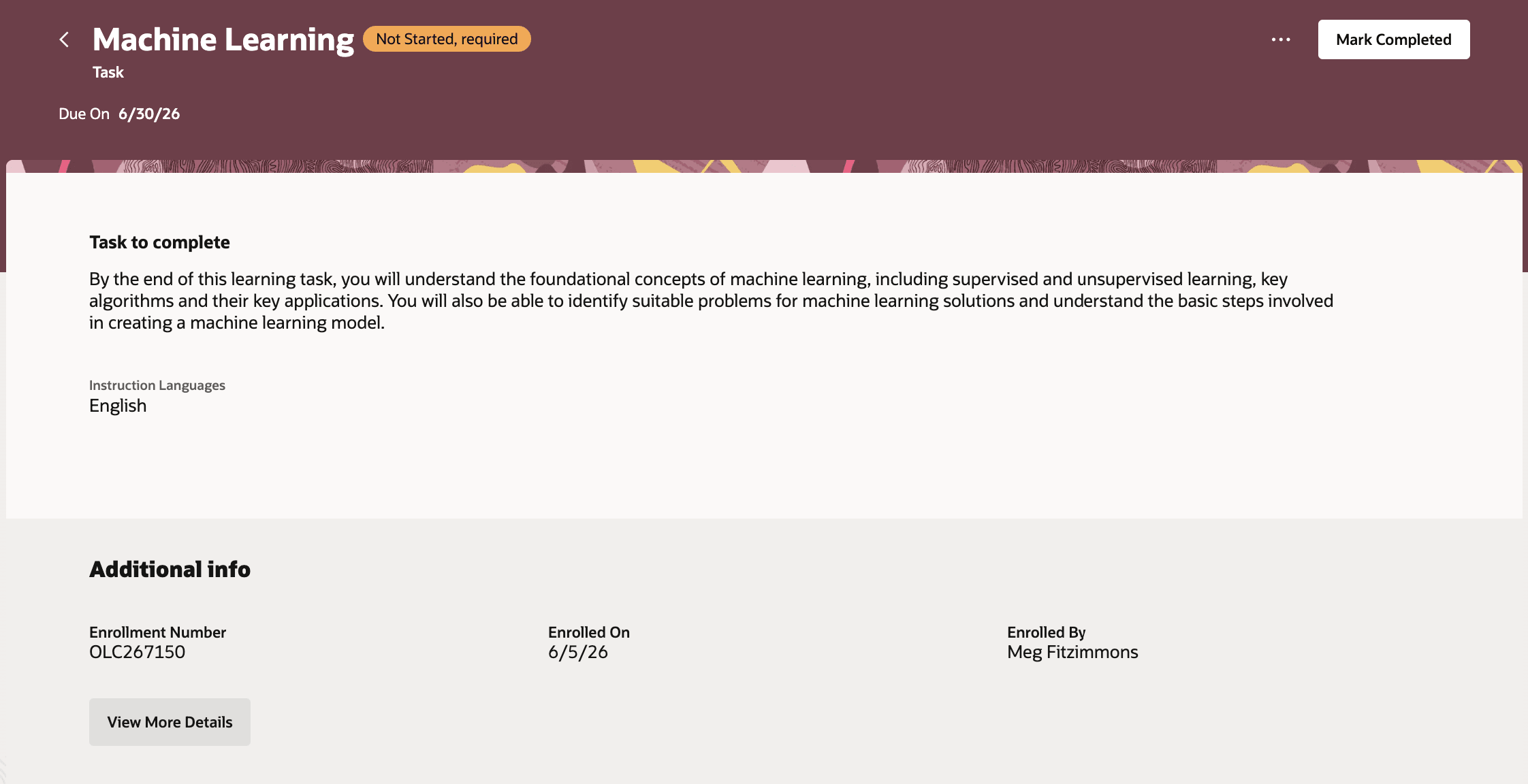
Task-Based Learning Details Page with a Task to Complete Section, Read-Only Task Instructions and, When Learner Confirmation Is Required, a Mark Completed Action
Business benefit: Reduce the effort required to create task-based learning activities by removing the need for supporting content assets. Learners receive clear task instructions directly within the learning experience
Steps to enable and configure
You don't need to do anything to enable this feature.
Tips and considerations
- For task-based self-paced learning, launch-related options, such as automatic launch, embed, and attempts don’t apply.
- Learners see Mark Completed only when the completion rule requires learner confirmation. If completion requires learning administrator confirmation, learners won’t see a learner completion action.