Redwood Community Management
Use the Learning Communities page to search for and manage communities. Create and manage official communities, or view and manage self-service communities created by other workers when you have the appropriate access.
Here's how you can manage official communities:
- Create and edit official communities, including their details and visibility.
- Add and edit associated skills and qualifications after you save the community.
- From the Membership table, add, update, remove, approve, or reject selected members and groups, or change their membership type.
- Search and filter membership to review managers, required members, voluntary members, pending requests, and visibility.
- Assign learning and review assignment and learner progress information directly from the official community.
- Review and manage community ratings and comments from the Ratings and Comments tab.
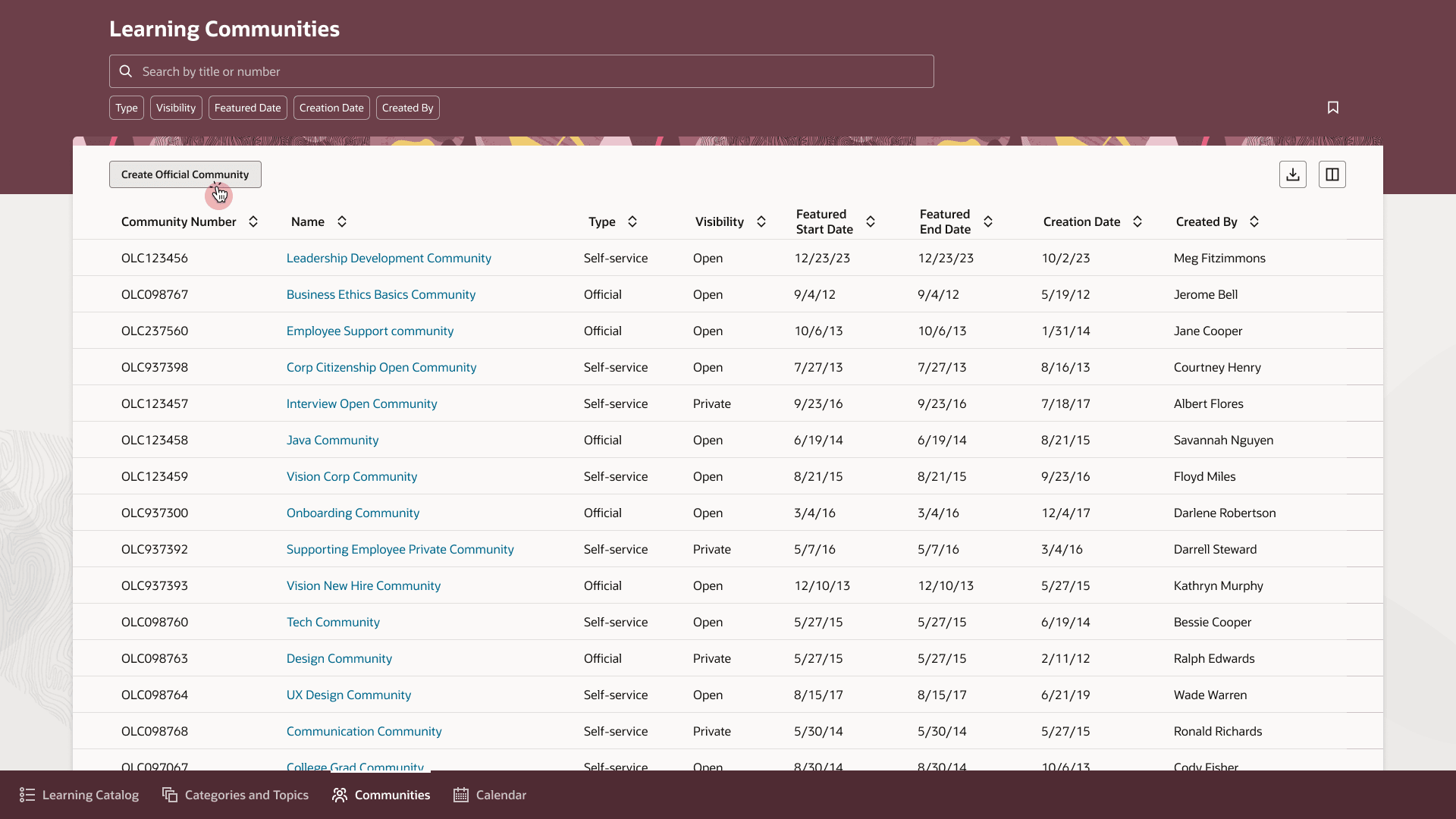
Learning Communities Page with Official and Self-Service Communities
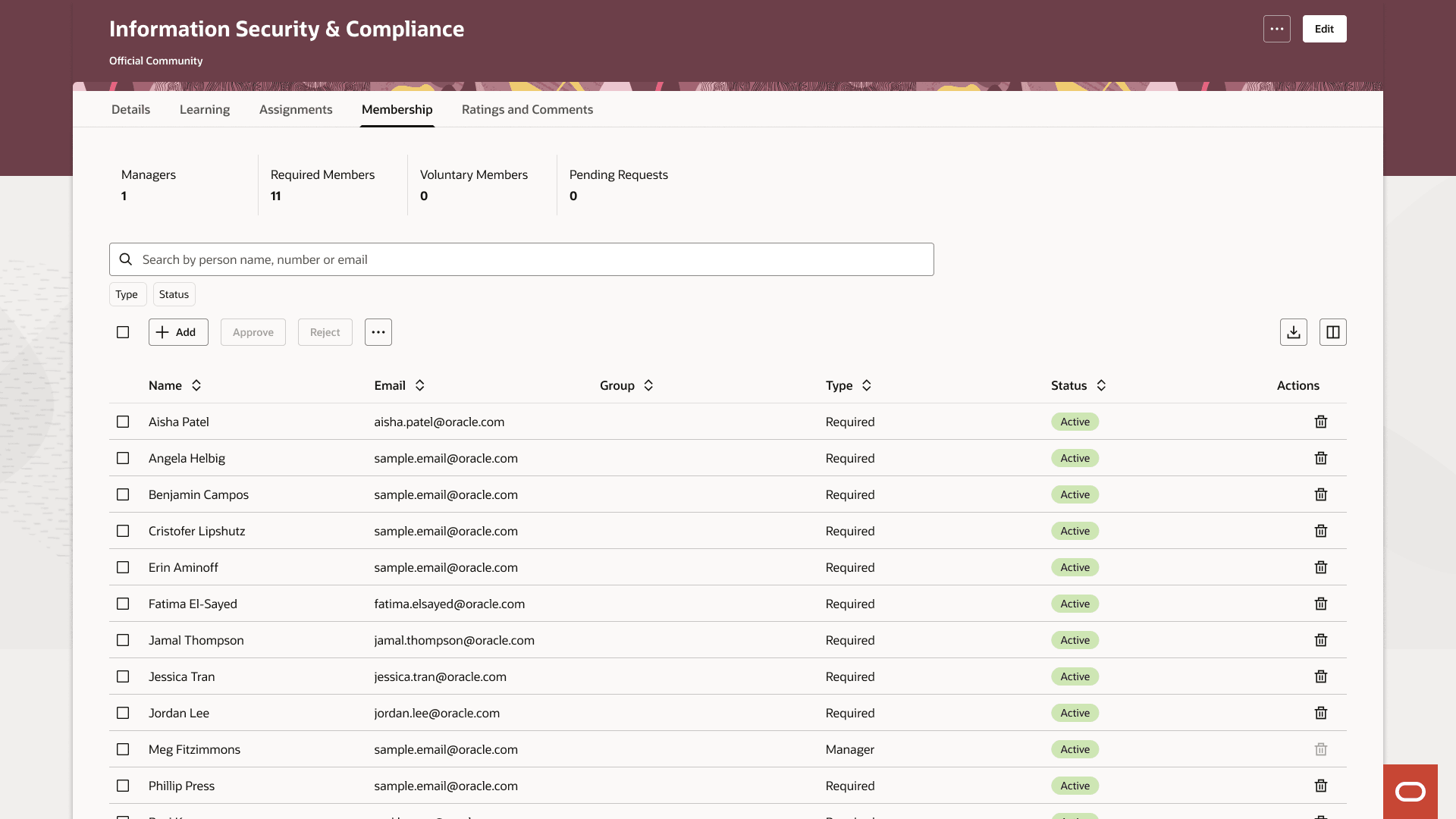
Membership Tab and Table for an Official Learning Community
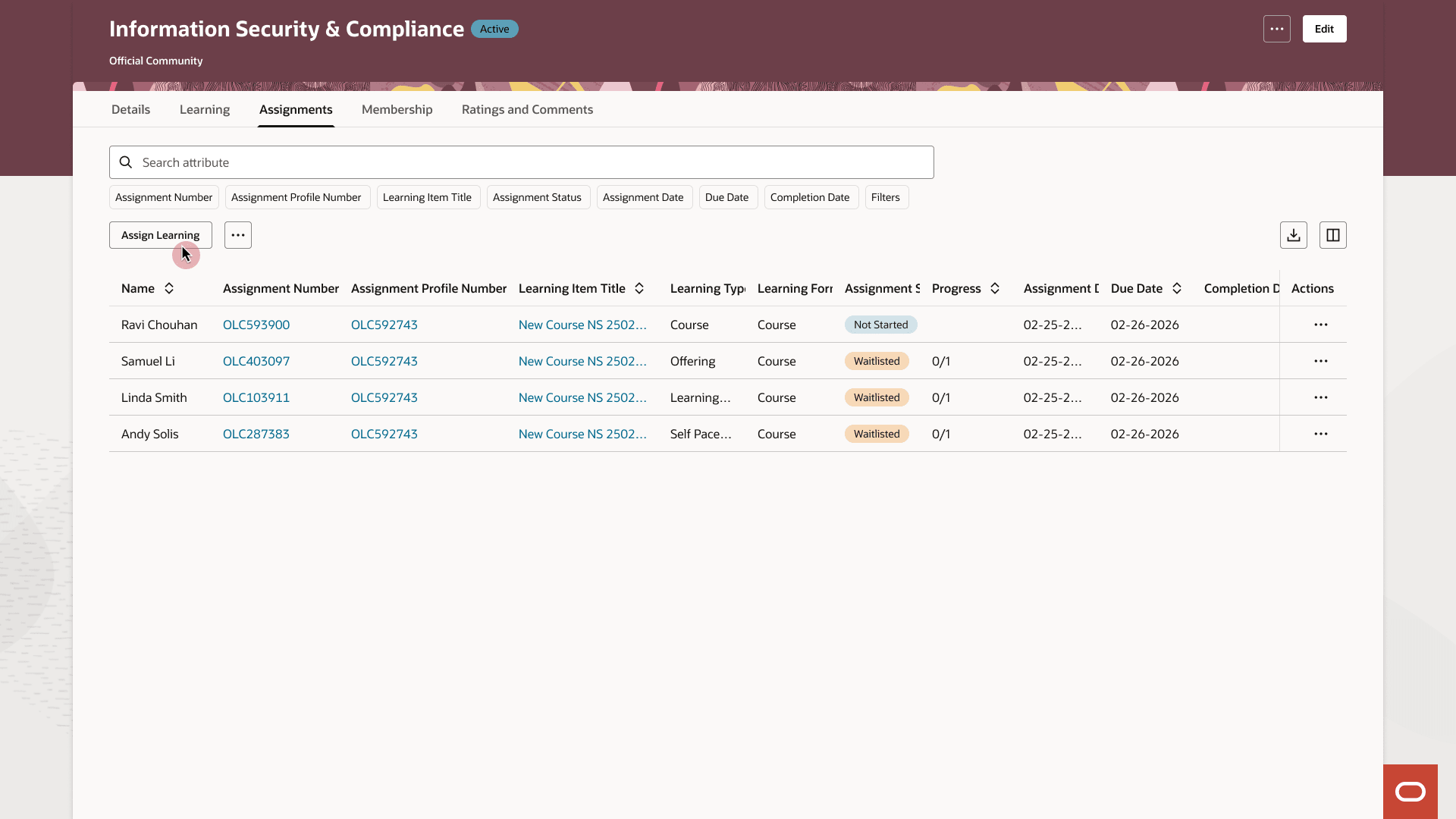
Assignments Tab for an Official Learning Community
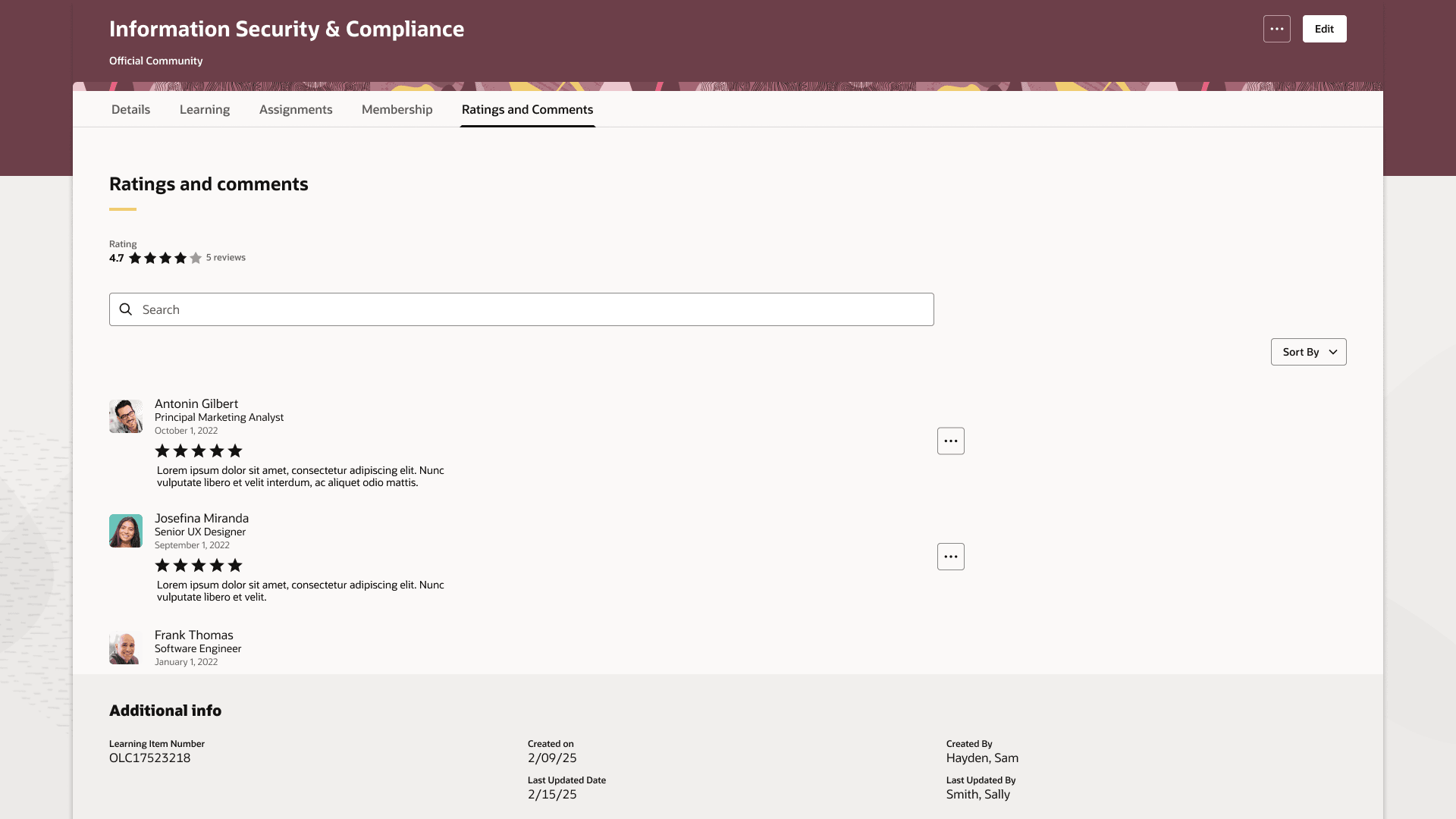
Ratings and Comments Tab of an Official Learning Community
Business benefit: Manage official communities more efficiently with a consistent Redwood experience that simplifies common community management tasks.
Steps to enable and configure
- Submit the ESS job to create the index definition and perform the initial ingest to OSCS process using this input parameter: fa-hcm-learningaccess
- Set the site-level profile value to Y for the ORA_WLF_COMMUNITIES_REDWOOD_ENABLED profile option.
Tips and considerations
- Enable the Redwood experience for managing communities with the Redwood experience for managing categories and topics
- You can add skills and qualifications only after you save an official community. When no skills or qualifications are associated with the community, the details page doesn't show the section.
- Workers without the appropriate community management access don't see management actions.
- In Visual Builder, set the Show the Generate Summary button page property to false to hide the AI Generate button.
Access requirements
Learning specialists who view and manage learning communities need these roles:
| Role | Code | Description |
|---|---|---|
| View Catalog Learning Communities | ORA_WLF_VIEW_CATALOG_LEARNING_COMMUNITY | Allows the user to view official and self-service communities for which they are a community manager |
| View All Catalog Learning Communities | ORA_WLF_VIEW_ALL_CATALOG_LEARNING_COMMUNITIES | Allows the user to view all official and self-service communities |
| Manage Catalog Learning Communities | ORA_WLF_MANAGE_CATALOG_LEARNING_COMMUNITY | Allows the user to manage official and self-service communities for which they are a community manager |
| Manage All Catalog Learning Communities | ORA_WLF_MANAGE_ALL_CATALOG_LEARNING_COMMUNITIES | Allow the user to manage all official and self-service communities |