Redwood Categories and Topics Updates
Manage membership and feedback, and control whether topic members can contribute learning using Redwood category and topic details pages.
Here are the enhancements for categories and topics:
- Use the new Membership tab to review managers and members, membership counts, and membership details.
- Add members, export membership information, and do other actions based on your access.
- View the saved visibility setting in the Membership tab scorecard.
- Control whether eligible topic members can add learning by selecting Allow member contributions when creating or editing a topic. When disabled, only people with management access can add learning.
- Review and moderate topic ratings and comments using the new Ratings and Comments tab.
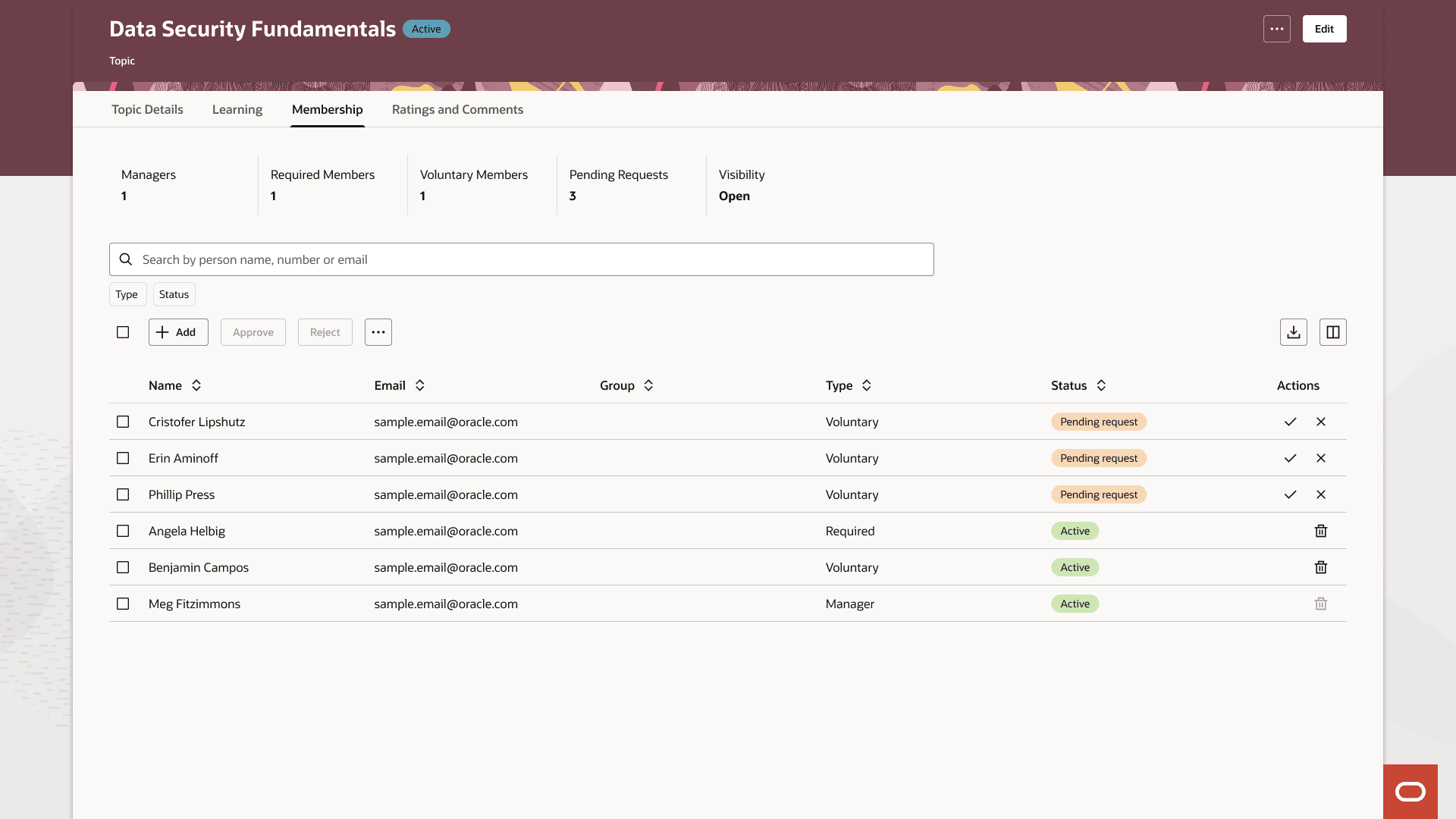
Membership Tab and Table for Categories and Topics
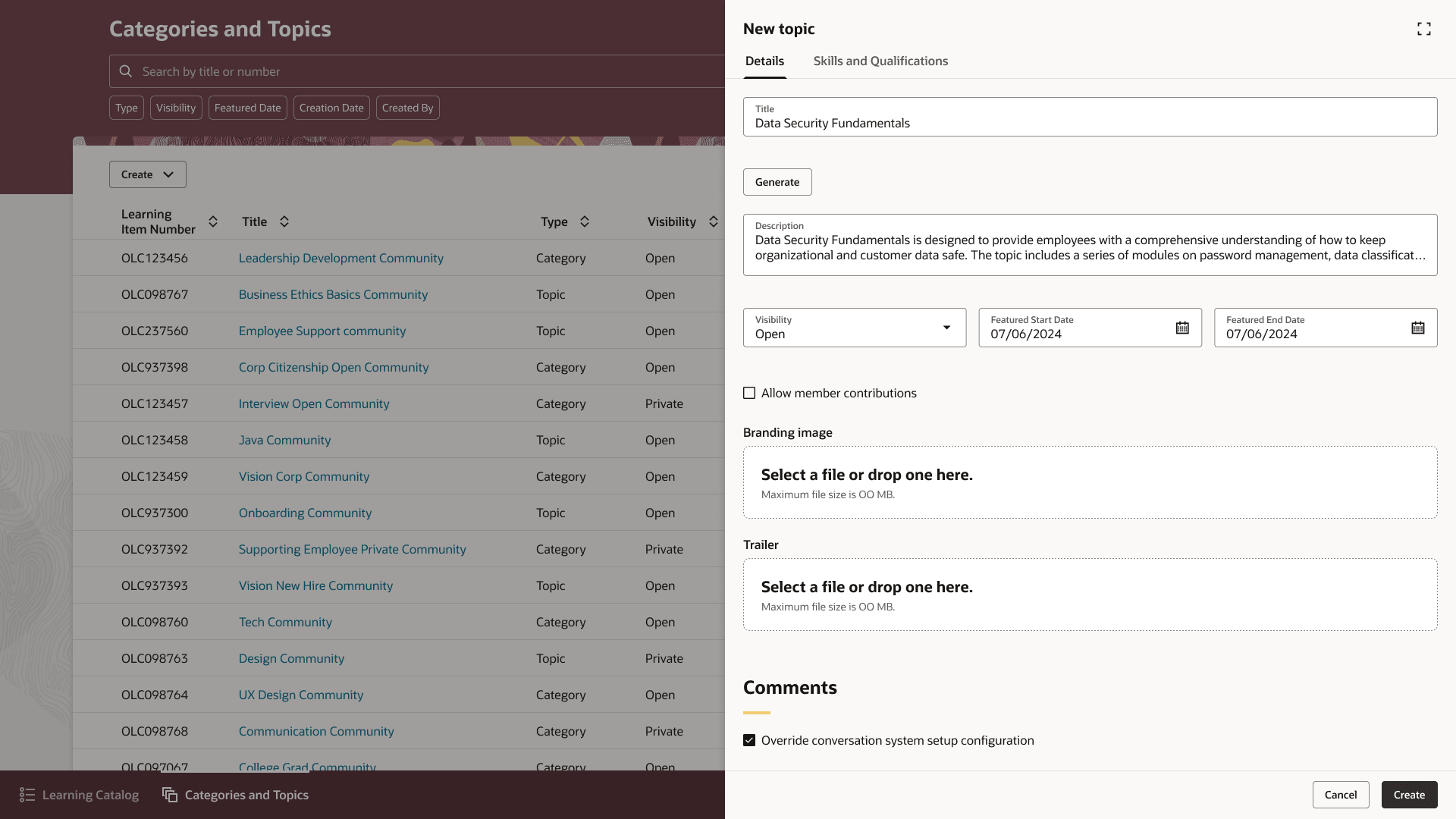
New Topic Drawer Showing the Allow Member Contributions Option
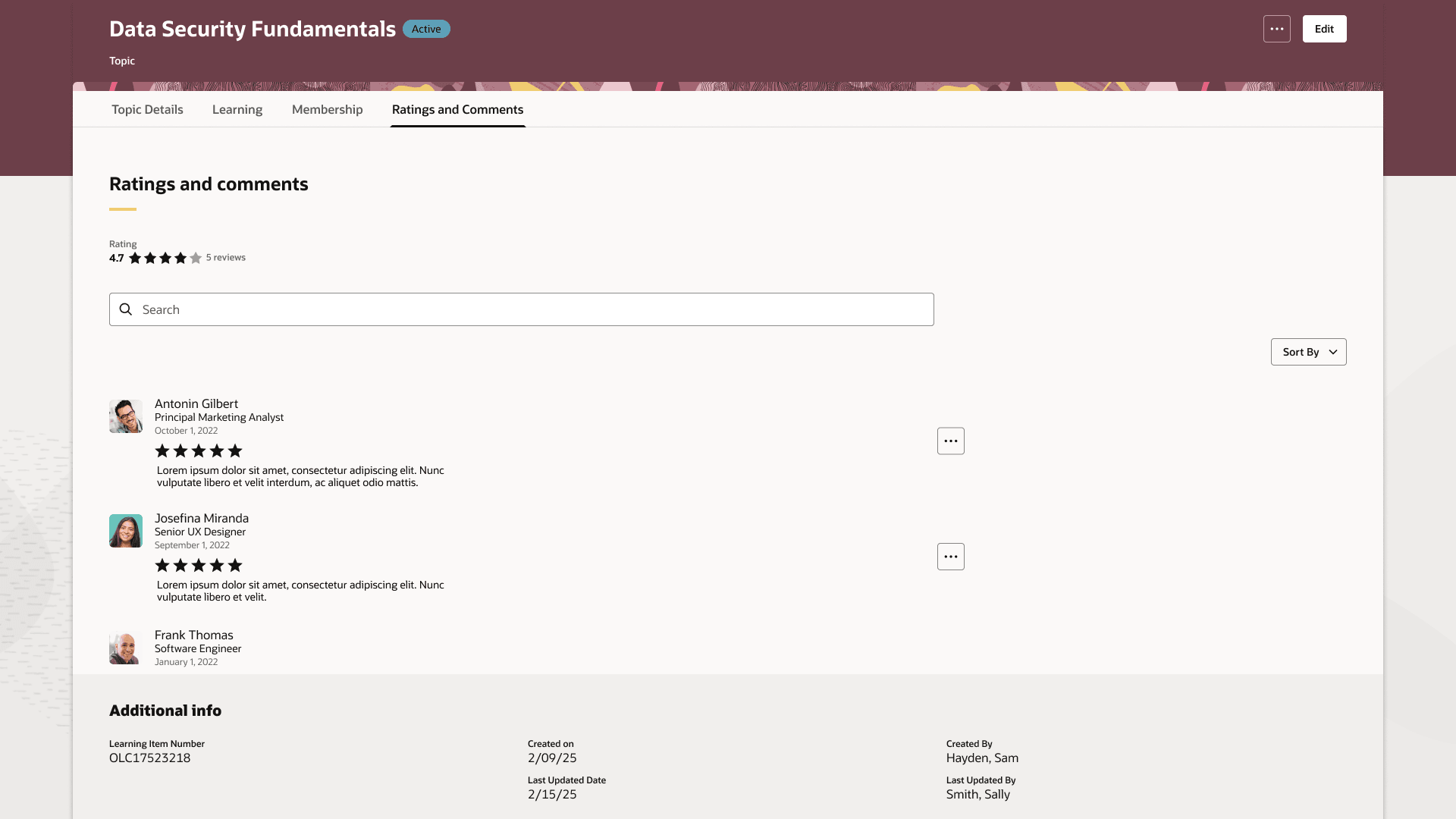
Ratings and Comments Tab for a Topic
Business benefit: Manage categories and topics more efficiently with consistent membership and feedback experiences and flexible control over member learning contributions.
Steps to enable and configure
If you haven't already enabled Redwood Community Management, complete these steps:
- Submit the ESS job to create index definition and perform initial ingest to OSCS process using fa-hcm-learningaccess as the input parameter.
Optional configuration: To hide the Generate button, in Visual Builder, set the Show the Generate Summary button page property to false
.
Tips and considerations
- Community visibility continues to use the Open, Closed, and Secret values.
- When a learner bookmarks an open topic, they're automatically added as a topic member.
- The actions available on the Membership and Ratings and Comments tabs depend on your access.