Tax Calculation Statement Page: Federal Income Tax
We have made it easier for you to view detailed, online tax calculation info for specific employees and payroll runs. You can access this content using the new Tax Calculation Statement tab on the Person Results page. It gives your payroll administrators a run-specific view of how each tax type was calculated for the employee.
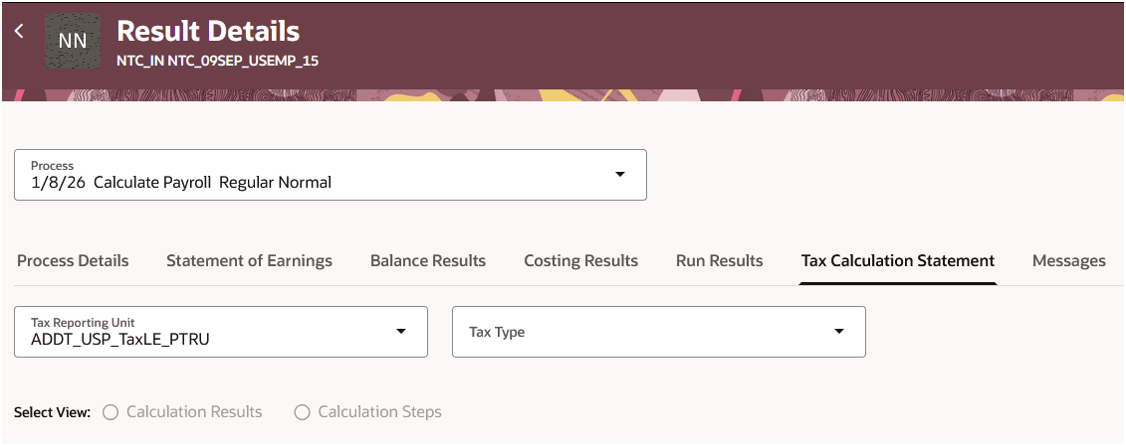
Image: Tax Calculation Statement tab
Payroll data is organized by:
- Process
- TRU
- Tax Type
You can choose to display info by calculation results and calculation steps.
Selecting Calculation Results shows the individual data components for each tax type’s calculation, including:
- Tax Withheld/Tax Liability: Final calculated amount for the tax type
- Employee Tax Information: Additional employee attributes used in the tax calculation
- Tax Rules: Settings or legislative rules used in the tax calculation (for example, settings at PSU, TRU, or statutory rates applied)
- Tax Information
- Tax Withholding Information: Employee-level tax card information used in the tax calculation
- Employee Balances: Balances used in the tax calculation
Selecting Calculation Steps shows the step-by-step calculation sequence of the tax calculation, with expressions, intermediate values, and the final results.
Displayed for each line item in the calculation are:
- Step number
- Description
- Logic
- Results
This image shows an example of the Calculation Results for Federal Income Tax, where you can see all the attributes and values used in the tax calculation.
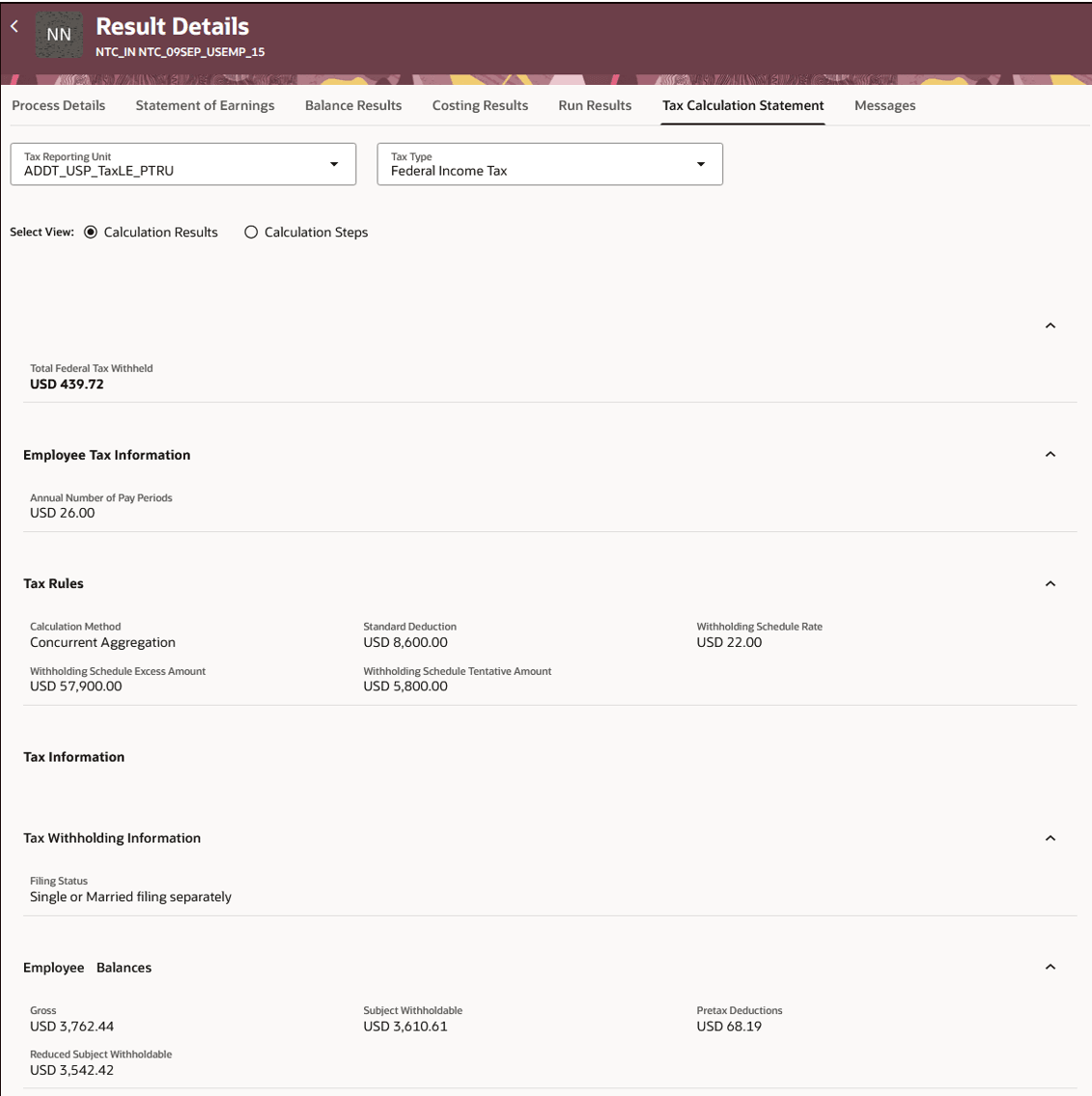
Image: Calculation Results
This image shows an example of the Calculation Steps for Federal Income Tax, where you can see the step-by-step calculation, along with the actual values that are calculated for the intermediate and final steps.
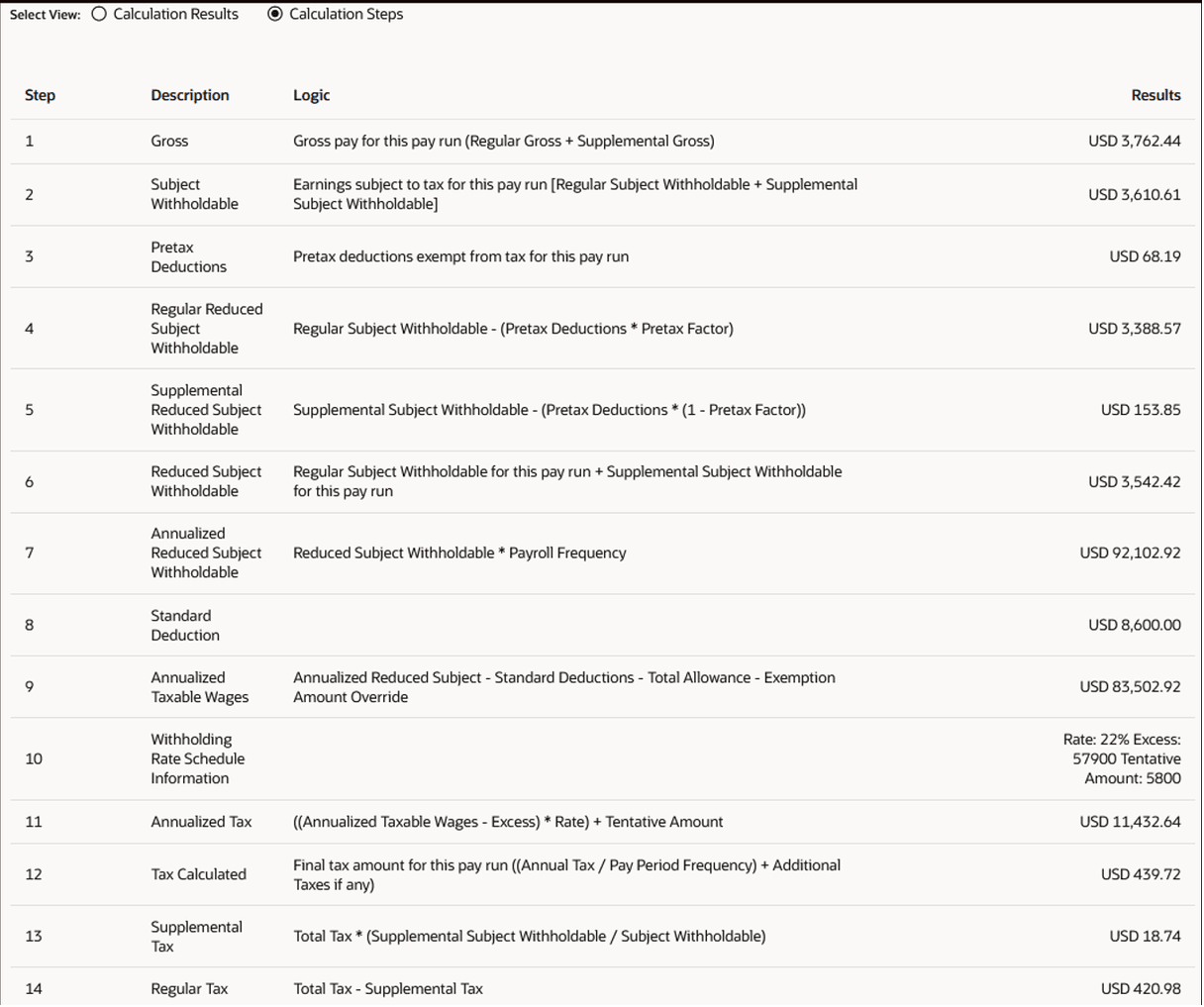
Image: Calculation Steps
This feature helps payroll administrators explain and troubleshoot tax deduction queries more efficiently by exposing tax calculation components, underlying logic, and computed results in context, thereby reducing the need for manual reconstruction efforts.
Steps to enable and configure
You don't need to do anything to enable this feature.
Tips and considerations
- Only the tax types that were generated for the employee for the payroll run are available for selection in the Tax Type LOV.
- This feature is available only for payrolls processed after Update 26D is applied.
- The Tax Calculation Report was introduced for the transition to the US Oracle Payroll Tax Engine to help verify the calculated tax results. That PDF report displays a very limited set of calculation components used in the tax calculations. This feature expands on that list of calculation components displayed on the page and also clarifies the calculation steps for each tax type. Currently, the expanded list is only available for Federal Income Tax. You may select other tax types, but the expanded list of calculation components are not displayed. For those tax types that have not been enhanced yet, the attributes displayed on this page should match those reported on the Tax Calculation Report PDF. Support to display the expanded calculation components for additional tax types is planned for future releases.