Add Candidate Address Info During Candidate Creation
Recruiting teams can capture and retain a candidate's address while creating candidates, including when a resume is parsed. The Create Candidate action maps supplied address information to the configured address style, helping teams complete candidate profiles without recreating address details manually.
Recruiting teams can use this feature to:
- Include address information in standard single and bulk Create Candidate workflows, with or without resume parsing.
- Exclude the address section in single-candidate creation or bulk creation flows when parsed information is incomplete or incorrect.
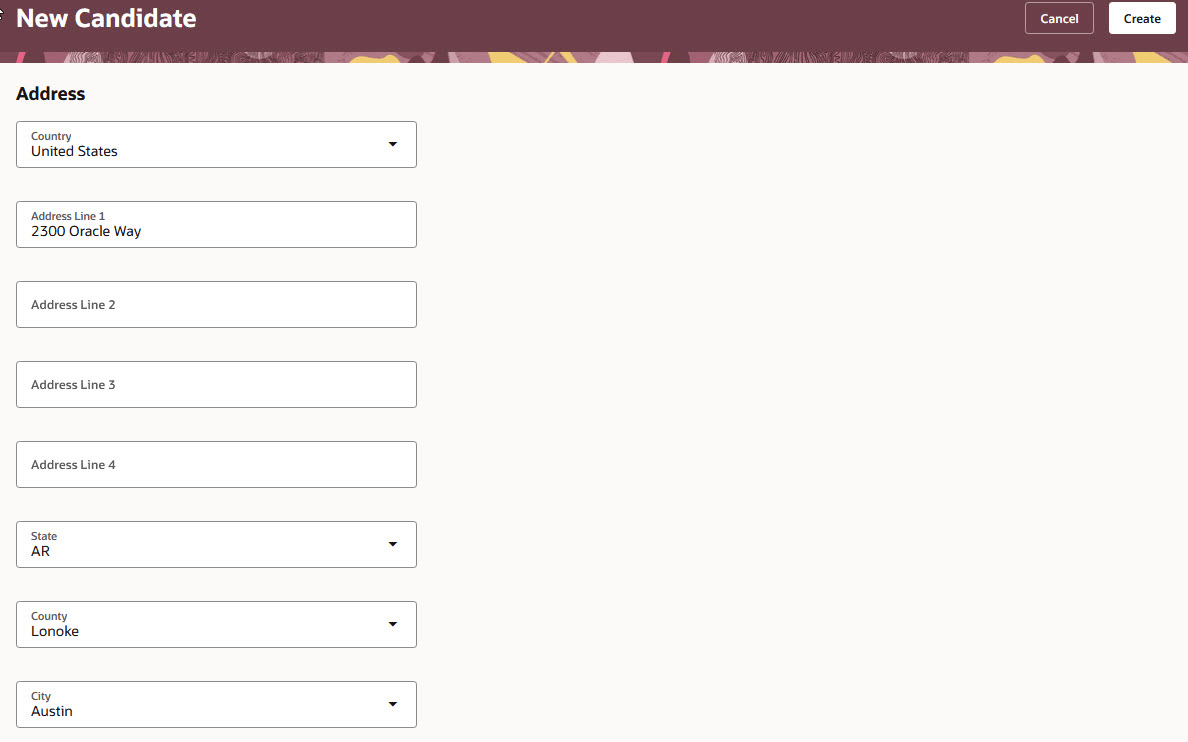
Address section when creating a candidate
Business benefit: This feature helps recruiters create more complete candidate profiles earlier in the hiring process while reducing manual address entry when resume parsing provides address details.
Steps to enable and configure
If you don't want to collect address information when creating candidates:
- In Visual Builder Studio, go to Hiring > New Candidate > Configure Fields and Regions > Address.
- Hide the Address section.
Tips and considerations
- Address details aren't validated during single or bulk candidate creation.
- Parsed data is mapped to address fields based on the configured address style.