Use the Enhanced Candidate Outreach Experience
Recruiters can manage and monitor in-flight candidate outreach from the Candidate Outreaches page in Candidate Sourcing. The page brings outreach activity, status, and key filtering controls together so recruiters can focus on the candidates and outreach campaigns that need attention.
Use enhancements to Candidate Outreaches to:
- View in-flight outreaches from the Outreaches tab in Candidate Sourcing.
- Filter outreaches by status, including Completed and In Progress.
- Filter by outreach type: Prospect or Pool Member.
- Narrow results by requisition, pool, last-modified date, or outreach date.
- Review outreach messages, respond to candidates.
- Manage up to three follow-up reminders on outreach initiation.
- Leverage AI-generated candidate-reply summaries in interaction notes and follow-up tasks.
Try it out
- In Candidate Sourcing, open Candidate Outreaches.
- Select the Outreaches tab to view in-flight outreach activity.
- Use the available filters to find the outreach records that require attention.
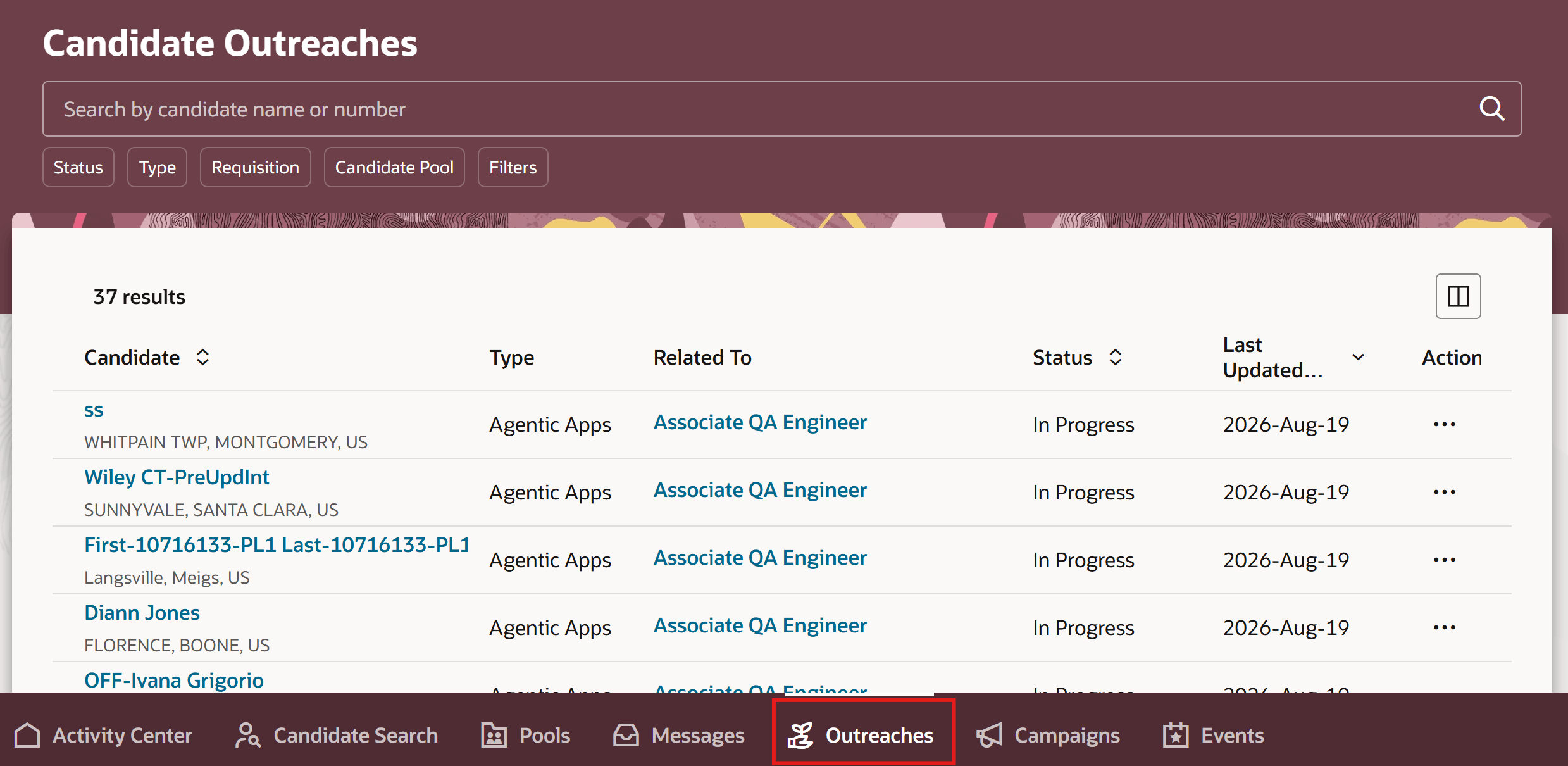
Candidate Outreaches page
Business benefit: Strengthens candidate engagement with a centralized, AI-assisted view of active outreach. Automated follow-ups and AI-generated response summaries reduce manual effort, help ensure timely engagement, and improve recruiter productivity and candidate conversion.
Steps to enable and configure
You don't need to do anything to enable this feature.