Calibrate Performance Document Ratings in Talent Review
Use Talent Review to calibrate selected ratings from performance documents while manager evaluations are in progress.
Managers submit their performance document ratings using Send for Calibration. While calibration is in progress, the manager's ratings and comments are read-only, and managers and HR can see the document status as Precalibration, Locked for Calibration, or Calibrated.
In a performance calibration meeting, facilitators and participants can use the Graph view or Table view to review performance ratings from performance document, adjust them and add calibration comments. When the meeting is submitted, configured calibrated performance ratings and calibration comments are returned to the performance document. Other profile related ratings and comments are updated in Talent Profile. In performance documents, managers can see which ratings were calibrated and align remaining ratings and comments before submitting their evaluation.
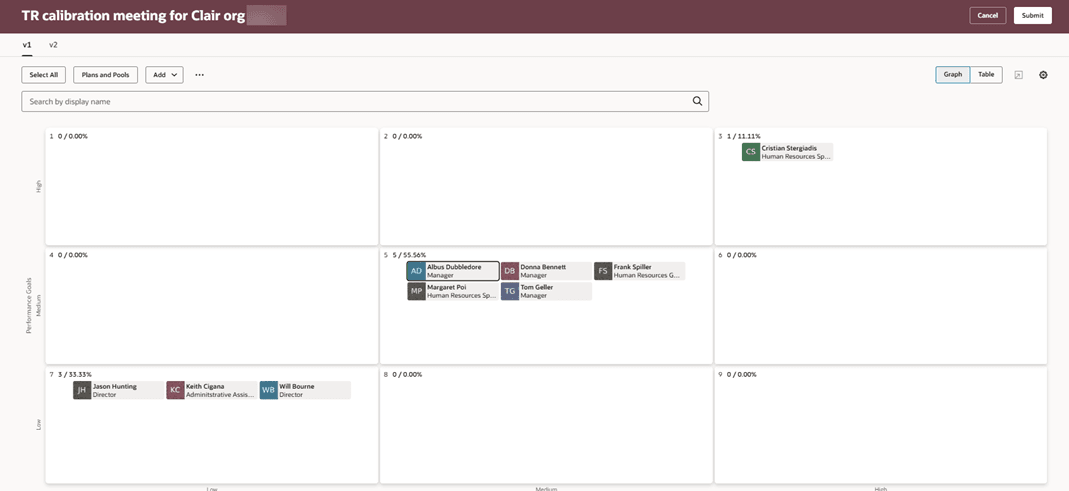
Graph view of a performance calibration meeting dashboard
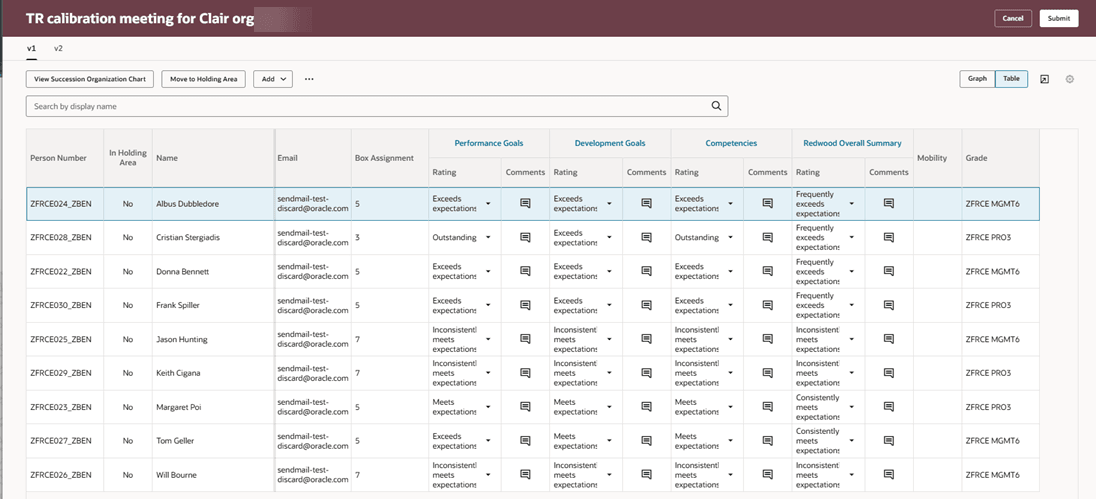
Table view of a performance calibration meeting dashboard
When needed, HR can use Calibration Actions in the HR Performance Documents task to send documents for calibration, revert them to precalibration, or complete calibration.
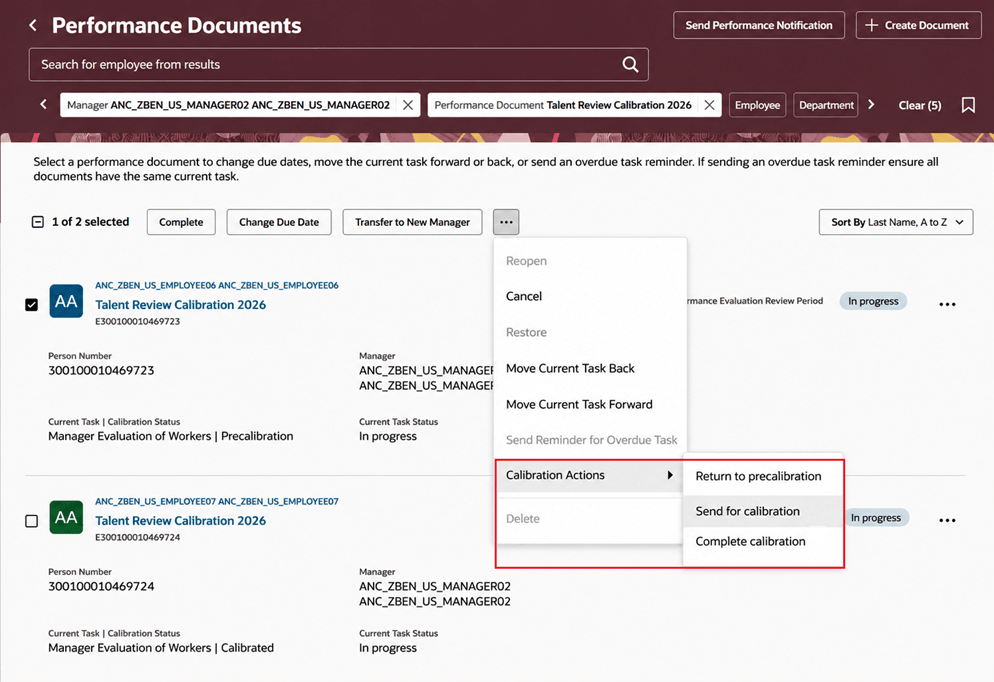
Calibration actions
Organizations can conduct performance rating calibration in the Talent Review experience, using the same meeting based process for rating discussions and updates without waiting for performance evaluations to be completed. This feature helps to keep calibrated ratings and supporting rationale connected to the performance process while supporting a consistent calibration experience across Performance Management and Talent Review offerings.
Steps to enable and configure
- Create or update a Performance Process Flow that includes the Include Talent Review calibration option. The process flow must include manager evaluation and prevent additional manager edits after manager evaluation completion.
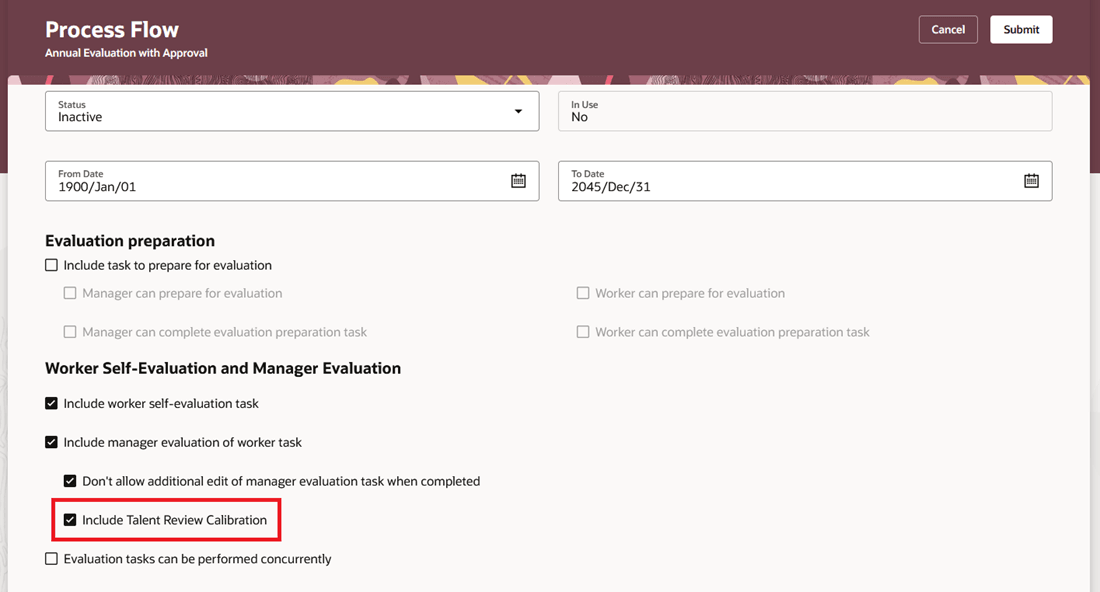
Configure process flow option to include Talent Review calibration
- Associate the process flow with an active performance template that has at least one manual manager section rating and a document period.
- In Talent Review, as an administrator, create a Performance calibration type template and associate it with the eligible performance template. Ratings are populated from the selected performance template. You can remove the ratings that come from the template and add standard or custom ratings, up to a maximum of seven ratings.
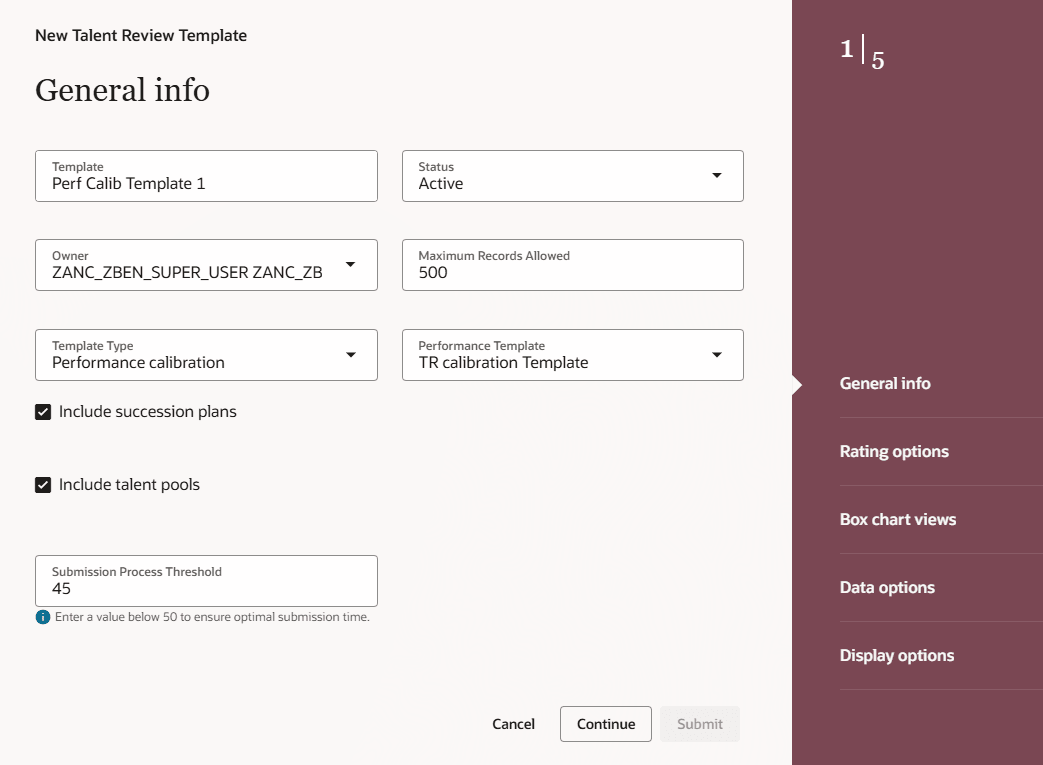
General info step of a performance calibration meeting template
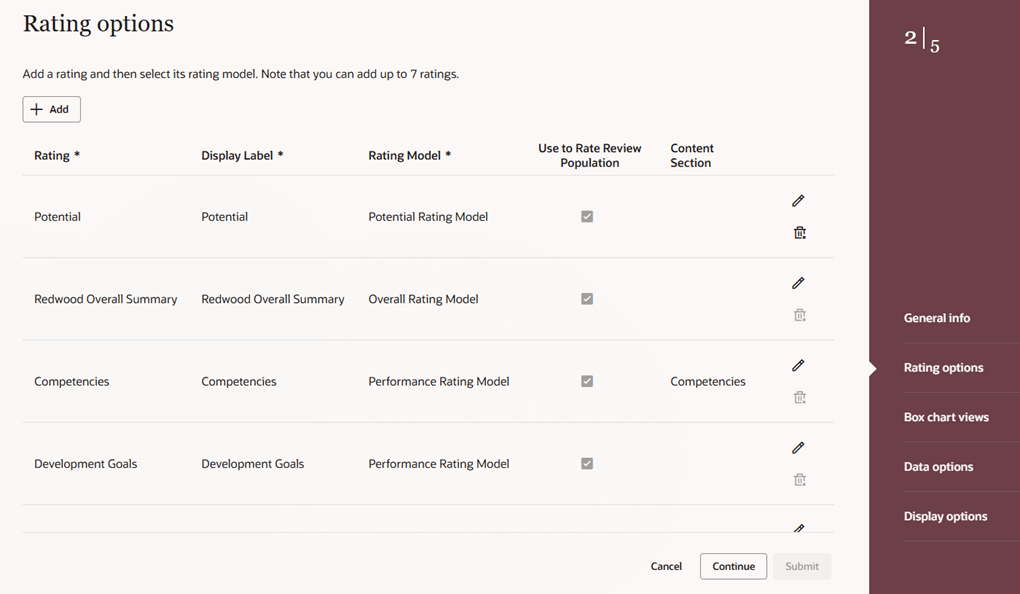
Rating options step of a performance calibration meeting template
- In Talent Review, as a facilitator, create a meeting that's based on the created Performance calibration type template and select an eligible performance document.
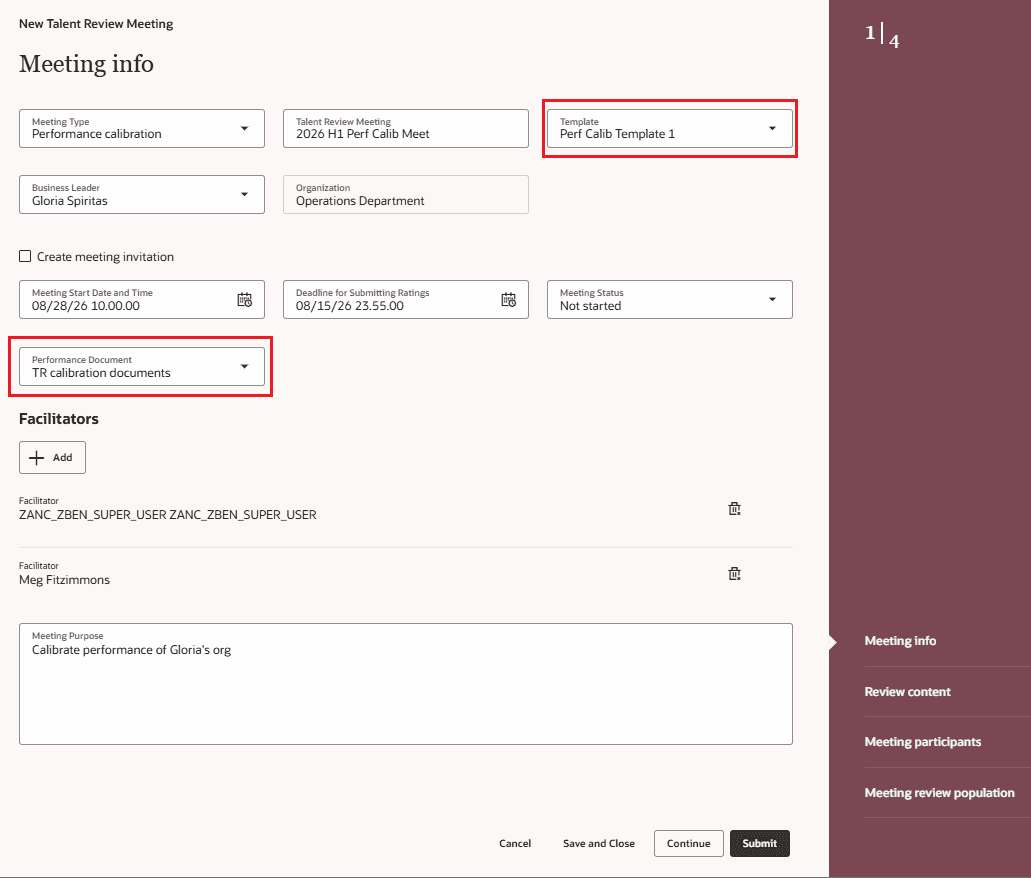
Review meeting with template and associated performance document
- Optionally as administrators, edit the Talent Review meeting configuration page in Visual Builder studio and set the Enable Automatic Addition of Participants from Performance Document and Enable Automatic Addition of Reviewees from Performance Document page properties to true.
Tips and considerations
- The Performance calibration template type and associated performance template can't be changed after the meeting template is created. The meeting type and selected performance document can't be changed after the meeting is created.
- Only ratings configured for the meeting are written back to the performance document. If the same rating is included in multiple meetings, only the first eligible meeting to write back updates the performance document.
- Calibration status is shown only to managers and HR specialists while manager evaluation is in progress.
- Rating models in Talent Review defaulted from the performance template can’t be overridden.
- In this release, read-only and required rating page properties aren't supported for a Performance calibration type meeting.
- Completed performance calibration meetings can't be deleted.
- Only primary assignments are considered for Performance calibration type meetings.
Key resources
- For a listing of all profile options for the recreated pages across HCM, see the following document in My Oracle Support:
- For more information on extending Redwood pages in HCM, refer to this guide on the Oracle Help Center:
- For more information on configuring Talent Review meeting templates in Redwood, see Configure Talent Review Meeting Templates.
- For more information on configuring Talent Review meetings in Redwood, see How do I configure Talent Review meetings in Redwood?.
Access requirements
- Use the existing access appropriate to the task: HR configures and manages calibration, system administrators enable page properties, facilitators and participants conduct Calibration Review meetings, and managers complete manager evaluations.
- To configure performance calibration meetings, users need to have a role that is assigned the Calibrate Performance Documents using Talent Review functional privilege. This privilege is available by default to the Human Resource Specialist and Line Manager roles.