AI-Driven and Improved Manager Experience for Talent Review Ratings Preparation
Managers can use the enhanced Prepare Review Content experience to review employee information without navigating away from the Talent Review context. They can click the More Info link to view more details of the team member on these panels:
- Summary: The AI-generated talent summary provides a snapshot of available employee information, including recent performance and talent ratings, check-in highlights, prior talent review notes, completed and in-progress goals, and skills and qualifications.
- Talent Profile: This tab shows the career statement of the team member, their competencies, and skills.
- Talent Rating: This tab shows the talent ratings such as career potential, risk of loss, and impact of loss for the team member.
- Succession Plans: Managers can view or edit succession plan details, and add succession plans for the team member in this tab.
- Talent Pools: Managers can view or edit talent pool details, and add the team member to talent pools in this tab.
- Notes: Managers can view and update notes, and add notes in this tab.
- Tasks: Managers can view and update tasks, and add tasks in this tab.
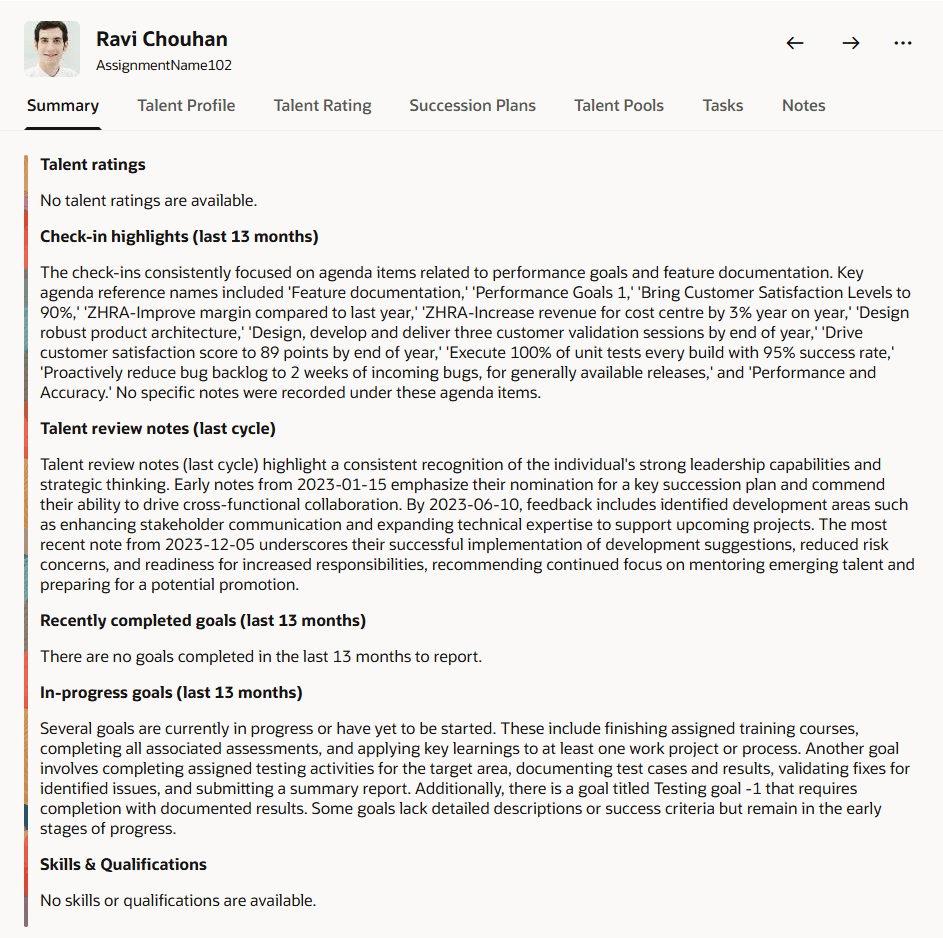
Talent summary of a team member
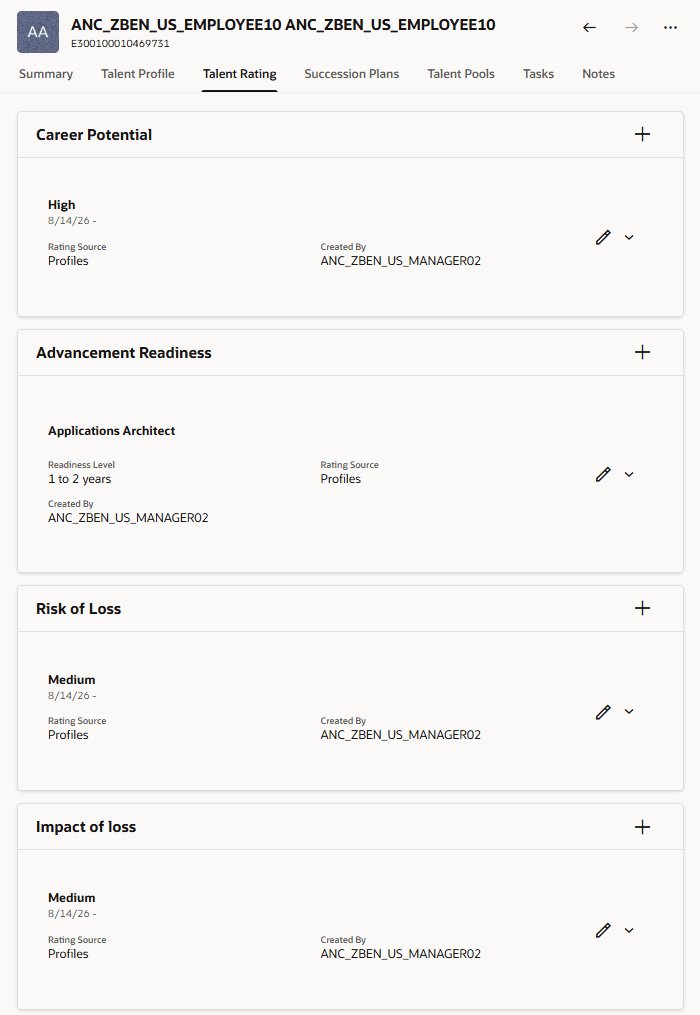
Talent ratings of a team member
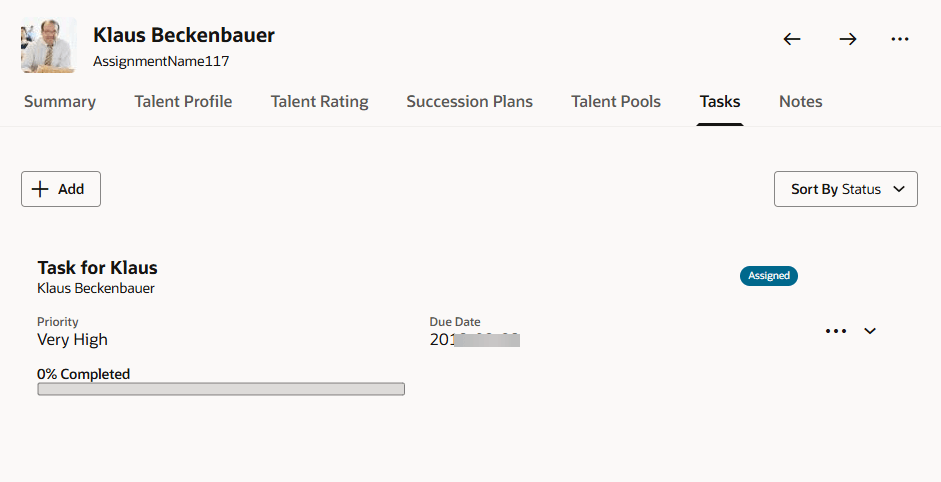
Task details for a team member
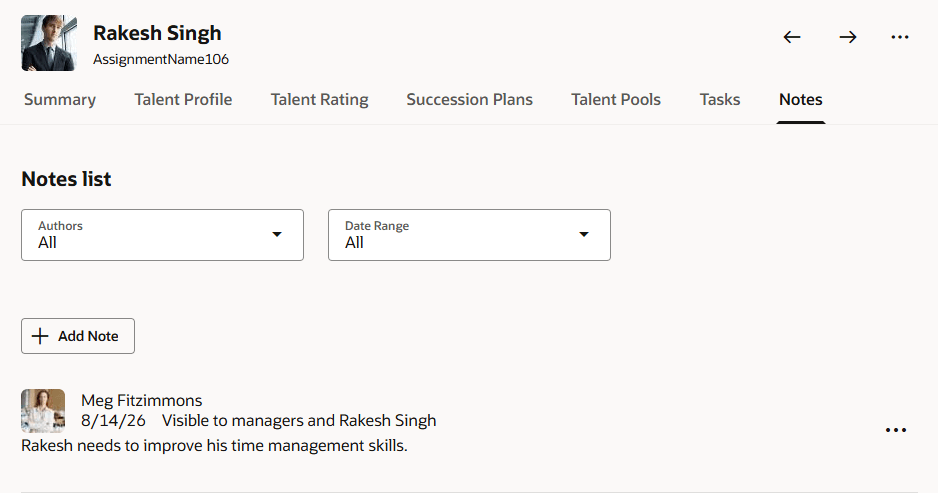
Notes for a team member
Administrators can use page properties to show or hide the More Info link and individual panels, including Skills and qualifications, Talent ratings, AI-generated talent summary, Succession plans, Talent pools, Notes, and Tasks. They can also disable navigation to the responsive person spotlight page.
Managers can bring relevant employee context into the talent review preparation process, reducing navigation between pages and supporting more informed talent rating decisions.
Steps to enable and configure
Edit the Prepare Review Content page in Visual Builder Studio and set these page properties to true.
- Show More Info Column
- Show Talent Summary Tab in Member Details Panel
- Show Talent Profile Tab in Member Details Panel
- Show Talent Ratings Tab in Member Details Panel
- Show Succession Plans Tab in Member Details Panel
- Show Talent Pools Tab in Member Details Panel
- Show Tasks Tab in Member Details Panel
- Show Notes Tab in Member Details Panel
To generate the talent summary, you also need to specify the agent code in the Talent Summary Agent Code page property.
Tips and considerations
- Talent Profile skills, qualifications, and talent ratings are displayed according to each manager’s existing Talent Profile access.
- AI-generated summaries include only information that is available for the employee.
Key resources
For more information on extending Redwood pages in HCM, refer to this guide on the Oracle Help Center:
Access requirements
Managers see Talent Profile content in Prepare Review Content according to their existing Talent Profile access.