View Talent Profile and Talent Ratings During Talent Review
If enabled, facilitators can select a reviewee on the meeting dashboard or in the Table view and see their Talent profile and ratings in a panel. This gives facilitators access to the employee’s information while remaining in the Talent Review meeting context. The actions are available both in the individual member's actions and the More Actions menu on the dashboard.
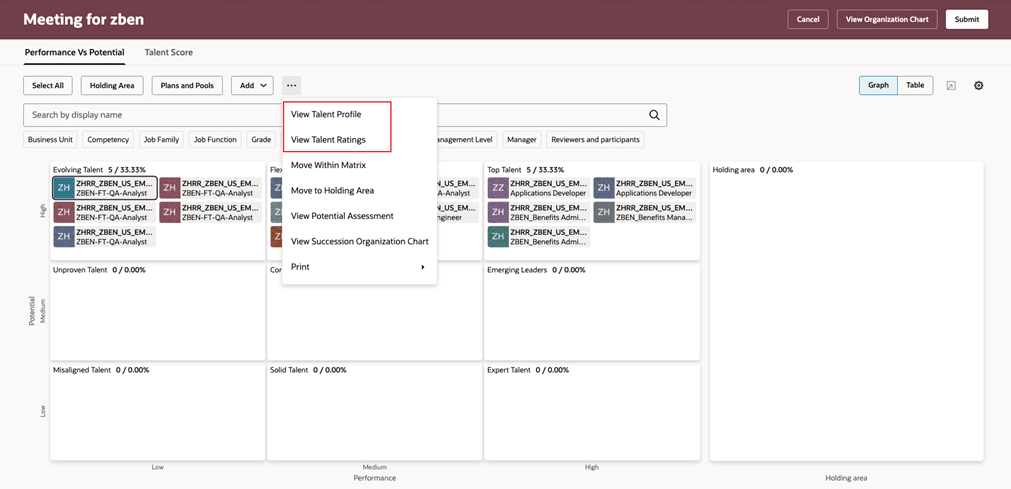
Actions to view talent profile and ratings
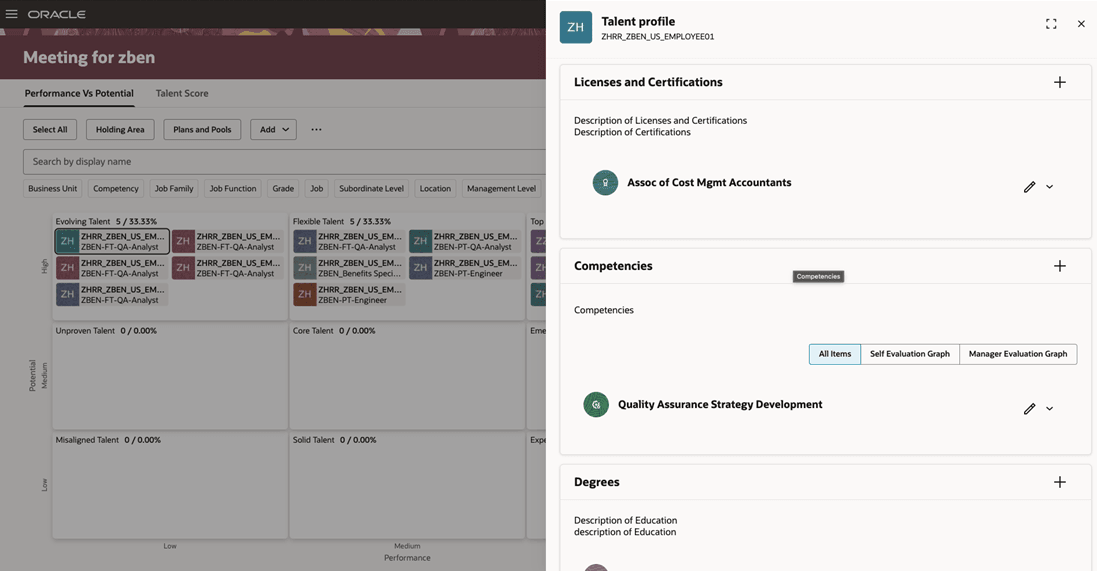
Talent profile panel
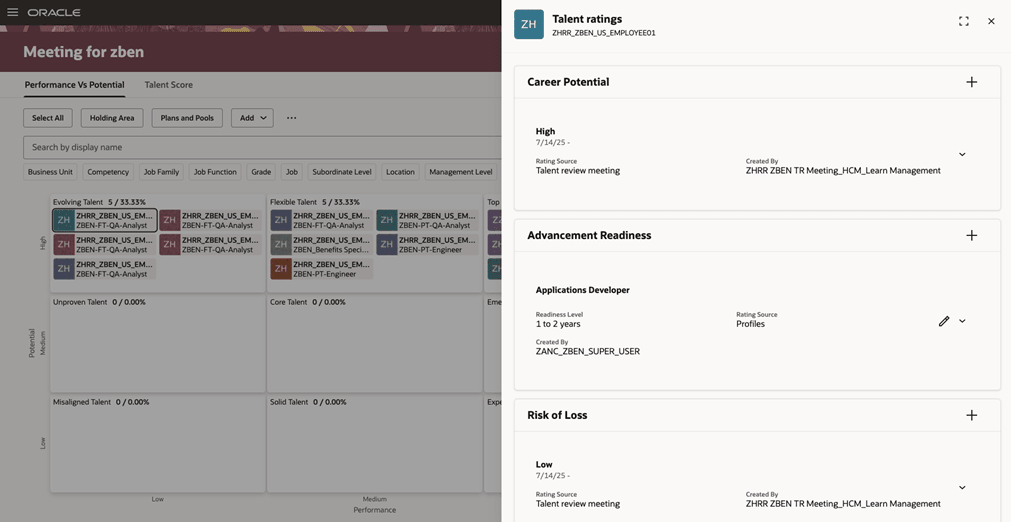
Talent ratings panel
This feature enables facilitators to review relevant employee details during Talent Review discussions without navigating away from the meeting.
Steps to enable and configure
Administrators need to edit the Talent Review meeting dashboard page and set these page properties to true:
- Enable Viewing Talent Profile
- Enable Viewing Talent Ratings
For more information on how to do this, see How do I control the display of a UI element in Visual Builder Studio?.
Key resources
For more information on extending Redwood pages in HCM, refer to this guide on the Oracle Help Center: