Simplified Facilitator and Review Population Setup
When selecting participants and review population members for a Talent Review meeting, facilitators can search for workers multiple times and retain earlier selections while completing additional searches. Add all selected workers together to either the participant list or the review population.
The search experience shows the number of workers in the search results and the number selected for addition. Use Show Selected to review the selected workers. Use Search All to return to the last search results.
Talent Review meeting setup also shows the total number of existing participants and review population members, helping facilitators verify the meeting setup.
These images show how multiple participants are selected. In the first image, 2 participants are selected using the Manager criteria and in the second image 2 more are selected using the Job criteria.
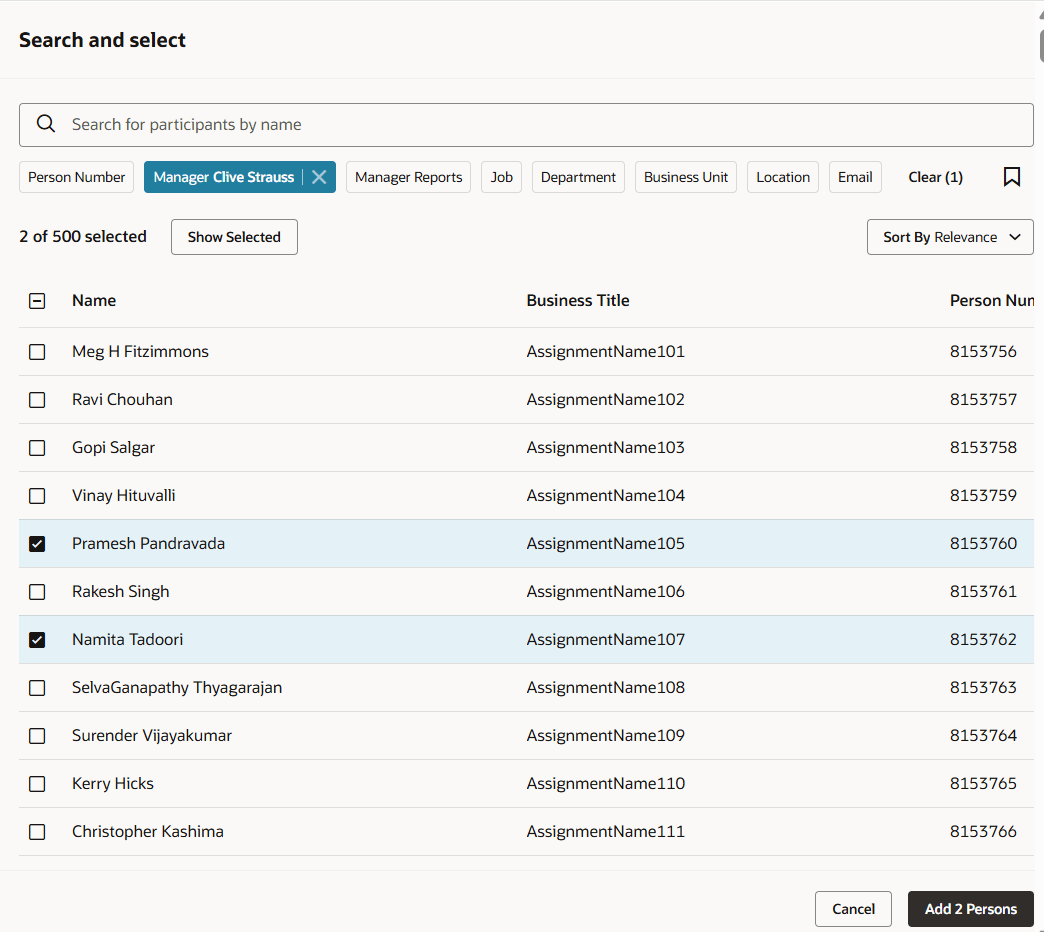
Select initial participants
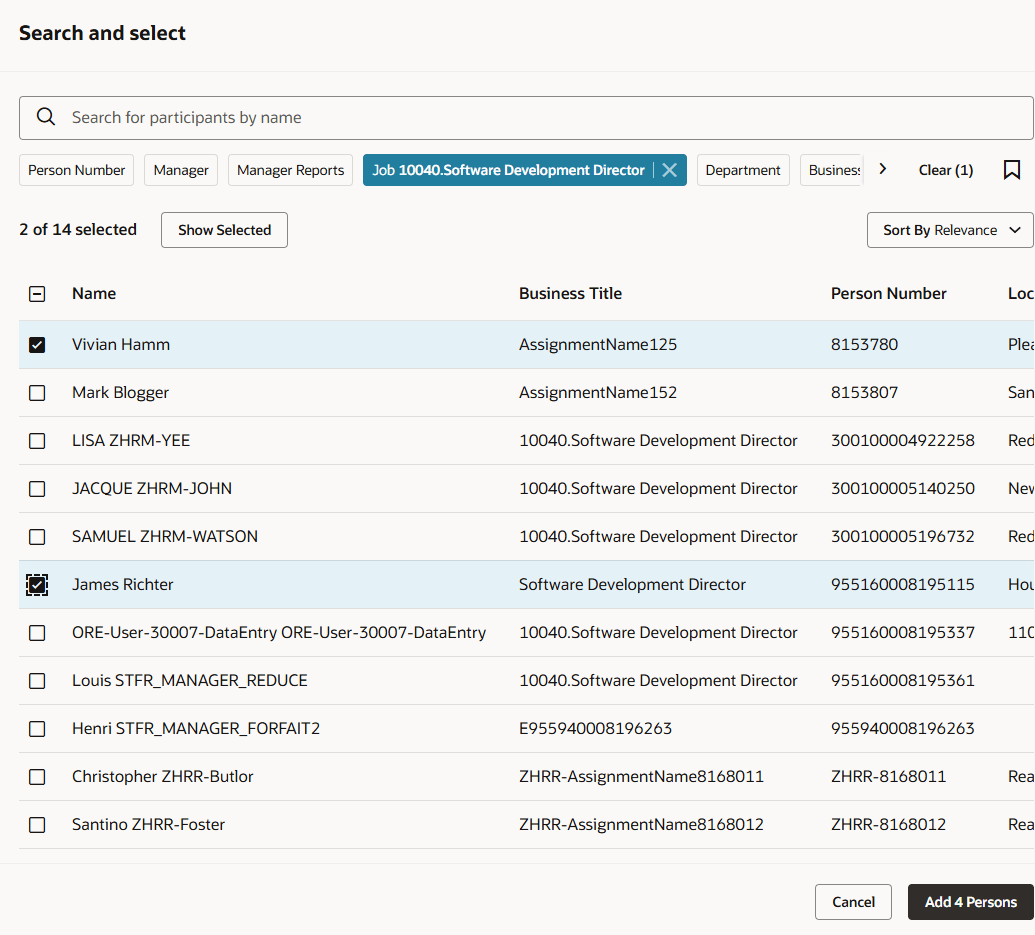
Select more participants
This feature helps facilitators to build participant and review population lists with fewer repeated steps and more confidence that the Talent Review meeting includes the intended workers.
Steps to enable and configure
You don't need to do anything to enable this feature.
Tips and considerations
- Select workers across multiple searches before selecting Add.
- Selecting Cancel clears the selected workers and search criteria.
- Review the search result, selected worker, participant, and review population counts before completing the setup.