Streamlined Shift Assignment in the Workforce Schedule Gantt
Schedule managers can create and fill single-worker shift in the same task and use work pattern match details when assigning or reassigning shifts. The worker list helps them identify eligible, suitable workers more quickly.
Schedule managers can make shift assignment decisions with these enhancements:
- Select an eligible worker while creating a shift with a quantity of 1. Submitting the shift creates it and assigns the selected worker in the same step.
- Review a Work Pattern Match indicator in the worker list: FULL_MATCH, PARTIAL_MATCH, or NO_MATCH.
- See workers ordered by match level, with FULL_MATCH workers first, followed by PARTIAL_MATCH and NO_MATCH workers.
- Evaluate work-pattern alignment using the worker’s pattern type, day in cycle, shift times, duration, and unpaid-break rules.
Try it out
- Go to Workforce Scheduling > Workforce Schedules.
- Open the workforce schedule for the applicable period and department.
- To create and assign a single-worker shift:
a. Create a shift with a quantity of one.
b. Select an eligible worker from the worker list.
c. Submit the shift to create it and assign the selected worker.
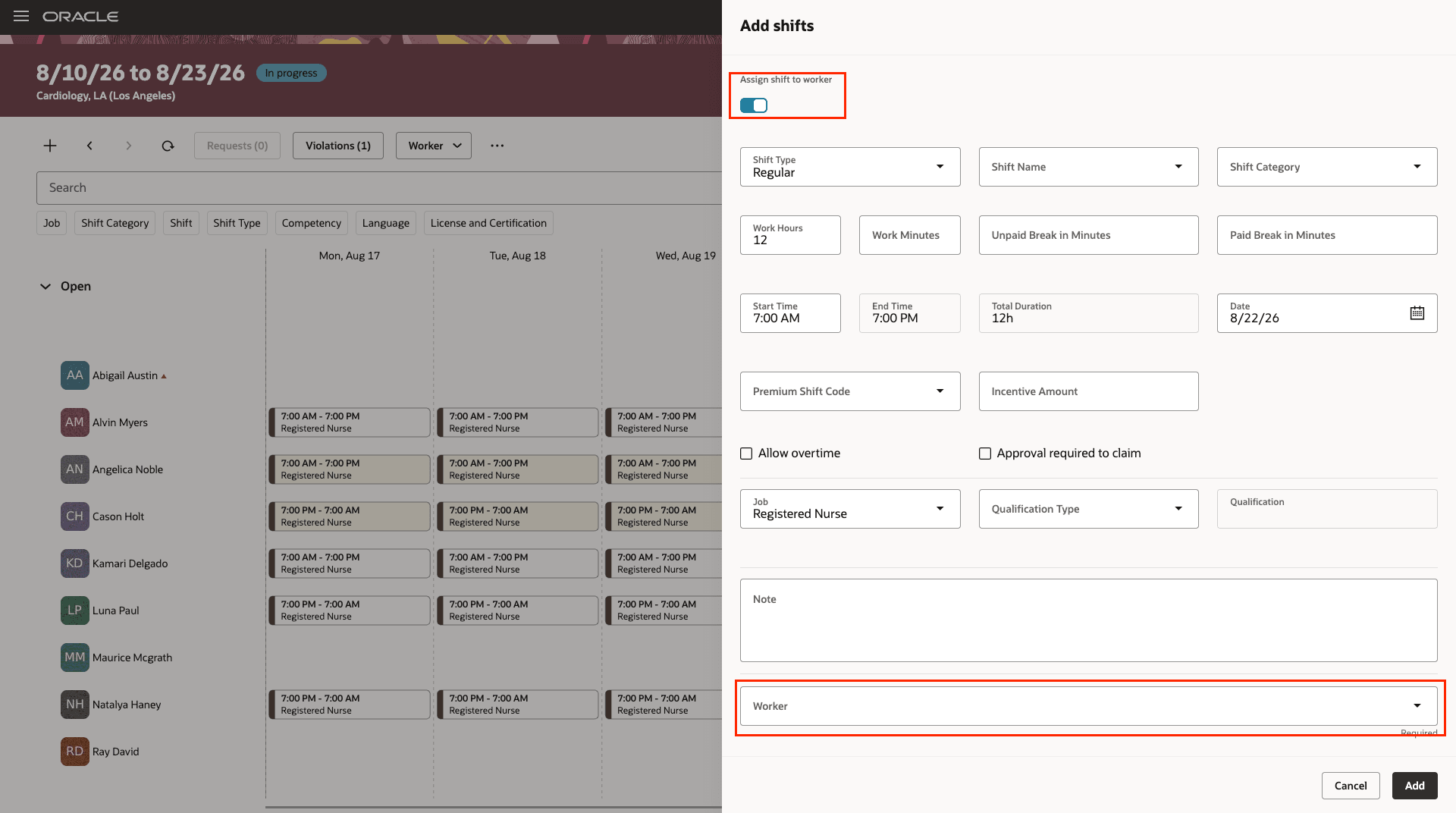
Create and Assign Shift to a Worker
To assign an open shift or reassign a scheduled shift:
- Open the worker list.
- Review each worker’s Work Pattern Match indicator.
- Select the worker who best fits the shift requirements.
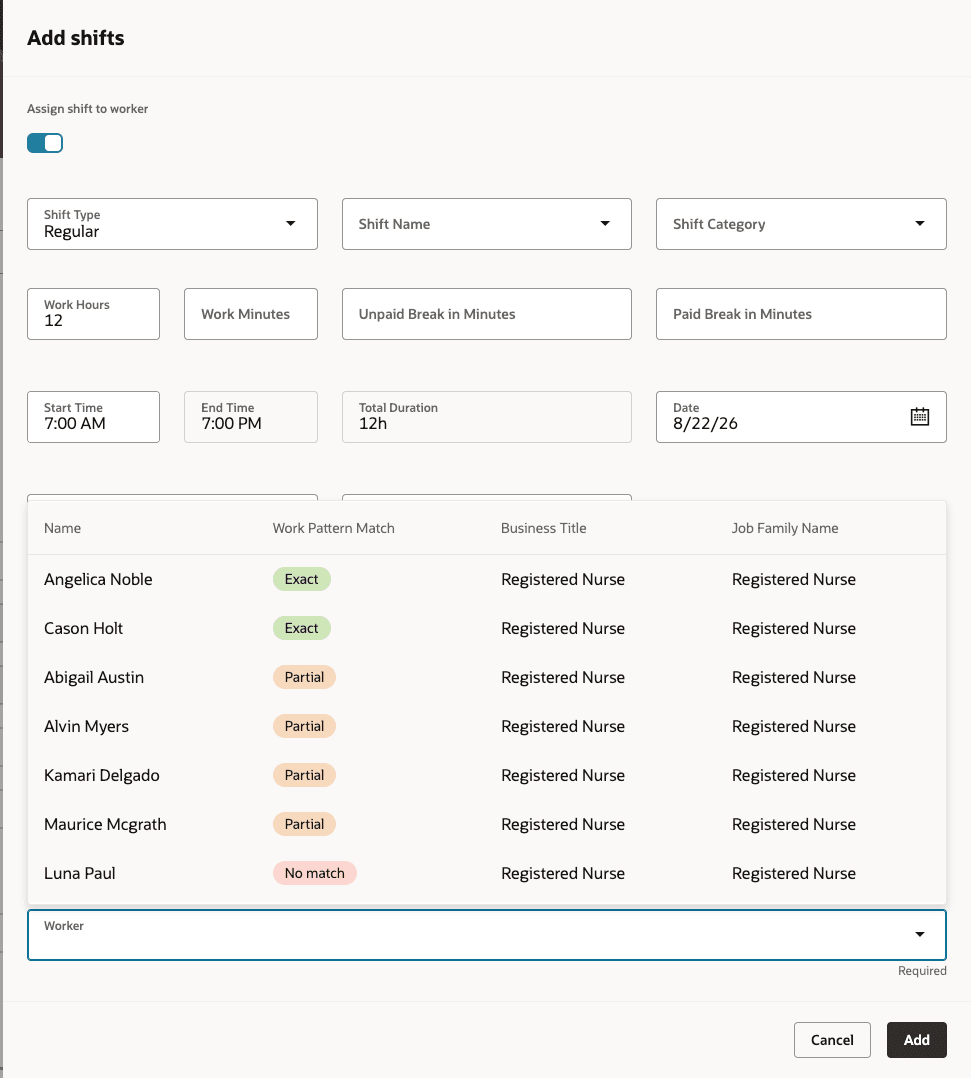
Assign Shift to a Worker with Work Pattern Match Shown
These enhancements reduce scheduling effort and help managers assign shifts more consistently. Clearer worker-fit information supports faster assignment decisions.
Steps to enable and configure
Scheduling administrators need to configure work pattern match on the Schedule and Shift Options page.
- Go to My Client Groups > Workforce Scheduling > Schedule and Shift Options.
- Select Work Pattern Match in the Fields to search for workers when assigning a shift row.
Tips and considerations
- The worker selection list appears only for shifts with a quantity of one.
- A worker selection is required to create and assign a single-worker shift.
- For shifts with a quantity greater than one, the worker selection list doesn’t appear.