Communication Ownership Configuration and Versioning
Make changes to communications and control their content by making edits to draft versions and publishing those changes when you are ready. You can also define the organizational entity that governs the communication by defining an owner.
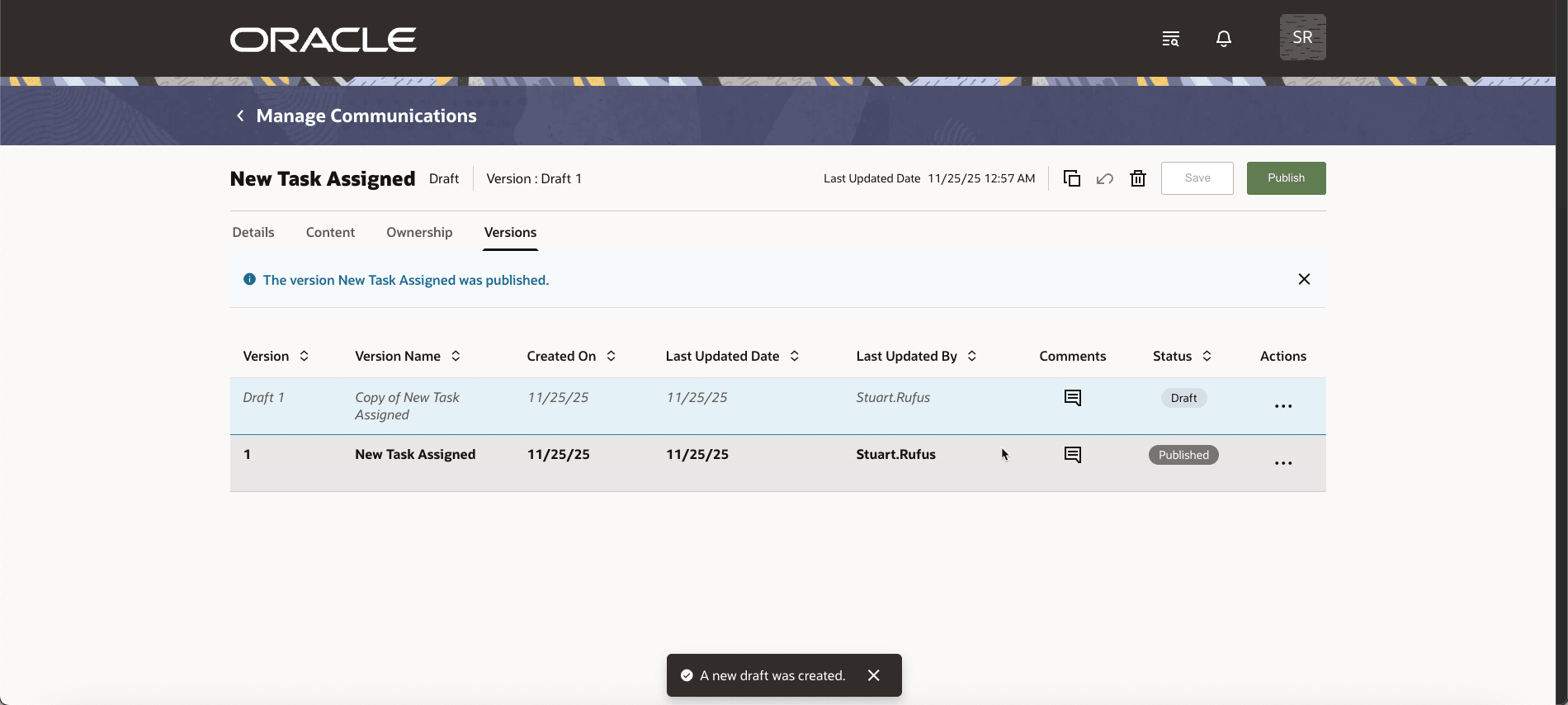
Communication Versioning
This feature gives institutions better control and flexibility over student communications by allowing changes to be made in draft form and published only when ready. It enables accuracy, consistent branding, and smoother migrations, while modern tools like previews, token drawers, and template-driven setup improve efficiency and the student experience.
Steps to Enable and Configure
After updating to this release, you should run the migration process to use the new format.
- Sign in as a user who's provisioned with the Higher Education Application Administrator role.
- Click Navigator > Tools > Scheduled Process.
- Click Schedule New Process, then search for Upgrade Communication Setups.
When you run this process, existing communication setups are upgraded to the new format, which is versioned and includes new attributes such as the communication profile. To take full advantage of this feature, ensure all communication setups are upgraded, as only upgraded setups will be available for use.
Key Resources
- What happens to communications during migration?
- How do I manage enrolment confirmation emails in Student Management Cloud?
- How do I activate or deactivate a communication in Student Management Cloud?
- Can I edit a communication that’s already published?
- How does a communication template link a communication to an event in Student Management Cloud?
- What communication templates are available in Student Management Cloud?