24-Hour Time Format - Enhanced Workbench Tables
This feature adds support for 24-hour User Preference Time Formats in Enhanced Workbench Tables. When your user preferences are set to a 24-hour format (such as HH:mm or HH:mm z), time entries will now appear in that format within the tables. The 24-hour Time Format is provided for all of the standard Enhanced Workbench features, Inline Editing, Mass Update and Export.
In the examples that follow, the User Preference Time Format has been set to the 24-hour Time Format - HH:mm z, as shown below.
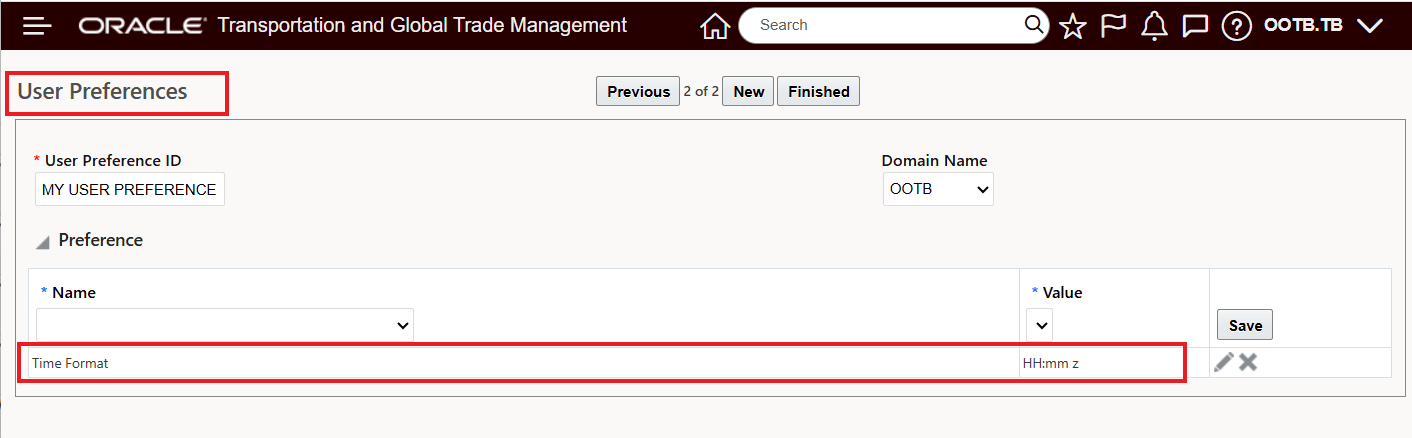
User Preference 24-hour Time Format
With the 24-hour Time Format set for the User Preference - the time control for the tables in the Enhanced Workbench will now show time in a 24-hour clock - as shown below for the Inline edit example.
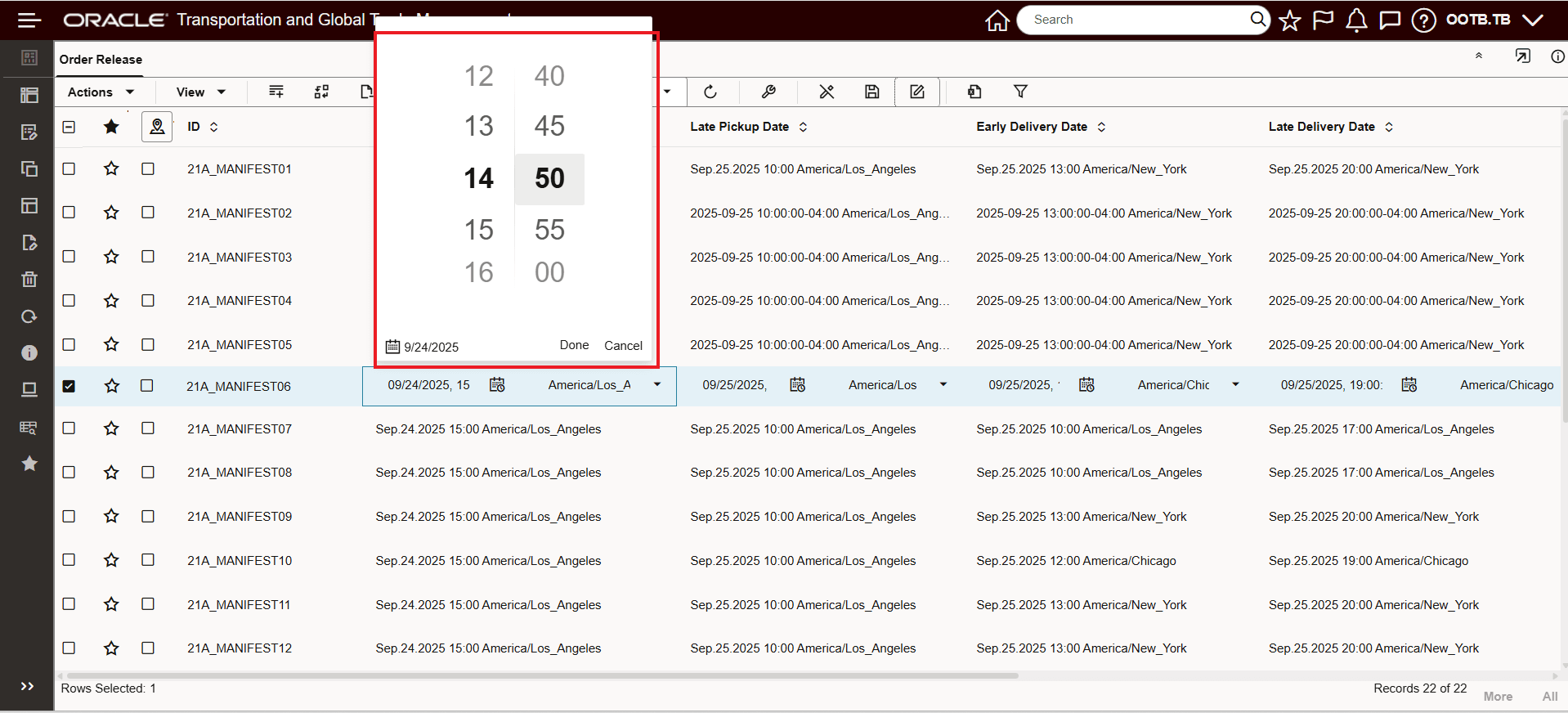
Inline Edit - 24-hour Time Format
The 24-hour Time Format is also provided with Mass Update, as shown below.
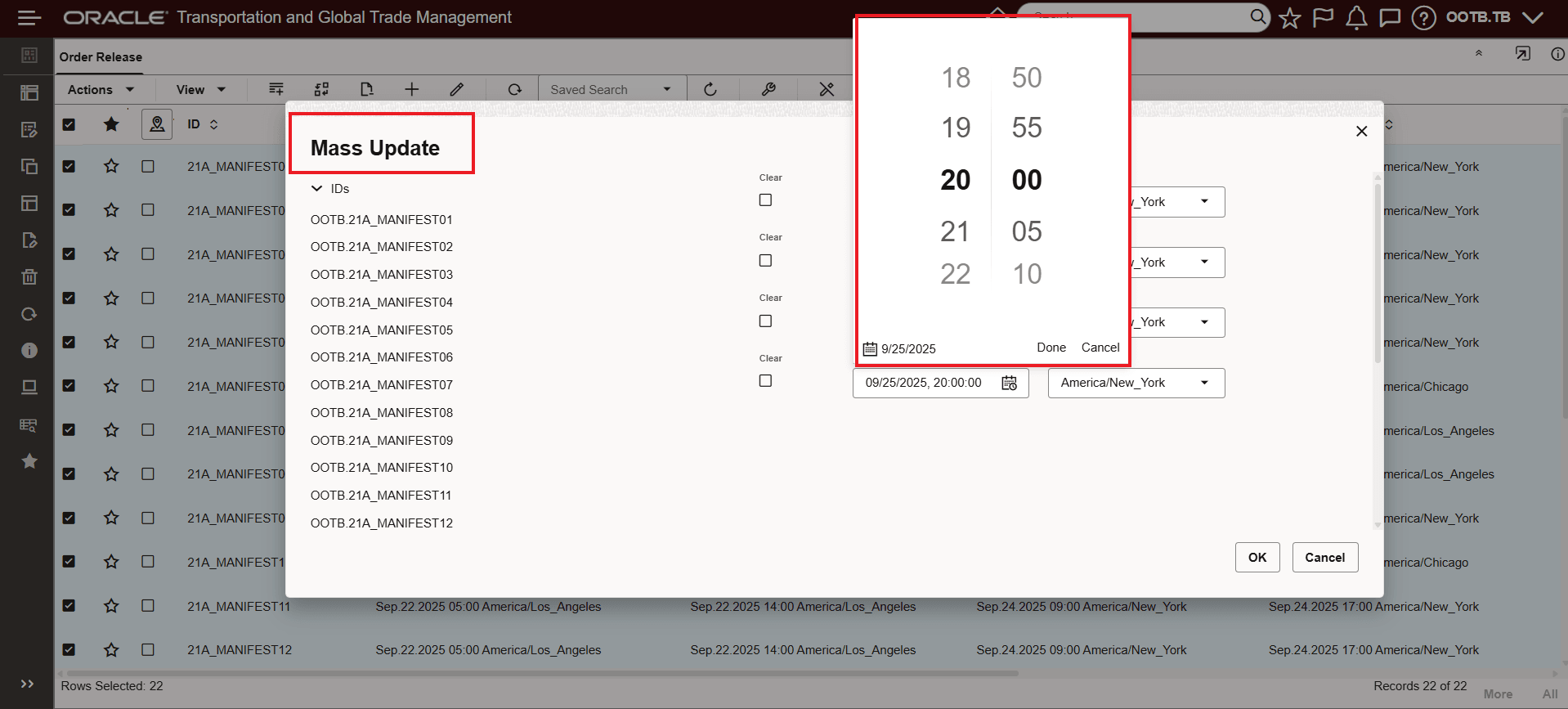
Mass Update - 24-hour Time Format
Export also follows the User Preference 24-hour Time Format, as shown below.

Export - 24-hour Time Format
Business Benefit: This features provides support for the 24-hour User Preference Time Formats within your Enhanced Workbench Tables. Now, when your User Preference Time Format is set to one of the 24-hour User Preference Time Format options (HH:mm or HH:mm z) the time format provided will be in the desired 24-hour clock format. The 24-hour time format will apply for edits, inline edits as well as mass updates and export.
Steps to enable and configure
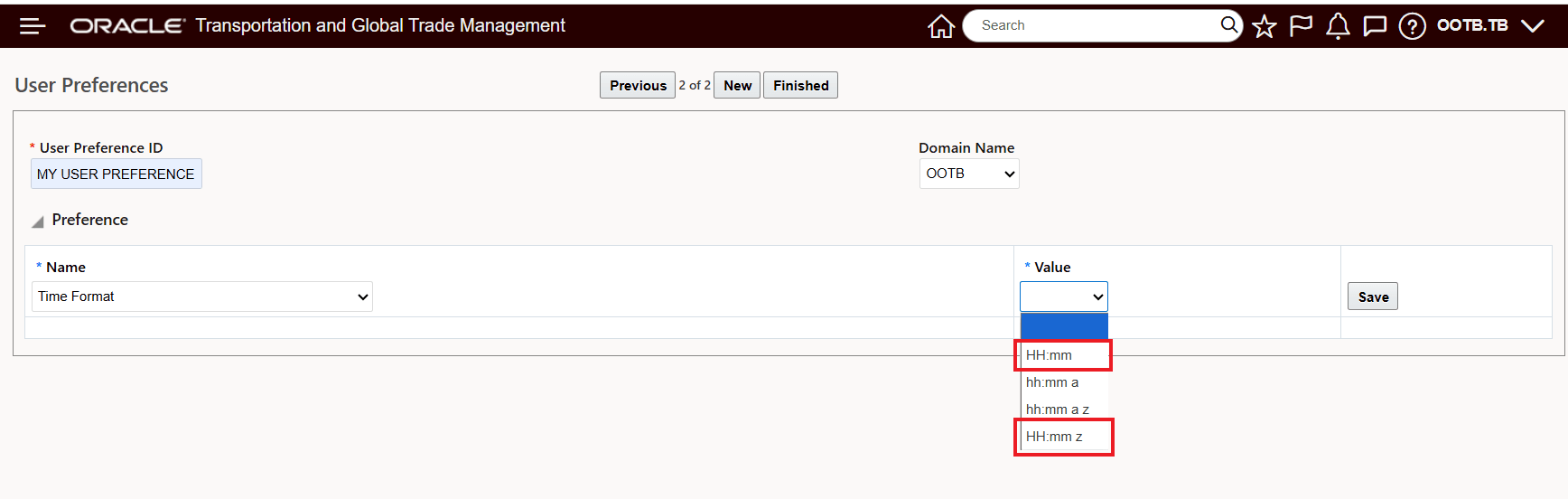
User Preference 24-Hour Time Format Options
If your User Preference Time Format is not already using one of the 24-hour time formats, you will need to change your User Preference Time Format to one of the 24-hour options - HH:mm or HH:mm z.