Support for First Filing Rule for Duty Drawback
This feature provides support for the first filing rule for duty drawback. In certain scenarios, you may want to use the first filing rule to ensure continuity in the rules you are using for exports. For example, you import 1000 pieces of a certain part and they have been entered into inventory. When you export the first 100 pieces, you decide if you are going to use a Direct ID Match or Substitution when creating the declaration line from the inventory. As you continue to export from those 1000 pieces that you imported, the first file rule says you need to continue to follow the same methodology for your exports. If the first time you filed, you used Direct ID Match, you need to continue to use Direct ID Match for all exports related to the 1000 pieces that you imported.
Trade Incentive Program
Navigate to Trade Incentive Program > Programs. On the Trade Incentive Program, a new Apply First Filing Rule flag is available. Select the checkbox to indicate that you want to use the first filing rule.
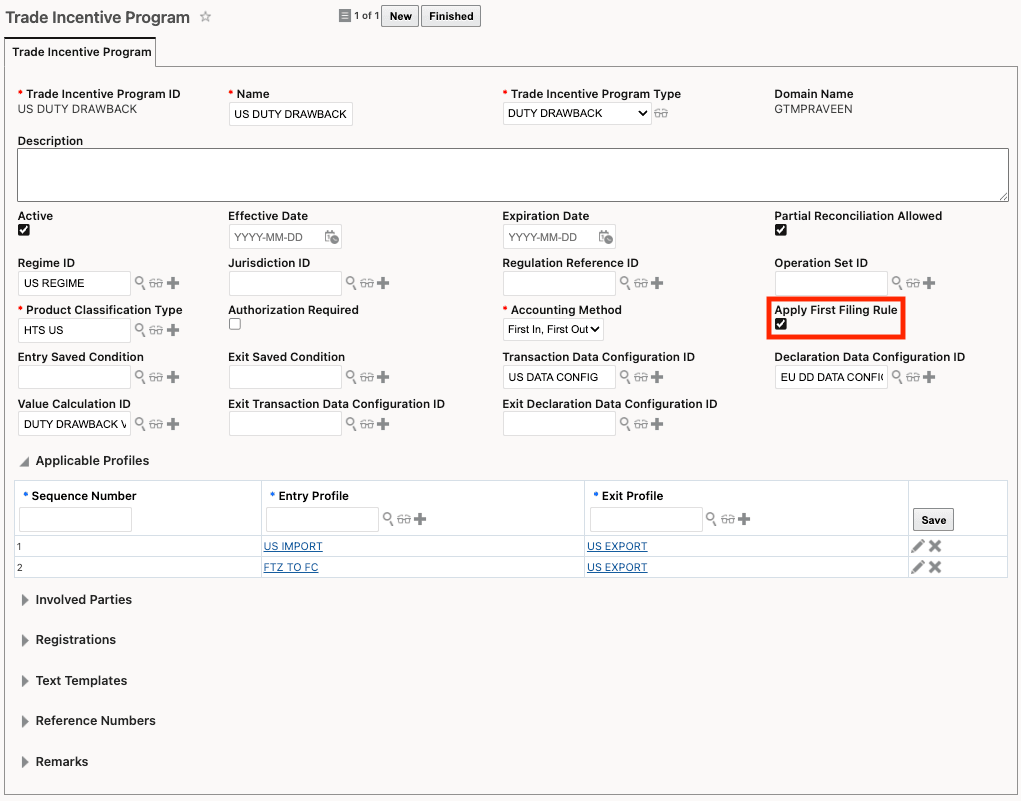
Trade Incentive Program - Apply First Filing Rule
Trade Incentive Program Rules
Navigate to Master Data > Power Data > Trade Incentive Program > Trade Incentive Program Rules. Create trade incentive program rules for each methodology and enter the priority. In this example, create 2 rules: one for Direct ID matching, and one for Substitution. Include the priority for each of these rules.
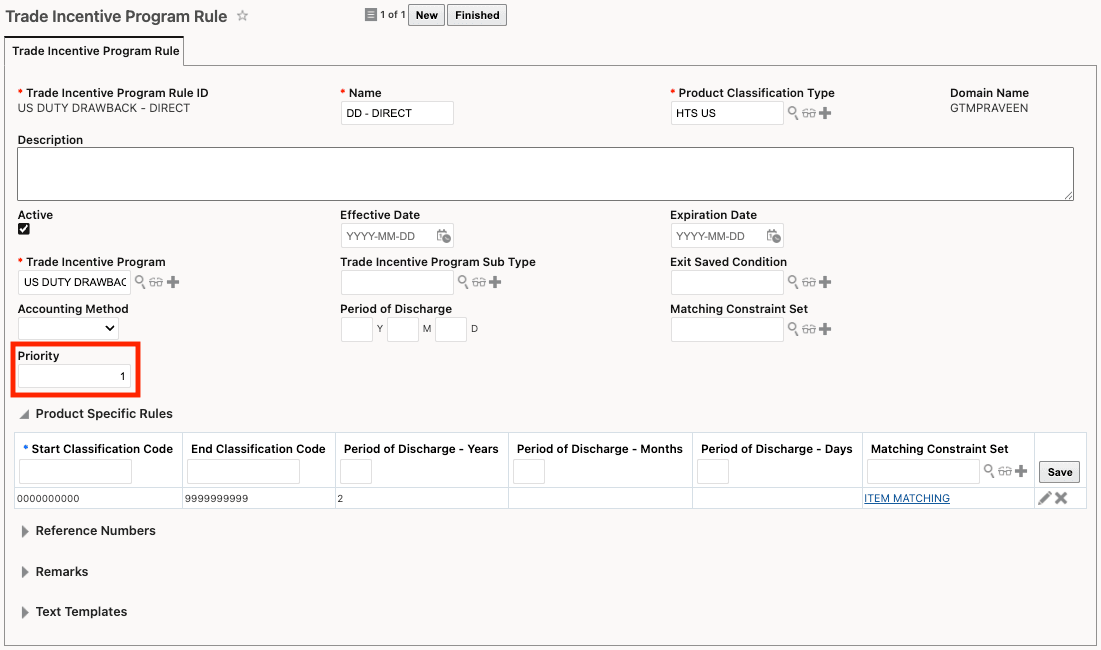
Trade Incentive Program Rule including Priority
When exporting these goods later, GTM reconciles your imports to exports and ensures that the first filing rule is honored.
Business Benefit: This feature introduces support for the "first filing" rule for duty drawback processing in global trade operations. The first filing rule is critical for maintaining consistency in the methodology used for processing exports against imported inventory. By supporting the first filing rule, this feature streamlines duty drawback processes, enhances compliance with export/import regulations, and minimizes operational risks associated with inconsistent filing practices.
Steps to enable and configure
You don't need to do anything to enable this feature.
Key resources
For more information on trade incentive programs, refer to the GTM How To/Configuration Topic called "Trade Incentive Programs".