Tracking and Reporting of Steel Content
This feature helps you meet regulatory requirements for reporting import duties based on the content of steel, aluminum, or other specified articles. You can now split declaration lines containing steel articles and steel derivatives according to their steel content, allowing for accurate reporting of both steel and non-steel content to US CBP. A new Split Line for Penalty Reporting action allows you to select applicable penalties for the item on your declaration line, specify the percentage of content, and automatically split and calculate line values based on the entered percentages. Afterward, you can use the Estimate Duty and Tax action to add the corresponding duty and tax information to each declaration line.
Note: This is a generic solution applicable to steel, aluminum, and other specified articles with penalties determined by the percentage of content.
Tariff Rates Including Penalty Classification Code
A new column has been added to the tariff rate, displaying the Penalty Classification Code for each Chapter 1-97 classification. This information enables GTM to link classification codes with their corresponding penalty codes, which are referenced when running the Split Line for Penalty Reporting action. To view this data, navigate to Master Data > Power Data > Tariffs > Tariff Rates.
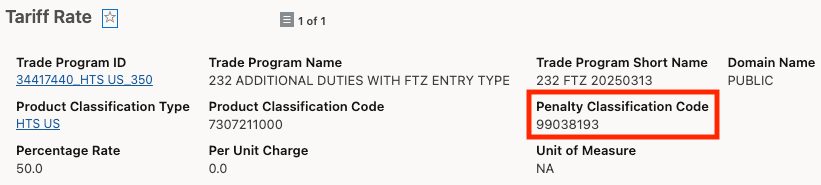
Tariff Rate with Penalty Classification Code
Split Line for Penalty Reporting Action
You can run the Split Line for Penalty Reporting action on a declaration line with a Chapter 1-97 classification code. When you perform this action, GTM splits the original declaration line into multiple lines based on the percentage of steel, aluminum, or other specified articles, creating one line per penalty. To use this feature, navigate to Customs > Declaration Lines. From the Actions menu, select Compliance > Split Line for Penalty Reporting.
Key fields and options include:
- Country of Origin: Derived from the declaration line.
- Product Classification Type: The classification type used for import.
- Value Qualifier ID: Specify the value qualifier for percentage calculation.
- Options to split lines:
- Split Lines: Enter the penalty code and percentage value for each applicable penalty.
- Fetch Penalty Codes: GTM uses the country of origin and product classification code to automatically determine and display applicable penalty codes.
Example:
If the country of origin is China and the product classification type is HTS US (for imports into the USA), the FOB value is used along with the entered percentage to calculate the value for each newly created split line.
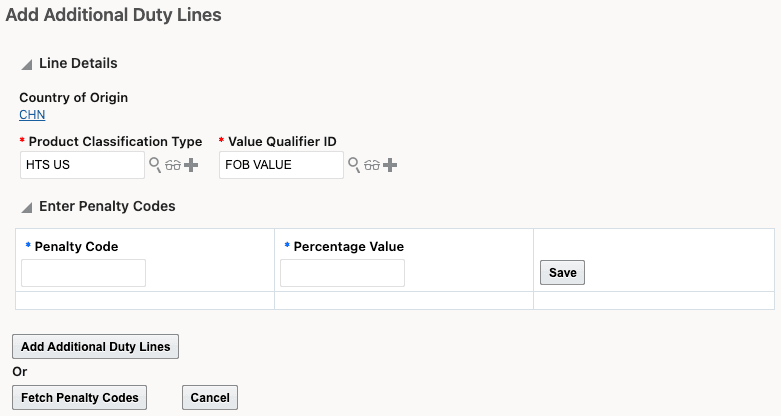
Split Line for Penalty Reporting Action - Input
When you click Fetch Penalty Codes, GTM uses the Country of Origin, Product Classification Type, and Product Classification Code to identify applicable penalties. The system references Tariff Rates, which link Product Classification Codes to Penalty Classification Codes, and displays all potential penalties that may apply. Select the relevant penalties and enter a Percentage Value for the steel or aluminum content.
In this example, you've entered 40% as the Percentage Value for your steel content.
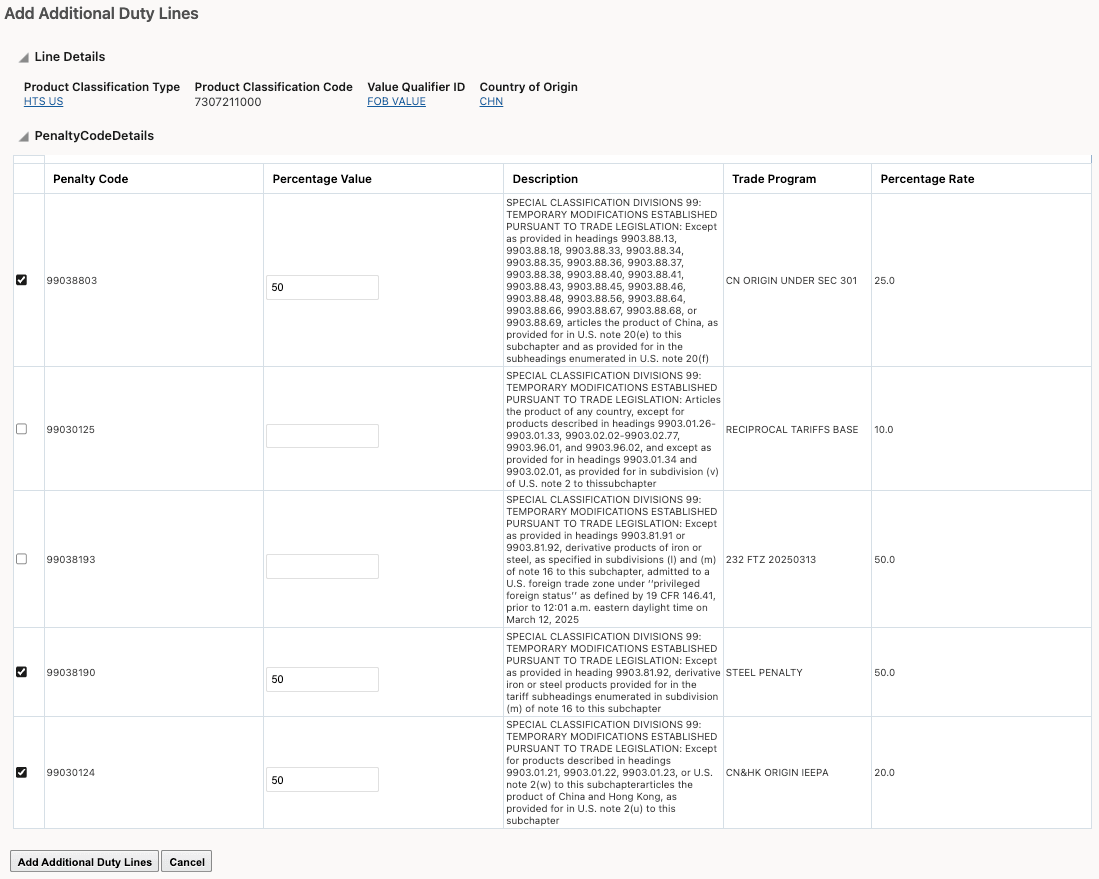
Split Line for Penalty Reporting - Selection
When you click Split Lines, GTM splits the original declaration line into multiple lines—one for each selected penalty code. The value, determined by the chosen Value Qualifier and the entered Percentage Value, is prorated across the new lines.
In this example, you selected one penalty so GTM creates one new declaration line. You now have 2 lines: the original declaration line and the new declaration line with the steel content.
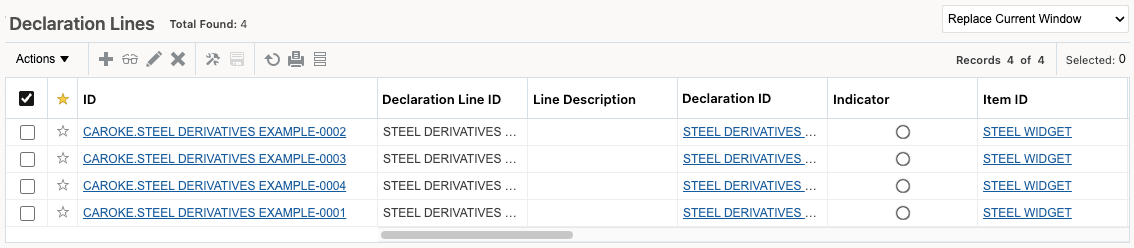
Declaration Line Finder Results
For each new declaration line created for a penalty, the value specified in the action is calculated based on the entered Percentage Value. In addition:
- The trade program field is populated to indicate the corresponding penalty assigned to each line.
- The penalty classification code is populated.
- The value is populated based on the percentage of content and the Value Qualifier on the action.
- A reference number with a Reference Number Qualifier ID of BASE DUTY TRANSACTION LINE is added which specifies the Declaration Line ID of the original declaration line.
In this example, the original line had an FOB Value of $1,000 USD and a steel content of 40% so the penalty line will show an FOB Value of $400 USD.
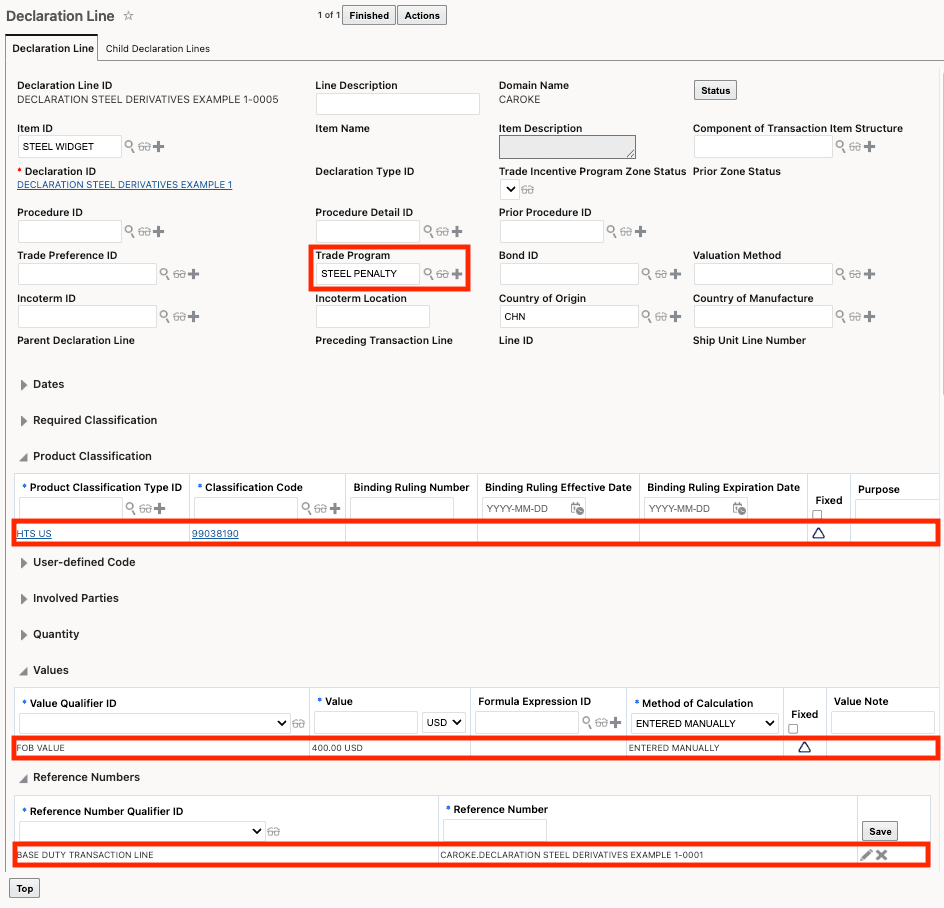
Declaration Line for Split Line
Business Benefit: This feature enables compliance with regulatory requirements by allowing you to accurately report import duties for steel, aluminum, and other specified articles. By splitting declaration lines according to the percentage of steel or non-steel content, you can ensure precise reporting to US Customs and Border Protection (CBP). The capability to select applicable penalties, specify content percentages, and automatically calculate line values simplifies the process and helps reduce errors
Steps to enable and configure
You don't need to do anything to enable this feature.