Export/Import of Personalization Data
This feature provides the ability for you to easily transfer your Enhanced Workbench personalizations between different browsers or machines. The feature allows you to export your personalizations customized workbench layout and settings from one environment and import them into another, so you can maintain your personalized views without having to manually recreate your changes.
This enhancement was designed to support the following use cases:
- Export data from one browser to another browser in the same machine.
- Export data from one machine to another machine.
- Beneficial when you migrate from one release to another release, you do not need to redo all of your personalizations again.
- Beneficial when you are working on Test and Production instances - this feature allows you to easily export and import personalization data between the machines
To use the feature, simply:
- Open the Enhanced Workbench.
- Select "Export Personalization" from the navigation menu to download your personalization as a JSON file.
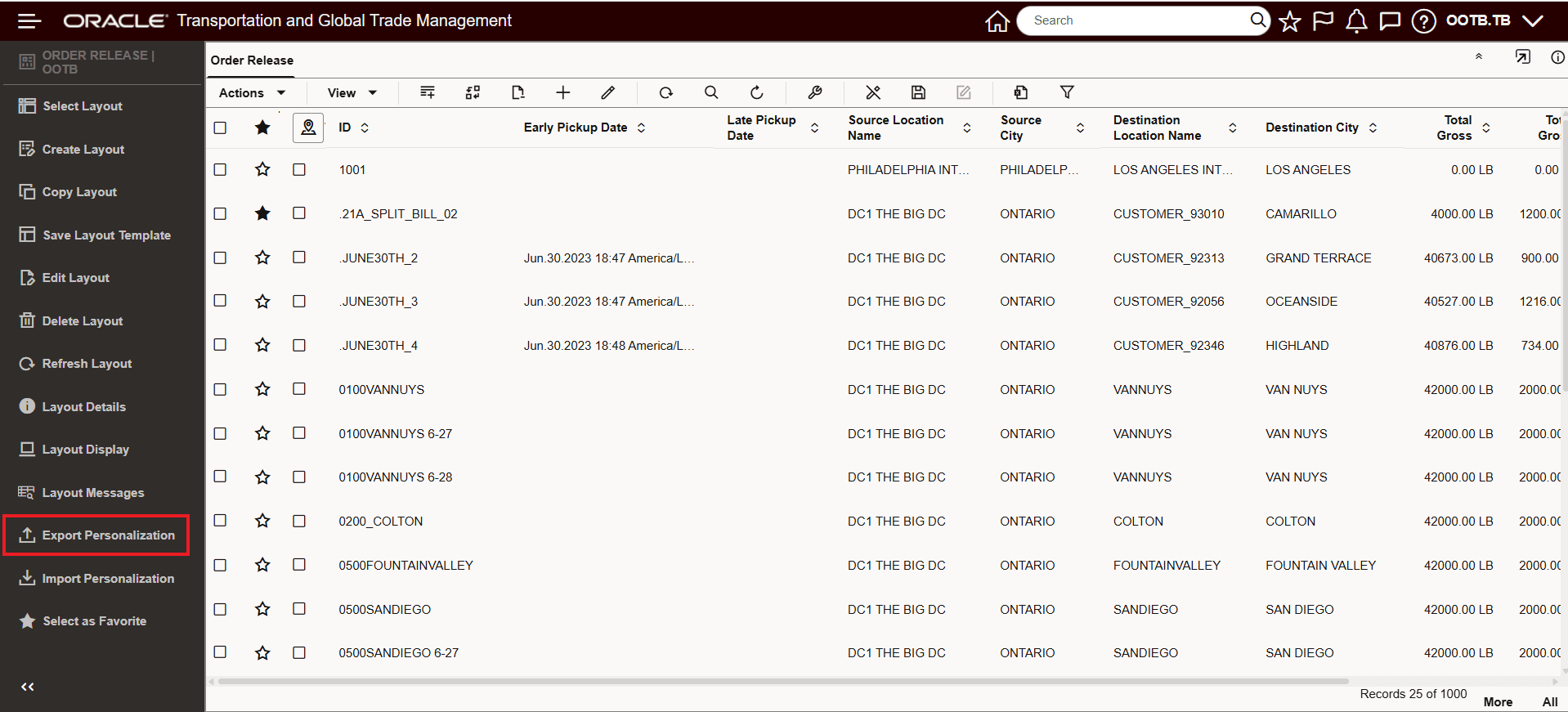
Export Personalization
File generated and downloaded - messages provided confirming JSON file generation.
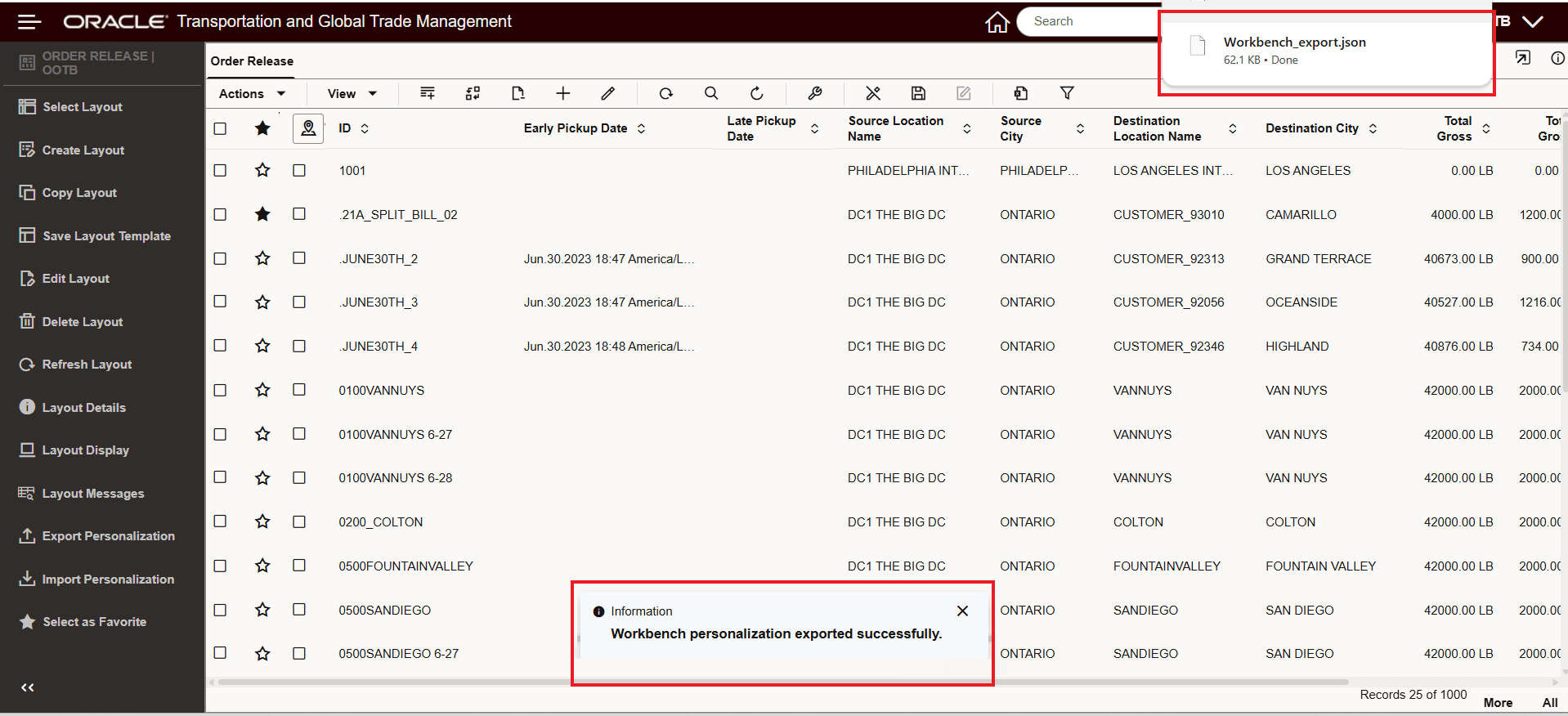
Export Personalization - Download and Confirmation Message
Copy or transfer the JSON file to your desired browser or machine.
In the target environment, in this case using FireFox - select "Import Personalization" from the navigation menu and upload the JSON file.
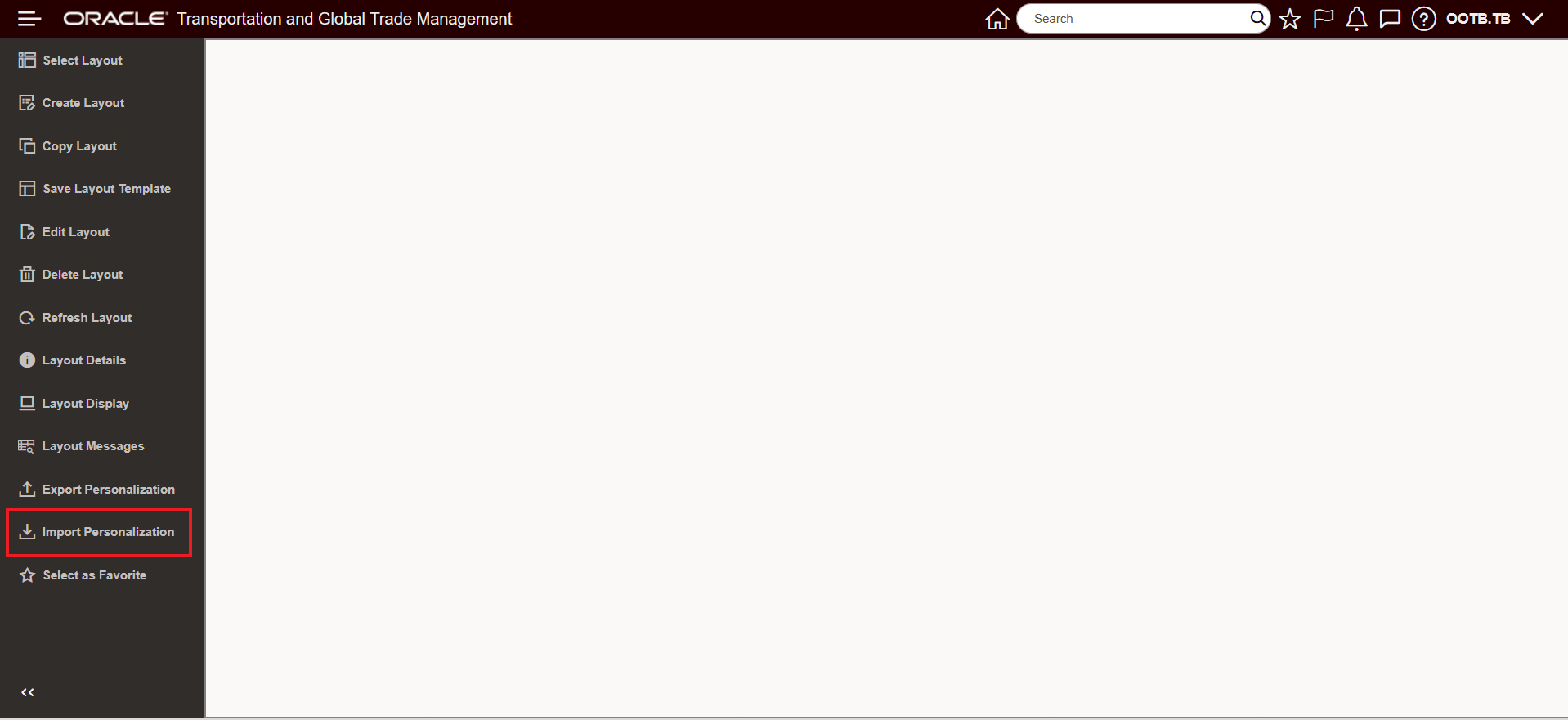
Import Personalization Data
Select the file that was exported above in Chrome using the Export Personalization and import as shown below.
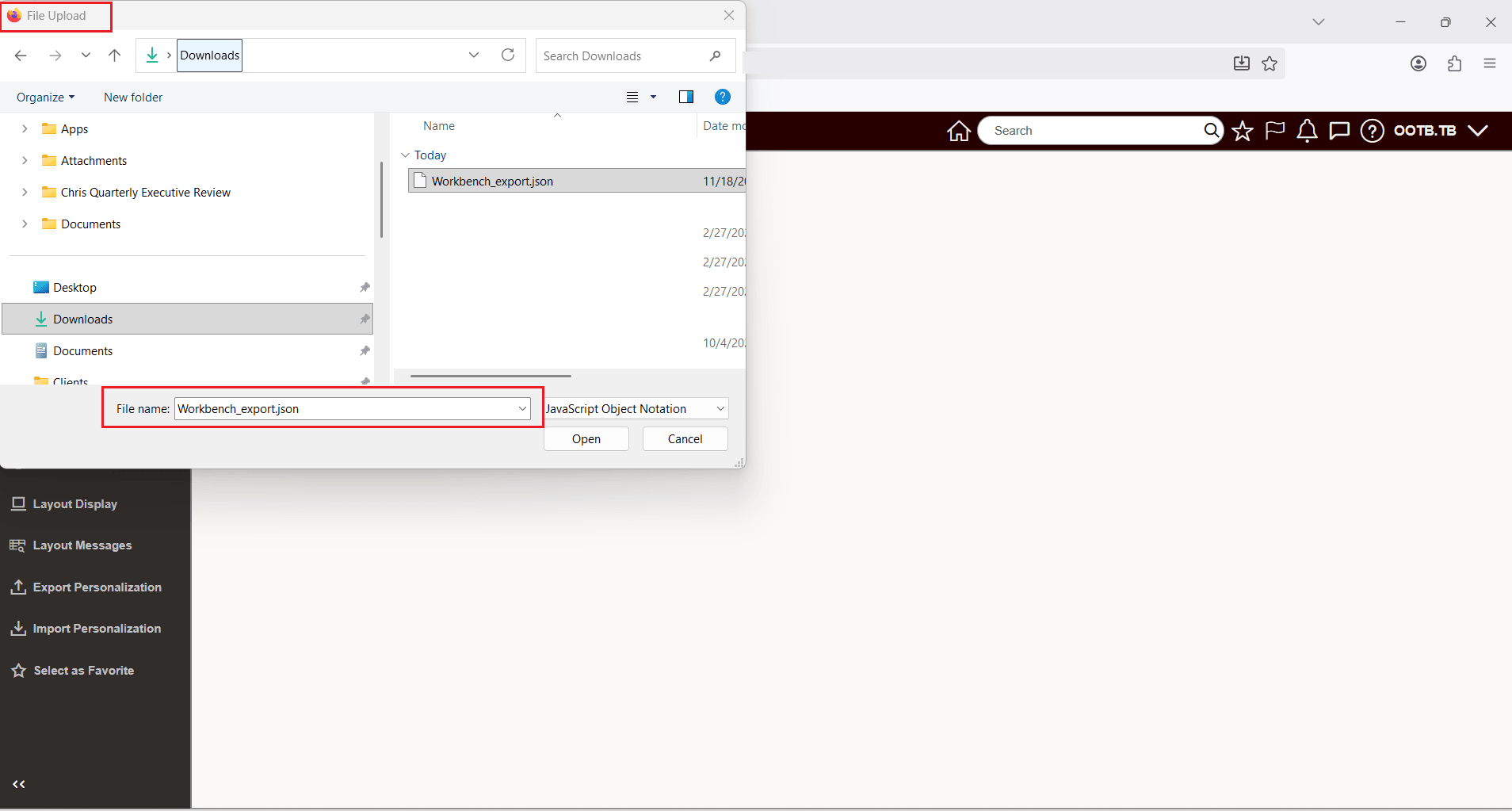
Select and Import JSON File Exported
When completed, the Enhanced Workbench exported from Chrome with personalizations, looks the same in FireFox once the personalizations are imported.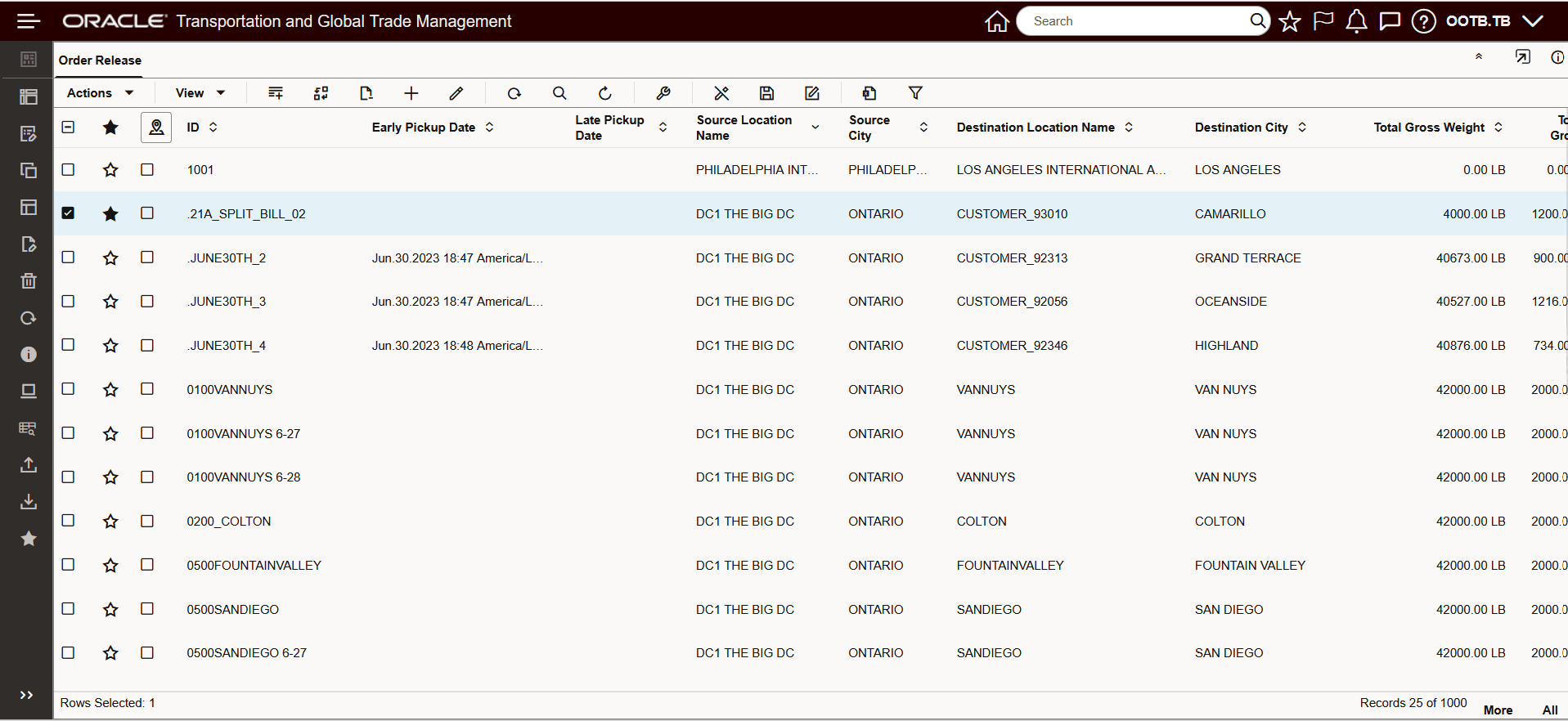
Enhanced Workbench With Imported Personalizations Applied
Business Benefit: This feature saves you time and effort by making it easy to consistently transfer and apply personalized workbench settings wherever needed.
Steps to enable and configure
You don't need to do anything to enable this feature.
Tips and considerations
- Ensure the database/schema being used in both environments is the same, or imported personalizations may not apply as expected.
- Existing personalizations for specific layouts will be overwritten if a matching layout is imported; new layouts will be added, and unrelated personalizations will remain unaffected.
- If the imported JSON file is corrupted or incompatible, you’ll see an error message.
- Personalization for Gantt parameters is not supported by this feature.
- If you experience issues, check the logger or layout messages for more details on what may have failed or mismatched.