Data Configuration Association Added - Shipment Rate - Emission Activity
This feature provides you with an additional Data Configuration Association (and Attribute) "Shipment Rate - Emission Activity" which is part of the "Shipment to Emission Activity" Associate Type that you can use to copy Remarks from a shipment's related Rate Offering or Rate Record to the shipment's Emission Activity record. The "Shipment Rate - Emission Activity" Data Configuration option, allows for a simplified mapping of your service provider rates that have been negotiated to represent the rates that apply for providing services using different fuel types - like Diesel, Gas or EV.
In the example below, the Data Configuration has been configured to copy the Rate Offering or Rate Record "FUEL" Remark Qualifier value to the "FUEL" Remark Qualifier value for the shipment's Emission Activity record.
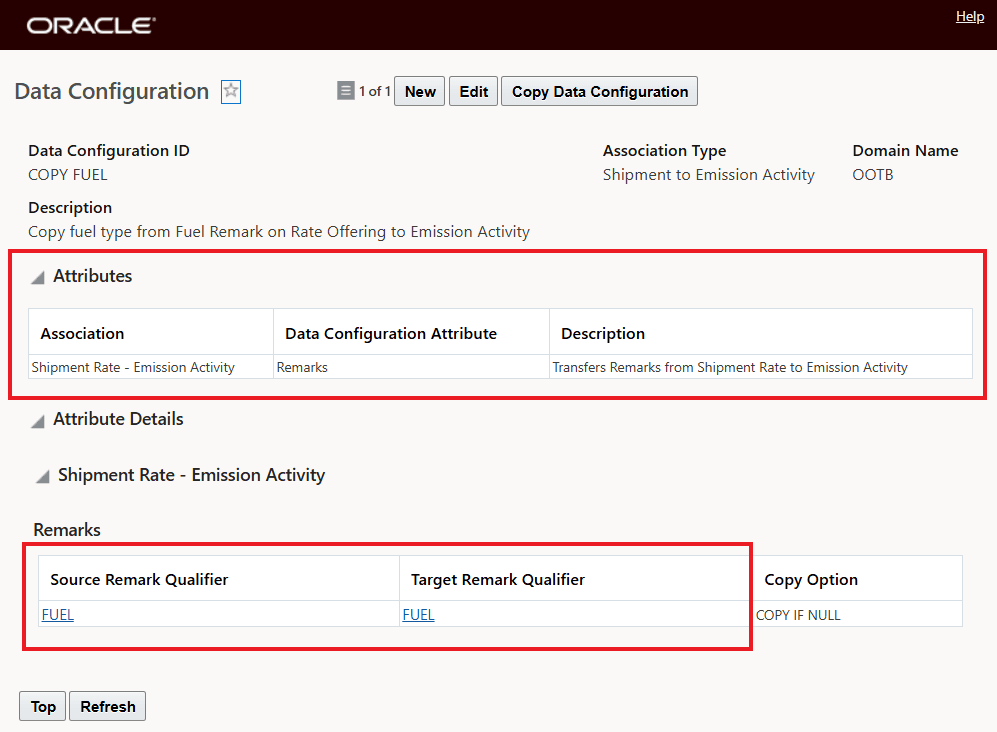
Data Configuration - Shipment Rate Remark Qualifier "FUEL" to Emission Activity Qualifier "FUEL"
To demonstrate the connection, the Rate Offering below, with the "FUEL" Remark Qualifier and the related Remark Qualifier Value of "DIESEL" will be used to plan a shipment and show how the configuration copies the data to the related Emission Activity record and then is used in calculating the shipment emissions.
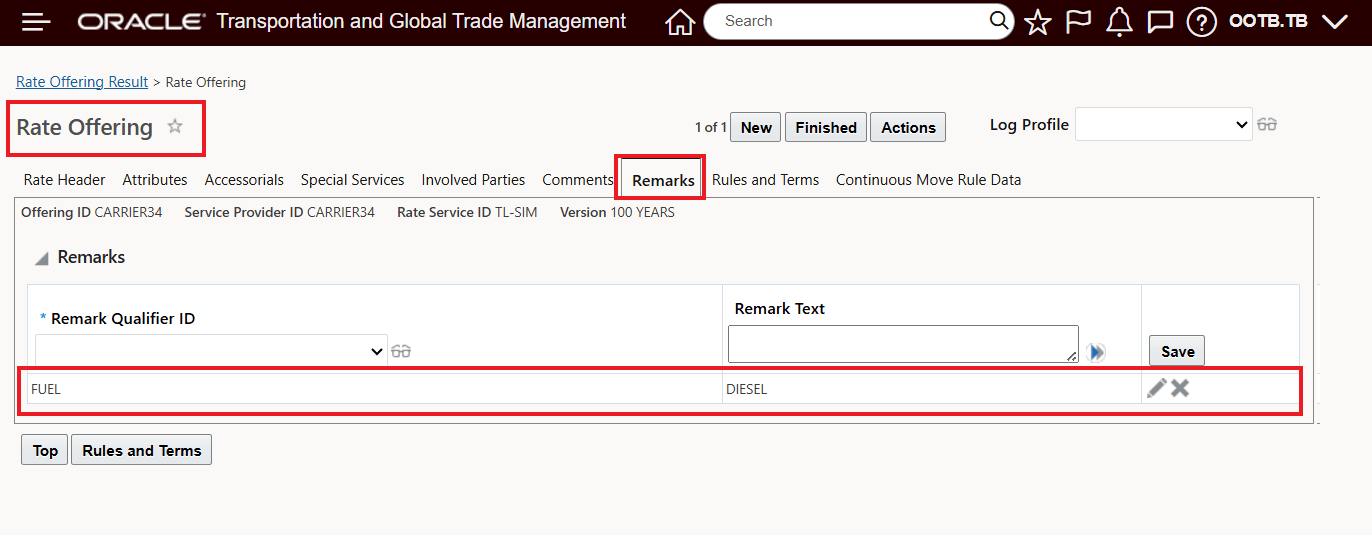
Shipment Rate - Rate Offering for Shipment Remark "FUEL" Value "DIESEL"
The shipment 27426, below, uses the Rate Offering CARRIER34, with the configured "FUEL" Remark Qualifier and the Remark Qualifier Value of "DIESEL".
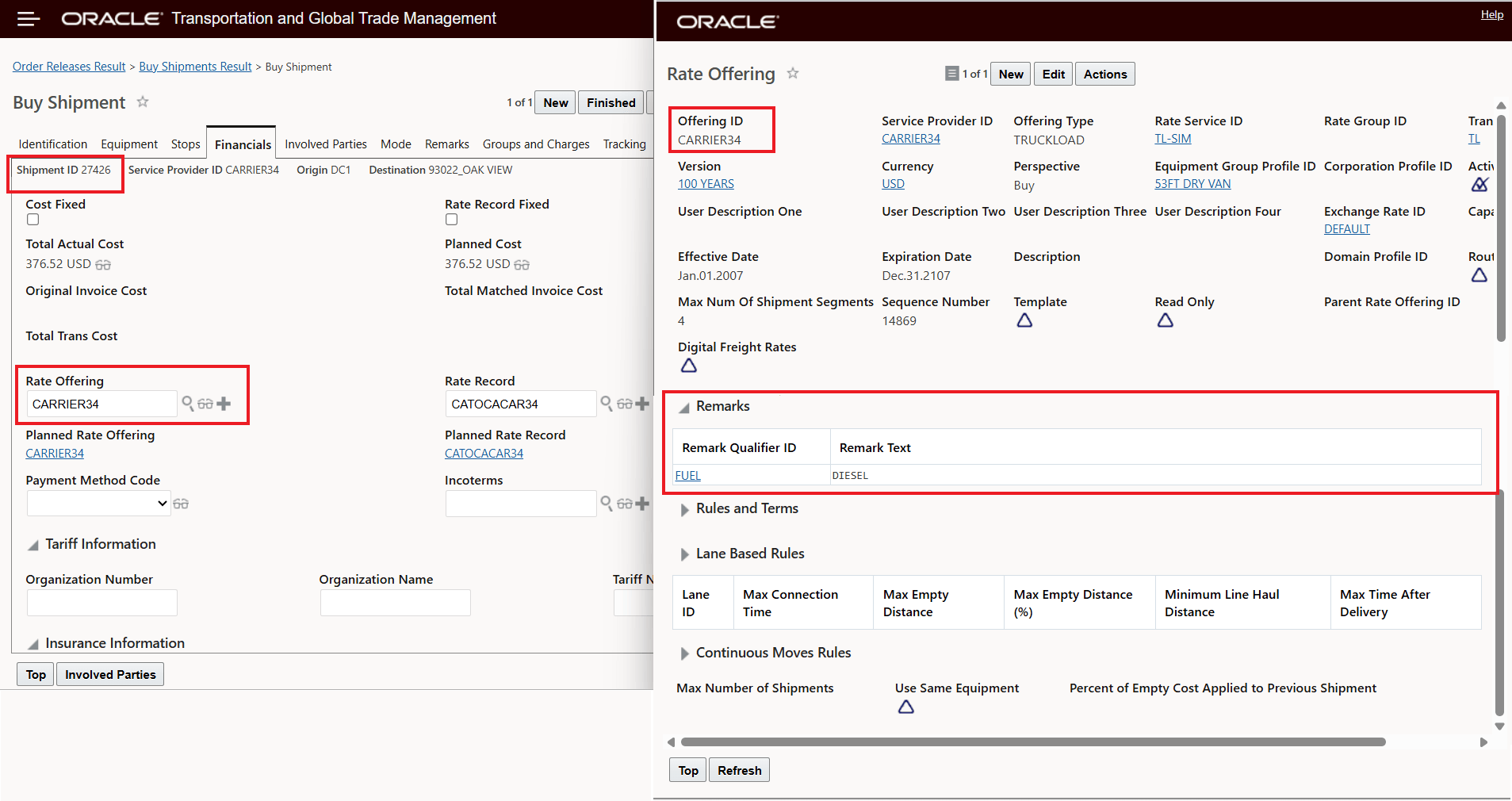
Shipment and Rate Offering
The related Emission Activity record for the 27426 shipment is shown below, note that the "FUEL" Qualifier and Value (DIESEL) has been copied to the Emission Activity record for use in the calculation of emissions for this shipment.
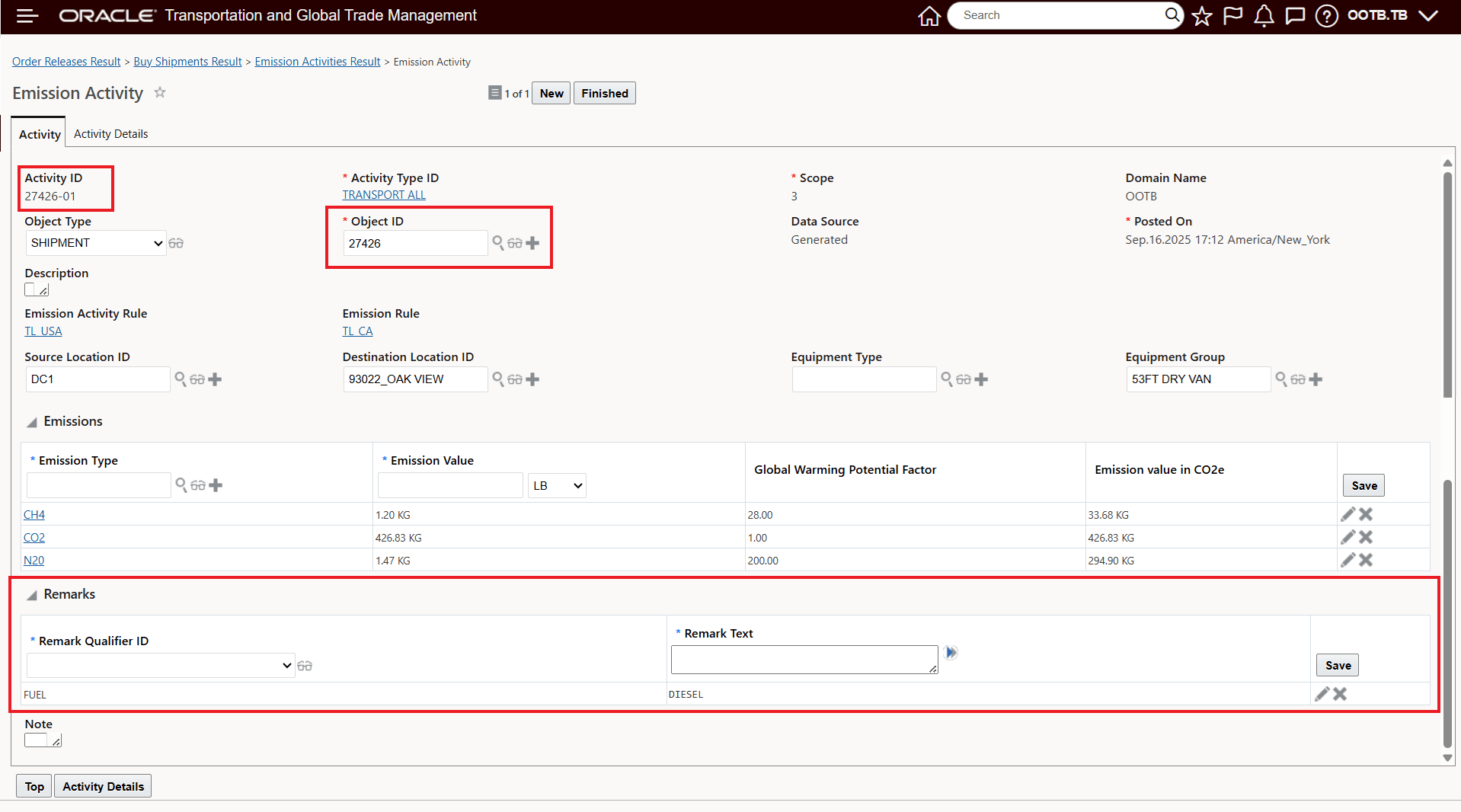
Emission Activity Record
Business Benefit: This feature aligns the approach used by many customers where separate Rate Offerings and Rate Records have been configured to support different Fuel offerings (diesel, gasoline, EV) with the calculations of emissions for the different fuel type related to the different Rate Offerings and Rate Records.
Steps to enable and configure
This feature provides you with the option of mapping/remapping where the specification for fuel type used in your emissions calculation is provided. In the setup example below, the setup assumes that in your previous configuration you were assigning the fuel type to your Equipment Group and then the Data Configuration tied to your Emission Activity Rule was mapping the "FUEL" Remark Qualifier from the Equipment Group to the Emission Activity record for your emissions calculation. The setup to change this mapping so that fuel type is provided as a remark on your Rate Offering can be accomplished by changing your Data Configuration Attribute Association from - in this example - "Shipment Equipment Group- Emission Activity" to the new option "Shipment Rate - Emission Activity" - as shown below. All of your other Emission setups can remain unchanged.
Assuming your Data Configuration previously was like below where the Remark on your Equipment Group represented the fuel type.
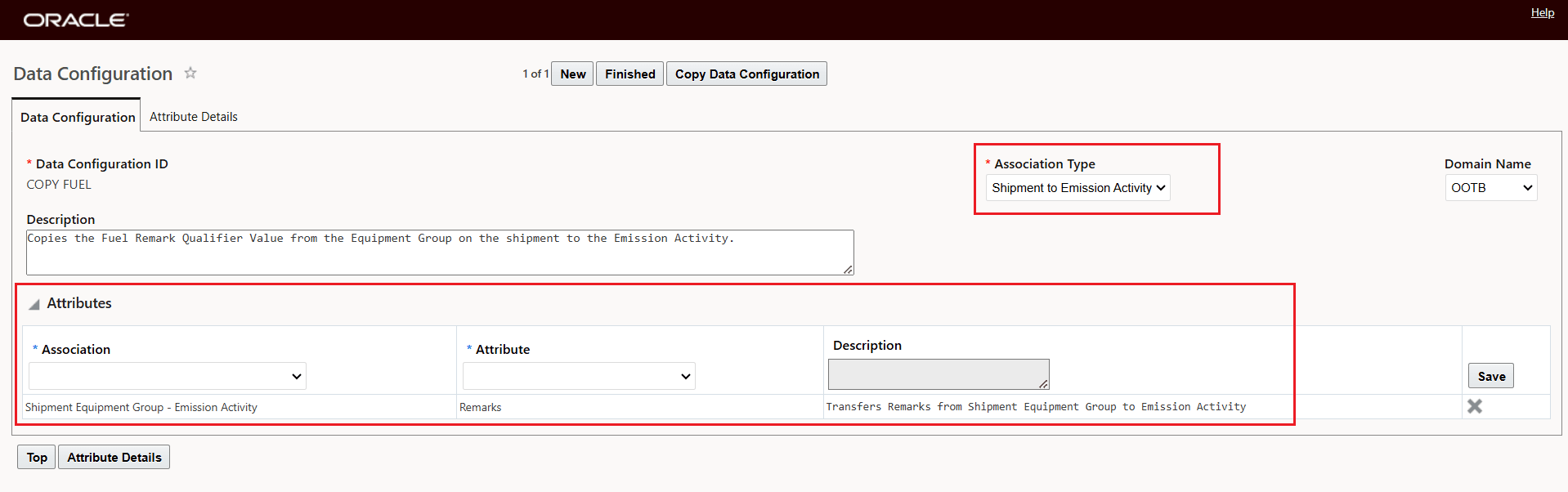
Data Configuration Old Fuel Type Mapping
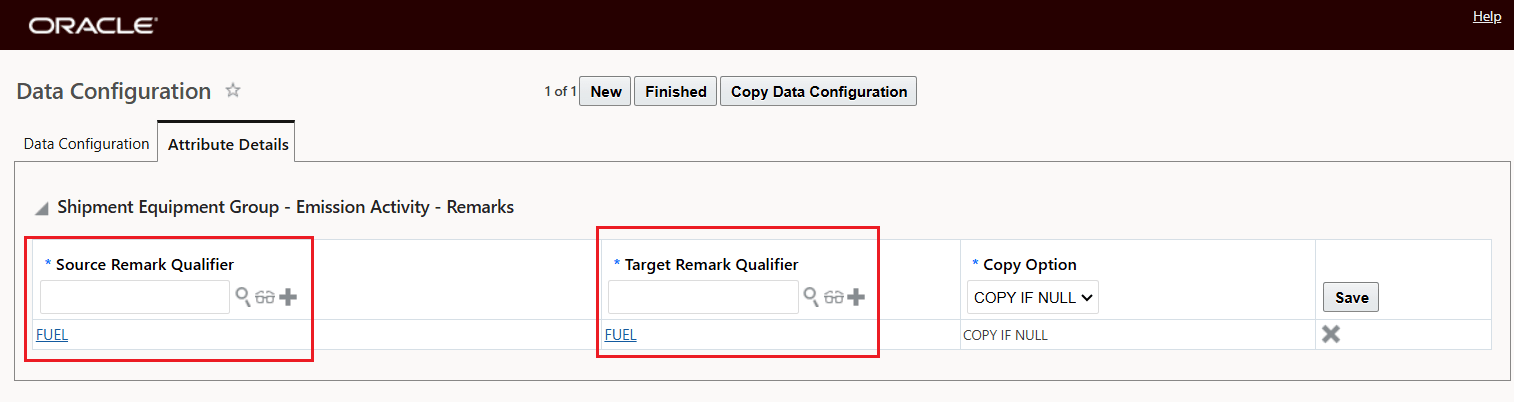
Data Configuration Old Fuel Type Mapping Attribute Detail Example
This feature allows you to change the above mapping so that the Remark on the Rate Offering/Rate Record can be used for providing the fuel type for your Emission Activity record.
Below, the Rate Offering Remark - with the "FUEL" Remark Qualifier has been added with the Remark Value of DIESEL - this setup assumes that the Rate is for a service that uses a Diesel power unit.
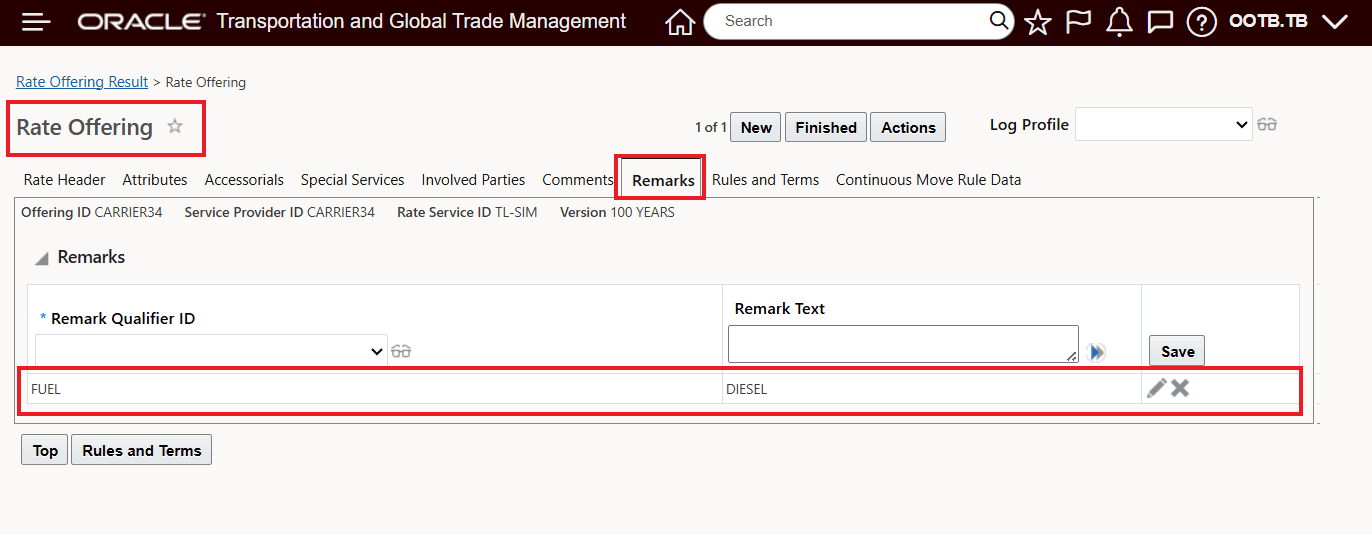
Rate Offering With Configured Remark
The only change required now is to change the Attribute Association on the Data Configuration to use the "Shipment Rate - Emission Activity".
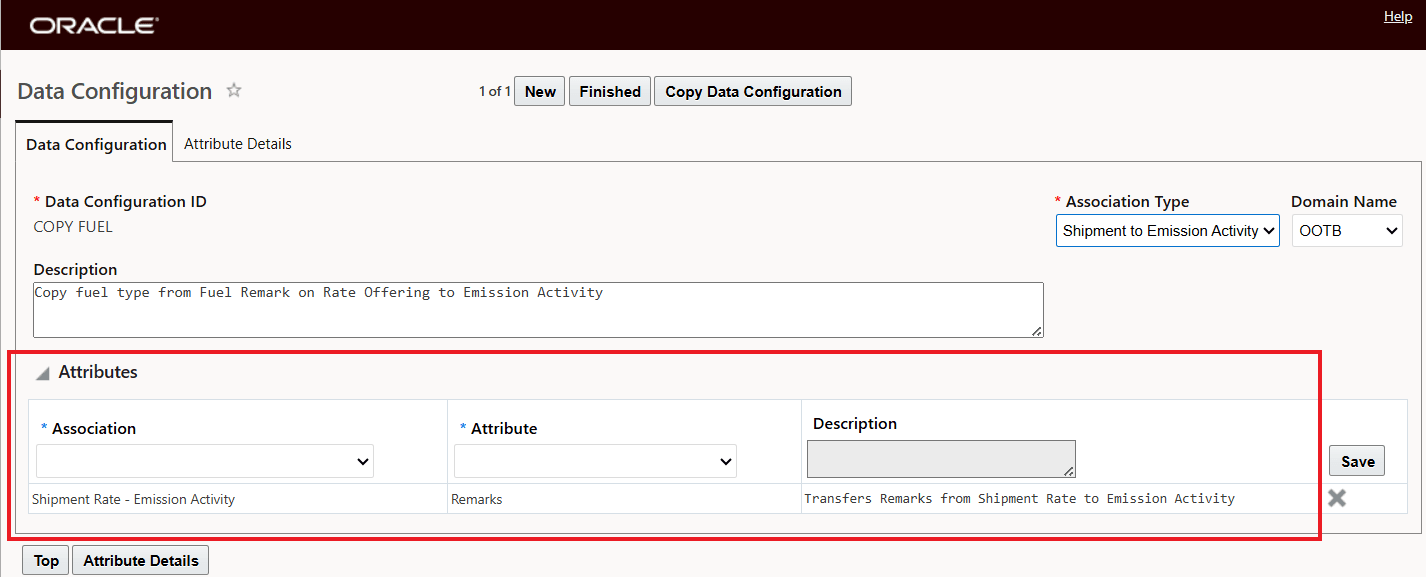
Data Configuration Change - "Shipment Rate - Emission Activity"
Check/change the mapping of the two Remark Qualifiers, as shown below.
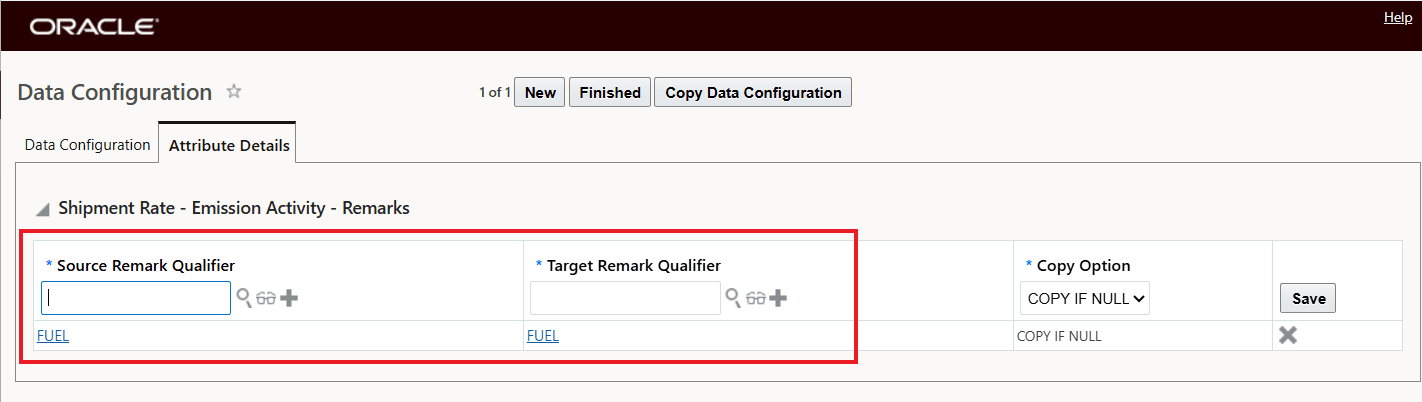
Data Configuration Change - Attribute Details
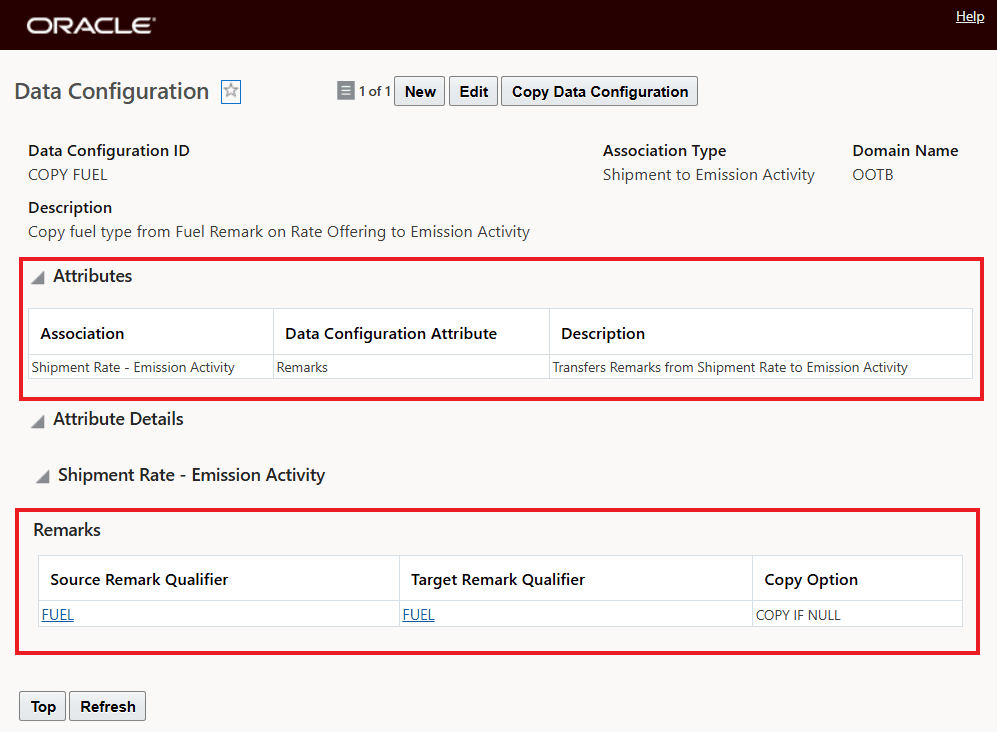
Data Configuration Attribute Configuration Shipment Rate To Emission Activity