Data Configuration - New Shipment - Emission Activity Attribute
This feature provides an additional Data Configuration Attribute (Remarks) for the "Shipment - Emission Activity Association" type. The additional Attribute is provided to complete the use case scenario where your Service Providers provides a Remark on their tender response that contains information that is germaine to the calculation of emissions - for example fuel type - like Diesel, Gas or EV. When a tender is accepted, the remarks provided by the Service Provider will be copied to the shipment - the new Association Attribute on the Data Configuration will allow that Shipment Remark to then be copied to the Emission Activity record which can then be used in the calculation of emissions.
In the example below, the Data Configuration has been configured to copy the Remark with the Remark Qualifier value "FUEL" from the Shipment to the shipment's Emission Activity record.
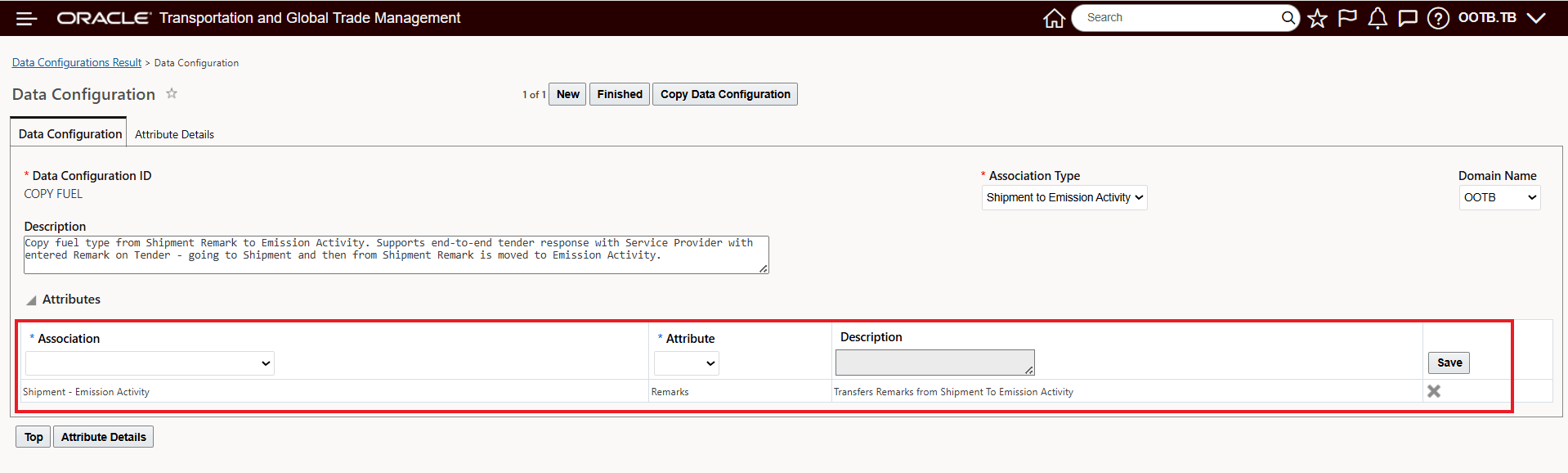
Data Configuration - Shipment Remark Qualifier "FUEL" to Emission Activity Qualifier "FUEL"
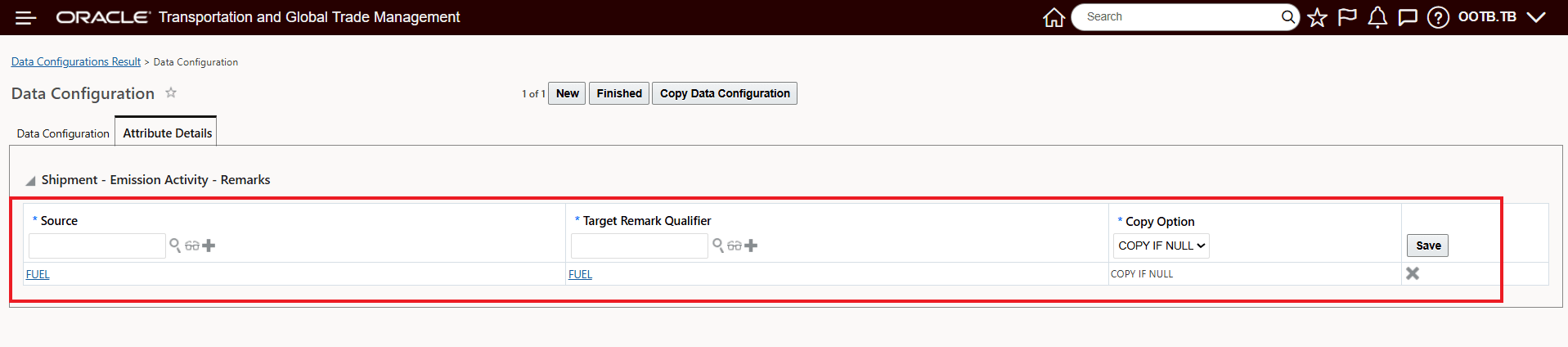
Below is the Attribute Detail with the mapping of Shipment Remark Qualifier "FUEL" to Emission Activity Qualifier "FUEL".
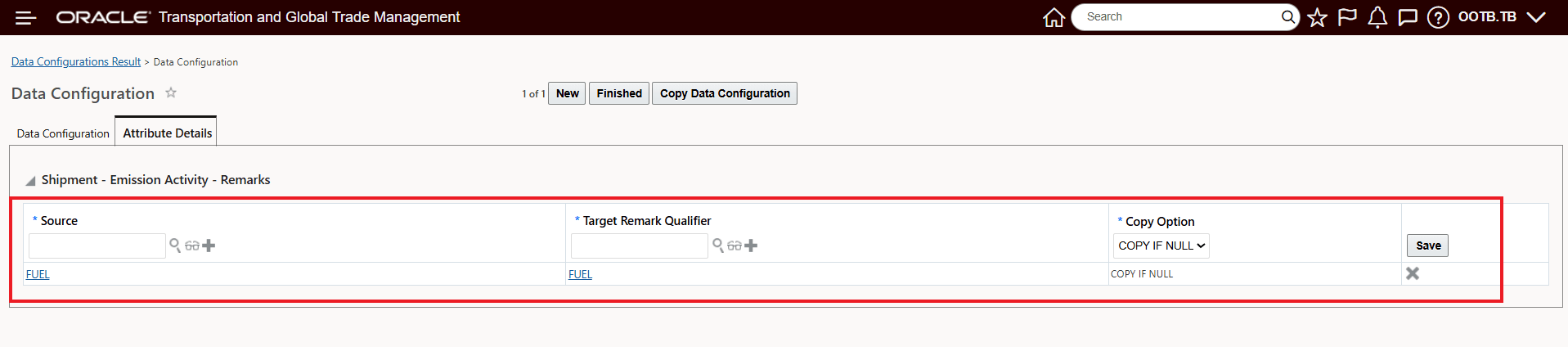
Data Configuration - Shipment Remark Qualifier "FUEL" to Emission Activity Qualifier "FUEL"
Below is the Data Configuration in View mode.
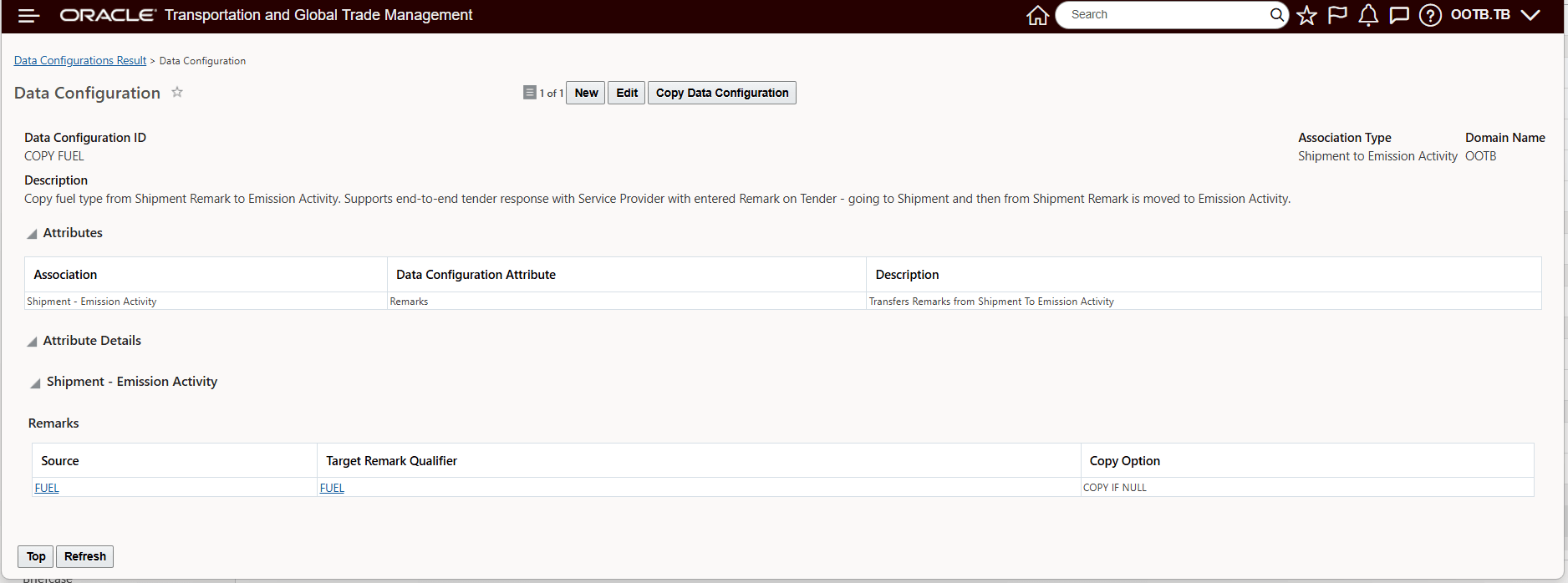
Data Configuration - Shipment Remark Qualifier "FUEL" to Emission Activity Qualifier "FUEL" View
Business Benefit: This feature aligns the approach used by many customers where Service Providers provide information about the fuel type that they will be used as a remark on the tender response. This feature completes the required setup to enable this remark provided on the tender response to be used in the calculations of emissions for the shipment.
Steps to enable and configure
This feature provides you with the option of mapping/remapping where the specification for fuel type used in your emissions calculation is provided. In the setup example below, the setup assumes that in your previous configuration you were assigning the fuel type using the "FUEL" Remark Qualifier for your Emission Activity and your emissions calculation. The Data Configuration change below changes the mapping so that fuel type is provided as a Remark on your Shipment versus for example, Equipment Group. This change can be made by changing your Data Configuration Attribute Association to "Shipment - Emission Activity" and then changing the Attribute to "Remarks".
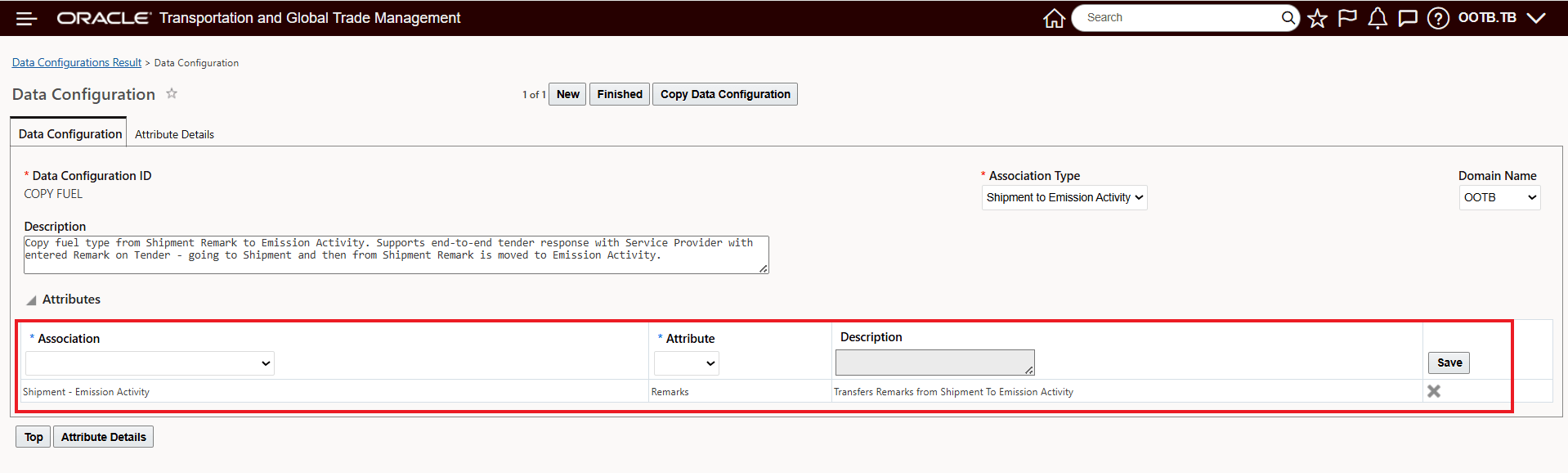
Data Configuration Change - Attribute - Remarks
Then, on the Attributes Details tab, defining the Source and Target Remark Qualifier. In this case "FUEL".
Qualifier Mapping