 Appointment Action Post Action Checks
This enhancement provides post action checks for the Appointment Actions Schedule Appointment, Schedule Appointment - Show Options, Adjust Appointment Time and Drag and Drop.
The highlighted appointment actions below now support post action checks.
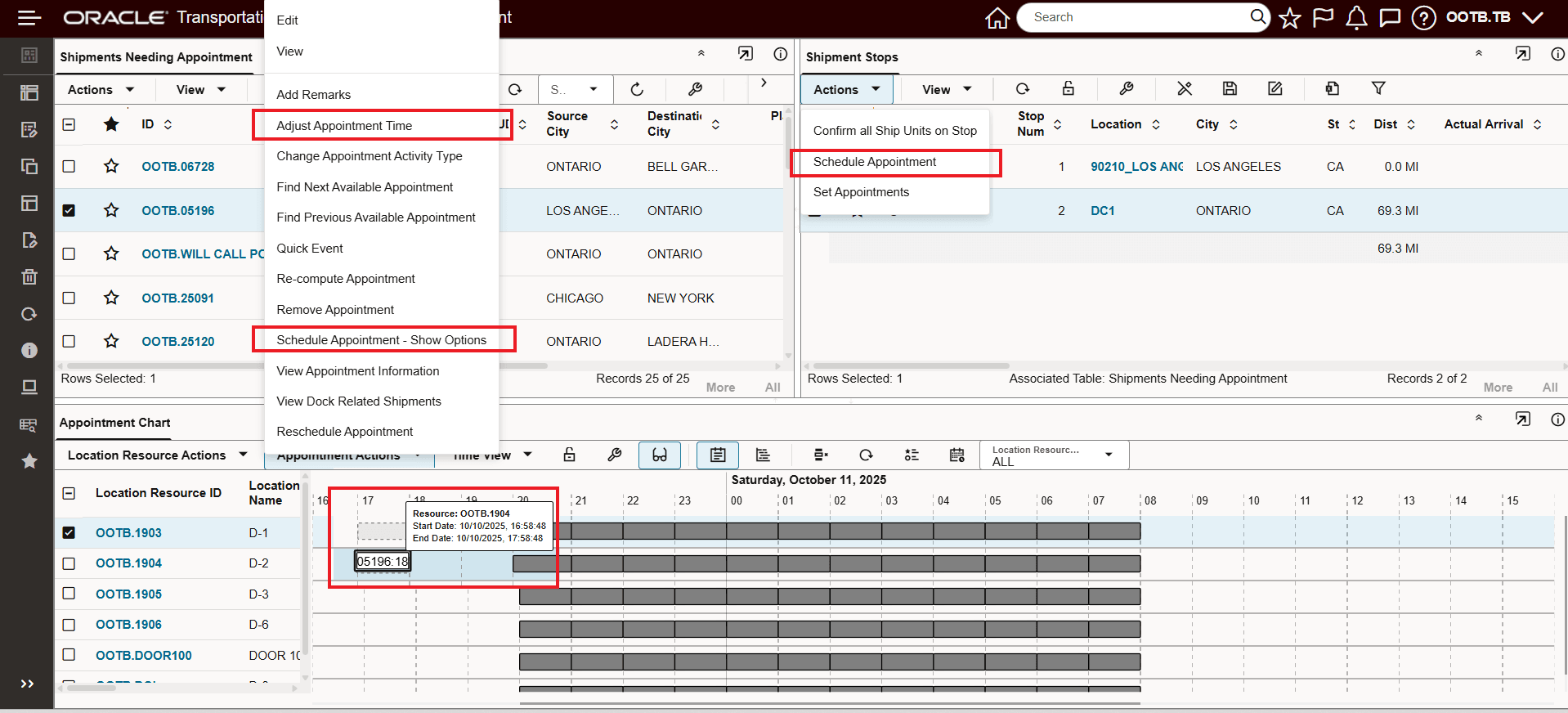
Post Action Check Appointment Actions Supported
Business Benefit: You will find this additional configuration option useful for implementing your specific appointment validation checks.
Steps to enable and configure
To take advantage of this feature, you will need to configure your desired Appointment Action Post Action Checks.
Navigate to Configuration and Administration > User Configuration > Manage User Access. In the User Access Type field, select the option Action Checks.
Setup: Add 'ADD APPOINTMENT' audit action
In the example below, a Post Action Check has been configured to check that the appointments being scheduled, are scheduled more than two hours out from the current time.
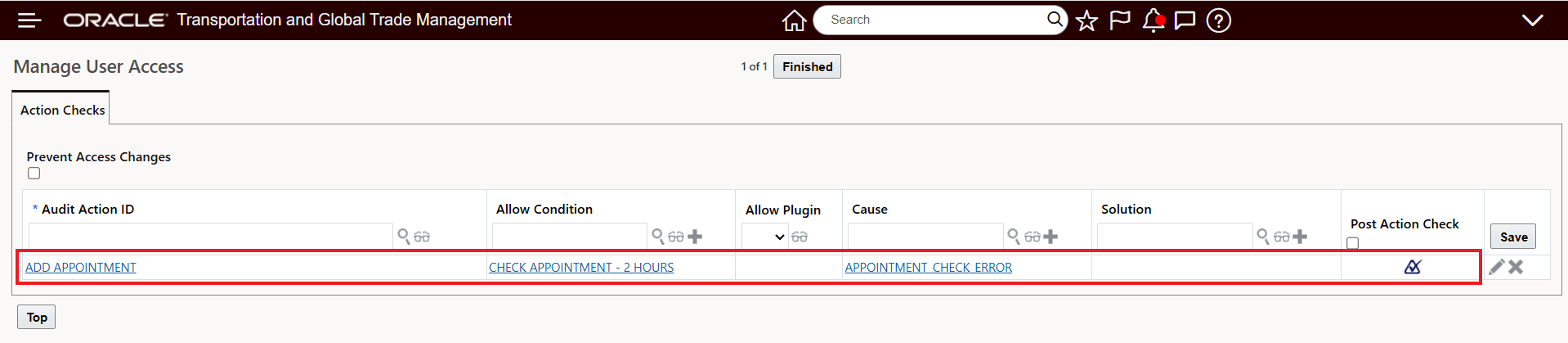
Post Action Check Example
The Allow Condition for the Action Check is below, in this case it is checking that the proposed appointment time is more than two hour out from the current time.
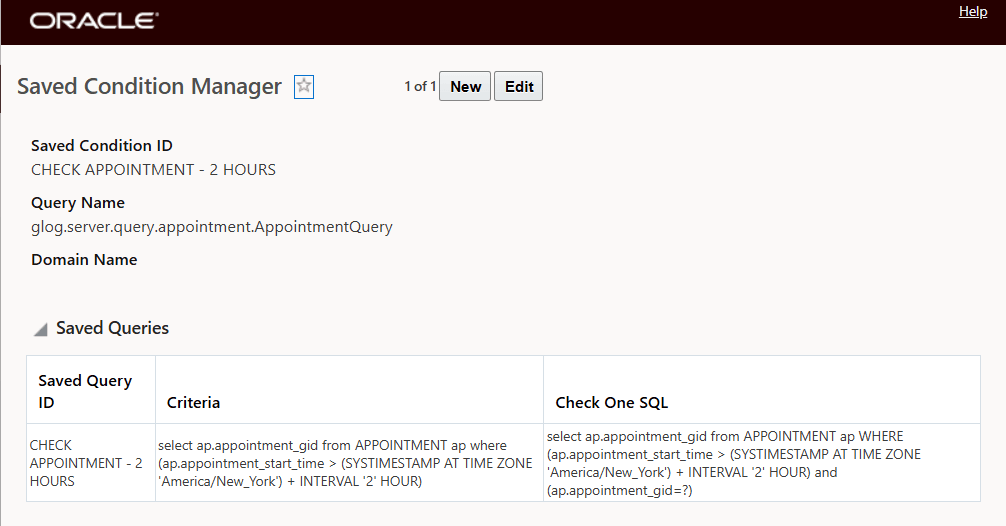
Allow Condition
The Cause/error message that is displayed for the criteria defined is provided below.
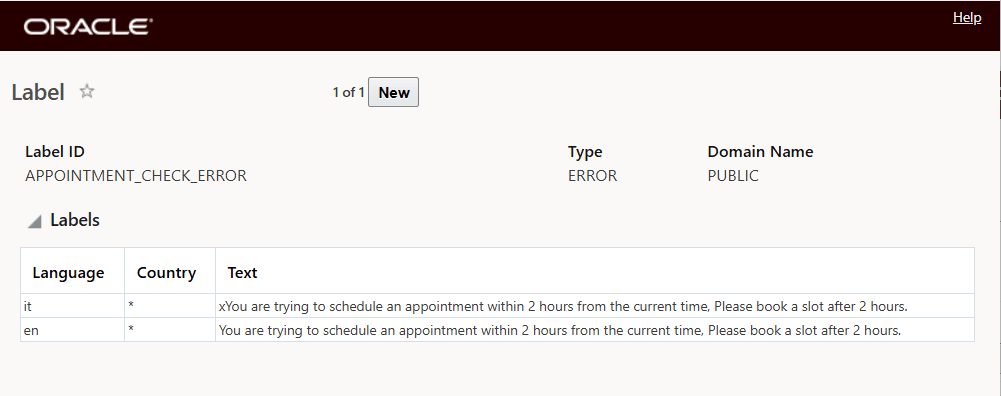
Cause/Error Message