 Consol Group
This feature provides an option to group your Ground Consols into Consol Groups. The Consol Group provides the option to set the Maximum Number of Equipment, Maximum Weight, Maximum Volume, Equipment Reference Unit ID, and Maximum Number of Reference Units on the Consol Group level. For example, the Consol Group can be used to manage the totals for a unit train, where the unit train is comprised of multiple Ground Consols going to different customer locations. The Maximum Number of Equipment, Maximum Weight, Maximum Volume, and Maximum Number of Reference Units on the Consol Group will be validated against the totals for all the consol shipments in the Consol Group.
In the example below, the Consol Group contains two Ground Consols. At the Consol Group level the Maximum Number of Equipment has been set to 20, the Maximum Weight has been set to 1,000,000 LB and the Maximum Volume has been set to 60,000 CU FT, this means that the maximum for all of the Consols in the group will be limited to the overall maximums defined at the Consol Group level.
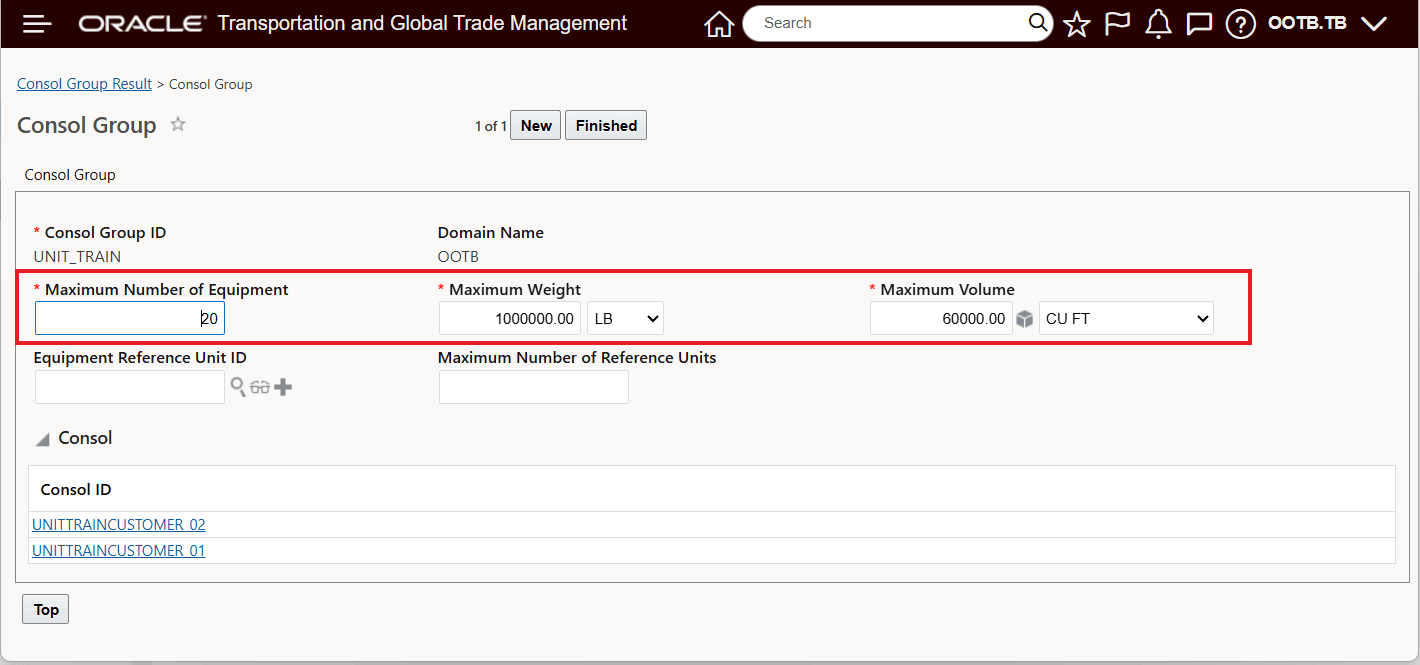
Consol Group Exampl
The individual Ground Consols in the Consol Group above are shown below. In this example, the Consol Group contains two Ground Consols. The individual Ground Consols represent the portions of the unit train being delivered to the two customers in the Consol Group. In this example, the individual Consols have maximums for weight and volume equivalent to the totals set at the Consol Group level. The Maximum Weight has been set to 1,000,000 LB the Maximum Volume has been set to 60,000 CU and the Maximum Number of Equipment (by Equipment Group) at the Conol level has been set to 40 for each of the individual Consols.
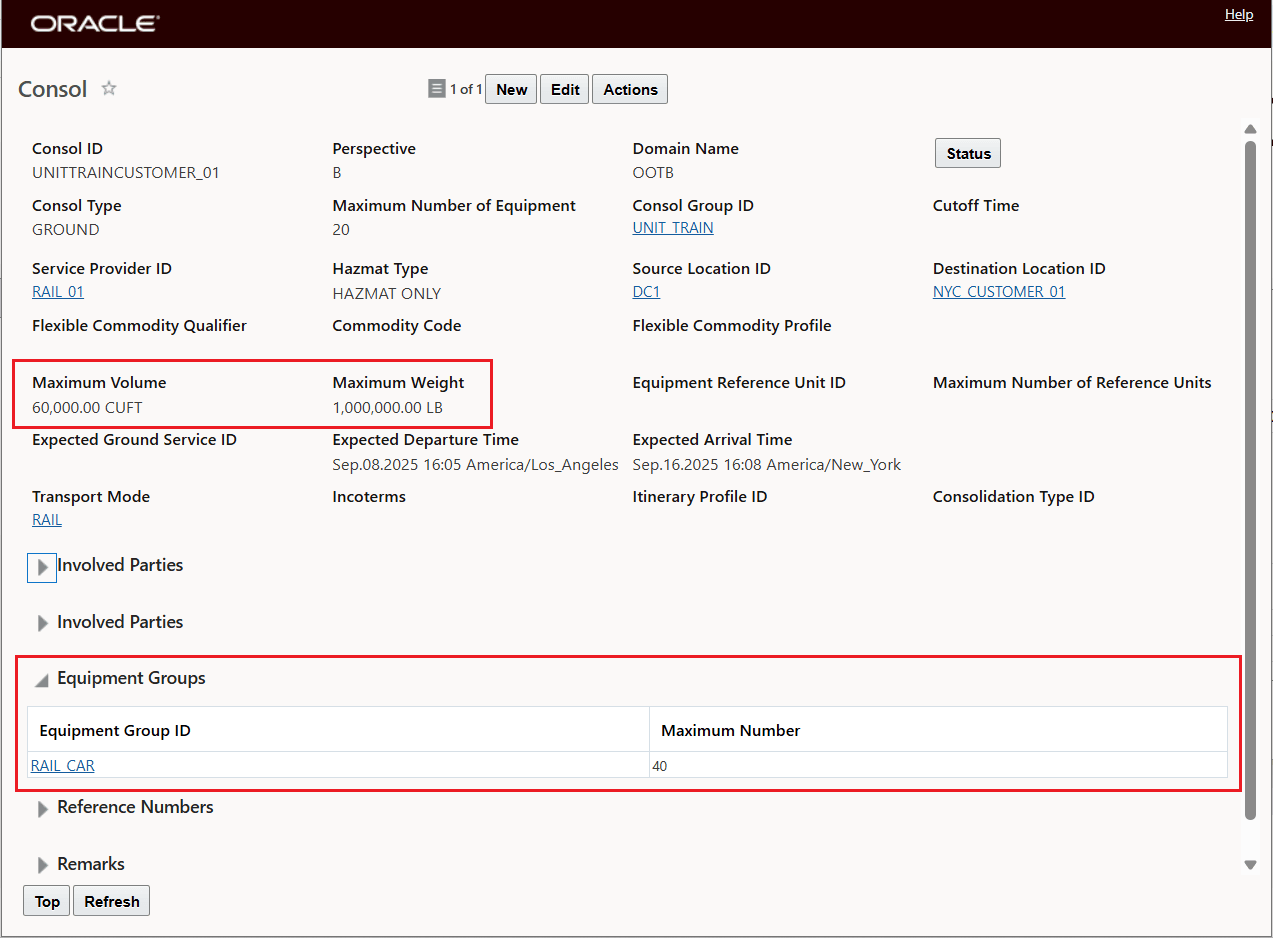
Consol 1 In Consol Group
Below is the second Consol in the Consol Group.
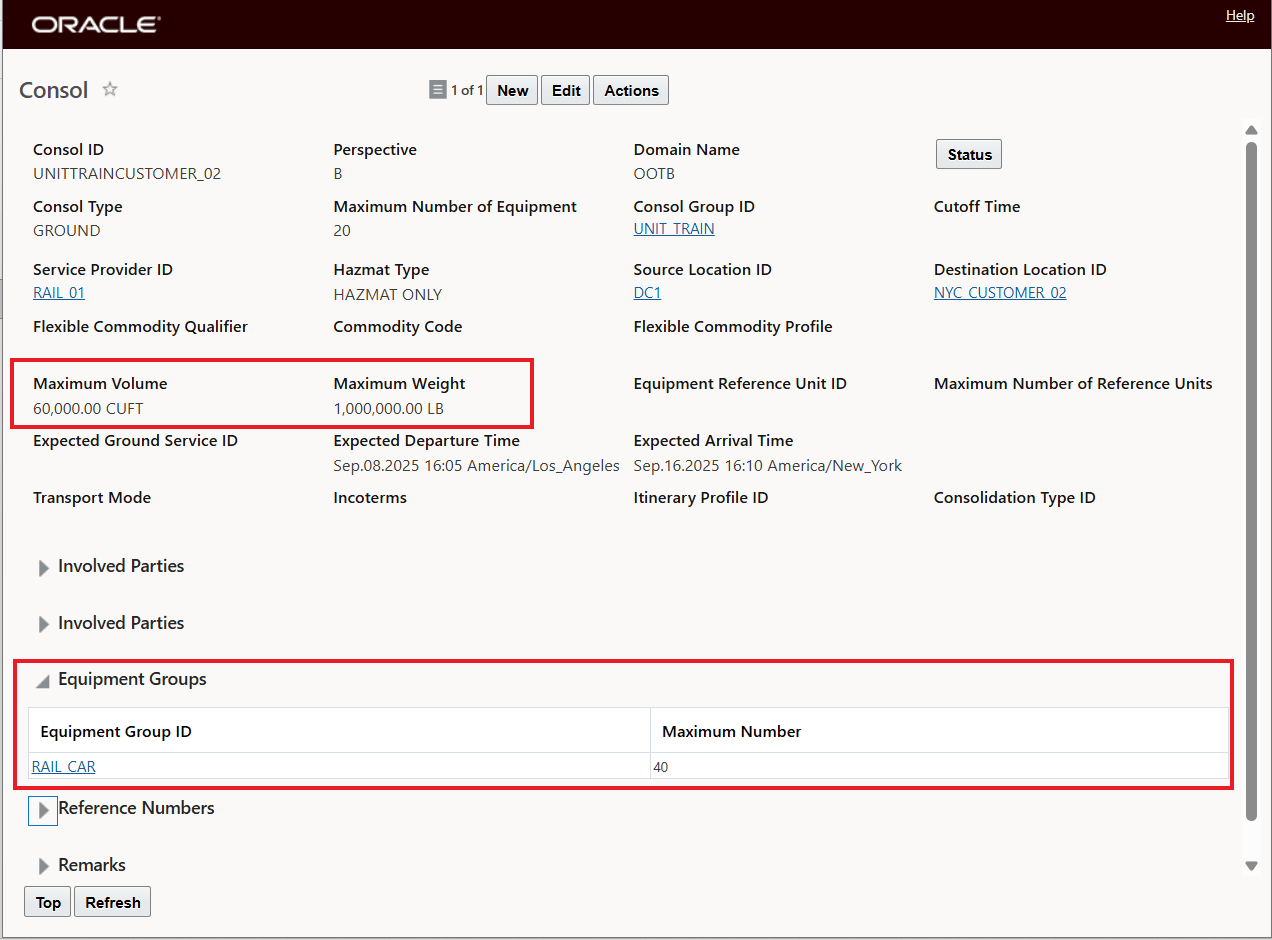
Consol 2 In Consol Group
With the configuration above, OTM's planning logic will now solve the Consol problem honoring both the individual Consol maximums and the Consol Group maximums/constraints, which, in the unit train example, will create a "multistop" unit train, that will honor the maximum capacity of the unit train at the Consol Group level, while also honoring the capacity of each destination consol, whichever constraint is the most constraining.
Business Benefit: This feature provides a multi-level capacity limit definition for your Ground Schedule Consol, providing a solution for both Consol specific maximums and a grouped maximum. The feature's logic allows you to effectively utilize the available Ground Schedule Consol capacity considering both the individual Consol level and the Grouped level.
Steps to enable and configure
To take advantage of the Consol Group functionality, you will need to do the following:
- You can start by creating the Consol Group - Shipment Management > Group Management > Consol Group first and defining the maximums you want to have honored at the Consol Group Level. In the example below the Consol Group is created before any Ground Consols are assigned and the maximums are defined for the Consol Group.
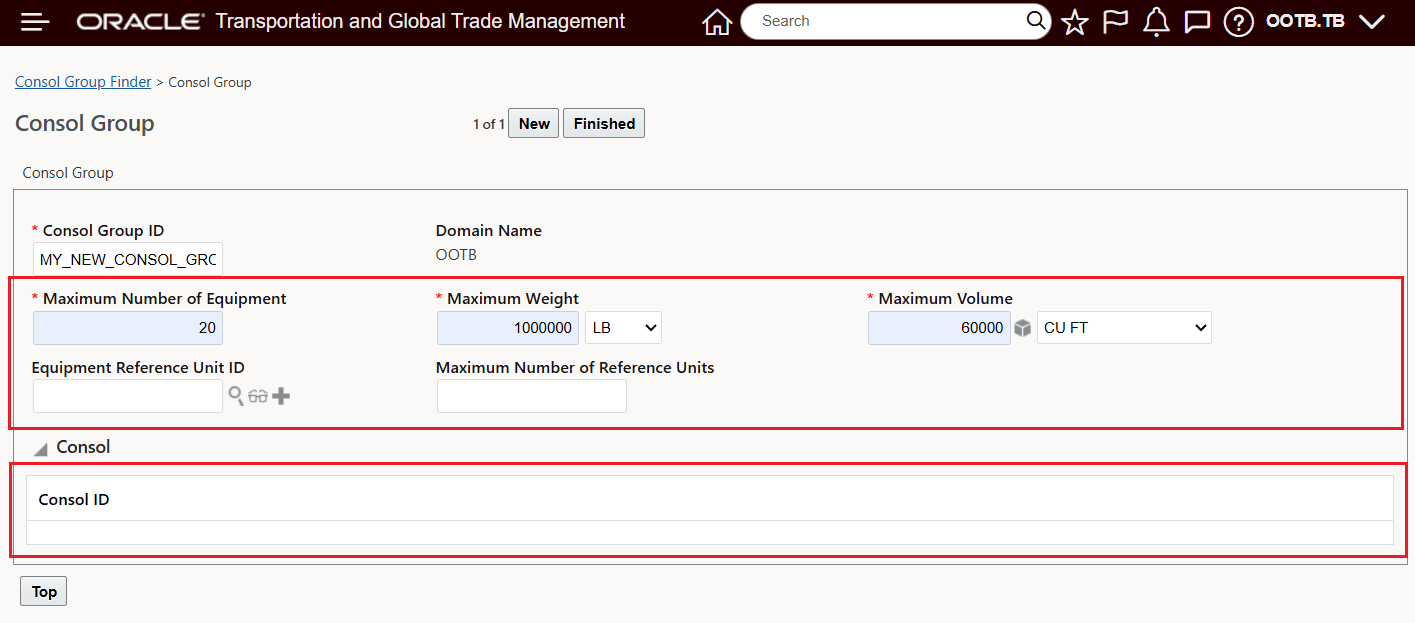
Consol Group Created First
Then, with the Consol Group defined - you can assign your Ground Consols to the defined Consol Groups, as shown below.
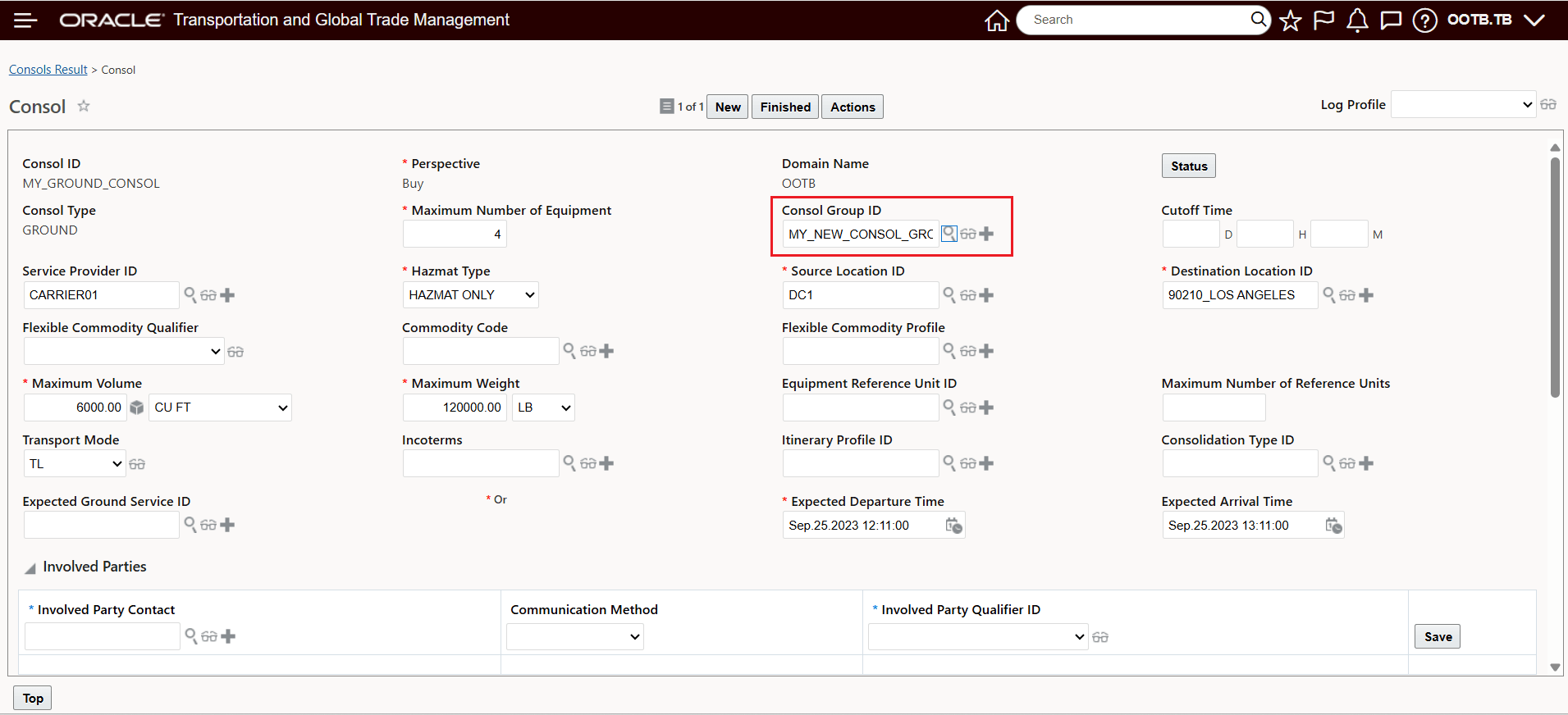
Ground Consol Assigned to Existing Consol Group
After adding the Consol Group ID, the Consol Group now include the Ground Schedule Consol in the Consol Group - as shown below.
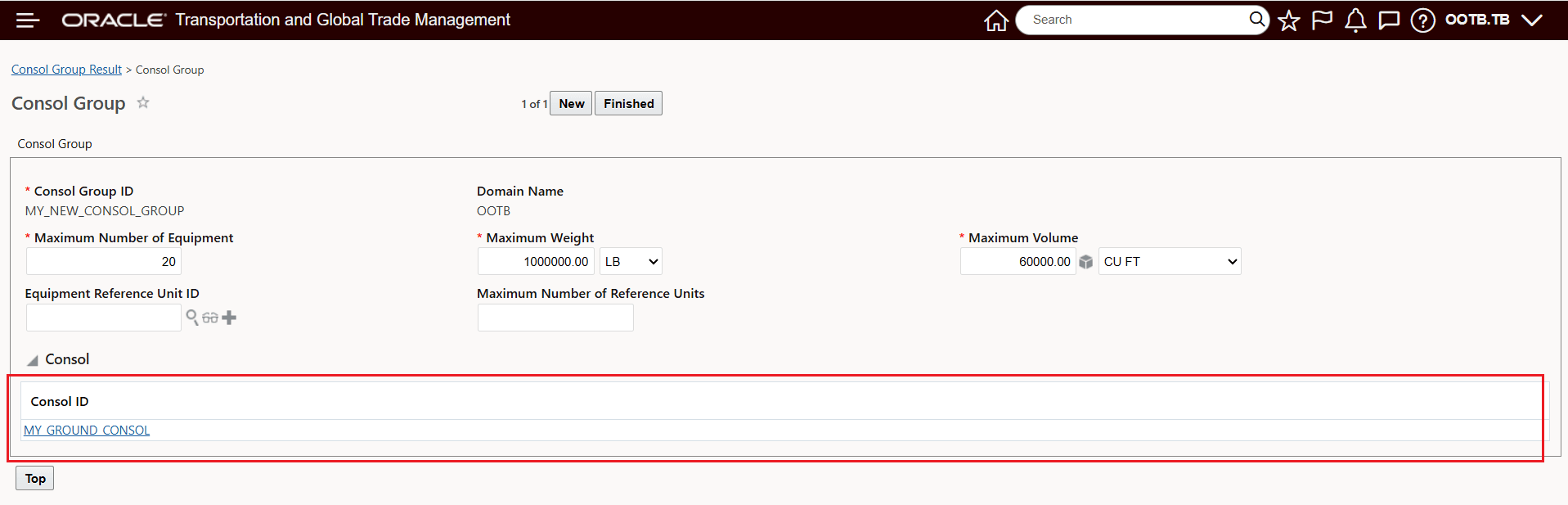
Consol Group With Ground Consol Added
- You can also create the Consol Group directly in the Ground Consol UI as shown below, the Consol Group created in this fashion can then be added to other Ground Schedule Consols you want added to the Consol Group.
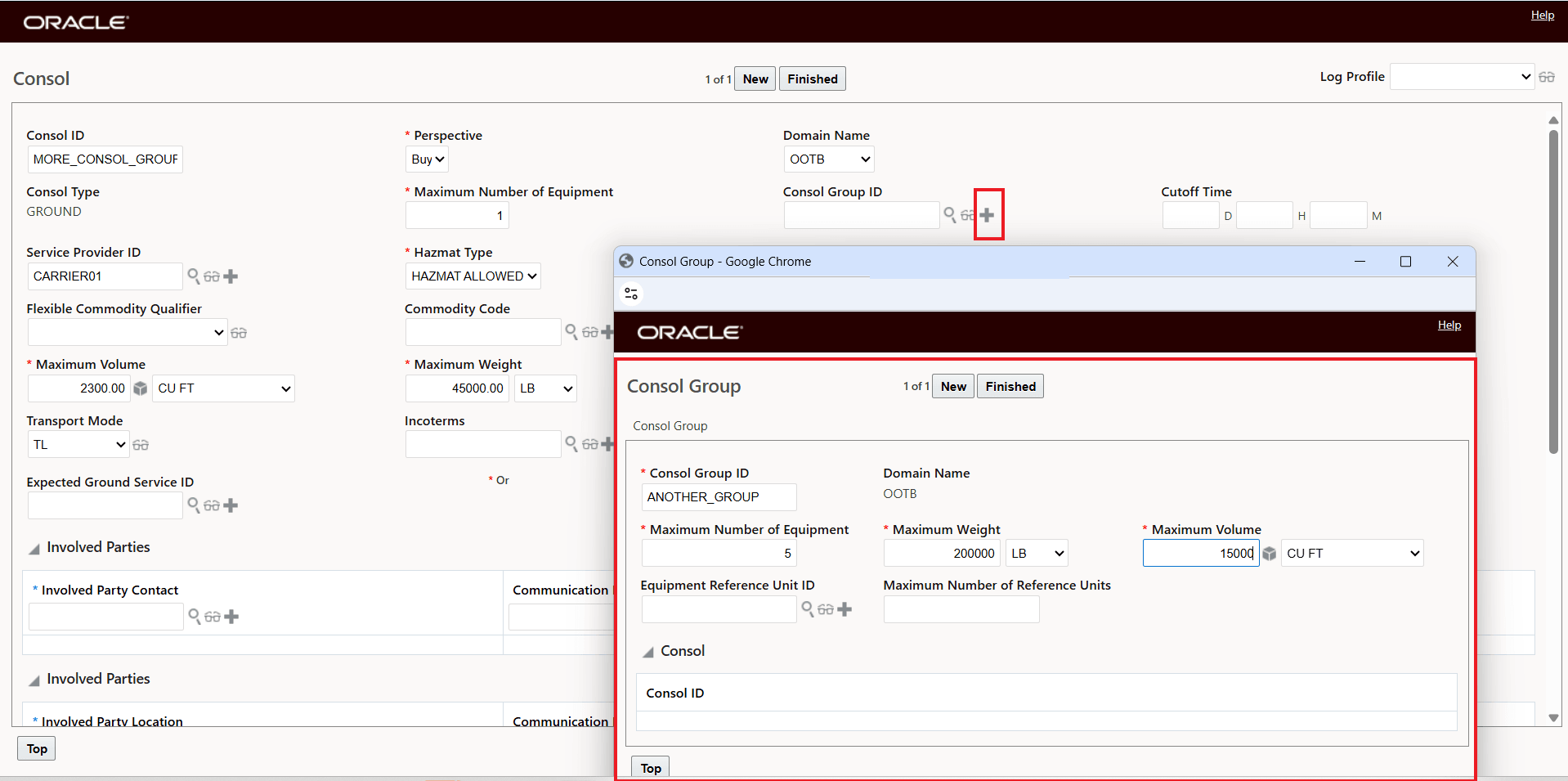
Consol Group Created In Ground Consol UI
Once the Consol Group is created within the Ground Consol, the Consol will be added to the Consol Group, as shown below.
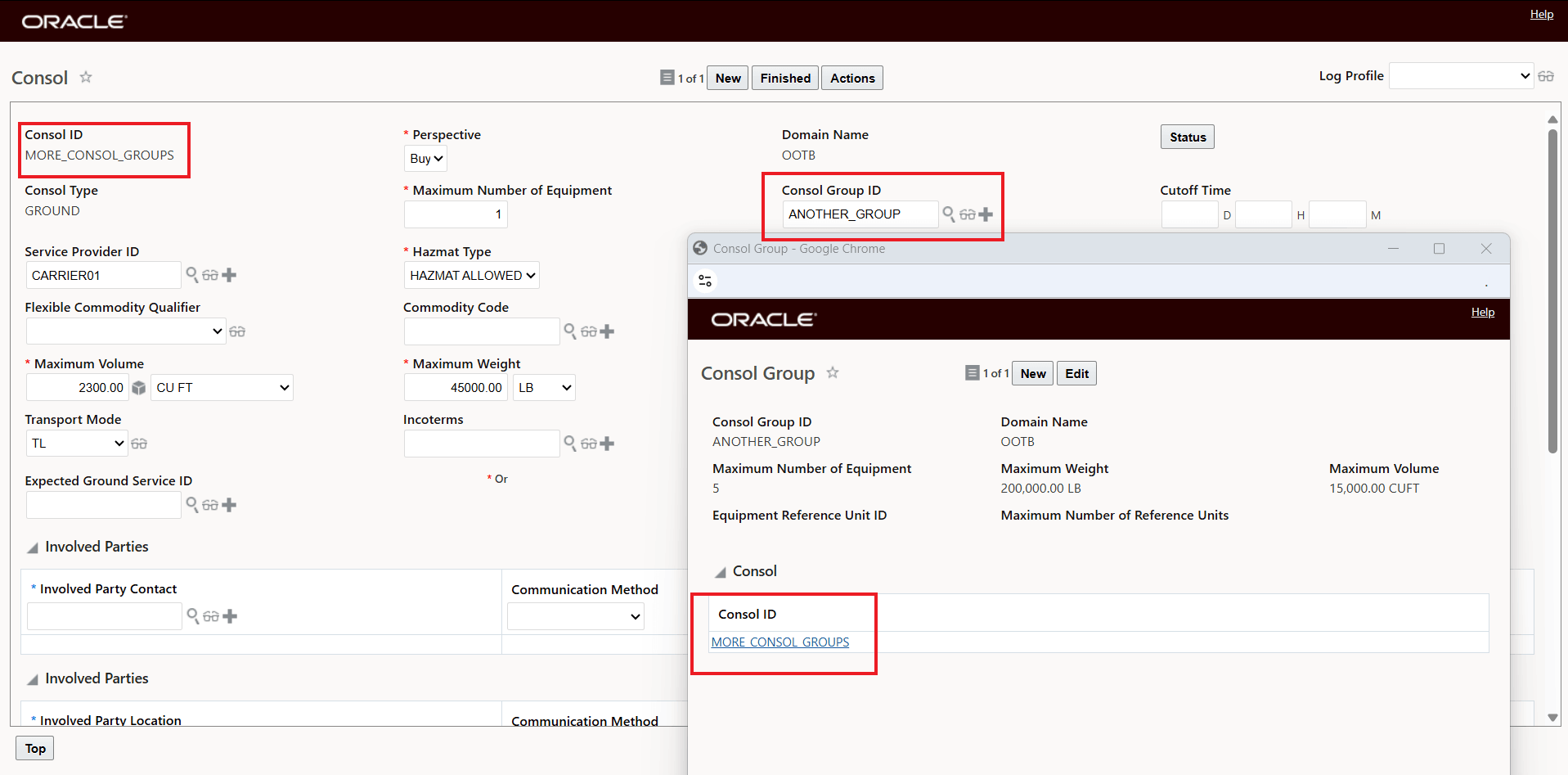
Ground Consol Added to Consol Group
Once created, additional Ground Consols can use the created Consol Group - as shown below, where an addition Ground Consol has had the Consol Group assigned.
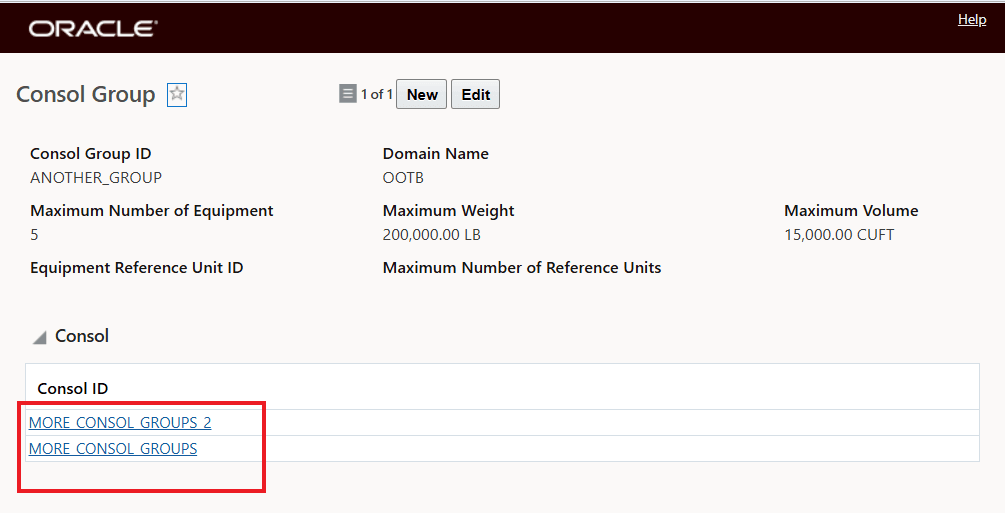
Additional Ground Consols Added